


 Home
HomeKaniAI
Visual Mnemonics for WaniKani | KaniAI



Helps TikTok sellers, brands, MCNs, and TAPs discover winning products and find creators.

HelpLook is an AI-powered all-in-one knowledge base tool that helps businesses quickly build knowledge bases, help centers, and...

Your AI Workspace

302.AI is an enterprise-grade AI resource platform with pay-as-you-go pricing, API access to a full range of AI models, and ready-to-use online applications.

剧火AI — AI Screenwriter + Director, a One-Person Short Drama Studio In one sentence, what is it?
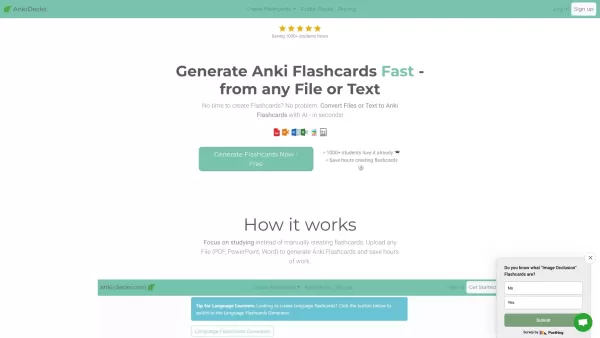
What is anki-decks.com?Anki Decks is an AI-powered platform that creates Anki flashcards from various content sources like YouTube videos, PDFs, and text documents. It saves users considerable time spent on manual flashcard creation. Designed to
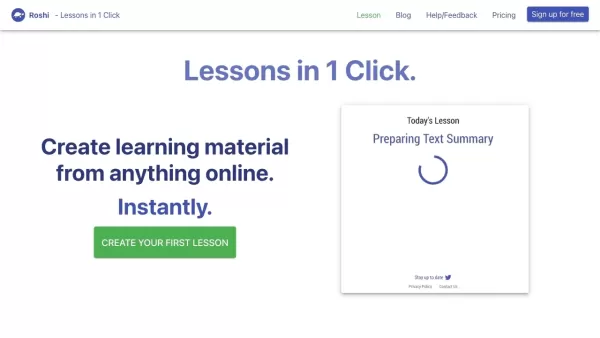
What is Roshi AI?Roshi AI is an innovative platform that makes it easy to create personalized learning materials. It uses advanced algorithms to turn any online content into tailored lessons, vocabulary lists, and practice questions. This tool is a g
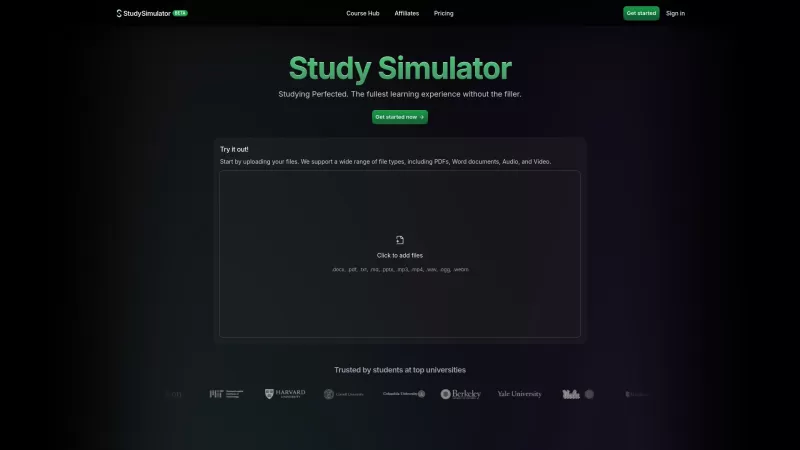
StudySim is a cutting-edge AI-powered learning platform designed to revolutionize your study sessions. It takes your study materials and transforms them into personalized flashcards, study guides, and quizzes that match your unique learning style. Whether
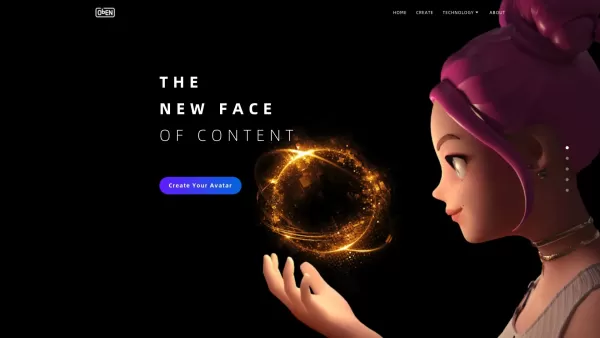
What is ObEN.me?ObEN.me is an advanced platform for creating Personal AI-powered 3D avatars. These digital beings are designed for lifelike interactions and are ideal for a wide range of uses, from entertainment and education to professional branding
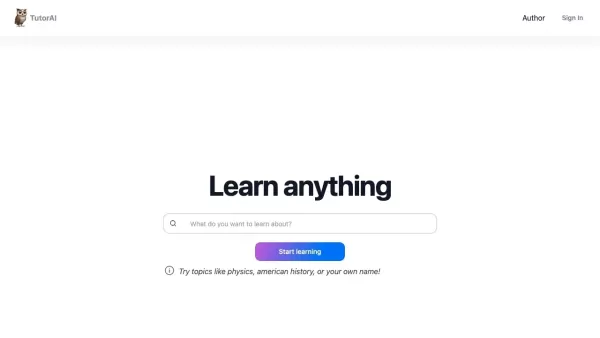
What is TutorAI?TutorAI is a personalized, AI-powered learning platform designed to help you master subjects of your choice. It uses advanced AI to deliver thorough answers, clear explanations, relevant examples, and a personalized learning journey t
KaniAI Product Information
What is KaniAI?
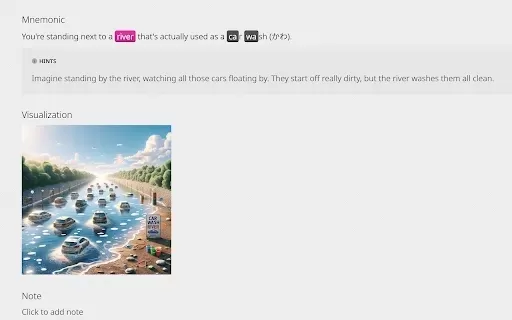
KaniAI is a Chrome extension that enriches the WaniKani platform by providing AI-generated visual aids for Kanji lessons and reference pages. With just one click, users can generate a visual representation of the mnemonic story connected to each Kanji. These AI-created images add an additional layer to your memory process, helping you learn Kanji meanings and readings more effectively. By transforming mnemonic stories into visual formats, KaniAI brings a unique enhancement to your learning and review process, creating a more engaging and efficient experience.
Who uses KaniAI?
- WaniKani users
- Learners of Japanese
- Students studying for the JLPT
- Language teachers and tutors
How to use KaniAI
- Step 1: Install KaniAI from the Chrome Web Store.
- Step 2: Log in to WaniKani and start a Kanji lesson.
- Step 3: During the lesson, click the KaniAI icon or mnemonic image button.
- Step 4: Observe the AI-generated mnemonic image and use it as a memory aid.
Platform
- Chrome
KaniAI's Core Features & Benefits
The Core Features
- AI-generated mnemonic visuals
- Direct integration with WaniKani lessons
- Simple setup and operation
The Benefits
- Improved memory retention
- Interactive learning sessions
- Visual aids for complicated Kanji characters
KaniAI's Main Use Cases & Applications
- Japanese language acquisition
- Kanji learning reinforcement
- A supplementary resource for WaniKani users
FAQs of KaniAI
How do I install KaniAI?
Visit the Chrome Web Store and click on the 'Add to Chrome' button to install KaniAI.
Is KaniAI free to use?
Yes, KaniAI is a free extension available on the Chrome Web Store.
What is the purpose of KaniAI?
KaniAI enhances WaniKani's curriculum by adding AI-powered visual mnemonics to support Kanji memorization.
How do the AI-generated visuals help in learning?
They add a visual memory association, making it easier to recall Kanji meanings and readings.
Do I need a WaniKani account to use KaniAI?
Yes, an active WaniKani account is required to use KaniAI's features.
Can I use KaniAI on mobile devices?
KaniAI is built for the Chrome browser on desktop devices.
Are the mnemonic visuals customizable?
No, the visuals are automatically generated by AI and cannot be personalized.
Will KaniAI affect my WaniKani progress?
No, KaniAI is a supplementary tool and does not interfere with your WaniKani progress.
How frequently are the visuals updated?
Visuals are produced in real-time according to the mnemonics in your WaniKani lessons.
Who can I contact for support?
Reach out to the developer by emailing [email protected] for assistance.
KaniAI Company Information
- Andrew
KaniAI Screenshot



2026 Latest Best Top-rated AI Object Removal Editors for portraits travel product shots! XIX.AI curates a powerful game-changing collection regularly updated with weekly rankings. These tools offer real-world tests to help you quickly remove unwanted elements, boost content quality, and save tons of time without compromising results. Must-try for anyone aiming to unlock their AI creation edge. Explore now!
 10 tools
 xix.ai

2026 Latest Best Top-rated AI Text to Speech Tools for Online Courses are curated by XIX.AI based on rigorous real-world tests and weekly updated rankings. These powerful tools help creators deliver crystal-clear audio content effortlessly, boosting writing efficiency and streamlining course production. Check out the free vs paid comparison to find your perfect fit. Explore now to unlock your AI edge in online education.
10 tools
xix.ai

2026 Latest Best Top-Rated AI Blog Title Tools for Higher Click Through Rates! XIX.AI has carefully curated a powerful, game-changing collection of top tools that go through rigorous real-world tests. You’ll find a free vs paid comparison, weekly updated rankings, and detailed insights to help you boost your blog’s traffic efficiently. Must-try options are highlighted to help you unlock your AI edge. Explore now!
10 tools
xix.ai

2026 Latest Best Top-rated AI Task Routing Tools for Support Workflows! XIX.AI has curated a highly powerful game-changing collection of must-try solutions, all undergoing rigorous real-world tests and updated weekly. These tools streamline workflows, boost productivity, and help teams deliver faster, more efficient support. Explore now to discover your perfect tool and unlock your AI edge!
17 tools
xix.ai

2026 Latest Best Top-Rated AI Citation and Paper Summary Tools Curated by XIX.AI. Get powerful game-changing solutions for quick content creation, improved writing efficiency, and boosting productivity. We offer a free vs paid comparison along with real-world tests and weekly updated rankings to help you find the must-try tool that fits your needs perfectly. Explore now to Unlock your AI edge.
10 tools
xix.ai

2026 Latest Best Top-Rated AI Productivity Tools for Daily Work! XIX.AI has curated a powerful, game-changing selection based on rigorous weekly updated rankings and real-world tests. You’ll find must-try options that boost writing efficiency, streamline content creation, and help you overcome daily work challenges. Get a free vs paid comparison to find the perfect fit for your needs. Explore now to unlock your AI edge!
9 tools
xix.ai


Just tried KaniAI and it's a game-changer for my WaniKani reviews! The AI-generated visuals make those tricky kanji mnemonics stick so much better. One-click generation is super convenient, though I wish it could also create little animations sometimes. Overall, a solid extension that adds a nice visual layer to the learning process. 🎌


