


 Home
HomeJuice
GPU Remote Acceleration: AI/Graphics Workloads | Juice Labs



Helps TikTok sellers, brands, MCNs, and TAPs discover winning products and find creators.

HelpLook is an AI-powered all-in-one knowledge base tool that helps businesses quickly build knowledge bases, help centers, and...

Your AI Workspace

302.AI is an enterprise-grade AI resource platform with pay-as-you-go pricing, API access to a full range of AI models, and ready-to-use online applications.

剧火AI — AI Screenwriter + Director, a One-Person Short Drama Studio In one sentence, what is it?
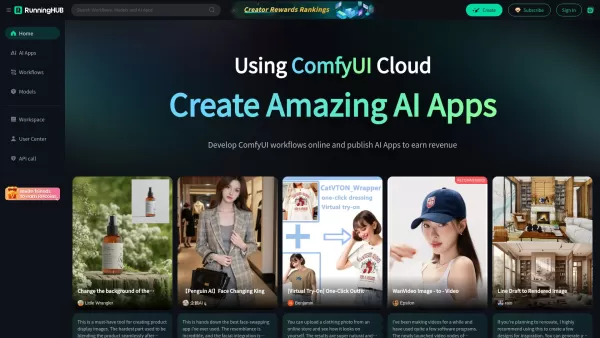
Ever wondered about a platform that could turbocharge your AI application development? Enter RunningHub, your go-to cloud-based haven for crafting, tweaking, and running ComfyUI workflows online. With access to powerhouse GPUs, it's like giving your AI projects a performance boost on steroids. And t

Ever wondered how to turn your everyday videos into stunning 3D animations without breaking the bank on fancy equipment? Well, Movmi's got your back! This human AI-powered motion capture software is a game-changer for 3D animators. It harnesses the power
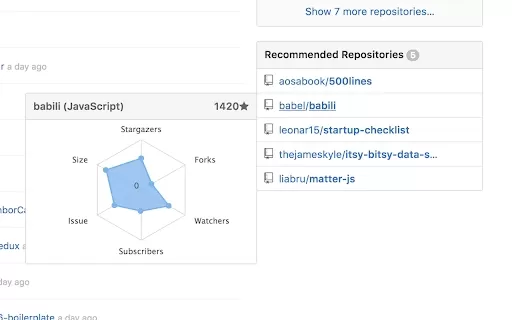
What is the Azure Machine Learning AI Chrome Extension? Azure Machine Learning is a cloud platform that helps data scientists and developers create, train, deploy, and manage machine learning models. It includes a full range of tools and services, su

What is S.M.A.R.T?S.M.A.R.T is a specialized Chrome extension created for the IBM TechXchange event to enhance productivity and simplify experiences with IBM Cloud. It includes custom AI prompts for accurate responses, multi-level bookmarking for imp
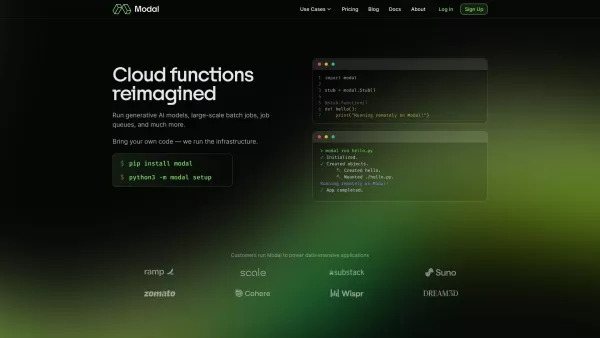
What is Modal? Modal is a game-changer for developers. At its core, it simplifies the process of running code in the cloud. No more wrestling with infrastructure management or worrying about setting up servers—you just focus on your code. Think of Modal a
Juice Product Information
What is Juice?
Juice Labs offers a cutting-edge software solution that enables AI and graphics workloads to run smoothly on remote GPUs. This technology offloads GPU processing to remote servers, making high-performance GPU resources more accessible and affordable. By routing GPU workloads over standard networks, Juice Labs creates a client-server model that efficiently utilizes virtual remote GPU resources. This leads to better graphics and computing performance, lower hardware costs, and increased productivity across a wide range of demanding applications.
Who uses Juice?
- AI Developers
- Graphic Designers
- Game Developers
- Researchers
- Engineering Firms
How to use Juice
- Step 1: Visit the Juice Labs website and sign up for an account.
- Step 2: Download and install the Juice Labs software on your device.
- Step 3: Adjust the software settings based on your requirements.
- Step 4: Use the software to connect to a remote GPU server.
- Step 5: Execute your AI or graphics workloads on the remote GPU.
Platform
- Web
- Windows
- Linux
Juice's Core Features & Benefits
Core Features
- Remote GPU Processing
- CUDA and Vulkan Support
- Client-Server Model
- High Performance
Key Benefits
- Enhanced GPU Performance
- Cost Savings
- Efficient Workload Management
- Scalability
Main Use Cases & Applications
- AI Model Training
- 3D Rendering
- Game Development
- Scientific Simulations
Juice's Pros & Cons
Pros
Enables network-based GPU pooling and sharing to maximize utilization.
Supports on-demand, dynamic, and short-term compute access.
Works without requiring changes to existing applications or hardware.
Boosts AI and graphics performance with flexible GPU resource access.
Trusted by leading enterprises and universities for advanced GPU scheduling and allocation.
Cons
No openly available information about open-source status or community contributions.
Pricing details are not publicly listed and require contacting the sales team.
Limited public user documentation or self-help resources.
Juice's Pricing
Free plan available | No |
|---|---|
Free trial details | |
Pricing model | |
Credit card required | No |
Paid from | |
Lifetime plan available | No |
Billing frequency |
For updated pricing, visit: https://www.juicelabs.co
Juice FAQs
What is Juice Labs?
Juice Labs is a software platform that lets you run AI and graphics workloads on remote GPUs.
How do I use Juice Labs?
Sign up for an account, install the software, customize the settings, connect to a remote GPU, and run your workloads.
Which platforms does Juice Labs support?
Juice Labs is compatible with web, Windows, and Linux platforms.
What are the key benefits of Juice Labs?
Juice Labs delivers improved GPU performance, cost efficiency, workload optimization, and scalable resources.
Who can benefit from Juice Labs?
AI developers, graphic designers, game developers, researchers, and engineering firms can all benefit from Juice Labs.
What types of workloads does Juice Labs support?
Juice Labs supports AI model training, 3D rendering, game development, and scientific simulations.
Can Juice Labs offload workloads to any GPU?
Yes, Juice Labs can offload to remote GPUs that support CUDA and Vulkan.
Is Juice Labs free to use?
Pricing information is available on the Juice Labs website.
How does Juice Labs enhance performance?
Juice Labs directs workloads over standard networks to remote GPUs, improving performance and cutting hardware expenses.
Is technical support provided for Juice Labs?
Yes, Juice Labs offers technical support through their website.
Juice Company Details
Website:
https://juicelabs.coCompany Name:
Juice LabsSupport Email:
NAFacebook:
NAX (Twitter):
NAYouTube:
https://www.youtube.com/@JuiceLabsInstagram:
https://www.instagram.com/juicelabs/?hl=enTikTok:
NALinkedIn:
https://www.linkedin.com/company/juice-labs-gpu
Juice Screenshot


2026 Latest Best Top-rated AI Object Removal Editors for portraits travel product shots! XIX.AI curates a powerful game-changing collection regularly updated with weekly rankings. These tools offer real-world tests to help you quickly remove unwanted elements, boost content quality, and save tons of time without compromising results. Must-try for anyone aiming to unlock their AI creation edge. Explore now!
 10 tools
 xix.ai

2026 Latest Best Top-rated AI Text to Speech Tools for Online Courses are curated by XIX.AI based on rigorous real-world tests and weekly updated rankings. These powerful tools help creators deliver crystal-clear audio content effortlessly, boosting writing efficiency and streamlining course production. Check out the free vs paid comparison to find your perfect fit. Explore now to unlock your AI edge in online education.
10 tools
xix.ai

2026 Latest Best Top-Rated AI Blog Title Tools for Higher Click Through Rates! XIX.AI has carefully curated a powerful, game-changing collection of top tools that go through rigorous real-world tests. You’ll find a free vs paid comparison, weekly updated rankings, and detailed insights to help you boost your blog’s traffic efficiently. Must-try options are highlighted to help you unlock your AI edge. Explore now!
10 tools
xix.ai

2026 Latest Best Top-rated AI Task Routing Tools for Support Workflows! XIX.AI has curated a highly powerful game-changing collection of must-try solutions, all undergoing rigorous real-world tests and updated weekly. These tools streamline workflows, boost productivity, and help teams deliver faster, more efficient support. Explore now to discover your perfect tool and unlock your AI edge!
17 tools
xix.ai

2026 Latest Best Top-Rated AI Citation and Paper Summary Tools Curated by XIX.AI. Get powerful game-changing solutions for quick content creation, improved writing efficiency, and boosting productivity. We offer a free vs paid comparison along with real-world tests and weekly updated rankings to help you find the must-try tool that fits your needs perfectly. Explore now to Unlock your AI edge.
10 tools
xix.ai

2026 Latest Best Top-Rated AI Productivity Tools for Daily Work! XIX.AI has curated a powerful, game-changing selection based on rigorous weekly updated rankings and real-world tests. You’ll find must-try options that boost writing efficiency, streamline content creation, and help you overcome daily work challenges. Get a free vs paid comparison to find the perfect fit for your needs. Explore now to unlock your AI edge!
9 tools
xix.ai


