


 Home
HomeJourneyTracker - Chrome Extension
Record and summarize research effortlessly



Helps TikTok sellers, brands, MCNs, and TAPs discover winning products and find creators.

HelpLook is an AI-powered all-in-one knowledge base tool that helps businesses quickly build knowledge bases, help centers, and...

Your AI Workspace

302.AI is an enterprise-grade AI resource platform with pay-as-you-go pricing, API access to a full range of AI models, and ready-to-use online applications.

剧火AI — AI Screenwriter + Director, a One-Person Short Drama Studio In one sentence, what is it?
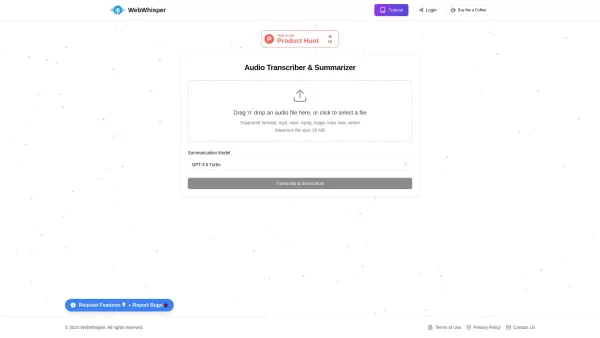
Ever found yourself wishing you could magically turn audio into text? Well, let me introduce you to WebWhisper, your new best friend in the world of audio transcription and summarization. This nifty online tool harnesses the power of cutting-edge AI
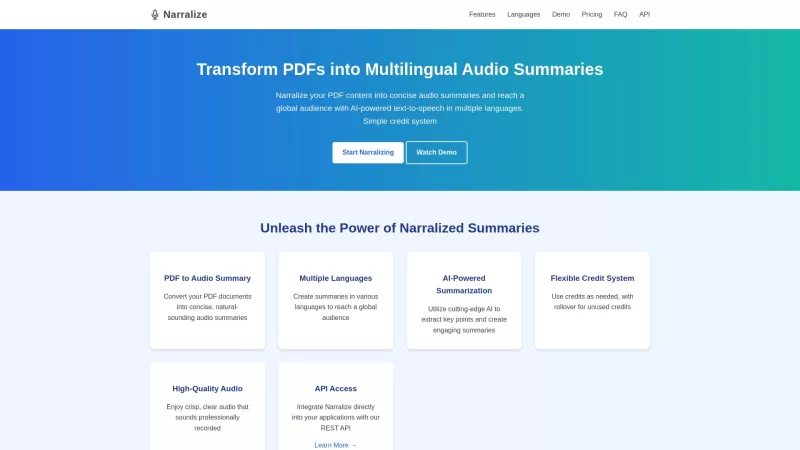
Ever stumbled upon a PDF and wished you could just listen to its key points instead of reading through the whole thing? That's where Narralize comes in—a nifty AI-powered tool that transforms your PDFs into audio summaries, and not just in one language, b
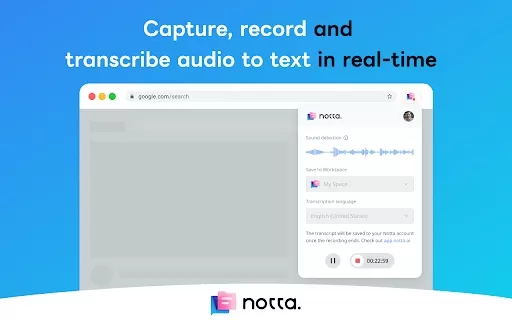
What is the Notta AI Chrome Extension? Notta is an AI-driven tool that automatically converts audio into text. Its Chrome extension captures and transcribes audio directly from web pages in real time. Transcripts are stored in your Notta account and
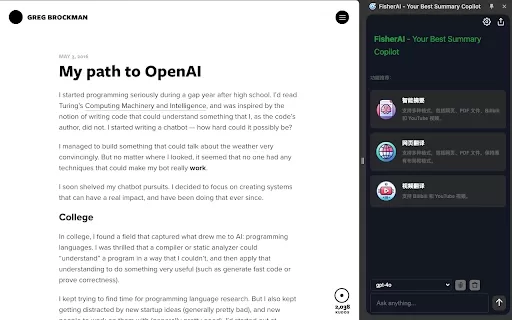
What Is the Fisher AI Chrome Extension? Fisher AI is a sophisticated Chrome extension built to help users instantly capture the essence of web content, with support for multi-turn dialogue. By leveraging various AI models, it intelligently analyzes a
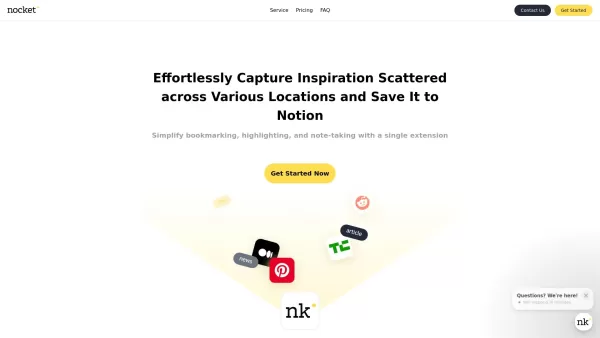
What is Nocket?Nocket.io is a user-friendly browser extension that transforms how you interact with web content. It enables you to bookmark pages, highlight text, and take notes right in your browser. You can easily save your discoveries to Notion, a
JourneyTracker - Chrome Extension Product Information
Ever find yourself diving deep into a topic or trying to fix a pesky bug, only to realize you've forgotten half of what you've learned? Well, say hello to the JourneyTracker AI Chrome extension—a nifty little tool designed to keep your knowledge journey on track and neatly summarized.
How to Use JourneyTracker AI Chrome Extension?
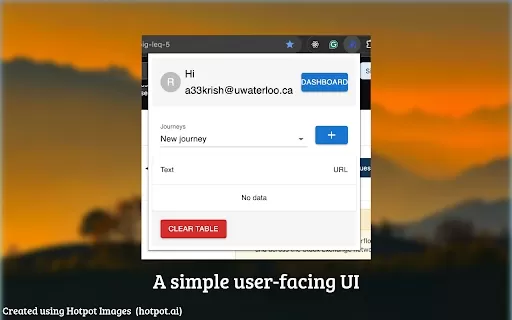
Getting started with JourneyTracker is a breeze, but there's a small catch—you'll need an email ending in '@uwaterloo.ca'. Once you've got that, create an account and log in. Now you're all set to access the Journey Summarization feature, which is like having your own personal knowledge librarian at your fingertips.
JourneyTracker AI Chrome Extension's Core Features
What makes JourneyTracker stand out? Let me tell you:
Record Knowledge Journey
This feature is like a digital diary for your brain. Every step of your research or learning journey gets recorded, so you can revisit and reflect on your progress whenever you need to.
Summarize Research Using AI
Ever wished you had a smart assistant to boil down hours of research into a digestible summary? JourneyTracker's AI does just that, turning your sprawling notes into concise, easy-to-understand summaries.
JourneyTracker AI Chrome Extension's Use Cases
So, when should you reach for JourneyTracker? Here are a couple of scenarios:
Researching Topics
Whether you're deep-diving into quantum physics or exploring the intricacies of Renaissance art, JourneyTracker keeps your research organized and summarized, making it easier to connect the dots.
Fixing Bugs
Debugging can be a labyrinthine process. JourneyTracker helps you document each step you take, so you can see where you've been and where you need to go next. Plus, those AI-generated summaries can be a lifesaver when you're trying to explain the issue to your team.
FAQ from JourneyTracker
- What is required to access Journey Summarization?
- To dive into the world of Journey Summarization, you'll need to sign up with an email address ending in '@uwaterloo.ca'. It's that simple!
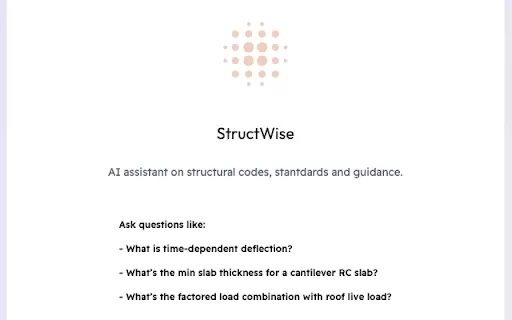
JourneyTracker - Chrome Extension Screenshot


2026 Latest Best Photoshop AI retouch tools for ecommerce apparel, skin cleanup, and color consistency! This top-rated curated list features powerful game-changing solutions that help you boost writing efficiency, streamline content creation, and achieve perfect visual results effortlessly. Each tool has undergone real-world tests through weekly updated rankings, complete with free vs paid comparison details. Backed by XIX.AI, it’s the must-try guide for anyone aiming to unlock your AI edge. Explore now!
 10 tools
 xix.ai

2026 Latest Best Top-Rated AI Prompt Libraries for optimizing all types of ChatGPT workflows. XIX.AI has curated a powerful, game-changing collection that goes through rigorous real-world tests to ensure top performance. You can find detailed free vs paid comparisons and expert rankings to help you choose the must-try tools that boost your productivity and unlock your AI edge. Explore now!
11 tools
xix.ai

2026 Latest Best AI Quiz Builder Platforms for Teachers, Tutors, and Cohort-Based Learning Programs! XIX.AI has curated a top-rated list of powerful game-changing tools that go through real-world tests to deliver accurate rankings. These must-try platforms help boost writing efficiency, streamline content creation, and simplify quiz design across all learning scenarios. Explore now to discover your perfect tool for unlocking your AI edge in teaching!
13 tools
xix.ai

2026 Latest Best AI Pull Request Review Tools for GitHub Teams are here on XIX.AI! This top-rated curated list showcases powerful game-changing solutions that streamline refactoring, bug fixing, and security gap detection across all team workflows. Enjoy a free vs paid comparison along with real-world tests and detailed rankings to help you find the perfect tool that boosts productivity significantly. Explore now to unlock your AI edge!
12 tools
xix.ai

2026 Latest Best Top-rated AI Text to Speech Tools for Natural Voiceovers are here on XIX.AI! This curated list features powerful, game-changing options that deliver crystal-clear voices for every use case, backed by real-world tests and weekly updated rankings. Get a free vs paid comparison to find the must-try solution that boosts your productivity instantly. Explore now to Unlock your AI edge!
11 tools
xix.ai

2026 Latest Best Manga AI Background Generators Ranked Top-Rated! This curated collection showcases powerful game-changing tools perfect for creating high-quality chapter backgrounds, book covers, and promotional art. Every option has undergone rigorous real-world tests to ensure reliability. Get a free vs paid comparison along with detailed insights. Explore now to discover your perfect tool and unlock your AI edge in manga creation.
6 tools
xix.ai


This extension is a lifesaver for my scattered brain! 🧠 I often start researching something, get sidetracked, and forget half of what I learned. JourneyTracker actually helps me keep notes and revisit them later. The UI is clean and easy to use. Only wish it could sync across devices without needing a manual export. But for a free tool, it's pretty solid. 👍
JourneyTracker is a lifesaver! My browser history is usually a chaotic nightmare, but this extension actually organizes my research rabbit holes into something useful. It’s like having a second brain for my late-night debugging sessions. 🧠
JourneyTracker is a game-changer! 🥳 It’s like a digital notebook that follows me around, saving my research and debugging steps without me lifting a finger. Super easy to use, but I wish it had a dark mode—my eyes are begging for mercy after late-night coding sessions!
JourneyTracker is a game-changer! It’s like having a super-smart buddy keeping tabs on my research rabbit holes. Saved me hours retracing steps on a coding bug. Love the clean interface, but wish it had a dark mode for late-night sessions. 🌟
JourneyTrackerは本当に便利です!研究を追跡するのに使っていますが、すべてを整理してくれるのが素晴らしいです。細かい部分が見逃されることがありますが、それでもとても役立ちます。深く掘り下げる人にはおすすめです!😊


