


 Home
HomeJotSense AI



Helps TikTok sellers, brands, MCNs, and TAPs discover winning products and find creators.

HelpLook is an AI-powered all-in-one knowledge base tool that helps businesses quickly build knowledge bases, help centers, and...

Your AI Workspace

302.AI is an enterprise-grade AI resource platform with pay-as-you-go pricing, API access to a full range of AI models, and ready-to-use online applications.

剧火AI — AI Screenwriter + Director, a One-Person Short Drama Studio In one sentence, what is it?
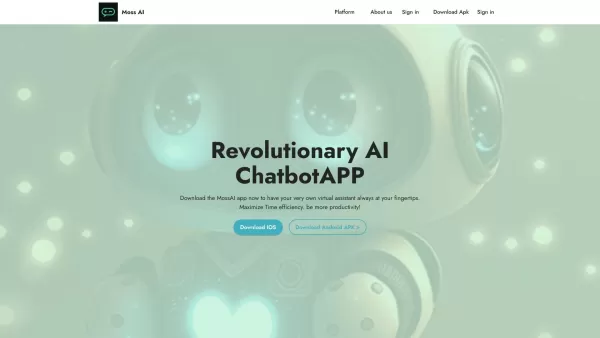
Ever wondered what it's like to have a super-smart friend in your pocket? Meet MossAI, the cutting-edge AI chatbot that's changing the game with its advanced chat technology. It's not just another app; it's like having a personal assistant that's always r
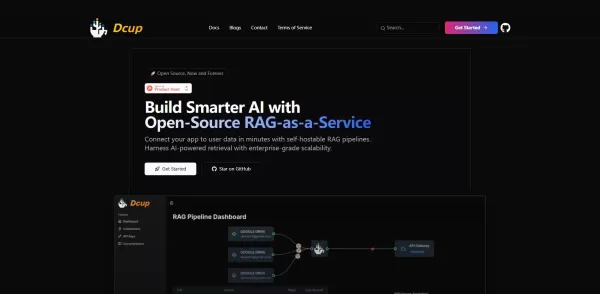
What is Dcup?Dcup is an advanced AI assistant built to streamline and optimize your daily workflows. It provides a suite of capabilities such as task automation, smart scheduling, and efficient data management. By leveraging cutting-edge AI technolog
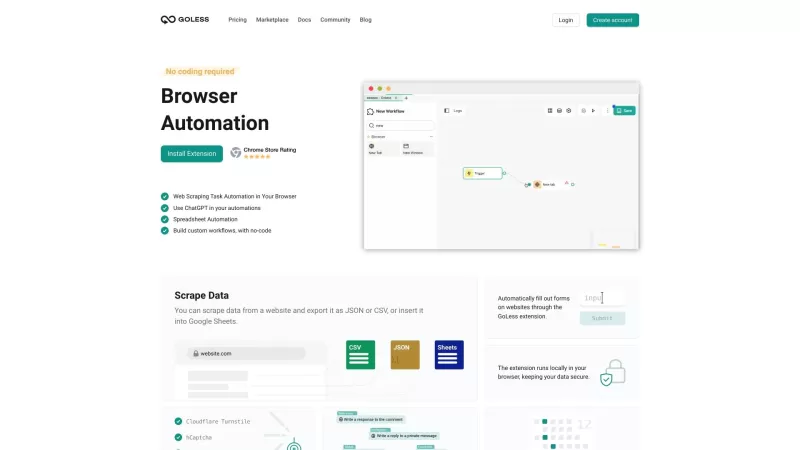
Goless is this nifty browser extension that's all about making your life easier by automating all sorts of stuff online. It's designed for those of us who want to boost our productivity without diving into the deep end of coding. With Goless, you can auto
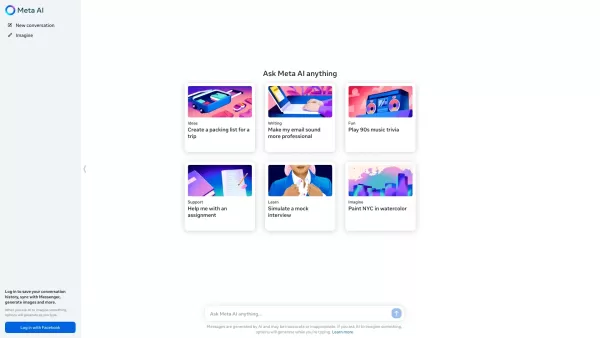
Ever wondered what Meta AI is all about? Well, let me break it down for you. Meta AI isn't just any AI; it's the kind of smart assistant you wish you had in your pocket. Powered by Meta's cutting-edge Llama large language model and the innovative Emu, this AI is ready to tackle your tasks, whip up s
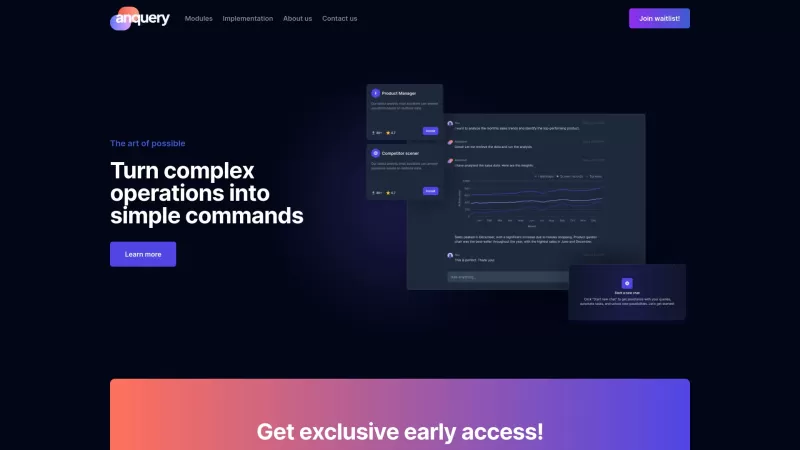
Ever wondered what anquery is all about? Well, let me break it down for you. anquery is this cool AI-powered tool that's like having a super-smart assistant for your business. You can ask it anything in plain English, and it'll dive into your company's sy
JotSense AI Product Information
What is JotSense AI?
JotSense uses advanced AI to capture key insights from videos, meetings, articles, and emails. It automatically extracts and organizes information, saving you time on note-taking and knowledge management. Features like real-time transcription, smart categorization, and context-aware search help you find and use essential information quickly and efficiently.
Who uses JotSense AI?
- Knowledge workers
- Students
- Researchers
- Business professionals
- Content creators
- Teams and collaborators
How to use JotSense AI
- Step 1: Sign up and log in to your JotSense account.
- Step 2: Connect your content sources, such as videos or emails.
- Step 3: Let JotSense automatically extract and organize key insights.
- Step 4: Use the AI-powered search to find specific information instantly.
- Step 5: Customize and share notes with your team as needed.
Platform
- Web
- iOS
- Android
- Chrome
JotSense AI's Core Features & Benefits
Core Features
- AI-powered extraction
- Instant organization
- Real-time transcription
- Context-aware search
- Cross-device sync
- Seamless integration
- Real-time collaboration
Benefits
- Saves time
- Enhances productivity
- Simplifies note-taking
- Improves organization
- Facilitates collaboration
- Boosts strategic thinking
- Supports multiple content sources
JotSense AI's Main Use Cases & Applications
- Extracting meeting summaries
- Organizing research notes
- Capturing insights from lectures
- Managing project documentation
- Collaborating on team projects
- Integrating with tools like Zoom and Gmail
JotSense AI's Pros & Cons
Pros
Automates knowledge extraction and organization from multiple sources.
Provides real-time transcription and note-taking from live audio like meetings.
Integrates seamlessly with popular productivity and communication platforms.
Offers intelligent semantic search and auto-categorization for notes.
Supports collaboration through real-time sync and sharing.
Saves over 5 hours per week by reducing note-taking and organization time.
Cons
Not available as open source.
Pricing details are basic and may not clearly specify limits for free or enterprise tiers.
No confirmed information on iOS or Android mobile app availability.
No links to GitHub or community-driven development reported.
JotSense AI Pricing
Has free plan | No |
|---|---|
Free trial details | |
Pricing model | |
Is credit card required | No |
Paid from | |
Has lifetime plan | No |
Billing frequency |
For the latest pricing, visit: https://www.jotsense.com
JotSense AI FAQs
What content sources does JotSense support?
JotSense supports videos, meetings, articles, emails, documents, and databases.
Can JotSense transcribe live meetings?
Yes, JotSense can transcribe speech in real-time during live meetings.
How does JotSense organize my notes?
JotSense uses AI-powered categorization and tagging to organize your notes intuitively.
Is there a free version of JotSense?
Yes, JotSense offers a free version with basic features and 1 GB of storage.
Can I integrate JotSense with other tools?
Yes, JotSense integrates with tools like Zoom, Google Meet, Microsoft Teams, Notion, and Gmail.
How secure is my data with JotSense?
JotSense provides enhanced security and compliance to protect your data.
Can I access my notes offline?
Offline note access is available with the Pro plan.
How many devices can I sync with JotSense?
The Free plan syncs with up to 2 devices, while the Pro plan allows unlimited device sync.
Is customer support available?
Yes, priority customer support is included with the Pro and Enterprise plans.
What types of notes can JotSense create?
JotSense creates summarized notes from various sources, including videos, documents, and live audio.
JotSense AI Company Information
- Elevate Labs LLC
- https://www.jotsense.com


2026 Latest Best AI Pull Request Review Tools for GitHub Teams are here on XIX.AI! This top-rated curated list showcases powerful game-changing solutions that streamline refactoring, bug fixing, and security gap detection across all team workflows. Enjoy a free vs paid comparison along with real-world tests and detailed rankings to help you find the perfect tool that boosts productivity significantly. Explore now to unlock your AI edge!
 12 tools
 xix.ai

2026 Latest Best Top-rated AI Text to Speech Tools for Natural Voiceovers are here on XIX.AI! This curated list features powerful, game-changing options that deliver crystal-clear voices for every use case, backed by real-world tests and weekly updated rankings. Get a free vs paid comparison to find the must-try solution that boosts your productivity instantly. Explore now to Unlock your AI edge!
11 tools
xix.ai

2026 Latest Best Manga AI Background Generators Ranked Top-Rated! This curated collection showcases powerful game-changing tools perfect for creating high-quality chapter backgrounds, book covers, and promotional art. Every option has undergone rigorous real-world tests to ensure reliability. Get a free vs paid comparison along with detailed insights. Explore now to discover your perfect tool and unlock your AI edge in manga creation.
6 tools
xix.ai

2026 Latest Best Top-rated AI Object Removal Editors for portraits travel product shots! XIX.AI curates a powerful game-changing collection regularly updated with weekly rankings. These tools offer real-world tests to help you quickly remove unwanted elements, boost content quality, and save tons of time without compromising results. Must-try for anyone aiming to unlock their AI creation edge. Explore now!
10 tools
xix.ai

2026 Latest Best Top-rated AI Text to Speech Tools for Online Courses are curated by XIX.AI based on rigorous real-world tests and weekly updated rankings. These powerful tools help creators deliver crystal-clear audio content effortlessly, boosting writing efficiency and streamlining course production. Check out the free vs paid comparison to find your perfect fit. Explore now to unlock your AI edge in online education.
10 tools
xix.ai

2026 Latest Best Top-Rated AI Blog Title Tools for Higher Click Through Rates! XIX.AI has carefully curated a powerful, game-changing collection of top tools that go through rigorous real-world tests. You’ll find a free vs paid comparison, weekly updated rankings, and detailed insights to help you boost your blog’s traffic efficiently. Must-try options are highlighted to help you unlock your AI edge. Explore now!
10 tools
xix.ai


