


 Home
HomeInTouch: LinkedIn auto connections & messages



Helps TikTok sellers, brands, MCNs, and TAPs discover winning products and find creators.

HelpLook is an AI-powered all-in-one knowledge base tool that helps businesses quickly build knowledge bases, help centers, and...

Your AI Workspace

302.AI is an enterprise-grade AI resource platform with pay-as-you-go pricing, API access to a full range of AI models, and ready-to-use online applications.

剧火AI — AI Screenwriter + Director, a One-Person Short Drama Studio In one sentence, what is it?
What is Face Swap - FaceArt?Face Swap - FaceArt empowers you to effortlessly swap faces in photos, powered by advanced AI technology. This extension makes face transformation quick and simple, enabling you to create fun and unique images in seconds.
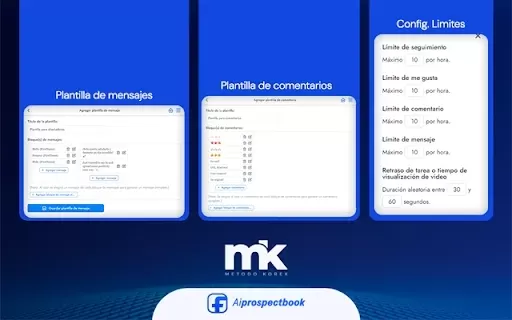
What is AI Prospect Book?AI Prospect Book is a Chrome extension designed to revolutionize sales prospecting. It leverages AI-powered insights and tools to help users discover, generate, and organize potential leads from various online sources. Its pr
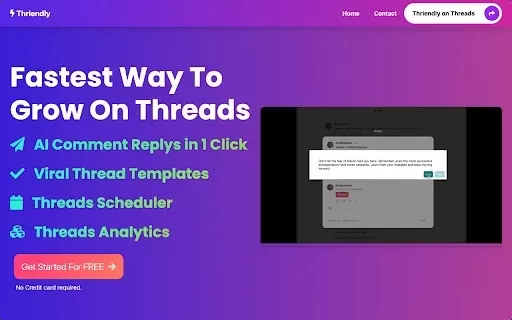
What is Thriendly's Fastest Way to Grow on Threads and X with AI Engagement?Thriendly helps you expand your audience on Threads and X (formerly Twitter) by using AI to craft compelling replies to comments. This AI is fine-tuned for social media influ
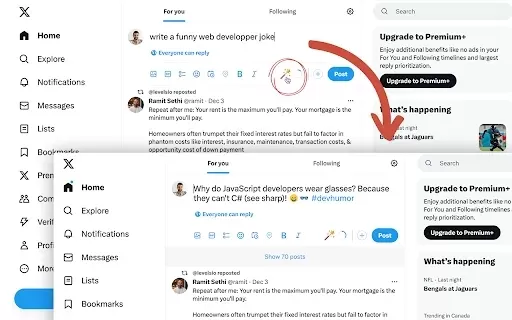
What is Fablerr — AI for Social Media?Fablerr is a smart Chrome extension that serves as your personal AI writer for boosting social media engagement. It works seamlessly on platforms like Twitter, Reddit, and Gmail, helping you create polished, audi
Ever wondered how to effortlessly boost your social media game? Enter HackSocial.ai, your AI-powered sidekick designed to amp up your social media presence and keep your audience hooked without breaking a sweat. This nifty tool automates those oh-so-impor
InTouch: LinkedIn auto connections & messages Product Information
What is InTouch: LinkedIn auto connections & messages?
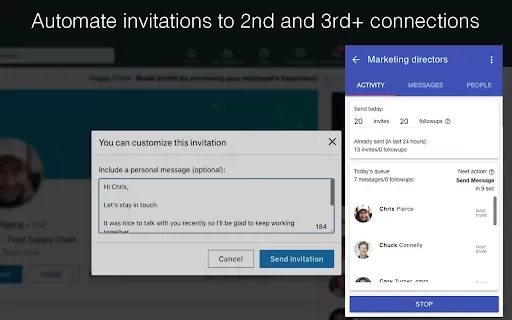
InTouch is a sophisticated automation tool for LinkedIn designed to simplify connection requests and messaging workflows. It enables users to automatically connect with 2nd and 3rd-degree LinkedIn profiles and send personalized follow-ups to 1st-degree connections. This tool is perfect for professionals aiming to expand their network, increase sales, and manage leads more efficiently. By automating repetitive tasks, InTouch lets you concentrate on cultivating meaningful relationships and strengthening your LinkedIn impact.
Who will use InTouch: LinkedIn auto connections & messages?
- Sales Professionals
- Recruiters and Talent Sourcers
- Small Business Owners
- Freelancers and Consultants
- Marketing and Growth Teams
How to use the InTouch: LinkedIn auto connections & messages?
- 1. Install the InTouch extension from the Chrome Web Store.
- 2. Log into your LinkedIn account.
- 3. Define your target audience using LinkedIn’s search filters.
- 4. Craft personalized connection request messages.
- 5. Adjust the automation settings for sending requests and messages.
- 6. Launch the automation to begin connecting with and messaging your prospects.
Platform
- Google Chrome
InTouch: LinkedIn auto connections & messages's Core Features & Benefits
The Core Features
- Automated Connection Requests
- Personalized Message Creation
- Automated Follow-up Sequences
- Advanced Search Filters for Targeting
- Intuitive, User-Friendly Interface
The Benefits
- Significantly reduces time and effort spent on networking
- Boosts acceptance rates for connection requests
- Streamlines and improves lead generation
- Enables highly personalized outreach campaigns
- Increases overall engagement and visibility on LinkedIn
InTouch: LinkedIn auto connections & messages's Main Use Cases & Applications
- B2B and B2C Lead Generation
- Sourcing and Recruiting Talent
- Networking for Independent Professionals
- Sales Prospecting and Follow-up Sequences
- Building Brand Presence and Authority on LinkedIn
FAQs of InTouch: LinkedIn auto connections & messages
What is InTouch?
InTouch is a Chrome extension that automates sending LinkedIn connection requests and messages.
Is InTouch safe to use?
Yes, InTouch operates within LinkedIn's guidelines to ensure safe and compliant use.
Can I personalize messages?
Yes, InTouch provides full customization for creating personalized messages.
Is there a limit to connection requests?
Yes, to prevent spam, LinkedIn enforces daily limits on connection requests.
What types of users should use InTouch?
It is best suited for salespeople, recruiters, business owners, and marketing professionals.
Does it support follow-up messages?
Yes, you can configure automated follow-up message sequences.
How do I get started?
Install the Chrome extension, then set up your target audience and message templates.
Is there a trial version available?
Visit the official website for information on trial offers.
How does it handle connection requests?
InTouch automatically sends connection requests according to your predefined targeting criteria.
Can I use it on mobile?
InTouch is currently only available as an extension for the Google Chrome browser.
InTouch: LinkedIn auto connections & messages Company Information
Website:
https://intouchtool.com/Company Name:
InTouch ToolSupport Email:
Facebook:
NAX(Twitter):
NAYouTube:
NAInstagram:
NATiktok:
NALinkedIn:
https://www.linkedin.com/company/intouchconnections
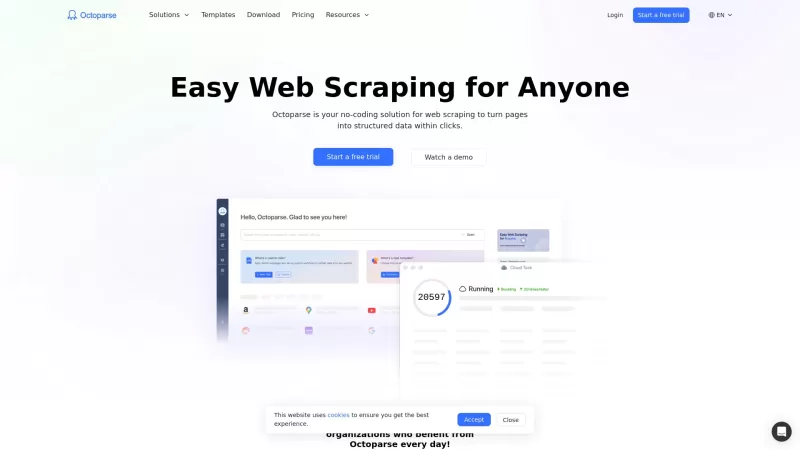
InTouch: LinkedIn auto connections & messages Screenshot

2026 Latest Best Top-rated AI Object Removal Editors for portraits travel product shots! XIX.AI curates a powerful game-changing collection regularly updated with weekly rankings. These tools offer real-world tests to help you quickly remove unwanted elements, boost content quality, and save tons of time without compromising results. Must-try for anyone aiming to unlock their AI creation edge. Explore now!
 10 tools
 xix.ai

2026 Latest Best Top-rated AI Text to Speech Tools for Online Courses are curated by XIX.AI based on rigorous real-world tests and weekly updated rankings. These powerful tools help creators deliver crystal-clear audio content effortlessly, boosting writing efficiency and streamlining course production. Check out the free vs paid comparison to find your perfect fit. Explore now to unlock your AI edge in online education.
10 tools
xix.ai

2026 Latest Best Top-Rated AI Blog Title Tools for Higher Click Through Rates! XIX.AI has carefully curated a powerful, game-changing collection of top tools that go through rigorous real-world tests. You’ll find a free vs paid comparison, weekly updated rankings, and detailed insights to help you boost your blog’s traffic efficiently. Must-try options are highlighted to help you unlock your AI edge. Explore now!
10 tools
xix.ai

2026 Latest Best Top-rated AI Task Routing Tools for Support Workflows! XIX.AI has curated a highly powerful game-changing collection of must-try solutions, all undergoing rigorous real-world tests and updated weekly. These tools streamline workflows, boost productivity, and help teams deliver faster, more efficient support. Explore now to discover your perfect tool and unlock your AI edge!
17 tools
xix.ai

2026 Latest Best Top-Rated AI Citation and Paper Summary Tools Curated by XIX.AI. Get powerful game-changing solutions for quick content creation, improved writing efficiency, and boosting productivity. We offer a free vs paid comparison along with real-world tests and weekly updated rankings to help you find the must-try tool that fits your needs perfectly. Explore now to Unlock your AI edge.
10 tools
xix.ai

2026 Latest Best Top-Rated AI Productivity Tools for Daily Work! XIX.AI has curated a powerful, game-changing selection based on rigorous weekly updated rankings and real-world tests. You’ll find must-try options that boost writing efficiency, streamline content creation, and help you overcome daily work challenges. Get a free vs paid comparison to find the perfect fit for your needs. Explore now to unlock your AI edge!
9 tools
xix.ai


