


 Home
HomeInterval - Ultimate HIIT Timer
Batch Processing Tool for ChatGPT



Helps TikTok sellers, brands, MCNs, and TAPs discover winning products and find creators.

HelpLook is an AI-powered all-in-one knowledge base tool that helps businesses quickly build knowledge bases, help centers, and...

Your AI Workspace

302.AI is an enterprise-grade AI resource platform with pay-as-you-go pricing, API access to a full range of AI models, and ready-to-use online applications.

剧火AI — AI Screenwriter + Director, a One-Person Short Drama Studio In one sentence, what is it?
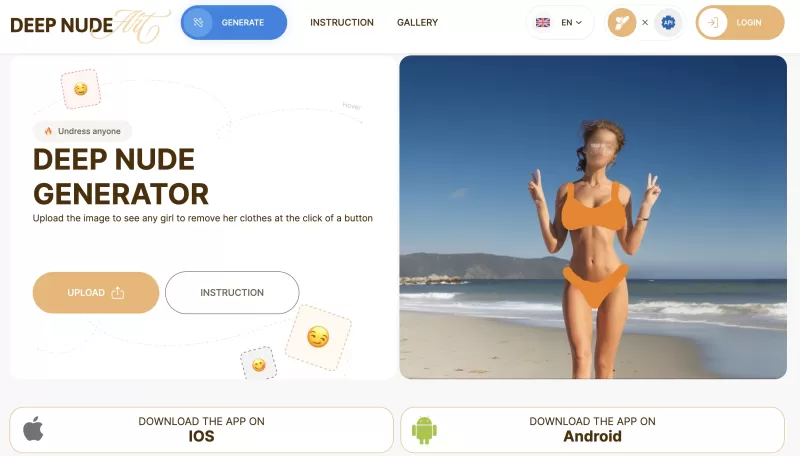
Ever stumbled upon the intriguing world of AI-powered image manipulation? If so, you might have heard about the DeepNude generator. This tool lets you upload a photo and, with just a few clicks, it can create a realistic nude image from it. It's like magi

Ever wondered about diving into a world tailored just for your fantasies? Well, let me introduce you to Smutfinder—a platform where your wildest dreams come to life through the magic of AI. It's like having a personal storyteller who knows exactly wh

Ever wondered what lies beneath the fabric? Well, Undress AI promises to give you a peek with its deepnude technology. It's like having a digital artist at your fingertips, ready to create those "what if" scenarios without any of the hassle. This tool isn
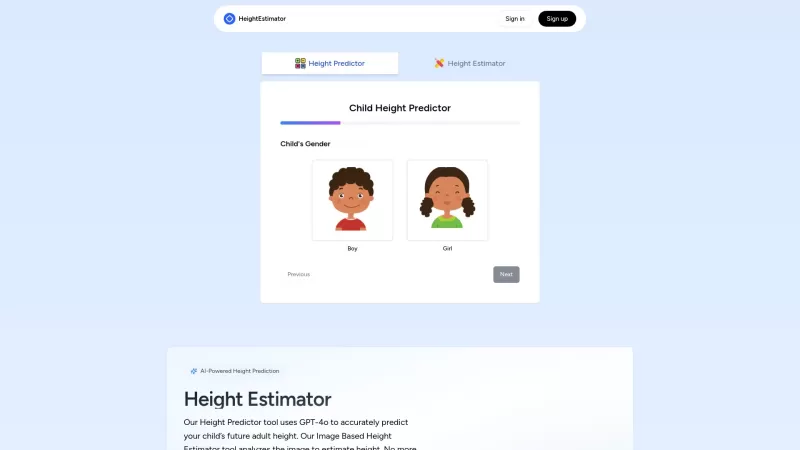
Ever wondered how tall your little one might grow up to be? Or maybe you're curious about your own height potential? Enter the Height Estimator, a nifty AI tool that's here to help you out. It's not just any tool; it uses the cutting-edge GPT-4 Vision API

Undress AI Pro, often referred to as DeepNude, is a highly controversial tool that has stirred up quite the debate. It uses sophisticated machine learning algorithms to digitally remove clothing from images of people. It's a wild concept, isn't it? But le
Interval - Ultimate HIIT Timer Product Information
What is Interval – Ultimate HIIT Timer?
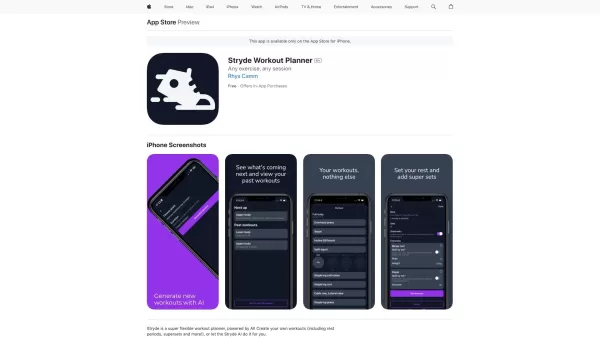
Picture this: you’re looking for a simple yet powerful tool to take your high-intensity interval training (HIIT) sessions to the next level. Enter Interval – Ultimate HIIT Timer. It’s not just another fitness app—it’s your personal trainer in your pocket. Think of it as your go-to buddy for crafting easy, fully customizable workouts, powered by AI smarts. Whether you’re a beginner or a pro, this timer makes it easier than ever to structure your HIIT routines and stay on track.How to Use Interval – Ultimate HIIT Timer?
Using Interval – Ultimate HIIT Timer is a breeze. First, you create your ideal interval timer tailored to your goals. Next, you get crystal-clear audio and visual cues during your workout to keep you focused and motivated. Once you’re done, you can share your progress with friends or even post your results online. It’s like having a coach cheering you on every step of the way!Interval – Ultimate HIIT Timer's Core Features
Here’s what sets this app apart from the rest:Pre-Loaded Workouts
No need to start from scratch. The app comes packed with ready-to-go HIIT routines designed by fitness experts.AI-Generated Workouts
Let the AI do the heavy lifting. It creates personalized workout plans based on your goals, preferences, and past performance.Customizable Timers
Flexibility is key. Adjust the duration of your work intervals, rest periods, and even the number of rounds to fit your exact needs.Audio and Visual Cues
Never lose count again. Get audible prompts and flashy visuals to guide you through each phase of your workout.Shareable Results
Show off your progress! Snap screenshots or export your workout stats to inspire others—or yourself.Interval – Ultimate HIIT Timer's Use Cases
This app isn’t just for general fitness enthusiasts—it’s versatile enough for specific goals too:- Losing weight: Burn calories fast with calorie-torching intervals.
- Toning muscles: Build strength and definition with targeted exercises.
- Targeting specific muscle groups: Focus on legs, abs, arms, or glutes with precision workouts.
FAQ from Interval – Ultimate HIIT Timer
- How do I create a personalized interval timer?
- It’s simple! Open the app, select “Customize Timer,” and tweak the settings to match your workout style. Choose your work/rest ratios, round counts, and other options. Save it, and you’re good to go.
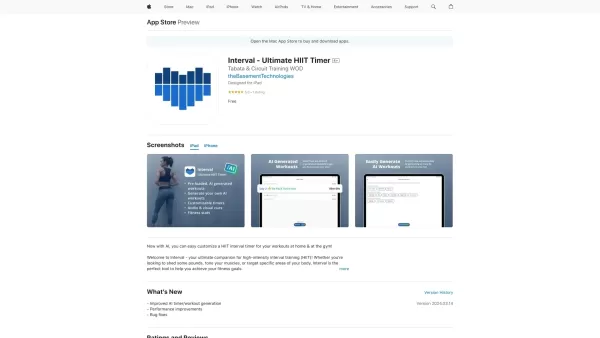
Interval - Ultimate HIIT Timer Screenshot

2026 Latest Best Top-rated AI Object Removal Editors for portraits travel product shots! XIX.AI curates a powerful game-changing collection regularly updated with weekly rankings. These tools offer real-world tests to help you quickly remove unwanted elements, boost content quality, and save tons of time without compromising results. Must-try for anyone aiming to unlock their AI creation edge. Explore now!
 10 tools
 xix.ai

2026 Latest Best Top-rated AI Text to Speech Tools for Online Courses are curated by XIX.AI based on rigorous real-world tests and weekly updated rankings. These powerful tools help creators deliver crystal-clear audio content effortlessly, boosting writing efficiency and streamlining course production. Check out the free vs paid comparison to find your perfect fit. Explore now to unlock your AI edge in online education.
10 tools
xix.ai

2026 Latest Best Top-Rated AI Blog Title Tools for Higher Click Through Rates! XIX.AI has carefully curated a powerful, game-changing collection of top tools that go through rigorous real-world tests. You’ll find a free vs paid comparison, weekly updated rankings, and detailed insights to help you boost your blog’s traffic efficiently. Must-try options are highlighted to help you unlock your AI edge. Explore now!
10 tools
xix.ai

2026 Latest Best Top-rated AI Task Routing Tools for Support Workflows! XIX.AI has curated a highly powerful game-changing collection of must-try solutions, all undergoing rigorous real-world tests and updated weekly. These tools streamline workflows, boost productivity, and help teams deliver faster, more efficient support. Explore now to discover your perfect tool and unlock your AI edge!
17 tools
xix.ai

2026 Latest Best Top-Rated AI Citation and Paper Summary Tools Curated by XIX.AI. Get powerful game-changing solutions for quick content creation, improved writing efficiency, and boosting productivity. We offer a free vs paid comparison along with real-world tests and weekly updated rankings to help you find the must-try tool that fits your needs perfectly. Explore now to Unlock your AI edge.
10 tools
xix.ai

2026 Latest Best Top-Rated AI Productivity Tools for Daily Work! XIX.AI has curated a powerful, game-changing selection based on rigorous weekly updated rankings and real-world tests. You’ll find must-try options that boost writing efficiency, streamline content creation, and help you overcome daily work challenges. Get a free vs paid comparison to find the perfect fit for your needs. Explore now to unlock your AI edge!
9 tools
xix.ai


이 HIIT 타이머 앱은 정말 편리하네요! 🏃♂️ 시간 설정이 간단하고 인터페이스도 깔끔해요. 운동 중에 번거롭게 스톱워치를 조작할 필요가 없어서 좋아요. 제가 평소에 운동 기록을 따로 관리했었는데, 이 앱으로 한번에 가능해서 더 체계적으로 운동할 수 있을 것 같아요. 다만 운동 프로그램을 커스터마이징할 수 있는 옵션이 조금 더 다양했으면 하는 아쉬움은 있네요. 그래도 훌륭한 기본 앱인 것 같아요!


