


 Home
HomeImage2Video



Helps TikTok sellers, brands, MCNs, and TAPs discover winning products and find creators.

HelpLook is an AI-powered all-in-one knowledge base tool that helps businesses quickly build knowledge bases, help centers, and...

Your AI Workspace

302.AI is an enterprise-grade AI resource platform with pay-as-you-go pricing, API access to a full range of AI models, and ready-to-use online applications.

剧火AI — AI Screenwriter + Director, a One-Person Short Drama Studio In one sentence, what is it?

What is Banana AI - Free AI Photo Editor?Banana AI is a free, AI-driven photo editor that uses Google's Nano Banana technology (Gemini 2.5 Flash Image) to transform your pictures with simple text commands. Easily remove unwanted objects, swap backgro

What is Deepfake Maker Nano Banana AI? Nano Banana AI is an advanced artificial intelligence platform that generates stunning images from text descriptions and facilitates seamless image-to-image transformations. This cutting-edge AI model revolution

What is Line Art Maker?Line Art Maker is an intuitive application that effortlessly transforms your photos into stunning line drawings. Powered by sophisticated algorithms, it precisely identifies outlines and turns your images into detailed sketches

What is TranslateImages?AI Image Translator is an advanced tool that precisely translates text embedded in images, keeping the original layout and format intact. It supports over a dozen languages, such as English, Hindi, Arabic, Chinese, Japanese, K

What is Nano Banana | Nanana AI? Nanana AI is the leading AI image generator and AI image editor on the market. It taps into the full potential of Google's revolutionary Nano Banana model to offer unmatched image creation and editing power. As an ear
Image2Video Product Information
What is Image2Video?
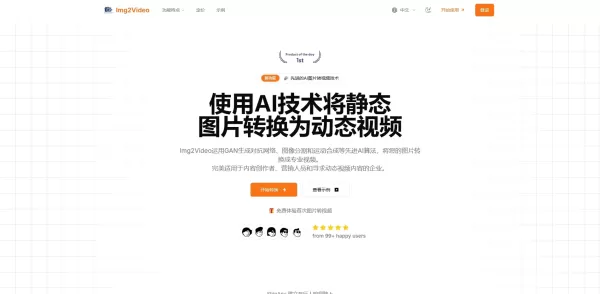
Image2Video is an advanced AI tool that transforms static photos into engaging video content. It animates your images, incorporates smooth transitions, and adds soundtracks, empowering storytellers, marketers, and educators to elevate their visual communication. With an intuitive process, users can upload images, select a style, and generate professional-looking videos quickly. This solution is designed to simplify video creation for everyone, from beginners to experts.
Who will use Image2Video?
- Digital content creators
- Marketing professionals
- Teachers and trainers
- Social media specialists
- Entrepreneurs and small business owners
How to use the Image2Video?
- Step 1: Go to the Image2Video website.
- Step 2: Upload the images you want to animate.
- Step 3: Select a video template that fits your project.
- Step 4: Personalize with text, motion effects, and audio.
- Step 5: Preview your creation and tweak as necessary.
- Step 6: Render and download your completed video.
Platform
- Web browser
- iOS
- Android
Image2Video's Core Features & Benefits
The Core Features
- Upload and process images
- Choose from a variety of templates
- Customize text and animation styles
- Add and mix soundtracks
- Export your finished video
The Benefits
- Simple, intuitive interface
- Fast video production
- Wide range of creative controls
- Boosts viewer engagement with motion
- No video editing experience needed
Image2Video's Main Use Cases & Applications
- Producing product promotion videos
- Creating educational materials for courses
- Designing dynamic social media content
- Compiling event highlights
- Crafting personalized video greetings
Image2Video's Pros & Cons
The Pros
Leverages powerful AI, including GANs and deep learning, to produce fluid and lifelike animations.
Features a user-friendly, drag-and-drop editor that requires no technical expertise.
Delivers high-quality video up to 4K resolution with optimizations for different platforms.
Offers a rich collection of pre-made templates and a music library for easy customization.
Higher-tier subscriptions include batch processing and commercial usage licenses.
The Cons
Not offered as open-source software; no public GitHub repository is available.
The free plan includes watermarks and restricts the number of videos you can create.
Currently lacks dedicated mobile applications or browser extensions.
Limited details on offline functionality or support for export formats other than MP4 and WebM.
Image2Video's Pricing
Has free plan | YES |
|---|---|
Free trial details | |
Pricing model | Freemium |
Is credit card required | No |
Paid from | 9.9 USD |
Has lifetime plan | No |
Billing frequency | Monthly |
Details of Pricing Plan
Free
0 USD
- Create 2 standard videos
- 1 task at a time
- Access to Standard Mode
- Videos include a watermark
- Standard customer support
Lite
9.9 USD
- 30 standard videos monthly
- Standard Mode
- Professional Mode
- Enhanced processing speed
- Watermark-free outputs
- Additional camera motion choices
- Priority support access
Pro
19.9 USD
- 80 standard videos monthly
- Standard Mode
- Professional Mode
- Enhanced processing speed
- Watermark-free outputs
- Additional camera motion choices
- Priority support access
Discount:
30% off on all plans
For the latest prices, please visit: https://img2video.org/#pricing
FAQs of Image2Video
What types of images can I upload?
Supported formats include JPG, PNG, and GIF.
Is there a limit to the number of images I can use?
Yes, each video can contain up to 20 images.
Do I need to create an account to use Image2Video?
No account is required to start using the service.
Can I add my own music to the videos?
Yes, you have the option to upload your own audio files.
Is my data secure with Image2Video?
Yes, your data is protected and not disclosed to outside parties.
What is the typical video length?
It varies based on content, but videos are typically under two minutes long.
Can I edit the video after creating it?
Yes, you can make edits before finalizing and exporting the video.
Is there a cost associated with using Image2Video?
Core features are free, while advanced capabilities may require a paid plan.
What formats can I export my videos in?
Videos can be exported in the widely compatible MP4 format.
Can I use Image2Video for commercial purposes?
Yes, you are permitted to use created videos for commercial projects.
Image2Video Company Information
- Image2Video
- https://img2video.org
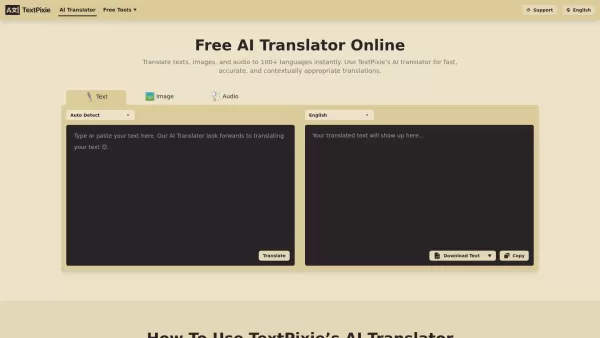
Image2Video Screenshot

2026 Latest Best Top-rated AI Object Removal Editors for portraits travel product shots! XIX.AI curates a powerful game-changing collection regularly updated with weekly rankings. These tools offer real-world tests to help you quickly remove unwanted elements, boost content quality, and save tons of time without compromising results. Must-try for anyone aiming to unlock their AI creation edge. Explore now!
 10 tools
 xix.ai

2026 Latest Best Top-rated AI Text to Speech Tools for Online Courses are curated by XIX.AI based on rigorous real-world tests and weekly updated rankings. These powerful tools help creators deliver crystal-clear audio content effortlessly, boosting writing efficiency and streamlining course production. Check out the free vs paid comparison to find your perfect fit. Explore now to unlock your AI edge in online education.
10 tools
xix.ai

2026 Latest Best Top-Rated AI Blog Title Tools for Higher Click Through Rates! XIX.AI has carefully curated a powerful, game-changing collection of top tools that go through rigorous real-world tests. You’ll find a free vs paid comparison, weekly updated rankings, and detailed insights to help you boost your blog’s traffic efficiently. Must-try options are highlighted to help you unlock your AI edge. Explore now!
10 tools
xix.ai

2026 Latest Best Top-rated AI Task Routing Tools for Support Workflows! XIX.AI has curated a highly powerful game-changing collection of must-try solutions, all undergoing rigorous real-world tests and updated weekly. These tools streamline workflows, boost productivity, and help teams deliver faster, more efficient support. Explore now to discover your perfect tool and unlock your AI edge!
17 tools
xix.ai

2026 Latest Best Top-Rated AI Citation and Paper Summary Tools Curated by XIX.AI. Get powerful game-changing solutions for quick content creation, improved writing efficiency, and boosting productivity. We offer a free vs paid comparison along with real-world tests and weekly updated rankings to help you find the must-try tool that fits your needs perfectly. Explore now to Unlock your AI edge.
10 tools
xix.ai

2026 Latest Best Top-Rated AI Productivity Tools for Daily Work! XIX.AI has curated a powerful, game-changing selection based on rigorous weekly updated rankings and real-world tests. You’ll find must-try options that boost writing efficiency, streamline content creation, and help you overcome daily work challenges. Get a free vs paid comparison to find the perfect fit for your needs. Explore now to unlock your AI edge!
9 tools
xix.ai


