


 Home
HomeiChatWithGPT
iChatWithGPT: AI Assistant for Professionals



Helps TikTok sellers, brands, MCNs, and TAPs discover winning products and find creators.

HelpLook is an AI-powered all-in-one knowledge base tool that helps businesses quickly build knowledge bases, help centers, and...

Your AI Workspace

302.AI is an enterprise-grade AI resource platform with pay-as-you-go pricing, API access to a full range of AI models, and ready-to-use online applications.

剧火AI — AI Screenwriter + Director, a One-Person Short Drama Studio In one sentence, what is it?

Ever wondered how to bring the real world into the digital realm with stunning realism? Luma AI is your go-to tool for that. This nifty iOS app and web API harnesses the power of your iPhone's camera to transform the ordinary into extraordinary 3D models.

Ever wondered what Magic Book is all about? Well, let me spill the beans! Magic Book is this cool AI-powered app that lets you whip up endless stories, complete with custom illustrations, all based on your own inputs. Whether you're on your iPhone, iPad, or Mac, you can dive into this creative world
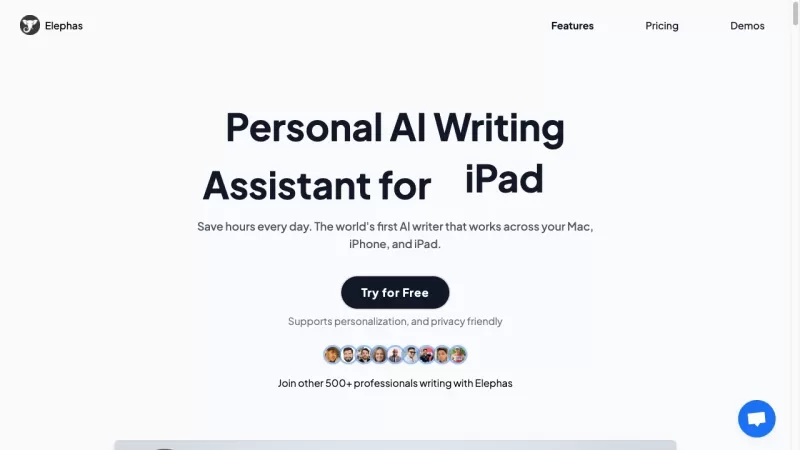
What is Elephas?Elephas is your go-to personal AI writing assistant for Mac, designed to help you save time and make your writing tasks a breeze. It's the first AI writer that seamlessly integrates across Mac, iPhone, and iPad, offering a versatile toolset for all your writing needs.How to Use Eleph
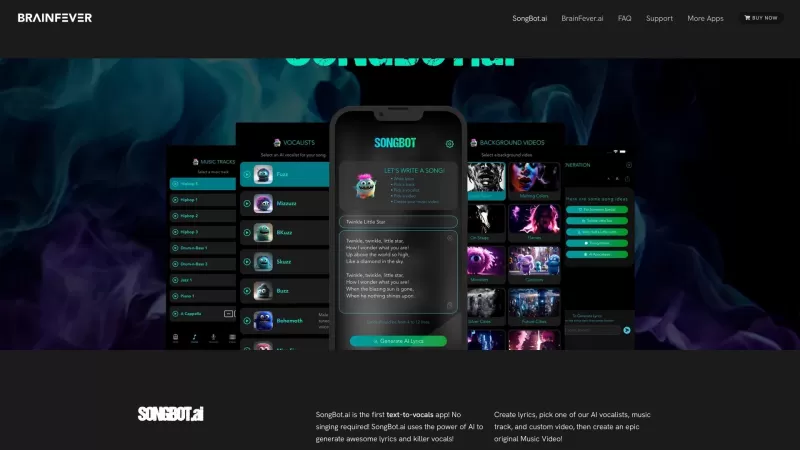
What is SongBot AI Music?SongBot AI Music, brought to you by BrainFeverMedia, is your go-to app for whipping up personalized music videos and crafting epic original tracks. It's like having a music studio in your pocket, powered by the magic of AI, including the brainy OpenAI GPT-4. This app helps y
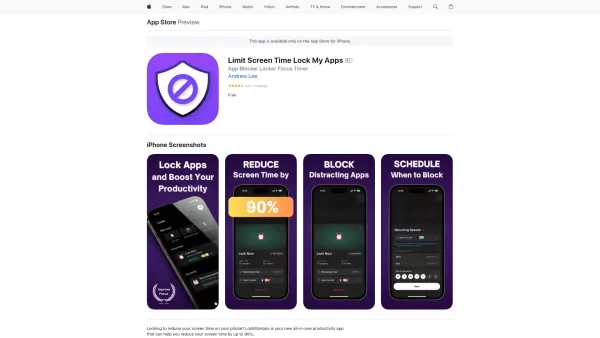
What is Lock My Apps? Lock My Apps is an ingenious AI-driven tool aimed at helping iPhone users cut down on unnecessary screen time. By letting you lock specific apps and set focus timers, it encourages you to stay focused on what truly matters—whether th
iChatWithGPT Product Information
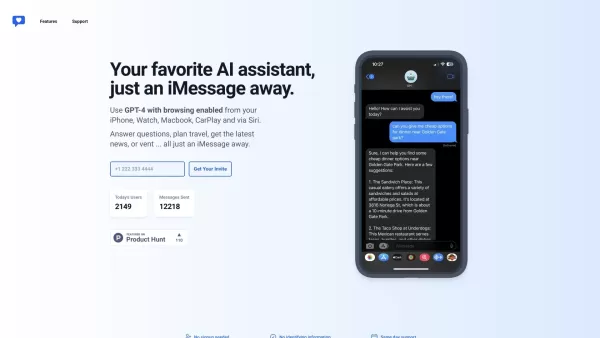
Ever wished for a personal AI sidekick to help you juggle the chaos of daily life? Meet iChatWithGPT, your new go-to assistant that seamlessly integrates into your iMessage on iPhone, Watch, Macbook, and even CarPlay through Siri. Whether you're a busy professional looking to streamline your tasks or just someone who needs a helping hand, iChatWithGPT is here to answer questions, plan your next trip, whip up recipes, or even lend an ear when you need to vent.
How to Use iChatWithGPT
Getting started with iChatWithGPT is as easy as pie. Just fire up iMessage on your iPhone or Mac and strike up a chat with the assistant. Ask anything that's on your mind—from trivia to travel plans, meal ideas to research queries. Plus, it's fully compatible with Siri, so you can use voice commands for a hands-free experience. No sign-ups, no fuss—just instant help whenever you need it, with same-day support to boot.
iChatWithGPT's Core Features
Web Browsing
Need the latest news, a weather forecast, or game results? iChatWithGPT uses AI to scour the web and bring you instant recommendations and summaries. It's like having a personal researcher at your fingertips.
Artist In Your Pocket
Got a vision you want to bring to life? With AI-powered image generation, iChatWithGPT can turn your ideas into stunning visuals, from conceptual sketches to detailed illustrations. It's creativity on demand!
Keeps You On-Track
Forget the mental clutter. iChatWithGPT sends text reminders to help you build habits, stay organized, and never miss an important task again. It's your personal productivity booster.
Voice Activated
Save iChatWithGPT as a contact and use Siri for voice-activated messaging. It's perfect for when you're on the go and need to keep your hands free.
iChatWithGPT's Use Cases
- Answering questions on the fly.
- Researching the web for instant information.
- Planning meals with personalized recipes.
- Arranging travel with ease.
- Providing recommendations for products, services, and more.
- Generating visualizations to bring your ideas to life.
- Sending text reminders to keep you on track.
- Hands-free messaging for convenience.
FAQ from iChatWithGPT
- Can I access iChatWithGPT on my Mac?
- Absolutely! Just open iMessage on your Mac and start chatting.
- Can I use iChatWithGPT with Siri?
- Yes, iChatWithGPT is fully compatible with Siri for voice commands.
- Is iChatWithGPT free?
- Check out the pricing link to see what options are available.
- How do I start using iChatWithGPT?
- Open iMessage on your device, start a conversation, and you're good to go!
- Is same day support available?
- Yes, iChatWithGPT offers same-day support for all your needs.
For any customer service inquiries or refund requests, you can reach out to the iChatWithGPT support team at [email protected].
Curious about the pricing? Head over to the iChatWithGPT pricing page to explore your options and find the perfect plan for you.
iChatWithGPT Screenshot



2026 Latest Best Manga AI Background Generators Ranked Top-Rated! This curated collection showcases powerful game-changing tools perfect for creating high-quality chapter backgrounds, book covers, and promotional art. Every option has undergone rigorous real-world tests to ensure reliability. Get a free vs paid comparison along with detailed insights. Explore now to discover your perfect tool and unlock your AI edge in manga creation.
 6 tools
 xix.ai

2026 Latest Best Top-rated AI Object Removal Editors for portraits travel product shots! XIX.AI curates a powerful game-changing collection regularly updated with weekly rankings. These tools offer real-world tests to help you quickly remove unwanted elements, boost content quality, and save tons of time without compromising results. Must-try for anyone aiming to unlock their AI creation edge. Explore now!
10 tools
xix.ai

2026 Latest Best Top-rated AI Text to Speech Tools for Online Courses are curated by XIX.AI based on rigorous real-world tests and weekly updated rankings. These powerful tools help creators deliver crystal-clear audio content effortlessly, boosting writing efficiency and streamlining course production. Check out the free vs paid comparison to find your perfect fit. Explore now to unlock your AI edge in online education.
10 tools
xix.ai

2026 Latest Best Top-Rated AI Blog Title Tools for Higher Click Through Rates! XIX.AI has carefully curated a powerful, game-changing collection of top tools that go through rigorous real-world tests. You’ll find a free vs paid comparison, weekly updated rankings, and detailed insights to help you boost your blog’s traffic efficiently. Must-try options are highlighted to help you unlock your AI edge. Explore now!
10 tools
xix.ai

2026 Latest Best Top-rated AI Task Routing Tools for Support Workflows! XIX.AI has curated a highly powerful game-changing collection of must-try solutions, all undergoing rigorous real-world tests and updated weekly. These tools streamline workflows, boost productivity, and help teams deliver faster, more efficient support. Explore now to discover your perfect tool and unlock your AI edge!
17 tools
xix.ai

2026 Latest Best Top-Rated AI Citation and Paper Summary Tools Curated by XIX.AI. Get powerful game-changing solutions for quick content creation, improved writing efficiency, and boosting productivity. We offer a free vs paid comparison along with real-world tests and weekly updated rankings to help you find the must-try tool that fits your needs perfectly. Explore now to Unlock your AI edge.
10 tools
xix.ai


Finally! An AI that works right in iMessage. I've been using it to draft quick replies and even set reminders via CarPlay. The integration is seamless, though sometimes Siri mishears my commands. Still, super handy for a busy parent like me. 😄


