


 Home
HomeGrok 5 Imagine
AI Video Generator for Cinematic Content



Helps TikTok sellers, brands, MCNs, and TAPs discover winning products and find creators.

HelpLook is an AI-powered all-in-one knowledge base tool that helps businesses quickly build knowledge bases, help centers, and...

Your AI Workspace

302.AI is an enterprise-grade AI resource platform with pay-as-you-go pricing, API access to a full range of AI models, and ready-to-use online applications.

剧火AI — AI Screenwriter + Director, a One-Person Short Drama Studio In one sentence, what is it?
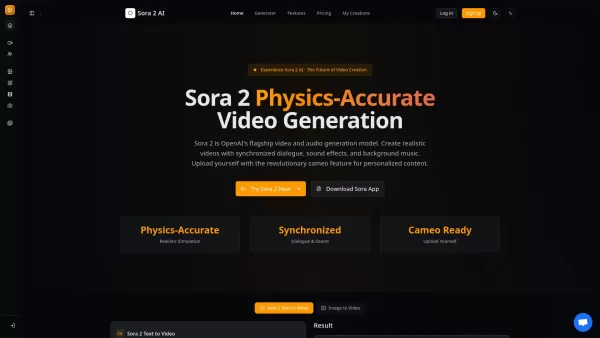
What is Sora 2? Sora 2 is OpenAI's premier AI model for generating video and audio, marking a milestone for video creation comparable to the impact of GPT-3.5. It stands as the most sophisticated AI video generation platform available, featuring prec

What is Makefilm?Makefilm revolutionizes video creation as a comprehensive AI-powered platform that streamlines professional-quality video production. This innovative solution combines multiple smart tools into one seamless workflow - transforming te
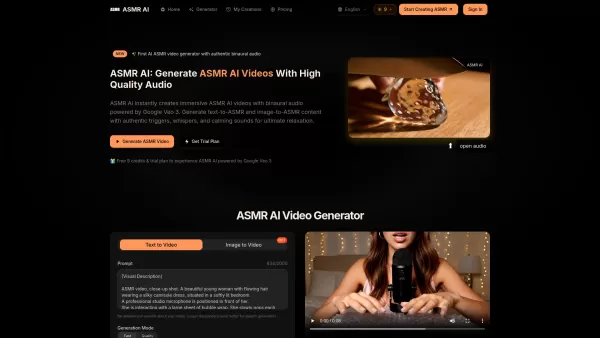
What is ASMR AI?ASMR AI represents the cutting edge of digital relaxation technology - an AI-driven platform specializing in hyper-realistic ASMR video generation. Harnessing the power of Google's Veo 3 technology, it crafts immersive binaural audio
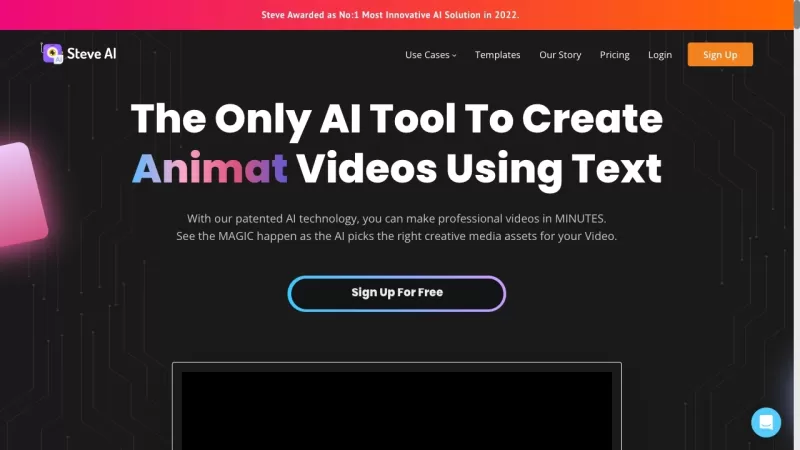
Ever wondered how to whip up professional-looking videos without breaking a sweat? That's where Steve.AI comes into play. It's not just another video-making app; it's a powerhouse that uses AI to transform your ideas into stunning videos and animations in
Ever wondered what Minimax AI is all about? Well, let me break it down for you. Minimax AI is this cool platform developed by MiniMax that lets you whip up high-resolution videos just by typing in some text. They use something called the Video-01 model, w
Grok 5 Imagine Product Information
Understanding Grok 5 Imagine
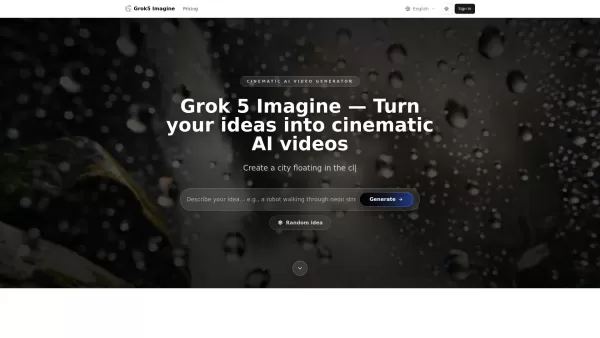
Grok 5 Imagine is an AI video generator built on the Grok 5 Imagine model, engineered to convert concepts, text prompts, and still images into cinematic videos in seconds. It provides capabilities like text-to-video and image-to-video creation, synchronized audio, various creative modes (including 'Spicy Mode' for more expressive imagery), and rapid production. The service is available directly through the Grok AI website with no app download or account creation required.
How to Use Grok 5 Imagine
To create with Grok 5 Imagine, users first enter a text description of the video they want or upload a picture to use the image-to-video feature. They then select a creative mode, such as Standard Mode for lifelike results or Grok 5 Imagine Spicy Mode for more artistic visuals. Finally, clicking 'Generate' produces the video or image in moments, which can be downloaded immediately from the Grok AI site.
Grok 5 Imagine's Core Features
Text-to-video creation
Image-to-video (I2V) animation
Audio synchronized with generated videos
Multiple creative modes (Standard and Spicy Mode)
Rapid generation for quick outcomes
Online availability with no app install or sign-up
Grok 5 Imagine's Use Cases
Convert static pictures into moving videos for compelling storytelling or marketing.
Animate memes and social media content for captivating posts.
Produce animated profile videos for digital artists or business professionals.
Breathe life into old photographs by adding natural motion and matching audio.
FAQ from Grok 5 Imagine
What is Grok 5 Imagine AI?
Grok 5 Imagine AI is a video generation tool powered by the Grok 5 Imagine model, enabling users to easily create impressive videos from text and images using sophisticated AI technology.
Does Grok 5 Imagine support audio in generated videos?
Yes, every video produced by the Grok 5 Imagine AI generator comes with synchronized audio. The sound automatically aligns with the action and scene timing for a more authentic viewing experience.
Where can I try the latest Grok 5 Imagine updates?
The Grok AI website supports the most recent Grok 5 Imagine model and is continuously updated alongside new app versions, giving you constant access to the newest enhancements and capabilities.
Can I switch plans or cancel anytime?
Yes, you can modify your subscription tier from your account's billing section. Upgrades apply immediately with adjusted prorated charges; downgrades or cancellations will be active when your current billing period concludes.
What is your refund policy?
New subscriptions include a 7-day refund guarantee with no questions asked. For subscription renewals, please reach out to customer support within 72 hours for a case review.
What happens if I exceed my credits?
Your generation requests will be paused upon reaching a zero credit balance. You can immediately resume by purchasing additional pay-as-you-go credits or by upgrading your subscription plan.
Grok 5 Imagine Support Email & Customer Service Contact & Refund Contact etc.
For customer assistance, please contact Grok 5 Imagine support at: [email protected] . For additional contact methods, visit the contact us page(mailto:[email protected])
Grok 5 Imagine Company
Grok 5 Imagine Company name: Grok5 Imagine .
Grok 5 Imagine Company address: .
To learn more about Grok 5 Imagine, please visit the about us page().
Grok 5 Imagine Login
Grok 5 Imagine Login Link: https://grok5imagine.com/Sign In
Grok 5 Imagine Sign up
Grok 5 Imagine Sign up Link:
Grok 5 Imagine Pricing
Grok 5 Imagine Pricing Link: https://grok5imagine.com/pricing
Grok 5 Imagine Screenshot

2026 Latest Best Photoshop AI retouch tools for ecommerce apparel, skin cleanup, and color consistency! This top-rated curated list features powerful game-changing solutions that help you boost writing efficiency, streamline content creation, and achieve perfect visual results effortlessly. Each tool has undergone real-world tests through weekly updated rankings, complete with free vs paid comparison details. Backed by XIX.AI, it’s the must-try guide for anyone aiming to unlock your AI edge. Explore now!
 10 tools
 xix.ai

2026 Latest Best Top-Rated AI Prompt Libraries for optimizing all types of ChatGPT workflows. XIX.AI has curated a powerful, game-changing collection that goes through rigorous real-world tests to ensure top performance. You can find detailed free vs paid comparisons and expert rankings to help you choose the must-try tools that boost your productivity and unlock your AI edge. Explore now!
11 tools
xix.ai

2026 Latest Best AI Quiz Builder Platforms for Teachers, Tutors, and Cohort-Based Learning Programs! XIX.AI has curated a top-rated list of powerful game-changing tools that go through real-world tests to deliver accurate rankings. These must-try platforms help boost writing efficiency, streamline content creation, and simplify quiz design across all learning scenarios. Explore now to discover your perfect tool for unlocking your AI edge in teaching!
13 tools
xix.ai

2026 Latest Best AI Pull Request Review Tools for GitHub Teams are here on XIX.AI! This top-rated curated list showcases powerful game-changing solutions that streamline refactoring, bug fixing, and security gap detection across all team workflows. Enjoy a free vs paid comparison along with real-world tests and detailed rankings to help you find the perfect tool that boosts productivity significantly. Explore now to unlock your AI edge!
12 tools
xix.ai

2026 Latest Best Top-rated AI Text to Speech Tools for Natural Voiceovers are here on XIX.AI! This curated list features powerful, game-changing options that deliver crystal-clear voices for every use case, backed by real-world tests and weekly updated rankings. Get a free vs paid comparison to find the must-try solution that boosts your productivity instantly. Explore now to Unlock your AI edge!
11 tools
xix.ai

2026 Latest Best Manga AI Background Generators Ranked Top-Rated! This curated collection showcases powerful game-changing tools perfect for creating high-quality chapter backgrounds, book covers, and promotional art. Every option has undergone rigorous real-world tests to ensure reliability. Get a free vs paid comparison along with detailed insights. Explore now to discover your perfect tool and unlock your AI edge in manga creation.
6 tools
xix.ai


Wow, tried Grok 5 Imagine to turn a random text prompt into a video and it's honestly mind-blowing 😱 The quality is insane for a quick generation, but I'm lowkey worried about misuse with deepfakes. Still, super fun to play with!


