


 Home
HomeGrammarly - Chrome Extension
Enhance Writing with Grammar and Style Tools



Helps TikTok sellers, brands, MCNs, and TAPs discover winning products and find creators.

HelpLook is an AI-powered all-in-one knowledge base tool that helps businesses quickly build knowledge bases, help centers, and...

Your AI Workspace

302.AI is an enterprise-grade AI resource platform with pay-as-you-go pricing, API access to a full range of AI models, and ready-to-use online applications.

剧火AI — AI Screenwriter + Director, a One-Person Short Drama Studio In one sentence, what is it?
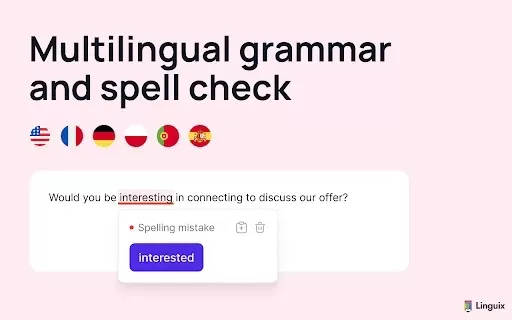
What is Linguix — Grammar Checker and AI Writing App?Linguix is an all-in-one grammar checker and AI-powered writing assistant that elevates your text across websites and applications. It supports multiple languages such as English, French, German, S
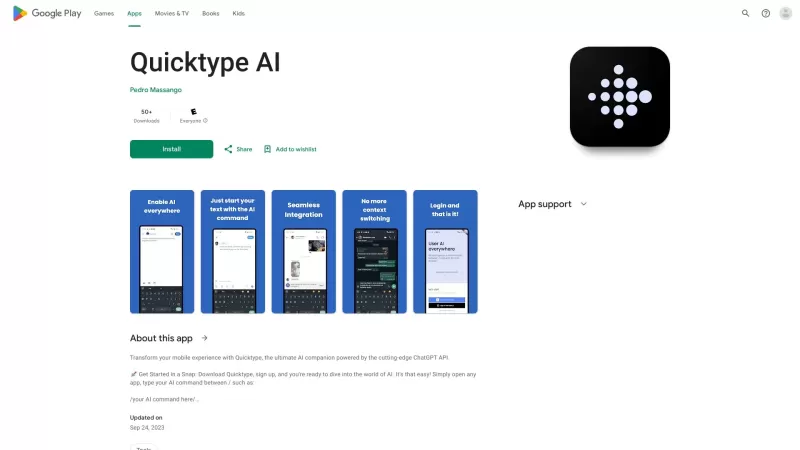
Ever found yourself juggling between different apps and tabs while trying to type something out? It's a real hassle, right? Well, let me introduce you to Elevate—an AI-powered tool designed to revolutionize your typing experience by cutting down on that annoying context switching. Imagine a world wh
What is AI Song & Music Maker: AI Studio?AI Studio is an AI-powered platform designed to create music and songs. It provides a complete toolkit to help you compose, edit, and polish your musical creations with ease. Whether you're crafting a backgrou
Spyro isn't just another AI writing tool; it's like having a creative powerhouse at your fingertips, making content creation not just easier, but also ten times faster. Whether you're crafting catchy copy, detailed blog articles, or SEO-optimized content, Spyro is your go-to platform. From product d
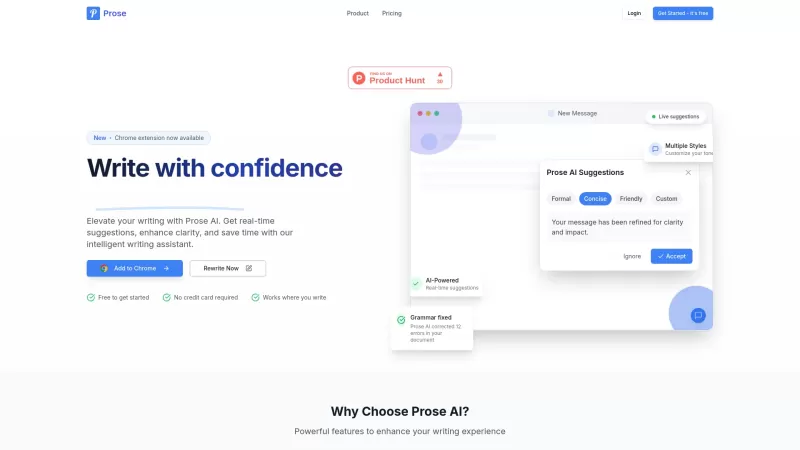
Ever wondered what could supercharge your writing? Let me introduce you to Prose AI, your new best friend in the world of text crafting. It's not just any tool; it's an AI-powered writing assistant that's all about making your words shine. Think of it as
Grammarly - Chrome Extension Product Information
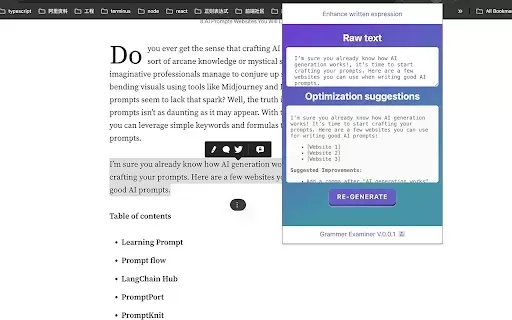
If you're constantly battling with typos, awkward phrasing, or just plain old grammar gaffes, the Grammarly AI Chrome extension might just be your new best friend. This nifty tool is designed to swoop in and save the day by spotting those pesky errors in your writing, be it spelling, grammar, or even your overall writing style. It's like having a personal editor perched on your shoulder, minus the judgmental looks.
Using the Grammarly AI Chrome extension couldn't be simpler. Just paste your text into any field where you're typing—be it an email, a social media post, or a document—and hit that 'Check Grammar' button. Like magic, Grammarly will sweep through your text, highlighting areas for improvement and offering suggestions to make your writing shine. It's like a quick polish for your prose, ensuring you put your best words forward.
Core Features of Grammarly AI Chrome Extension
Grammarly isn't just about catching the occasional typo. It's packed with features that cater to a wide range of writing needs. Here's what you get:
- Grammar, Spelling, and Style Suggestions: From the nitty-gritty of grammar to the finesse of style, Grammarly offers comprehensive suggestions to elevate your writing.
- Support for Over 25 Languages: Whether you're writing in English, Spanish, French, or any of the 25+ supported languages, Grammarly has got you covered.
- Word and Character Counts Display: Keep an eye on your word count and character limits with ease, perfect for those tight deadlines or wordy essays.
- Text Selection Grammar Check Feature: Highlight any text, and Grammarly will check it for you, giving you instant feedback on the go.
Use Cases for Grammarly AI Chrome Extension
Grammarly's versatility makes it a go-to tool in various scenarios:
- Correcting Grammar Mistakes in Emails: Send out emails that are polished and professional, leaving no room for embarrassing mistakes.
- Improving Writing Style in Academic Essays: Whether you're crafting a thesis or a term paper, Grammarly can help refine your writing style to academic standards.
FAQ from Grammarly
- How do I check grammar on a web page?
- To check grammar on a web page with Grammarly, simply install the Grammarly AI Chrome extension. Once installed, it automatically scans any text field you're typing in, offering real-time suggestions as you write. If you're on a web page, you can also highlight text and Grammarly will check it for you, providing instant feedback to help you improve your writing on the spot.
Grammarly - Chrome Extension Screenshot


Discover the 2026 latest top-rated AI tools for essay writing. XIX.AI's curated list features powerful, game-changing aids for crafting high-quality essays with flawless citations and references. Compare free vs paid options based on real-world tests. Unlock your academic edge and start writing smarter today.
 10 tools
 xix.ai
Explore the 2026 latest must-try, top-rated AI tools at XIX.AI. Discover powerful, game-changing editors for fiction. Compare free vs paid options with weekly updated rankings. Perfect your manuscript and streamline your workflow. Find your novel writing champion today.
10 tools
xix.ai
2026 Latest: Curated selection of the best AI novel editing tools for professional manuscript polishing. Compare top-rated, powerful options with free vs paid insights and real-world tests. Discover your perfect tool to refine your writing and elevate your manuscript to publish-ready quality. Explore now on XIX.AI.
10 tools
xix.ai


This tool has saved me more times than I can count while writing emails and posts ✍️. The AI corrections feel pretty solid, though I wonder sometimes if it really gets my tone right, you know? Still, a total lifesaver compared to those red squiggly lines. 👏
Grammarly의 크롬 확장 프로그램은 필수예요! 보내기 전에 모든 오타와 문법 오류를 잡아줘요. 다만, 때때로 너무 엄격한 것 같아요. 그래도 안전이 최우선이죠 😂
La extensión de Grammarly para Chrome es imprescindible. Captura todos mis errores de escritura y gramaticales antes de que los envíe. A veces es un poco estricta, pero más vale prevenir que curar, ¿no? 😂
Grammarly's Chrome extension is a must-have! It catches all my silly typos and grammar mistakes before I even hit send. Sometimes it's a bit too strict, but better safe than sorry, right? 😂
A extensão do Grammarly para Chrome é essencial! Ela pega todos os meus erros de digitação e gramática antes que eu envie. Às vezes é um pouco rigorosa demais, mas melhor prevenir do que remediar, né? 😂


