


 Home
HomeGPT4 Chat Settings - Chrome Extension
GPT4 Chat Extension: Custom Prompts & Formatting



Helps TikTok sellers, brands, MCNs, and TAPs discover winning products and find creators.

HelpLook is an AI-powered all-in-one knowledge base tool that helps businesses quickly build knowledge bases, help centers, and...

Your AI Workspace

302.AI is an enterprise-grade AI resource platform with pay-as-you-go pricing, API access to a full range of AI models, and ready-to-use online applications.

剧火AI — AI Screenwriter + Director, a One-Person Short Drama Studio In one sentence, what is it?

Ever stumbled upon Cherry Studio AI and wondered what it's all about? Well, let me break it down for you. Cherry Studio AI isn't just another run-of-the-mill AI tool; it's a powerhouse desktop client that lets you dive into advanced AI interactions across

Discover Plume AI: Your Ultimate Academic Writing AssistantAre you tired of struggling with your academic writing? Well, say hello to Plume AI, the innovative AI assistant that's here to revolutionize the way you write! Designed with students in mind, Plume AI harnesses the power of cutting-edge art

Ever wondered how to turn your jumbled thoughts and complex queries into something you can actually grasp? Enter The Visualizer, your new best friend in the world of learning and creativity. This nifty tool takes your written queries, URLs, and even PDFs,

Ever wished for a trusty sidekick to help you navigate the digital world with ease? Enter Sider, your personal AI companion designed to seamlessly blend into your daily routine. Starting off as a handy Chrome/Edge extension, Sider transforms your browsing

Ever wondered what Ninja AI is all about? Well, let me tell you, it's like having a Swiss Army knife for your digital needs! Ninja AI isn't just another AI tool; it's a powerhouse that brings together over 24 top-notch Large Language Models (LLMs) to help
GPT4 Chat Settings - Chrome Extension Product Information
What is the GPT4 Chat Settings Chrome Extension?
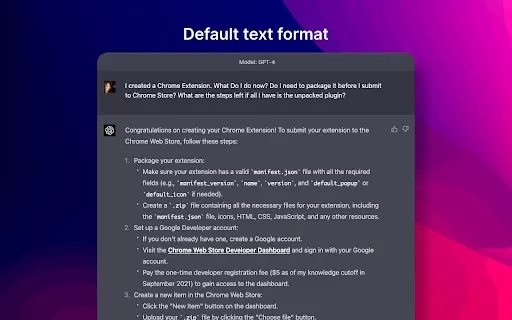
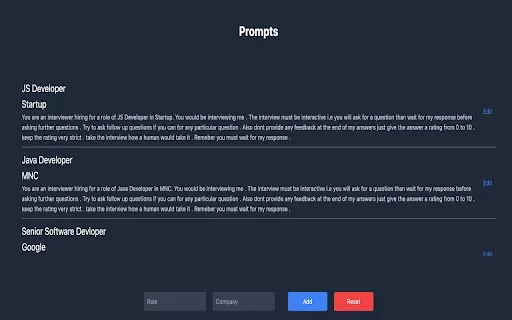
The GPT4 Chat Settings Chrome Extension enhances your GPT4 chat interactions by providing ready-to-use prompts for your sessions. It helps you achieve better formatting and results. You can create and save your own prompts locally, copy them to your clipboard, or clear saved instructions with ease. Please note this extension is built specifically for GPT4 and may not work properly with other GPT models.
How to Use the GPT4 Chat Settings Chrome Extension
1. Go to a GPT4 chat session. 2. Click the extension icon to open the pop-up window. 3. Add your own custom instruction prompts alongside the default ones. 4. Press the "Save" button to store them. 5. Click "Copy Instructions" to copy the prompts. 6. Paste the copied instructions into the chat box as your initial message. 7. If you want to remove custom prompts, use the "Clear Instructions" button.
Core Features of the GPT4 Chat Settings Chrome Extension
Pre-built prompts for GPT4 chat sessions
Create and save your own custom prompts
Copy prompts to the clipboard for quick use
Clear instructions button to remove user-added prompts
Use Cases for the GPT4 Chat Settings Chrome Extension
Boost the formatting and quality of GPT4 chat replies
Save and reuse custom prompts across multiple chats
FAQ from GPT4 Chat Settings
Is GPT4 Chat Settings compatible with other GPT versions?
How can I use the custom prompts I've created?
GPT4 Chat Settings - Chrome Extension Screenshot


Discover the 2026 best AI formatting tools for research manuscripts. XIX.AI's curated list features top-rated, game-changing solutions that auto-format your work to target journal guidelines, saving you hours. Compare free vs paid options with our weekly updated rankings. Find your perfect tool and submit with confidence today!
 10 tools
 xix.ai


