


 Home
HomeGoogle Meet - Call eXplorer
Google Meet Extension: Transcription & Meeting Tools



Helps TikTok sellers, brands, MCNs, and TAPs discover winning products and find creators.

HelpLook is an AI-powered all-in-one knowledge base tool that helps businesses quickly build knowledge bases, help centers, and...

Your AI Workspace

302.AI is an enterprise-grade AI resource platform with pay-as-you-go pricing, API access to a full range of AI models, and ready-to-use online applications.

剧火AI — AI Screenwriter + Director, a One-Person Short Drama Studio In one sentence, what is it?
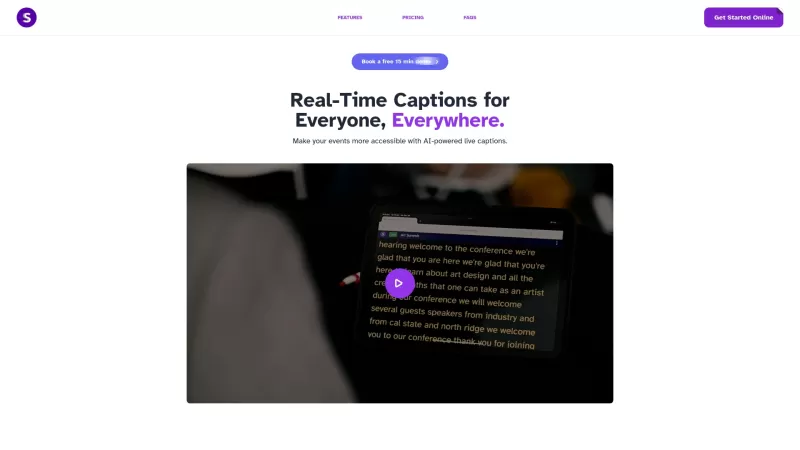
Seymour Events is your go-to solution for making live events more accessible, offering real-time closed captions that transform the experience for all attendees, especially those who are Deaf or Hard of Hearing. Getting started with Seymour Events is a breeze! Just share the event link with your at
Google Meet - Call eXplorer Product Information
What is Google Meet - Call eXplorer?
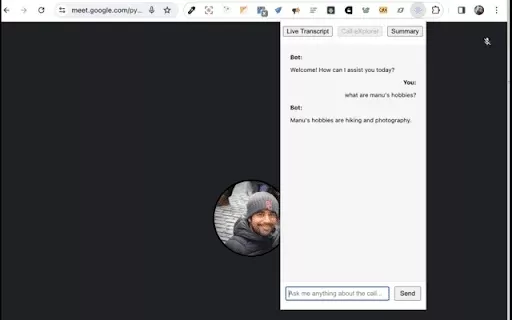
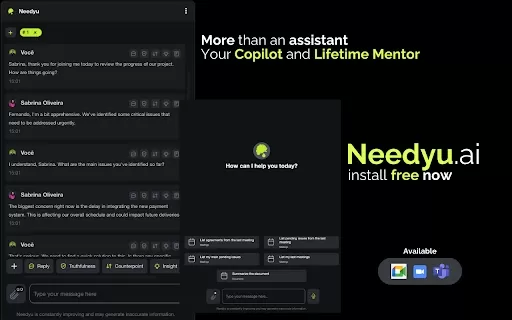
Google Meet Call Explorer enhances your meeting experience with real-time transcripts, dynamic summaries, and instant answers to your questions. This extension helps you stay engaged in conversations without missing key points by automatically recording essential details for future reference. Ideal for online classes or business meetings, it ensures your virtual interactions are more productive and streamlined.
Who can use Google Meet - Call eXplorer?
- Teachers
- Business Professionals
- Online Learners
- Remote Teams
- Freelancers
How to use Google Meet - Call eXplorer?
- Step 1: Download the Google Meet Call Explorer extension from the Chrome Web Store.
- Step 2: Launch Google Meet and either start or join a meeting.
- Step 3: Activate the extension to begin live transcription.
- Step 4: Utilize the summarization tool to highlight important discussion points.
- Step 5: Review saved transcripts and summaries after the meeting ends.
Platform
- Web
- Chrome
Google Meet - Call eXplorer's Core Features & Benefits
The Core Features
- Real-time meeting transcription
- Automated summary creation
- On-demand answer generation
- Seamless Google Meet integration
The Benefits
- Better concentration during conversations
- Simplified information retention
- Strengthened teamwork
- More efficient meeting time
Google Meet - Call eXplorer's Main Use Cases & Applications
- Online education for active student participation
- Corporate meetings for clear communication
- Virtual team projects
- Training sessions and webinars
FAQs of Google Meet - Call eXplorer
What is Google Meet Call Explorer?
This Chrome extension adds live transcription and automated summaries to Google Meet.
How does the transcription feature work?
It displays spoken content as text in real time for easier understanding.
Can I access transcripts after a meeting?
Yes, all transcripts are stored and available for later access.
Is it free to use?
The basic version is free, though advanced features may require payment.
Which platforms support it?
It works on web browsers and Chrome.
Who can benefit from this extension?
Teachers, remote workers, and corporate users will find it valuable.
Does it work with other video conferencing tools?
It is specifically built for Google Meet.
How do I install the extension?
Get it directly from the Chrome Web Store.
Can I summarize meetings in real-time?
Yes, it creates summaries while the meeting is in progress.
Is there customer support available?
Support is accessible via the developer's official site.
Google Meet - Call eXplorer Company Information
Website:
https://chrome.google.comCompany Name:
GoogleSupport Email:
NAFacebook:
NAX(Twitter):
NAYouTube:
NAInstagram:
NATiktok:
NALinkedIn:
NA
Google Meet - Call eXplorer Screenshot

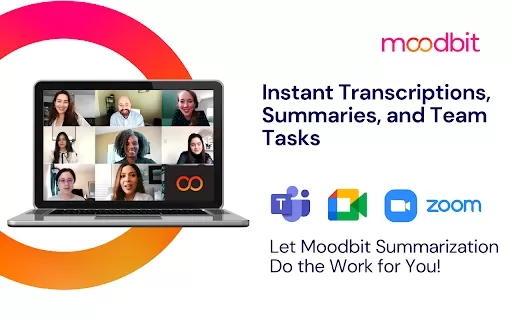
2026 Latest Best Top-Rated AI Transcription Tools for Zoom and Google Meet are here on XIX.AI! This curated collection features powerful, game-changing solutions that offer accurate real-world tests across all usage scenarios. You’ll find a free vs paid comparison along with weekly updated rankings to help you discover the must-try tool that boosts your productivity significantly. Explore now to Unlock your AI edge!
 11 tools
 xix.ai


Love this extension! It's a lifesaver for long meetings. The real-time transcripts are super accurate, and the dynamic summaries save me so much time. No more frantically typing notes! Highly recommend for anyone who wants to stay focused without missing a beat. 🚀✨


