


 Home
HomeGmail GPT Assistant



Helps TikTok sellers, brands, MCNs, and TAPs discover winning products and find creators.

HelpLook is an AI-powered all-in-one knowledge base tool that helps businesses quickly build knowledge bases, help centers, and...

Your AI Workspace

302.AI is an enterprise-grade AI resource platform with pay-as-you-go pricing, API access to a full range of AI models, and ready-to-use online applications.

剧火AI — AI Screenwriter + Director, a One-Person Short Drama Studio In one sentence, what is it?
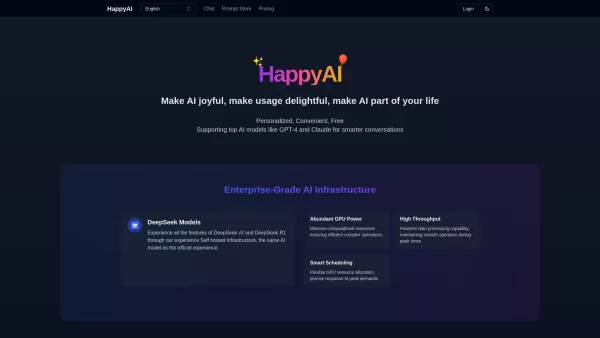
Ever stumbled upon HappyAI and wondered what it's all about? Well, let me give you the lowdown! HappyAI is this nifty AI assistant that's like your personal Swiss Army knife for digital tasks. It's got a whole bunch of AI models up its sleeve, ready to he
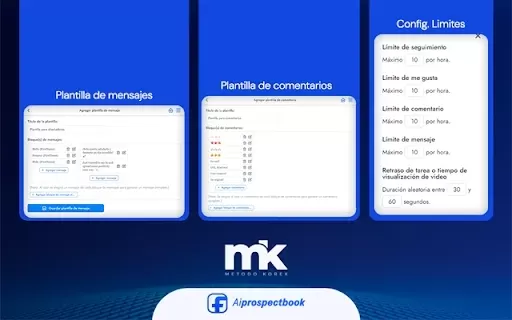
What is AI Prospect Book?AI Prospect Book is a Chrome extension designed to revolutionize sales prospecting. It leverages AI-powered insights and tools to help users discover, generate, and organize potential leads from various online sources. Its pr

Ever found yourself staring at a blank screen, struggling to churn out content for your blog, ads, or emails? Enter Word Spinner, your new best friend in the world of content creation. This isn't just any tool; it's an all-in-one AI writing platform desig
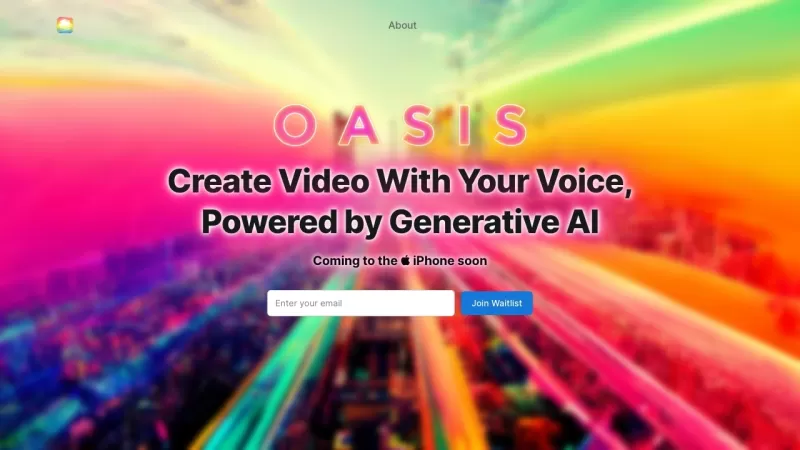
Ever wondered what OASIS is all about? Well, let me tell you, it's a game-changer in the world of writing. OASIS is this nifty AI-powered platform that lets you whip up perfect pieces of writing without breaking a sweat. All you need to do is talk to it—yep, just speak your mind, and the AI does the
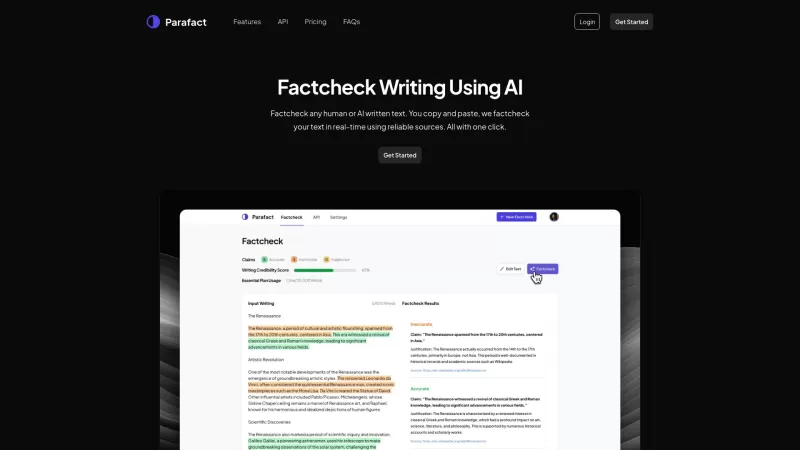
Ever wondered if the text you're reading is factually correct? Enter Parafact, your go-to tool for real-time fact-checking using trustworthy online sources. It's like having a personal fact-checker at your fingertips!How to Use Parafact?Using Parafact is a breeze. Just copy the text you want to veri
Gmail GPT Assistant Product Information
What Is the Gmail GPT Assistant?
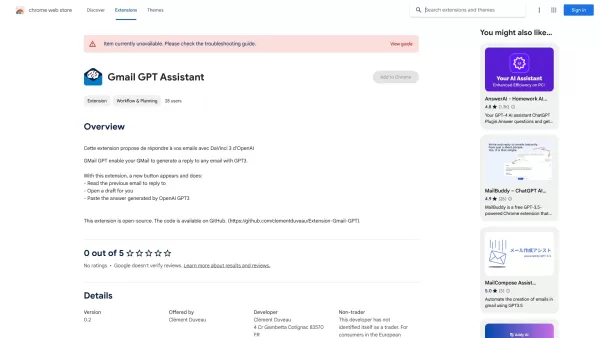
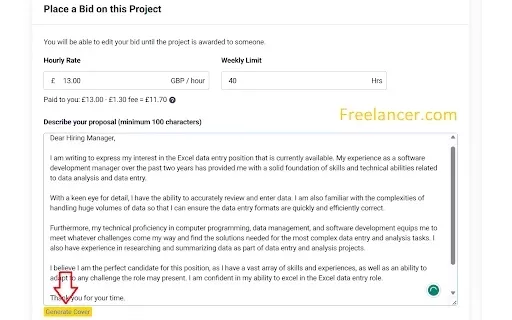
The Gmail GPT Assistant simplifies and streamlines email correspondence. It integrates seamlessly into your Gmail interface, enabling automatic generation of replies and drafts based on prior emails and context. Leveraging OpenAI's GPT technology, it analyzes your writing style and email content to offer relevant suggestions and responses, ensuring effective communication without spending too much time on email tasks.
Who Should Use the Gmail GPT Assistant?
- Busy Professionals
- Students
- Entrepreneurs
- Customer Support Teams
How to Use the Gmail GPT Assistant?
- Step 1: Install the Gmail GPT Assistant extension from the Chrome Web Store.
- Step 2: Open your Gmail account after installing the extension.
- Step 3: Click on the new button that appears in your Gmail interface.
- Step 4: Choose an email to reply to or start composing a new draft.
- Step 5: Allow the tool to analyze previous emails for context.
- Step 6: Review the generated response and make any necessary adjustments.
- Step 7: Send your email directly from the draft.
Supported Platforms
- Web
- Chrome
Core Features and Benefits of the Gmail GPT Assistant
Core Features
- AI-Powered Email Replies
- Draft Email Composition
- Contextual Understanding of Previous Emails
Benefits
- Saves Time on Email Management
- Improves Email Response Quality
- Enhances User Productivity
Main Use Cases and Applications
- Quick Responses to Common Inquiries
- Efficient Management of Email Threads
- Drafting Professional Emails Without Hassle
FAQs About the Gmail GPT Assistant
What Is the Gmail GPT Assistant?
It is a Chrome extension that uses AI to help you manage your Gmail.
How Does the AI Generate Replies?
It analyzes your previous emails to generate contextually relevant responses.
Is It Easy to Use This Extension?
Yes, it is user-friendly with simple integration steps.
Can I Customize the Responses?
Yes, you can tweak the AI-generated replies to match your personal style.
Does It Save Time?
Absolutely, it greatly reduces the time you spend drafting emails.
Is My Data Secure While Using This Extension?
Yes, we respect your privacy and prioritize data security.
What Types of Emails Can It Help With?
It assists with professional, personal, and customer support emails.
Can I Use It on Mobile Devices?
This extension is designed primarily for web use via Chrome.
Is There a Cost Involved?
The extension is completely free to download and use.
Is the Assistant Compatible with Other Email Platforms?
Currently, it is designed exclusively for Gmail.
Company Information for the Gmail GPT Assistant
Gmail GPT Assistant Screenshot

2026 Latest Best Top-rated AI Object Removal Editors for portraits travel product shots! XIX.AI curates a powerful game-changing collection regularly updated with weekly rankings. These tools offer real-world tests to help you quickly remove unwanted elements, boost content quality, and save tons of time without compromising results. Must-try for anyone aiming to unlock their AI creation edge. Explore now!
 10 tools
 xix.ai

2026 Latest Best Top-rated AI Text to Speech Tools for Online Courses are curated by XIX.AI based on rigorous real-world tests and weekly updated rankings. These powerful tools help creators deliver crystal-clear audio content effortlessly, boosting writing efficiency and streamlining course production. Check out the free vs paid comparison to find your perfect fit. Explore now to unlock your AI edge in online education.
10 tools
xix.ai

2026 Latest Best Top-Rated AI Blog Title Tools for Higher Click Through Rates! XIX.AI has carefully curated a powerful, game-changing collection of top tools that go through rigorous real-world tests. You’ll find a free vs paid comparison, weekly updated rankings, and detailed insights to help you boost your blog’s traffic efficiently. Must-try options are highlighted to help you unlock your AI edge. Explore now!
10 tools
xix.ai

2026 Latest Best Top-rated AI Task Routing Tools for Support Workflows! XIX.AI has curated a highly powerful game-changing collection of must-try solutions, all undergoing rigorous real-world tests and updated weekly. These tools streamline workflows, boost productivity, and help teams deliver faster, more efficient support. Explore now to discover your perfect tool and unlock your AI edge!
17 tools
xix.ai

2026 Latest Best Top-Rated AI Citation and Paper Summary Tools Curated by XIX.AI. Get powerful game-changing solutions for quick content creation, improved writing efficiency, and boosting productivity. We offer a free vs paid comparison along with real-world tests and weekly updated rankings to help you find the must-try tool that fits your needs perfectly. Explore now to Unlock your AI edge.
10 tools
xix.ai

2026 Latest Best Top-Rated AI Productivity Tools for Daily Work! XIX.AI has curated a powerful, game-changing selection based on rigorous weekly updated rankings and real-world tests. You’ll find must-try options that boost writing efficiency, streamline content creation, and help you overcome daily work challenges. Get a free vs paid comparison to find the perfect fit for your needs. Explore now to unlock your AI edge!
9 tools
xix.ai


