


 Home
HomeGlasp Web Highlighter - PDF & Web Highlights
Glasp Web Highlighter: Highlight & Organize Web Text



Helps TikTok sellers, brands, MCNs, and TAPs discover winning products and find creators.

HelpLook is an AI-powered all-in-one knowledge base tool that helps businesses quickly build knowledge bases, help centers, and...

Your AI Workspace

302.AI is an enterprise-grade AI resource platform with pay-as-you-go pricing, API access to a full range of AI models, and ready-to-use online applications.

剧火AI — AI Screenwriter + Director, a One-Person Short Drama Studio In one sentence, what is it?

If you're diving into the world of AI and need a tool to streamline your interactions with models like ChatGPT, Claude, and Gemini, let me introduce you to TaoPrompt. This isn't just another AI tool; it's a professional prompt generator that's designed to

If you're looking to level up your typing game, the AI Typing Assistant is your go-to tool. It's like having a personal coach that tailors its advice just for you, based on how you type. Ever wish you could type faster and with fewer mistakes? This a
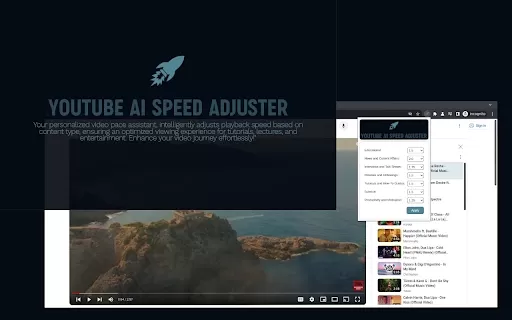
Ever felt like your YouTube videos could use a bit of a speed boost? Enter Speedtube AI Chrome Extension, a game-changer for those who want to optimize their viewing experience. It uses AI to smartly adjust the playback speed according to the type of cont
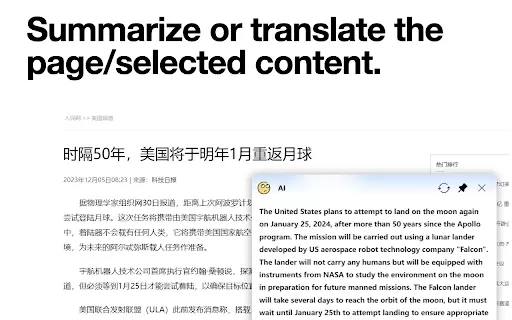
What is the AI小窗 Chrome Extension? AI小窗 is an intelligent browsing assistant compatible with ERNIE Bot, Tongyi Qianwen, and OpenAI. It delivers a smarter and more efficient browsing experience, offering features such as customizable small windows, in
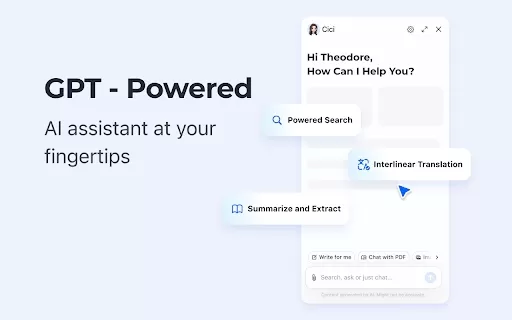
What is the Cici AI Chrome Extension? Cici is your personal browser AI assistant, powered by GPT technology. It can answer any of your questions, summarize complex webpages, provide fast full-text translation, intelligently organize and summarize sea
Glasp Web Highlighter - PDF & Web Highlights Product Information
What is Glasp Web Highlighter - PDF & Web Highlights?
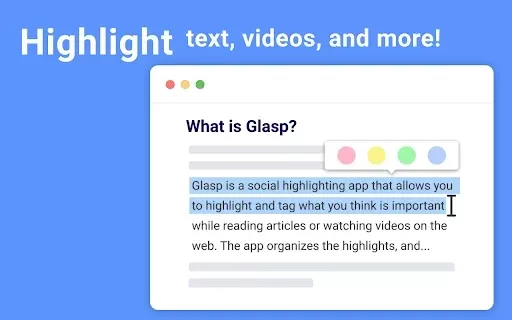
Glasp Web Highlighter is a free browser extension that lets you highlight text on websites and PDF documents right inside your browser. It offers various color choices for highlights and helps you gather and arrange your important notes efficiently. You can also export your highlights to popular note-taking apps, making study sessions and research more organized. Designed for students, researchers, and avid readers, Glasp improves productivity and helps you remember key information while browsing online.
Who uses Glasp Web Highlighter - PDF & Web Highlights?
- Students
- Researchers
- Educators
- Professionals
- Writers
How do you use Glasp Web Highlighter - PDF & Web Highlights?
- Step 1: Install the Glasp extension from the Chrome Web Store.
- Step 2: Visit a webpage or open a PDF you wish to highlight.
- Step 3: Click the Glasp icon on your browser toolbar.
- Step 4: Select the text you want to highlight on the page.
- Step 5: Pick a highlight color that suits your preferences.
- Step 6: You can organize highlights with tags or export them to your favorite note-taking app.
Platform
- Web
- Chrome
Glasp Web Highlighter - PDF & Web Highlights's Core Features & Benefits
Core Features
- Highlight text on webpages and PDFs
- Choose from multiple colors for highlights
- Sort highlights with tags
- Export highlights to various note-taking applications
Benefits
- Enhances learning and information recall
- Makes research more efficient
- Helps keep content neatly categorized
- Speeds up online reading
Glasp Web Highlighter - PDF & Web Highlights's Main Use Cases & Applications
- Preparing for exams with organized highlighted notes
- Collecting and arranging articles for research projects
- Adding notes to PDF files for work or study
- Collaborating with team members on shared materials
- Saving and curating web content for your personal collection
FAQs of Glasp Web Highlighter - PDF & Web Highlights
Does Glasp work on PDFs?
Yes, Glasp supports highlighting on both webpages and PDF documents.
Is Glasp free to use?
Yes, Glasp is completely free as a Chrome extension.
What platforms does Glasp support?
Glasp works as a web extension on Chrome.
Can I export my highlights?
Yes, you can export highlights to many note-taking applications.
How can I organize my highlights?
Use tags to sort and manage your highlights efficiently.
Is there a limit to the highlights I can make?
No, you can highlight as much text as you like.
Can I share my highlights with others?
Yes, Glasp lets you share your highlights with others.
Do I need to create an account to use Glasp?
No, you can begin using Glasp right away without signing up.
Does Glasp work offline?
No, Glasp needs an internet connection to operate.
How do I install Glasp?
Install Glasp from the Chrome Web Store.
Glasp Web Highlighter - PDF & Web Highlights Company Information
Website:
https://glasp.coCompany Name:
GlaspSupport Email:
Facebook:
NAX(Twitter):
NAYouTube:
NAInstagram:
NATiktok:
NALinkedIn:
NA
Glasp Web Highlighter - PDF & Web Highlights Screenshot



2026 Latest Best AI Vocal Demo Tools for Songwriters, Hook Creators, and Multi-Language Content Teams! XIX.AI has curated a top-rated list of powerful game-changing tools that go through rigorous real-world tests. You’ll find detailed free vs paid comparison data, comprehensive rankings, and must-try options to help you boost writing efficiency and unlock your creative potential. Explore now to discover your perfect tool for all your content needs!
 9 tools
 xix.ai

2026 Latest Best Top-rated AI Competitive Research Tools for Small Businesses! XIX.AI has curated a highly powerful game-changing collection, updated weekly with rigorous real-world tests and detailed rankings. You can find a comprehensive free vs paid comparison to help you identify the must-try tools that boost your productivity and give you a competitive edge. Explore now to discover your perfect tool!
9 tools
xix.ai

2026 Latest Best Photoshop AI retouch tools for ecommerce apparel, skin cleanup, and color consistency! This top-rated curated list features powerful game-changing solutions that help you boost writing efficiency, streamline content creation, and achieve perfect visual results effortlessly. Each tool has undergone real-world tests through weekly updated rankings, complete with free vs paid comparison details. Backed by XIX.AI, it’s the must-try guide for anyone aiming to unlock your AI edge. Explore now!
10 tools
xix.ai

2026 Latest Best Top-Rated AI Prompt Libraries for optimizing all types of ChatGPT workflows. XIX.AI has curated a powerful, game-changing collection that goes through rigorous real-world tests to ensure top performance. You can find detailed free vs paid comparisons and expert rankings to help you choose the must-try tools that boost your productivity and unlock your AI edge. Explore now!
11 tools
xix.ai

2026 Latest Best AI Quiz Builder Platforms for Teachers, Tutors, and Cohort-Based Learning Programs! XIX.AI has curated a top-rated list of powerful game-changing tools that go through real-world tests to deliver accurate rankings. These must-try platforms help boost writing efficiency, streamline content creation, and simplify quiz design across all learning scenarios. Explore now to discover your perfect tool for unlocking your AI edge in teaching!
13 tools
xix.ai

2026 Latest Best AI Pull Request Review Tools for GitHub Teams are here on XIX.AI! This top-rated curated list showcases powerful game-changing solutions that streamline refactoring, bug fixing, and security gap detection across all team workflows. Enjoy a free vs paid comparison along with real-world tests and detailed rankings to help you find the perfect tool that boosts productivity significantly. Explore now to unlock your AI edge!
12 tools
xix.ai


Just tried Glasp Web Highlighter and it's a game-changer for my research! Highlighting PDFs directly in the browser is so smooth, and the color options are perfect for organizing my notes. Saves me tons of time compared to old methods. Hope they keep it free forever! 😊


