


 Home
HomeGenerative AI Monitoring



Helps TikTok sellers, brands, MCNs, and TAPs discover winning products and find creators.

HelpLook is an AI-powered all-in-one knowledge base tool that helps businesses quickly build knowledge bases, help centers, and...

Your AI Workspace

302.AI is an enterprise-grade AI resource platform with pay-as-you-go pricing, API access to a full range of AI models, and ready-to-use online applications.

剧火AI — AI Screenwriter + Director, a One-Person Short Drama Studio In one sentence, what is it?
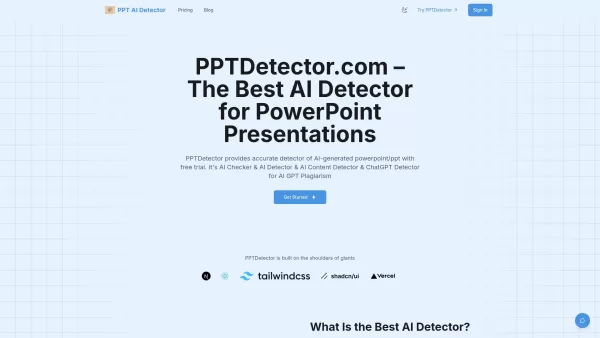
What is AI Detector for PPT? PPTDetector.com is a precise AI detection tool designed to identify AI-generated content in PowerPoint (PPT/PPTX) files. It accurately detects content from AI models like

What is Hive AI Detector?Hive AI Detector uses advanced machine learning to analyze various types of media and determine whether they were generated or altered by artificial intelligence. This tool is ideal for journalists, educators, marketers, and

What is PIXM Phishing Protection?PIXM Phishing Protection is a browser extension that leverages artificial intelligence to offer real-time defense against phishing attacks. It inspects the visual elements of websites to immediately detect hazardous o
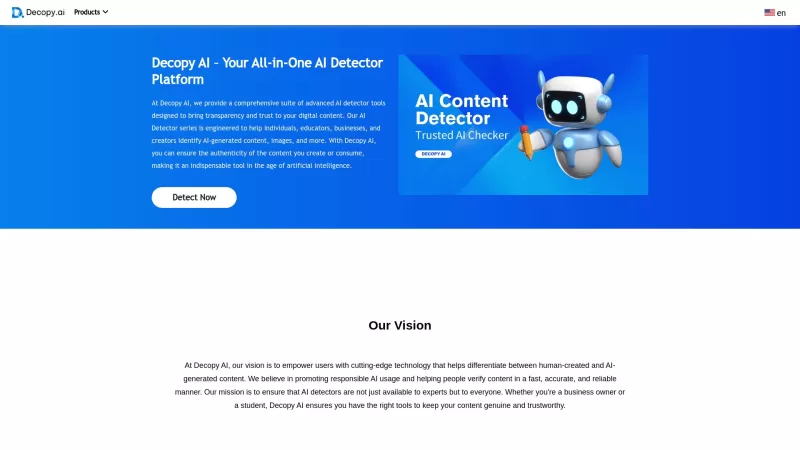
Ever wondered if that slick piece of writing you stumbled upon was crafted by a human or churned out by an AI? Enter Decopy AI, your go-to tool for sniffing out AI-generated content. With an impressive accuracy rate of up to 99%, Decopy AI can spot text f
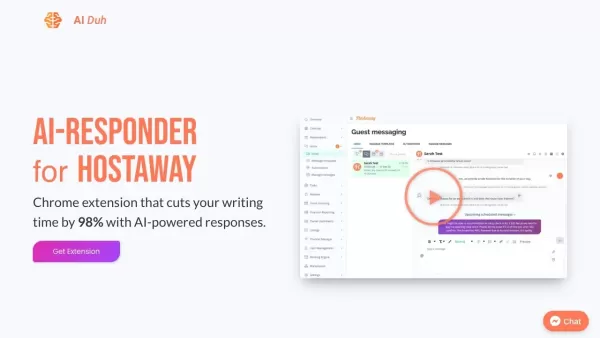
What is AIDuh?AIDuh is an advanced AI assistant built specifically for vacation rental hosts, property owners, and managers. It uses cutting-edge artificial intelligence to generate customized property guides containing details about the rental, loca
Generative AI Monitoring Product Information
What Is Generative AI Monitoring?
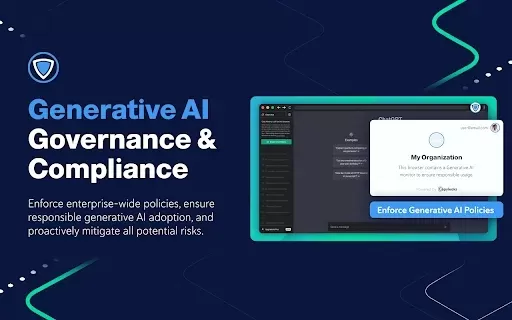
Generative AI Monitoring is a comprehensive solution that helps organizations oversee their use of generative AI technologies. It enables businesses to implement enterprise-wide policies and guard against potential risks from AI usage. By tracking the deployment and performance of generative AI tools, organizations can maintain compliance with industry standards while fostering a safe and effective AI integration environment.
Who Uses Generative AI Monitoring?
- Organizations
- Compliance officers
- IT administrators
- Data protection officers
How to Use Generative AI Monitoring?
- Step 1: Install the Generative AI Monitoring extension from the Chrome Web Store.
- Step 2: Configure the extension settings according to your organization’s policies.
- Step 3: Enable monitoring features to track AI usage across applications.
- Step 4: Review the generated reports to analyze AI activities.
- Step 5: Make policy adjustments based on insights and findings.
Platform
- Web
- Chrome
Generative AI Monitoring: Core Features and Benefits
Core Features
- Policy Enforcement
- Usage Tracking
- Risk Assessment
- Reporting Tools
Benefits
- Enhanced Compliance
- Improved Risk Management
- Greater Visibility into AI Usage
- Streamlined Policy Implementation
Generative AI Monitoring Main Use Cases and Applications
- Monitoring AI Interactions in Customer Service
- Ensuring Compliance in Financial Services
- Tracking AI Usage in Content Generation
- Evaluating AI Impact on Data Security
FAQs About Generative AI Monitoring
What Is Generative AI Monitoring?
It is a tool for monitoring the use of generative AI technologies within organizations.
How Does It Help with Compliance?
It enforces policies and provides insights into AI usage to ensure adherence to regulations.
Can It Track Usage Across Multiple Platforms?
Yes, it provides comprehensive tracking across various applications.
Is It Suitable for Small Businesses?
Yes, it is scalable and beneficial for businesses of any size.
What Reports Does It Generate?
It generates detailed reports on AI usage, compliance, and potential risks.
How Do I Install It?
You can install it directly from the Chrome Web Store.
Do I Need Technical Expertise to Use It?
No, the tool is designed to be user-friendly for all types of users.
Is There a Free Trial Available?
A free trial may be available; please check the Chrome Web Store for details.
How Can I Get Support?
You can contact support via the email provided on the product page.
Does It Integrate with Other Software?
Yes, it can be configured to work alongside various business applications.
Generative AI Monitoring Company Information
Generative AI Monitoring Screenshot



2026 Latest Best Top-rated AI Object Removal Editors for portraits travel product shots! XIX.AI curates a powerful game-changing collection regularly updated with weekly rankings. These tools offer real-world tests to help you quickly remove unwanted elements, boost content quality, and save tons of time without compromising results. Must-try for anyone aiming to unlock their AI creation edge. Explore now!
 10 tools
 xix.ai

2026 Latest Best Top-rated AI Text to Speech Tools for Online Courses are curated by XIX.AI based on rigorous real-world tests and weekly updated rankings. These powerful tools help creators deliver crystal-clear audio content effortlessly, boosting writing efficiency and streamlining course production. Check out the free vs paid comparison to find your perfect fit. Explore now to unlock your AI edge in online education.
10 tools
xix.ai

2026 Latest Best Top-Rated AI Blog Title Tools for Higher Click Through Rates! XIX.AI has carefully curated a powerful, game-changing collection of top tools that go through rigorous real-world tests. You’ll find a free vs paid comparison, weekly updated rankings, and detailed insights to help you boost your blog’s traffic efficiently. Must-try options are highlighted to help you unlock your AI edge. Explore now!
10 tools
xix.ai

2026 Latest Best Top-rated AI Task Routing Tools for Support Workflows! XIX.AI has curated a highly powerful game-changing collection of must-try solutions, all undergoing rigorous real-world tests and updated weekly. These tools streamline workflows, boost productivity, and help teams deliver faster, more efficient support. Explore now to discover your perfect tool and unlock your AI edge!
17 tools
xix.ai

2026 Latest Best Top-Rated AI Citation and Paper Summary Tools Curated by XIX.AI. Get powerful game-changing solutions for quick content creation, improved writing efficiency, and boosting productivity. We offer a free vs paid comparison along with real-world tests and weekly updated rankings to help you find the must-try tool that fits your needs perfectly. Explore now to Unlock your AI edge.
10 tools
xix.ai

2026 Latest Best Top-Rated AI Productivity Tools for Daily Work! XIX.AI has curated a powerful, game-changing selection based on rigorous weekly updated rankings and real-world tests. You’ll find must-try options that boost writing efficiency, streamline content creation, and help you overcome daily work challenges. Get a free vs paid comparison to find the perfect fit for your needs. Explore now to unlock your AI edge!
9 tools
xix.ai


