


 Home
HomeGems
AI Knowledge Assistant



Helps TikTok sellers, brands, MCNs, and TAPs discover winning products and find creators.

HelpLook is an AI-powered all-in-one knowledge base tool that helps businesses quickly build knowledge bases, help centers, and...

Your AI Workspace

302.AI is an enterprise-grade AI resource platform with pay-as-you-go pricing, API access to a full range of AI models, and ready-to-use online applications.

剧火AI — AI Screenwriter + Director, a One-Person Short Drama Studio In one sentence, what is it?

Ever stumbled upon Cherry Studio AI and wondered what it's all about? Well, let me break it down for you. Cherry Studio AI isn't just another run-of-the-mill AI tool; it's a powerhouse desktop client that lets you dive into advanced AI interactions across

Discover Plume AI: Your Ultimate Academic Writing AssistantAre you tired of struggling with your academic writing? Well, say hello to Plume AI, the innovative AI assistant that's here to revolutionize the way you write! Designed with students in mind, Plume AI harnesses the power of cutting-edge art

Ever wondered how to turn your jumbled thoughts and complex queries into something you can actually grasp? Enter The Visualizer, your new best friend in the world of learning and creativity. This nifty tool takes your written queries, URLs, and even PDFs,

Ever wished for a trusty sidekick to help you navigate the digital world with ease? Enter Sider, your personal AI companion designed to seamlessly blend into your daily routine. Starting off as a handy Chrome/Edge extension, Sider transforms your browsing

Ever wondered what Ninja AI is all about? Well, let me tell you, it's like having a Swiss Army knife for your digital needs! Ninja AI isn't just another AI tool; it's a powerhouse that brings together over 24 top-notch Large Language Models (LLMs) to help
Gems Product Information
Ever wondered what Gems is all about? Well, let me break it down for you. Gems is like your personal AI sidekick, designed to make your life easier by pulling together information from all your go-to tools like Notion, Gmail, Slack, and more. It's like having a super-smart assistant who knows exactly where to find the answers you need, without you having to dig through endless tabs and apps.
So, how do you tap into the power of Gems? It's simple, really. Just summon the assistant and throw your question at it. Whether you're asking in your own words or giving it a bit of context by clipping some text, Gems is ready to roll. In a flash, it'll serve up answers that are not only spot-on but also come with sources so you can double-check if you want.
Gems's Core Features
What makes Gems stand out? Let's dive into its core features:
- Ready-to-use answers based on your knowledge: No more sifting through documents or emails. Gems gives you the answers you need, pronto.
- One simple shortcut for all your tools: Forget about juggling multiple apps. With Gems, one shortcut is all you need to access everything.
- Instantly remember anything: Ever forgotten where you saved that crucial piece of info? Gems has your back, helping you recall anything in a snap.
- Connect and search knowledge from all your sources: Gems seamlessly integrates with all your tools, making it a breeze to search and find what you're looking for.
- Structured answers with sources provided: Not only does Gems give you the answer, but it also shows you where it came from, so you can trust the info.
- Centralized knowledge repository: Think of Gems as your personal library, where all your knowledge is neatly organized and easily accessible.
Gems's Use Cases
Now, let's talk about how you can put Gems to work:
- Streamlining knowledge access: Say goodbye to the hassle of finding information. Gems makes it quick and easy.
- Effortless organization: Keep your digital life tidy with Gems, which helps you organize everything without breaking a sweat.
- Sharing and collaboration: Need to share info with your team? Gems makes it a breeze, fostering better collaboration.
Need help with Gems? You can reach out to their customer service at [email protected]. For more contact options, check out their contact us page.
Curious about the cost? Check out the Gems pricing page to see what fits your budget.
And if you want to stay updated or connect with the Gems community, follow them on LinkedIn.
Gems Screenshot

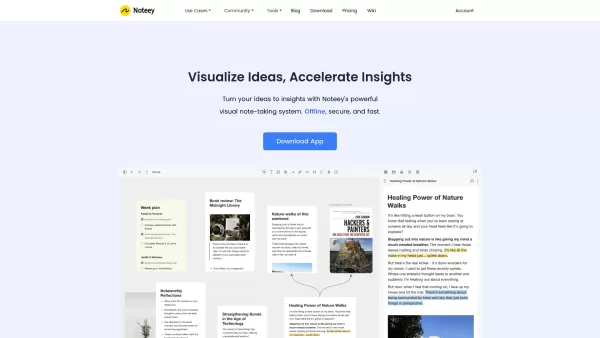

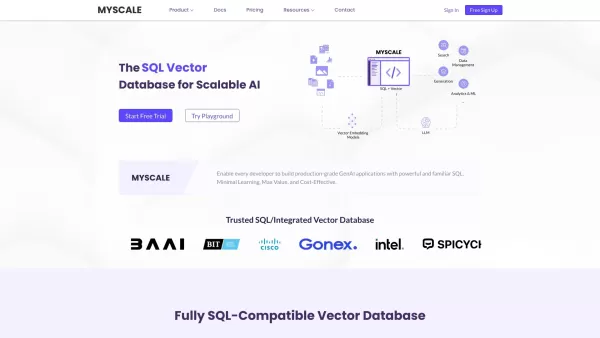
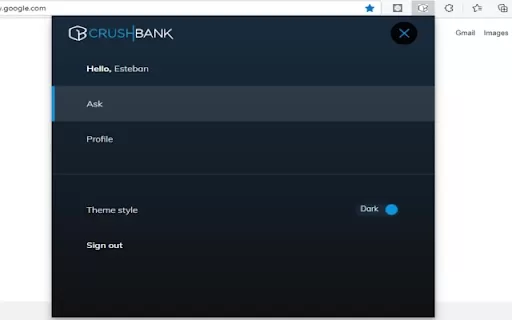

2026 Latest Best Manga AI Background Generators Ranked Top-Rated! This curated collection showcases powerful game-changing tools perfect for creating high-quality chapter backgrounds, book covers, and promotional art. Every option has undergone rigorous real-world tests to ensure reliability. Get a free vs paid comparison along with detailed insights. Explore now to discover your perfect tool and unlock your AI edge in manga creation.
 6 tools
 xix.ai

2026 Latest Best Top-rated AI Object Removal Editors for portraits travel product shots! XIX.AI curates a powerful game-changing collection regularly updated with weekly rankings. These tools offer real-world tests to help you quickly remove unwanted elements, boost content quality, and save tons of time without compromising results. Must-try for anyone aiming to unlock their AI creation edge. Explore now!
10 tools
xix.ai

2026 Latest Best Top-rated AI Text to Speech Tools for Online Courses are curated by XIX.AI based on rigorous real-world tests and weekly updated rankings. These powerful tools help creators deliver crystal-clear audio content effortlessly, boosting writing efficiency and streamlining course production. Check out the free vs paid comparison to find your perfect fit. Explore now to unlock your AI edge in online education.
10 tools
xix.ai

2026 Latest Best Top-Rated AI Blog Title Tools for Higher Click Through Rates! XIX.AI has carefully curated a powerful, game-changing collection of top tools that go through rigorous real-world tests. You’ll find a free vs paid comparison, weekly updated rankings, and detailed insights to help you boost your blog’s traffic efficiently. Must-try options are highlighted to help you unlock your AI edge. Explore now!
10 tools
xix.ai

2026 Latest Best Top-rated AI Task Routing Tools for Support Workflows! XIX.AI has curated a highly powerful game-changing collection of must-try solutions, all undergoing rigorous real-world tests and updated weekly. These tools streamline workflows, boost productivity, and help teams deliver faster, more efficient support. Explore now to discover your perfect tool and unlock your AI edge!
17 tools
xix.ai

2026 Latest Best Top-Rated AI Citation and Paper Summary Tools Curated by XIX.AI. Get powerful game-changing solutions for quick content creation, improved writing efficiency, and boosting productivity. We offer a free vs paid comparison along with real-world tests and weekly updated rankings to help you find the must-try tool that fits your needs perfectly. Explore now to Unlock your AI edge.
10 tools
xix.ai


Just tried Gems and it's pretty neat! Having all my Notion notes and Slack chats in one place saves so much time. The AI suggestions are actually useful, not just gimmicky. Hope they add more integrations soon though! 😊
Gems suena muy útil, la idea de un asistente que centraliza todo en un solo lugar es genial. Lo he usado un par de días y ya nota la diferencia en productividad, aunque a veces tarda un poco en sincronizar datos nuevos. ¡Ojalá añadan pronto integración con Trello! 🤞


