


 Home
Homegaidme
Terminal Command Generator AI Tool



Helps TikTok sellers, brands, MCNs, and TAPs discover winning products and find creators.

HelpLook is an AI-powered all-in-one knowledge base tool that helps businesses quickly build knowledge bases, help centers, and...

Your AI Workspace

302.AI is an enterprise-grade AI resource platform with pay-as-you-go pricing, API access to a full range of AI models, and ready-to-use online applications.

剧火AI — AI Screenwriter + Director, a One-Person Short Drama Studio In one sentence, what is it?
YouMind AI isn't just another tool; it's a creative powerhouse that turns a mishmash of materials into something truly inspiring. Think of it as your personal AI assistant, ready to help you craft your next big idea. How to Use YouMind AI? Using YouMind A

Ever felt like you could use a bit of a chat, a friendly ear to listen without judgment? That's where GentleGossip comes in—it's not just another app, but your personal AI-powered mental health counselor. Designed with your emotional well-being in mind, G

Ever wondered what it would be like to see yourself, your friends, or your favorite celebrities as adorable Funko Pop figures? Well, the AI Funko Pop Generator makes that dream a reality! This nifty tool uses artificial intelligence to whip up personalize
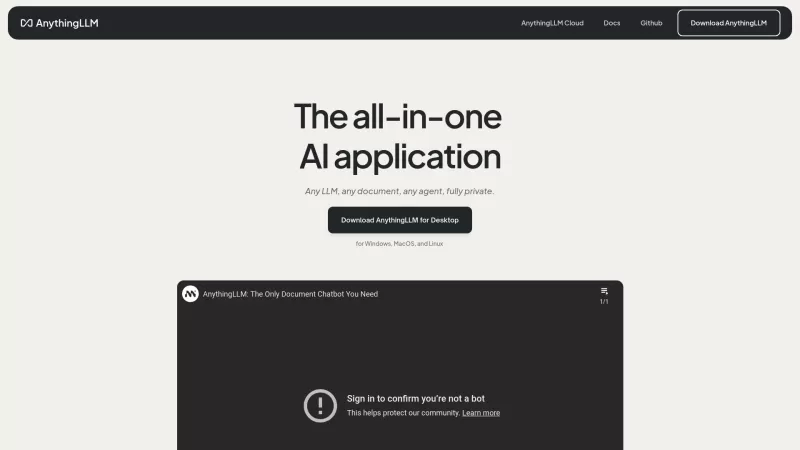
Ever wondered what AnythingLLM is all about? Well, let me break it down for you. AnythingLLM is this cool desktop AI app that's all about boosting your productivity. It's got a bunch of nifty tools like LLM, RAG, and AI Agents, and the best part? You can

Ever heard of HumNod? It's this cool offline AI assistant that's all about helping you with writing, coding, and boosting your productivity, all without needing to hop online. What's great about it is that it keeps your data safe by working entirely on your device. No cloud, no worries. You can mana
gaidme Product Information
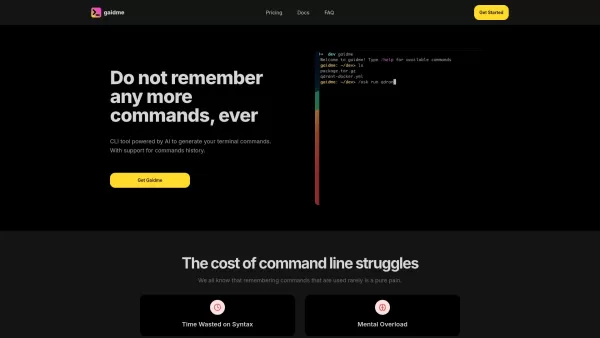
Ever found yourself stuck trying to remember that one terminal command you used ages ago? Or perhaps you're diving into a rare task that's got you scratching your head? Enter gaidme, your new best friend in the world of command line interfaces. This AI-powered tool is here to save the day by generating terminal commands based on your queries and your command history. It's like having a super-smart assistant right in your terminal!
How to Use gaidme?
Using gaidme is a breeze. All you need to do is ask a question or describe the task you're trying to accomplish. Based on your previous commands and your current query, gaidme will suggest the most relevant commands. It's like having a conversation with your terminal, and who doesn't love a chatty terminal?
gaidme's Core Features
AI Command Generation Based on Questions
gaidme uses AI to understand your needs and generate the perfect command. No more fumbling around or endless Google searches. Just ask, and gaidme delivers.
Command History Support
Remembering old commands can be a hassle, but gaidme has your back. It keeps track of your command history and uses it to suggest commands that are tailored to your past usage. It's like muscle memory for your terminal!
Privacy-Focused with No Data Storage
Worried about privacy? Don't be. gaidme is all about keeping your data safe and sound. It doesn't store any of your information, so you can use it with peace of mind.
gaidme's Use Cases
Generate Commands for Rare Terminal Tasks
Ever needed to do something obscure in the terminal? gaidme can help you generate those hard-to-remember commands for those once-in-a-blue-moon tasks.
Easily Recall Previously Used Commands
No need to rack your brain trying to remember that command you used last month. gaidme keeps a record of your command history, making it easy to pull up those commands when you need them.
FAQ from gaidme
- Will gaidme work on my machine?
- gaidme is designed to be compatible with most systems. Give it a try and see how it fits into your workflow!
- How can I test if gaidme works?
- Just install gaidme and start asking it questions. If it responds with relevant commands, you're good to go!
Need help or have questions? Reach out to gaidme's customer support at [email protected].
Want to dive in? Log in to gaidme at https://gaidme.app/signin or sign up if you're new at https://gaidme.app/signin. Curious about the cost? Check out the pricing details at https://gaidme.app/#pricing.
gaidme Screenshot




2026 Latest Best Top-rated AI Text to Speech Tools for Natural Voiceovers are here on XIX.AI! This curated list features powerful, game-changing options that deliver crystal-clear voices for every use case, backed by real-world tests and weekly updated rankings. Get a free vs paid comparison to find the must-try solution that boosts your productivity instantly. Explore now to Unlock your AI edge!
 11 tools
 xix.ai

2026 Latest Best Manga AI Background Generators Ranked Top-Rated! This curated collection showcases powerful game-changing tools perfect for creating high-quality chapter backgrounds, book covers, and promotional art. Every option has undergone rigorous real-world tests to ensure reliability. Get a free vs paid comparison along with detailed insights. Explore now to discover your perfect tool and unlock your AI edge in manga creation.
6 tools
xix.ai

2026 Latest Best Top-rated AI Object Removal Editors for portraits travel product shots! XIX.AI curates a powerful game-changing collection regularly updated with weekly rankings. These tools offer real-world tests to help you quickly remove unwanted elements, boost content quality, and save tons of time without compromising results. Must-try for anyone aiming to unlock their AI creation edge. Explore now!
10 tools
xix.ai

2026 Latest Best Top-rated AI Text to Speech Tools for Online Courses are curated by XIX.AI based on rigorous real-world tests and weekly updated rankings. These powerful tools help creators deliver crystal-clear audio content effortlessly, boosting writing efficiency and streamlining course production. Check out the free vs paid comparison to find your perfect fit. Explore now to unlock your AI edge in online education.
10 tools
xix.ai

2026 Latest Best Top-Rated AI Blog Title Tools for Higher Click Through Rates! XIX.AI has carefully curated a powerful, game-changing collection of top tools that go through rigorous real-world tests. You’ll find a free vs paid comparison, weekly updated rankings, and detailed insights to help you boost your blog’s traffic efficiently. Must-try options are highlighted to help you unlock your AI edge. Explore now!
10 tools
xix.ai

2026 Latest Best Top-rated AI Task Routing Tools for Support Workflows! XIX.AI has curated a highly powerful game-changing collection of must-try solutions, all undergoing rigorous real-world tests and updated weekly. These tools streamline workflows, boost productivity, and help teams deliver faster, more efficient support. Explore now to discover your perfect tool and unlock your AI edge!
17 tools
xix.ai


