


 Home
HomeFilmora
Filmora: Professional Video Editing Software



Helps TikTok sellers, brands, MCNs, and TAPs discover winning products and find creators.

HelpLook is an AI-powered all-in-one knowledge base tool that helps businesses quickly build knowledge bases, help centers, and...

Your AI Workspace

302.AI is an enterprise-grade AI resource platform with pay-as-you-go pricing, API access to a full range of AI models, and ready-to-use online applications.

剧火AI — AI Screenwriter + Director, a One-Person Short Drama Studio In one sentence, what is it?

Introducing AniEraser: The Ultimate AI Clothes RemoverIf you've ever wanted to edit photos like a pro without the hassle of complicated tools or software installations, AniEraser is here to change the game. This cutting-edge online tool uses advanced AI t

What is Undressbaby AI?Undressbaby is a cutting-edge, AI-driven platform that lets users creatively alter their photos and videos. From swapping faces to trying on virtual outfits, it offers a simple yet powerful solution. Just upload your media, and
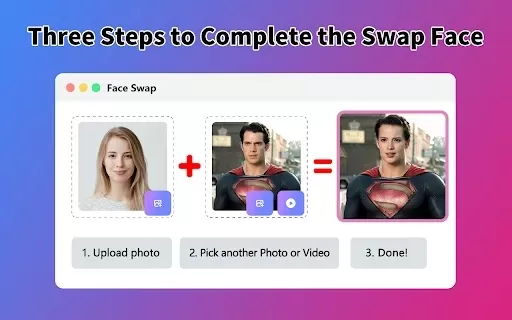
What is Face Swap - AI Face Swapper?Face Swap AI Face Swapper is a cutting-edge online tool that enables effortless face swapping in photos and videos. Powered by sophisticated artificial intelligence, it allows you to seamlessly replace faces, swap

Ever wanted to give your videos a quirky twist or a professional touch? Look no further than KreadoAI Video Face Swap! This nifty tool is a game-changer for anyone looking to seamlessly replace faces in videos. What's even better? It's absolutely free and

What is VideoWatermarkRemover AI? VideoWatermarkRemover is a free, AI-powered online tool that quickly and easily removes watermarks from videos. It supports popular formats like MP4, MOV, and AVI, and can detect and erase both static and moving wate
Filmora Product Information
What is Filmora?
Filmora is a powerful yet easy-to-use video editing software designed for creators of all skill levels. It combines an intuitive drag-and-drop interface with a rich library of effects, transitions, and advanced tools like keyframing and color correction. This platform empowers users to produce professional-quality videos for various purposes, from social media content to personal projects, making it a top choice for YouTubers, educators, marketers, and hobbyists alike.
Who is Filmora for?
- YouTubers & Vloggers
- Digital Content Creators
- Educators & Trainers
- Marketing Professionals
- Video Editing Hobbyists
- Small Business Owners
- Social Media Influencers
How to use Filmora
- Step 1: Download and install the Filmora application.
- Step 2: Launch the software and create a 'New Project'.
- Step 3: Import your video, audio, and image files into the media library.
- Step 4: Arrange your clips on the timeline using drag-and-drop.
- Step 5: Enhance your video with editing tools, filters, and effects.
- Step 6: Incorporate transitions, titles, and background music.
- Step 7: Preview your project and make final tweaks.
- Step 8: Export the final video in your preferred format and resolution.
Platform
- Web
- Mac
- Windows
- iOS
- Android
- Chrome
Filmora's Core Features & Benefits
Key Features
- Intuitive drag-and-drop interface
- Vast collection of effects and transitions
- Precise keyframe animation
- Professional color grading & correction
- Comprehensive audio editing suite
- Split-screen and picture-in-picture
- Built-in screen recorder
- Direct publishing to social platforms
Key Benefits
- Beginner-friendly with a shallow learning curve
- Powerful capabilities for advanced users
- Cost-effective pricing plans
- Extensive learning resources and customer support
- Seamless performance across devices
- Frequent software updates with new content
Primary Uses & Applications
- Producing engaging YouTube videos
- Creating educational and tutorial content
- Developing promotional and marketing videos
- Crafting content for social media channels
- Editing personal and family videos
- Making instructional and how-to guides
Filmora's Pros & Cons
Advantages
Leverages AI to automate and enhance various editing tasks intelligently.
Features a clean, intuitive interface accessible to novices and experts.
Includes professional-grade features such as multi-cam editing and keyframing.
Provides a massive library of templates, effects, soundtracks, and transitions.
Offers fast rendering and automated multi-platform publishing.
AI video translation supports over 23 languages for international audiences.
Disadvantages
The software is proprietary and not open source.
Some advanced capabilities may not reach the level of high-end professional suites.
Licensing terms for certain AI-generated assets can be ambiguous for commercial use.
Lacks a public code repository, limiting community development and transparency.
Filmora's Pricing
Free plan available | No |
|---|---|
Free trial details | 7-day trial for creative assets library; full editing tools not included |
Pricing model | Paid |
Credit card required | No |
Starting price | 59.41 USD |
Lifetime plan available | YES |
Billing cycle | Annual |
Pricing Plan Details
Super Annual Plan
59.41 USD
- 2000 AI credits per month
- 100GB of cloud storage
- Access to all future version upgrades
- Support for multiple export formats
- Export videos without watermark
- 4K Ultra HD rendering
- Over 100 advanced editing features
- Library of 2.3+ million royalty-free assets
Advanced Annual Plan
41.27 USD
- 1000 AI credits per month
- 10GB of cloud storage
- Access to all future version upgrades
- Support for multiple export formats
- Export videos without watermark
- 4K Ultra HD rendering
- Over 100 advanced editing features
- Library of 2.3+ million royalty-free assets
Perpetual Plan
52.23 USD
- One-time grant of 1000 AI credits
- 1GB of cloud storage
- Updates limited to Filmora version 14
- Support for multiple export formats
- Export videos without watermark
- 4K Ultra HD rendering
- Over 100 advanced editing features
- Library of 2.3+ million royalty-free assets
Special Offer:
45% discount applied for auto-renewal after the free creative assets trial period.
For the most current pricing, visit: https://filmora.wondershare.tw/shop/buy/buy-video-editor.html
Frequently Asked Questions about Filmora
What are the system requirements for Filmora?
Filmora is compatible with Windows and macOS, requiring a minimum of 8GB RAM and an Intel i5 processor or equivalent for optimal performance.
Is there a free trial for Filmora?
Yes, Filmora provides a free trial version with access to core features, though some advanced options are reserved for paid plans.
How do I export my finished video from Filmora?
Click the 'Export' button, then choose your preferred file format, resolution, and quality settings before rendering the final video.
Can Filmora be used for professional video production?
Absolutely. While designed for ease of use, Filmora includes a suite of advanced tools that meet the demands of professional projects.
Does my Filmora license work on multiple computers?
Depending on your subscription, Filmora can be activated on multiple devices across supported operating systems.
Are music and effects included with Filmora?
Yes, Filmora comes with an integrated library featuring music tracks, sound effects, visual effects, and transitions.
How do I update my Filmora software?
Navigate to the 'Help' menu within the application and select 'Check for Updates' to download and install the latest version.
Can I import projects from other video editing software?
Filmora supports standard video file formats, allowing you to import and work with media from most other editing programs.
What video formats can I export with Filmora?
Filmora supports exporting to popular formats including MP4, MOV, AVI, WMV, and more for broad compatibility.
Where can I get help if I encounter problems?
Support is available through the Filmora Help Center, detailed user guides, tutorial videos, and direct contact with customer service.
About Filmora's Company
- Wondershare Technology
- https://decoritt.wondershare.com
- https://www.facebook.com/wondershare
- https://twitter.com/decoritt_ai
- https://www.youtube.com/channel/UCxZmY7xJvtOfEpd3bfQ3GfQ
- https://www.instagram.com/decoritt.ai
- https://www.tiktok.com/@decoritt
- https://ca.linkedin.com/company/wondershare-technology
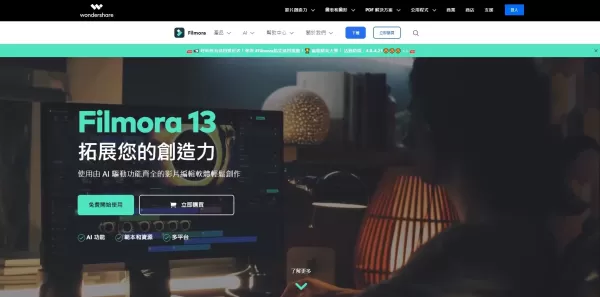
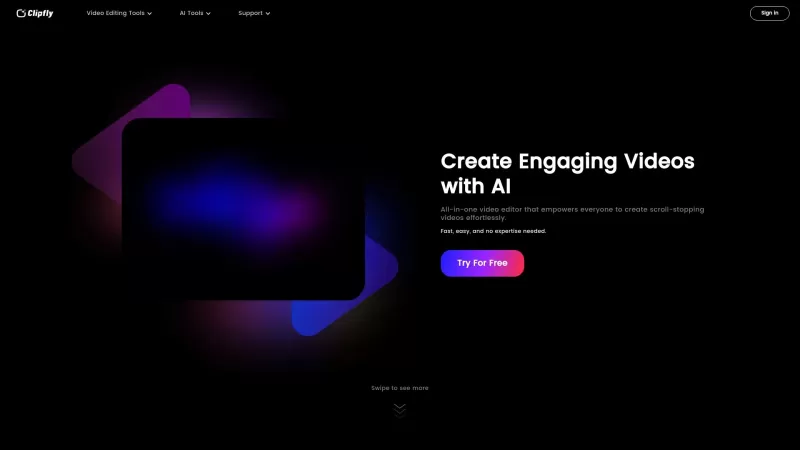
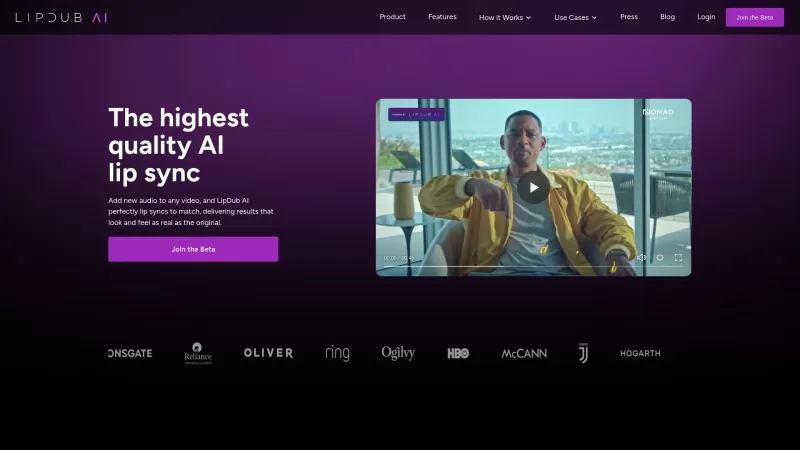
Filmora Screenshot
Discover 2026's top-rated AI storyboarding tools for filmmakers. XIX.AI's curated selection helps you visualize scripts faster, enhance creative flow, and streamline pre-production. Compare free vs paid options with weekly updated rankings. Unlock your storytelling potential today.
 10 tools
 xix.ai
2026 Latest: Curated selection of the best AI novel editing tools for professional manuscript polishing. Compare top-rated, powerful options with free vs paid insights and real-world tests. Discover your perfect tool to refine your writing and elevate your manuscript to publish-ready quality. Explore now on XIX.AI.
10 tools
xix.ai


Filmora is a solid choice for beginners and pros alike! I love the drag-and-drop interface and the rich effects library. Keyframing is a game-changer for me. 🎬 Only wish it had more advanced color grading tools without needing to upgrade. Overall, great value for the price!


