


 Home
Homefeedhive.io
FeedHive: AI Social Media Management Tool



Helps TikTok sellers, brands, MCNs, and TAPs discover winning products and find creators.

HelpLook is an AI-powered all-in-one knowledge base tool that helps businesses quickly build knowledge bases, help centers, and...

Your AI Workspace

302.AI is an enterprise-grade AI resource platform with pay-as-you-go pricing, API access to a full range of AI models, and ready-to-use online applications.

剧火AI — AI Screenwriter + Director, a One-Person Short Drama Studio In one sentence, what is it?

What is Quick Hub? Quick Hub empowers small business owners and marketing teams by automating their marketing with AI-driven social media, customer engagement, and promotional workflows. It provides small businesses with the same advanced automation
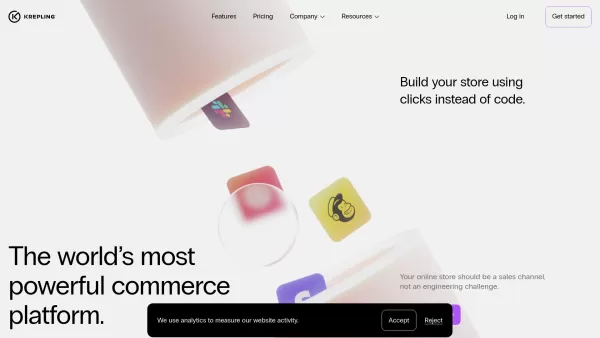
What is Krepling?Krepling is an all-in-one cloud commerce platform that empowers entrepreneurs and businesses to launch and grow their digital operations. This innovative solution combines website building, hosting, and business management tools into

Imagine you're on a quest to conquer the real estate world. Now, picture having a trusty sidekick by your side, guiding you through the maze of lead generation, skip tracing, and direct mail marketing. That sidekick is DealMachine, an all-in-one platform

Ever wondered how to make your brand go viral without breaking a sweat? Enter Viral Magic AI, your go-to AI-driven influencer marketing agency. This isn't just another tool; it's like having a team of digital wizards at your fingertips, ready to catapult your brand's presence across various platform
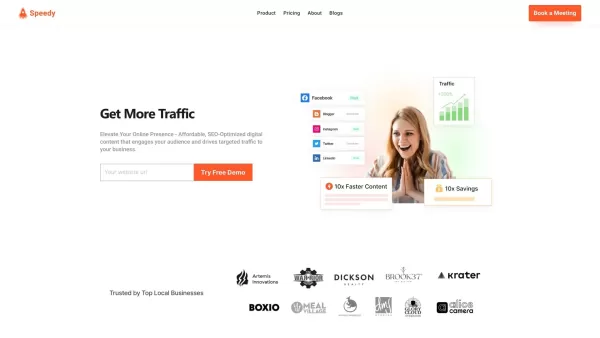
What is Speedy?SpeedyBrand transforms content marketing with AI, enabling businesses to generate high-quality, personalized, and SEO-optimized blogs and social media posts. It adapts to your brand's unique tone, providing efficient content creation t
feedhive.io Product Information
What is FeedHive?
FeedHive is a powerful social media management platform that uses advanced AI to help you create, schedule, and publish content efficiently. Designed for businesses, marketers, and content creators, it simplifies digital marketing by automating routine tasks and offering smart recommendations for optimal posting times. With capabilities like post planning, analytics, AI-driven suggestions, and multi-platform support, FeedHive makes your social media campaigns both productive and effective.
Who uses FeedHive?
- Social media managers
- Digital marketing professionals
- Content creators
- Small business owners
- Marketing agencies
- Brands
How to get started with FeedHive
- Step 1: Sign up and create your FeedHive account.
- Step 2: Connect your social media accounts to the platform.
- Step 3: Generate compelling posts using AI-powered content suggestions.
- Step 4: Schedule your posts using the intuitive drag-and-drop calendar.
- Step 5: Review and approve content before it goes live.
- Step 6: Track performance and engagement with built-in analytics.
- Step 7: Optimize your posting strategy based on AI insights.
Platform availability
- Web
- Mac
- Windows
- iOS
- Android
Core Features and Benefits of FeedHive
Key Features
- AI-driven content generation
- Smart post scheduling and calendar
- Performance analytics and engagement tracking
- Multi-platform publishing
- Streamlined approval workflows
- Unified social inbox
Key Benefits
- Efficient social media management
- Improved engagement and audience reach
- Time-saving automation
- Actionable performance insights
- Seamless team collaboration
Primary Applications
- Content scheduling and publishing
- Analytics and performance monitoring
- Campaign planning and execution
- Team-based content approval
- Engagement management
FeedHive Pros and Cons
Advantages
Intelligent content creation and scheduling powered by a GPT-4 writing assistant.
Comprehensive social inbox to manage all your conversations in one place.
Advanced analytics that deliver meaningful insights into follower behavior and post performance.
Automation tools for creating follow-up posts and responses based on engagement.
User-friendly interface featuring drag-and-drop scheduling and collaborative capabilities.
Broad platform compatibility with cross-posting and automatic format adaptation.
Content recycling and creative templates to overcome creative blocks.
Limitations
No publicly available information regarding open-source status.
No direct links found for GitHub, mobile app stores, Chrome Web Store, Discord, or Telegram.
Subscription may be required after the 7-day free trial period.
FeedHive Pricing Details
Free plan available | No |
|---|---|
Free trial information | 7-day free trial for all plans, cancel anytime, no credit card required |
Pricing structure | Paid |
Credit card required | No |
Starting price | $9 USD |
Lifetime plan available | No |
Billing cycle | Monthly |
Pricing Plan Details
Creator
$9 USD per month
- 4 social accounts
- Posting schedule
- Performance analytics
- Social inbox
Brand
$19 USD per month
- 10 social accounts
- 5 workspaces
- FeedHive AI features
- Team collaboration tools
Business
$59 USD per month
- 100 social accounts
- 50 workspaces
- Unlimited posts
- Priority customer support
Agency
$199 USD per month
- 500 social accounts
- 100 workspaces
- White-label solution
- Priority support
Special offer:
Save up to 30% with annual billing
For current pricing, visit: https://feedhive.io
Frequently Asked Questions
Is there a free trial for FeedHive?
Yes, FeedHive provides a 7-day free trial for all new users.
Can I manage several social media accounts with FeedHive?
Yes, FeedHive enables you to manage multiple social media accounts from a single dashboard.
Does FeedHive include analytics features?
Yes, FeedHive offers comprehensive analytics to monitor your social media results.
Is FeedHive a good fit for small businesses?
Yes, FeedHive is excellent for small businesses seeking effective social media management.
How does FeedHive's AI content generation function?
FeedHive's AI evaluates engagement patterns to recommend ideal posting times and create relevant content ideas.
Which social platforms work with FeedHive?
FeedHive supports Facebook, Instagram, Twitter, LinkedIn, TikTok, YouTube, and other major networks.
Can teams collaborate within FeedHive?
Yes, FeedHive includes collaboration features such as approval workflows for team members.
How can I contact FeedHive support?
You can reach FeedHive's support team via their contact page or through in-app chat.
Does FeedHive integrate with other software?
Yes, FeedHive integrates with numerous social platforms and tools for smooth operation.
What subscription options does FeedHive provide?
FeedHive offers several subscription tiers, beginning at $19 monthly, with annual payment discounts available.
FeedHive Company Details
Website:
https://feedhive.comCompany Name:
FeedHiveSupport Email:
Facebook:
https://www.facebook.com/feedhiveX (Twitter):
https://twitter.com/feedhiveYouTube:
Not availableInstagram:
https://www.instagram.com/feedhiveTikTok:
Not availableLinkedIn:
https://www.linkedin.com/company/feedhive
feedhive.io Screenshot





2026 Latest Best Top-rated AI Text to Speech Tools for Online Courses are curated by XIX.AI based on rigorous real-world tests and weekly updated rankings. These powerful tools help creators deliver crystal-clear audio content effortlessly, boosting writing efficiency and streamlining course production. Check out the free vs paid comparison to find your perfect fit. Explore now to unlock your AI edge in online education.
 10 tools
 xix.ai

2026 Latest Best Top-Rated AI Blog Title Tools for Higher Click Through Rates! XIX.AI has carefully curated a powerful, game-changing collection of top tools that go through rigorous real-world tests. You’ll find a free vs paid comparison, weekly updated rankings, and detailed insights to help you boost your blog’s traffic efficiently. Must-try options are highlighted to help you unlock your AI edge. Explore now!
10 tools
xix.ai

2026 Latest Best Top-rated AI Task Routing Tools for Support Workflows! XIX.AI has curated a highly powerful game-changing collection of must-try solutions, all undergoing rigorous real-world tests and updated weekly. These tools streamline workflows, boost productivity, and help teams deliver faster, more efficient support. Explore now to discover your perfect tool and unlock your AI edge!
17 tools
xix.ai

2026 Latest Best Top-Rated AI Citation and Paper Summary Tools Curated by XIX.AI. Get powerful game-changing solutions for quick content creation, improved writing efficiency, and boosting productivity. We offer a free vs paid comparison along with real-world tests and weekly updated rankings to help you find the must-try tool that fits your needs perfectly. Explore now to Unlock your AI edge.
10 tools
xix.ai

2026 Latest Best Top-Rated AI Productivity Tools for Daily Work! XIX.AI has curated a powerful, game-changing selection based on rigorous weekly updated rankings and real-world tests. You’ll find must-try options that boost writing efficiency, streamline content creation, and help you overcome daily work challenges. Get a free vs paid comparison to find the perfect fit for your needs. Explore now to unlock your AI edge!
9 tools
xix.ai

2026 Latest Best Top-Rated AI Systematic Review Tools for Research Screening are here on XIX.AI! This curated collection includes powerful, game-changing solutions that go through rigorous real-world tests to deliver accurate results. We also offer a free vs paid comparison along with weekly updated rankings to help you find the must-try option that boosts your research efficiency significantly. Explore now to unlock your AI edge in academic work!
11 tools
xix.ai


FeedHiveのAI投稿提案機能が最高すぎる!🎯 特にYouTubeのサムネ作成に使ってみたら、予想以上の反響があって感動。でもAI依存が進むと、人間のクリエイティビティが低下するかも?と少し不安に。とりあえず今月のSEG分析が楽しみだわ😊


