


 Home
HomefBookmarks - Personalized AI Newsletter
Chrome Bookmark Extension | FBookmarks



Helps TikTok sellers, brands, MCNs, and TAPs discover winning products and find creators.

HelpLook is an AI-powered all-in-one knowledge base tool that helps businesses quickly build knowledge bases, help centers, and...

Your AI Workspace

302.AI is an enterprise-grade AI resource platform with pay-as-you-go pricing, API access to a full range of AI models, and ready-to-use online applications.

剧火AI — AI Screenwriter + Director, a One-Person Short Drama Studio In one sentence, what is it?

What is Undressbaby AI?Undressbaby is a cutting-edge, AI-driven platform that lets users creatively alter their photos and videos. From swapping faces to trying on virtual outfits, it offers a simple yet powerful solution. Just upload your media, and

What is GPT2Markdown?GPT2Markdown is a Chrome extension that streamlines the process of exporting your ChatGPT conversations into Markdown format. With a single click, it allows you to download your chat history as a Markdown (.md) file directly to y

What is Lyvia AI?Lyvia is a powerful platform featuring an uncensored AI image generator and versatile face swap tools for both photos and videos. Accessible on your mobile, tablet, or computer, it’s designed to evolve with you through regular update
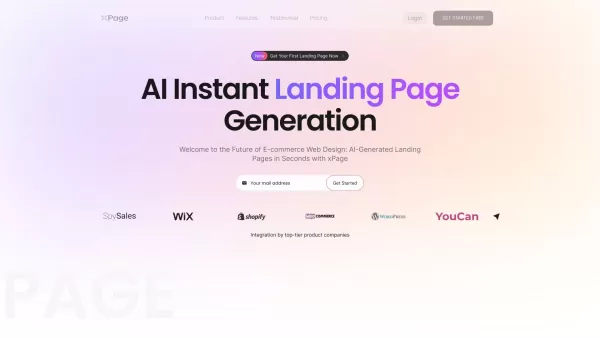
What is xPage?xPage leverages AI to simplify the creation of professional eCommerce landing pages. It provides a wide selection of expert-designed templates that you can tailor to your brand. After choosing your template, the AI engine produces a dyn
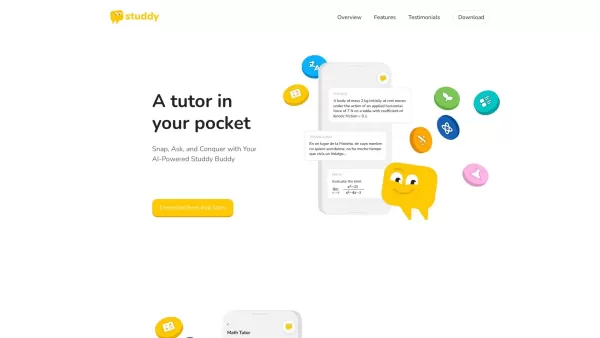
What is Studdy?Studdy AI is an intelligent tutoring app that helps students complete homework, grasp difficult subjects, and improve their grades. Leveraging advanced AI, it offers immediate support for math, science, reading, and other areas. The ap
fBookmarks - Personalized AI Newsletter Product Information
What is FBookmarks - Personalized AI Newsletter?
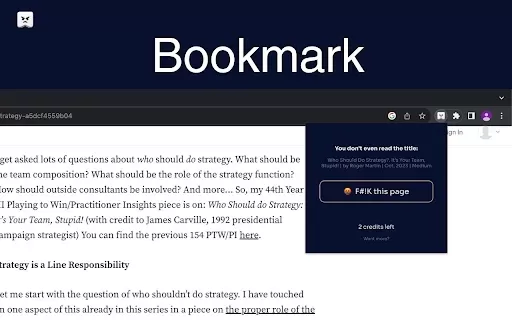
FBookmarks is an innovative Chrome extension that enables you to create custom bookmarks aligned with your preferences. Categorize your links, assign unique icons, and use custom parameters in URLs for superior organization. This tool streamlines how you save and access web pages, putting your most important links just one click away. Enjoy a truly personalized browsing journey that boosts your online productivity.
Who uses FBookmarks - Personalized AI Newsletter?
- Everyday internet users
- Students
- Professionals
- Researchers
- Small business owners
How to use FBookmarks - Personalized AI Newsletter
- Step 1: Install the FBookmarks extension from the Chrome Web Store.
- Step 2: Click the extension icon in your Chrome toolbar.
- Step 3: Select 'Add New Bookmark'.
- Step 4: Enter the URL and any necessary custom parameters.
- Step 5: Pick an icon and assign it to a folder for organization.
- Step 6: Save the bookmark and find it anytime in your personalized list.
Platform
- Chrome
FBookmarks - Personalized AI Newsletter's Core Features & Benefits
Core Features
- Customizable bookmarks
- Unique bookmark icons
- Folder-based organization
- URL parameter customization
Benefits
- Better-organized bookmarks
- Rapid access to favorite websites
- A personalized user experience
- Increased online productivity
FBookmarks - Personalized AI Newsletter's Main Use Cases & Applications
- Managing personal bookmarks
- Organizing research and reference links
- Saving favorite sites for instant access
FAQs for FBookmarks - Personalized AI Newsletter
How do I install FBookmarks?
Install it directly from the Chrome Web Store.
Can I customize bookmark icons?
Yes, you can choose unique icons for every bookmark.
Is FBookmarks free to use?
Yes, it is a free extension on the Chrome Web Store.
How do I organize my bookmarks?
Create folders and categorize your bookmarks within the extension.
Can I add parameters to URLs?
Yes, FBookmarks supports custom URL parameters.
Is there a limit to the number of bookmarks I can save?
No specified limit—save as many as you require.
Can I access my bookmarks from different devices?
Currently, bookmarks are stored locally in your Chrome browser.
What should I do if I encounter a problem?
Visit the support page on the Chrome Web Store for help.
Can I export my bookmarks?
Export functionality is not currently available in FBookmarks.
Is there a mobile version of FBookmarks?
No, it is only available as a Chrome extension.
FBookmarks - Personalized AI Newsletter Company Information
fBookmarks - Personalized AI Newsletter Screenshot

2026 Latest Best Top-rated AI SERP Analysis Tools for Search Strategy are curated by XIX.AI through rigorous real-world tests and weekly updated rankings. These powerful tools help you unlock hidden optimization opportunities, boost content performance, and gain a competitive edge in search. Discover your perfect tool to elevate your search strategy today. Explore now!
 13 tools
 xix.ai

2026 Latest Best Top-rated AI Anomaly Detection Tools for KPI Monitoring in SaaS and Ecommerce teams! XIX.AI has curated a powerful, game-changing collection based on rigorous real-world tests and weekly updated rankings. You’ll find detailed free vs paid comparison insights to help you identify the must-try solution that boosts productivity and unlocks your AI edge. Explore now!
10 tools
xix.ai

2026 Latest Best Top-Rated AI Outline Generators for Long-Form SEO Articles, meticulously curated by XIX.AI. These powerful tools offer game-changing assistance in creating high-quality content quickly, boosting writing efficiency significantly. Get a free vs paid comparison along with real-world tests and detailed rankings to help you find the must-try option that suits your needs. Explore now to unlock your AI edge.
8 tools
xix.ai

2026 Latest Best AI Study Tools for Homework and Exam Prep! XIX.AI curates a top-rated list of powerful, game-changing tools that help students boost productivity, streamline homework completion, and ace exams through real-world tests. Get a free vs paid comparison, detailed rankings, and must-try options to unlock your AI edge. Explore now!
10 tools
xix.ai

2026 Latest Best AI Vocal Demo Tools for Songwriters, Hook Creators, and Multi-Language Content Teams! XIX.AI has curated a top-rated list of powerful game-changing tools that go through rigorous real-world tests. You’ll find detailed free vs paid comparison data, comprehensive rankings, and must-try options to help you boost writing efficiency and unlock your creative potential. Explore now to discover your perfect tool for all your content needs!
9 tools
xix.ai

2026 Latest Best Top-rated AI Competitive Research Tools for Small Businesses! XIX.AI has curated a highly powerful game-changing collection, updated weekly with rigorous real-world tests and detailed rankings. You can find a comprehensive free vs paid comparison to help you identify the must-try tools that boost your productivity and give you a competitive edge. Explore now to discover your perfect tool!
9 tools
xix.ai


