


 Home
HomeFace To Many PS2 Filter
AI Photo to Art & Video Face Swap



Helps TikTok sellers, brands, MCNs, and TAPs discover winning products and find creators.

HelpLook is an AI-powered all-in-one knowledge base tool that helps businesses quickly build knowledge bases, help centers, and...

Your AI Workspace

302.AI is an enterprise-grade AI resource platform with pay-as-you-go pricing, API access to a full range of AI models, and ready-to-use online applications.

剧火AI — AI Screenwriter + Director, a One-Person Short Drama Studio In one sentence, what is it?

What is Banana AI - Free AI Photo Editor?Banana AI is a free, AI-driven photo editor that uses Google's Nano Banana technology (Gemini 2.5 Flash Image) to transform your pictures with simple text commands. Easily remove unwanted objects, swap backgro

What is Deepfake Maker Nano Banana AI? Nano Banana AI is an advanced artificial intelligence platform that generates stunning images from text descriptions and facilitates seamless image-to-image transformations. This cutting-edge AI model revolution

What is Line Art Maker?Line Art Maker is an intuitive application that effortlessly transforms your photos into stunning line drawings. Powered by sophisticated algorithms, it precisely identifies outlines and turns your images into detailed sketches

What is TranslateImages?AI Image Translator is an advanced tool that precisely translates text embedded in images, keeping the original layout and format intact. It supports over a dozen languages, such as English, Hindi, Arabic, Chinese, Japanese, K

What is Nano Banana | Nanana AI? Nanana AI is the leading AI image generator and AI image editor on the market. It taps into the full potential of Google's revolutionary Nano Banana model to offer unmatched image creation and editing power. As an ear
Face To Many PS2 Filter Product Information
What is the Face To Many PS2 Filter?
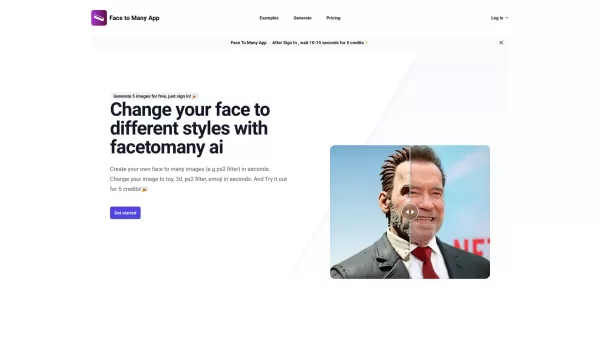
FaceToMany is an innovative AI application that converts your photos into a range of artistic styles, such as 3D, emoji, pixel art, video game aesthetics, and claymation. It also features a powerful video editing tool for seamlessly swapping faces in videos. Whether aiming to turn photos into creative art or handle advanced video edits, FaceToMany delivers an efficient, easy-to-use solution for all digital art projects.
Who is the Face To Many PS2 Filter for?
- Photographers
- Video Editors
- Graphic Designers
- Social Media Influencers
- Content Creators
- Artists
How to Use the Face To Many PS2 Filter
- Step 1: Download and install the FaceToMany app.
- Step 2: Open the app and sign up or log in.
- Step 3: Upload a photo or video to edit.
- Step 4: Select an artistic style or face swap option.
- Step 5: Apply the AI filters or use the video editing tools.
- Step 6: Save or share your edited photo or video.
Platform
- Web
- Mac
- iOS
Face To Many PS2 Filter's Core Features & Benefits
The Core Features
- AI Artistic Style Transformation
- Video Face Swapping
- 3D, Emoji, Pixel Art, and Video Game Styles
- User-Friendly Interface
The Benefits
- Easily Create Unique Artwork
- Enhance Digital Content
- Save Time on Complex Editing
- High-Quality Output
Face To Many PS2 Filter's Main Use Cases & Applications
- Creating Social Media Content
- Professional Video Editing
- Digital Art Projects
- Promotional Content
- Personalized GIFs and Memes
FAQs of Face To Many PS2 Filter
Can FaceToMany be used for professional video editing?
Yes, FaceToMany includes robust video editing capabilities suitable for professional work.
What is FaceToMany?
FaceToMany is an AI-driven app that transforms photos into multiple artistic styles and enables smooth face swapping in videos.
How do I use FaceToMany?
Download the app, upload a photo or video, pick an art style or face swap feature, apply the filters, and save or share your creation.
Which platforms are supported by FaceToMany?
FaceToMany is available on Web, iOS, and Mac platforms.
Is FaceToMany free to use?
FaceToMany offers both free and premium features. Access to premium tools may require a subscription.
Does FaceToMany work offline?
No, an active internet connection is needed to use FaceToMany's AI-powered features.
How secure is my data on FaceToMany?
FaceToMany protects your data with strict privacy policies and encryption measures.
Can I share my edited photos directly to social media?
Yes, you can share your edited photos and videos directly to social media platforms from within the FaceToMany app.
Are there tutorials available for beginners?
Yes, FaceToMany offers tutorials and a comprehensive beginner's guide to help you get started.
How can I contact FaceToMany support?
You can reach FaceToMany support via the support email listed on their official website.
Face To Many PS2 Filter Company Information
- CODEONE LTD
- https://facetomany.com
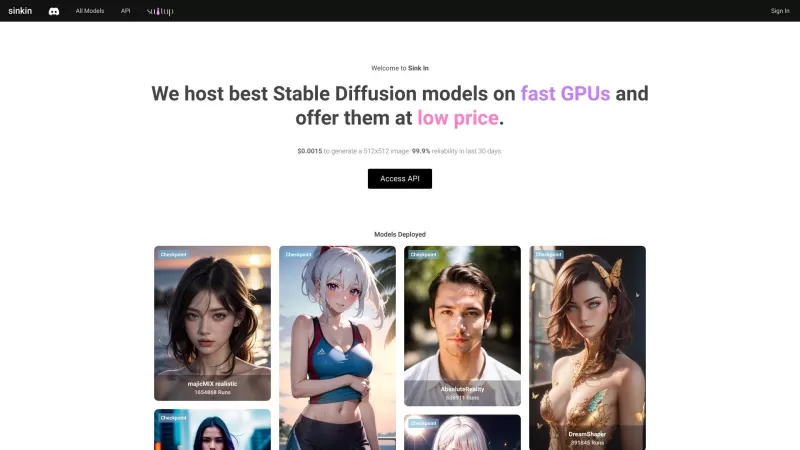
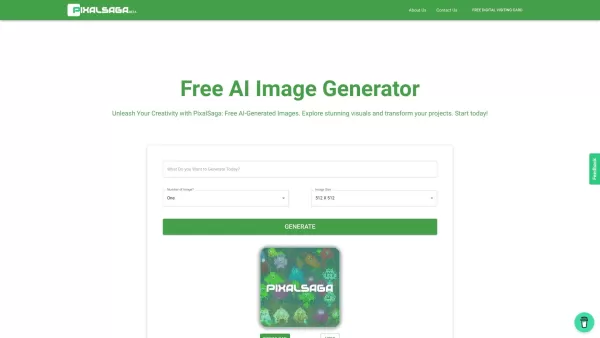
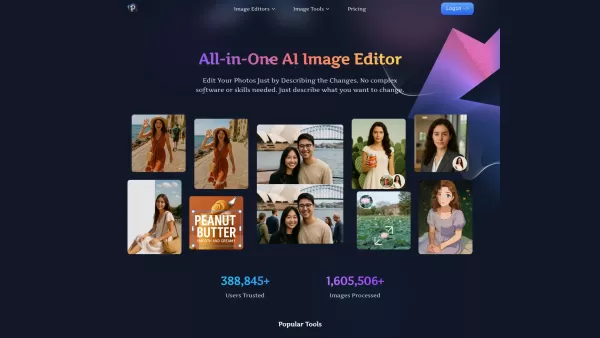
Face To Many PS2 Filter Screenshot

Explore the best beginner-friendly AI deepfake video tools of 2026 on XIX.AI. Our curated rankings feature top-rated, easy-to-use generators tested for realistic results. Find your perfect match with free vs paid comparisons and weekly updated picks. Start creating seamlessly today.
 10 tools
 xix.ai
Discover the 2026 Latest and top-rated AI tools for storytelling videos from single images at XIX.AI. Our curated guide features powerful, game-changing solutions with weekly updated rankings and free vs paid comparisons. Unlock your AI edge and create captivating visual stories effortlessly!
10 tools
xix.ai
Explore 2026's top-rated AI face swap video editors for professional or fun projects. XIX.AI's curated list features the most powerful and game-changing tools, with weekly updated rankings, free vs paid comparisons, and real-world tests. Discover your perfect tool to create stunning, seamless videos effortlessly.
10 tools
xix.ai
Discover the best AI face swap video editors of 2026 for your creative projects. This curated selection at XIX.AI features top-rated, game-changing tools based on real-world tests and weekly updated rankings. Easily create captivating videos with powerful, intuitive features. Compare free vs paid options and unlock your creative edge today.
10 tools
xix.ai
Experience the 2026 best AI video editing tools for face swapping with XIX.AI's curated guide. Discover top-rated, game-changing editors for seamless effects, creative projects, and powerful content creation. Get free vs. paid comparisons & weekly updated rankings. Explore your ultimate toolkit now.
10 tools
xix.ai


Just tried the Face To Many PS2 Filter and it's wild! 😂 My selfie turned into a pixel art character straight out of an old RPG. The claymation style is surprisingly cute. The video editing part seems powerful but I'm a bit worried about privacy with face data. Overall, a fun toy for some retro aesthetic posts!


