


 Home
HomeEmoji Generator AI



Helps TikTok sellers, brands, MCNs, and TAPs discover winning products and find creators.

HelpLook is an AI-powered all-in-one knowledge base tool that helps businesses quickly build knowledge bases, help centers, and...

Your AI Workspace

302.AI is an enterprise-grade AI resource platform with pay-as-you-go pricing, API access to a full range of AI models, and ready-to-use online applications.

剧火AI — AI Screenwriter + Director, a One-Person Short Drama Studio In one sentence, what is it?
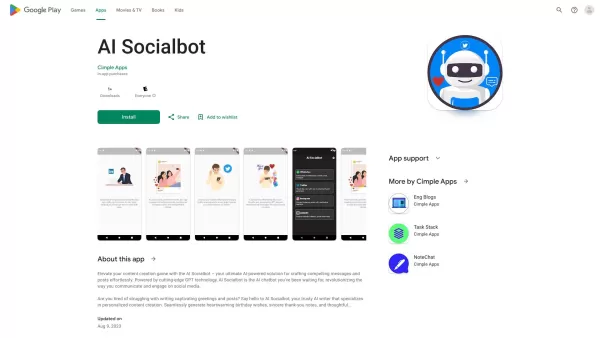
Imagine a world where crafting the perfect social media post is as easy as pie. That's where AI Socialbot comes into play—an advanced tool that's all about making your online presence pop with minimal effort. It's like having a personal assistant who
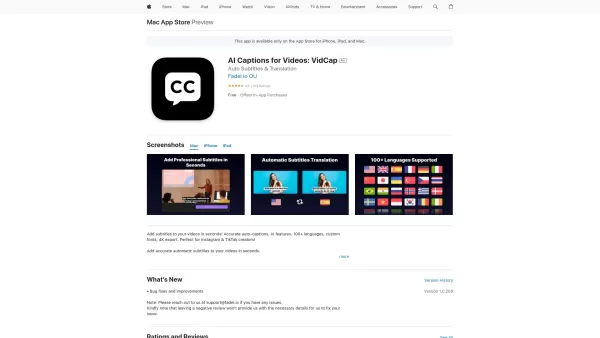
VidCap is a nifty tool that's all about making your videos pop on social media. It automatically adds subtitles and translations, which can really boost viewer engagement on platforms like Instagram and TikTok. With support for over 100 languages, it's a
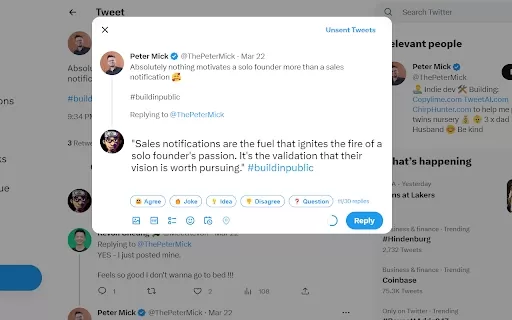
What is the Klemo.co (Replai.so) AI Chrome Extension? Klemo.co, also called Replai.so, is a Chrome extension that helps you compose thoughtful replies on Twitter and LinkedIn ten times faster. It uses AI to produce witty, amusing, and polished respon
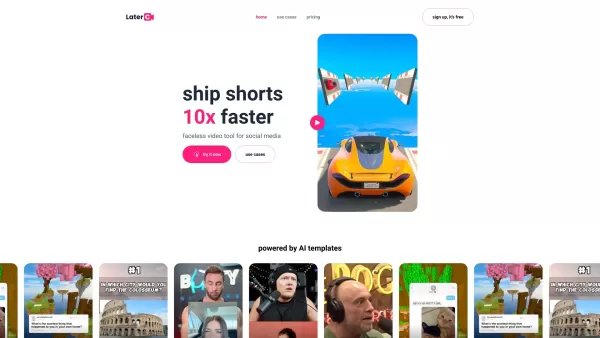
Imagine you're juggling the fast-paced world of social media, trying to keep up with the latest trends and algorithms. That's where Latercut steps in as your ultimate sidekick for crafting those snappy, engaging short-form videos. With Latercut, you're no
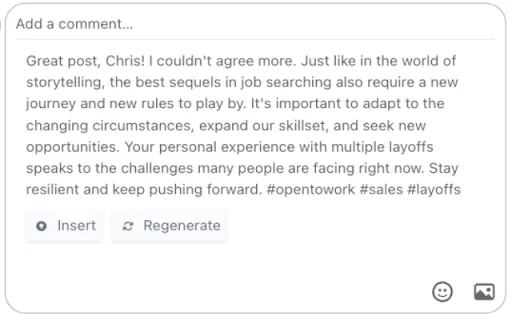
What is the AI Social Comments Chrome Extension? The AI Social Comments Chrome Extension is a powerful tool that boosts your social media engagement by creating custom comments and replies for Twitter and LinkedIn. Using artificial intelligence, it g
Emoji Generator AI Product Information
What Is the Emoji Generator AI?
These AI-powered tools let users design emojis from scratch or modify existing templates, with adjustable features like size, color, and expression. The generator is user-friendly, so anyone can create unique emojis in just a few clicks. It’s perfect for personal use or boosting social media engagement by adding a personal touch to messages.
Who Uses the Emoji Generator AI?
- Graphic Designers
- Social Media Managers
- Content Creators
- Casual Users
How to Use the Emoji Generator AI?
- Step 1: Navigate to the Emoji Generator AI website.
- Step 2: Choose to create a new emoji or select an existing template.
- Step 3: Customize the emoji by adjusting colors, expressions, and sizes.
- Step 4: Preview the emoji to ensure it meets your expectations.
- Step 5: Download the emoji or share it directly on social media.
Platform
- Web
Emoji Generator AI's Core Features & Benefits
Core Features
- Custom Emoji Creation
- Template Editing
- Preview Functionality
Benefits
- User-Friendly Interface
- Wide Variety of Designs
- Quick Personalization Options
Emoji Generator AI's Main Use Cases & Applications
- Creating Personalized Emojis for Messaging
- Enhancing Brand Communication
- Developing Unique Stickers for Social Media
Emoji Generator AI's Pros & Cons
Pros
Generates 100% unique and original emojis using AI-powered designs.
Provides a broad selection of emoji styles and color customization choices.
Features a user-friendly three-step process for creating emojis.
Allows unlimited emoji generation with detailed user prompts.
Boasts a growing user community and receives positive feedback.
Cons
Currently lacks a feature to preview emojis across different messaging apps.
Does not provide information about open-source availability or a GitHub repository.
Offers limited details about pricing tiers or subscription plans on the homepage.
Emoji Generator AI's Pricing
Free Plan Available? | No |
|---|---|
Free Trial Details | |
Pricing Model | Paid |
Credit Card Required? | No |
Starting Price | $5 |
Lifetime Plan Available? | No |
Billing Frequency |
Pricing Plan Details
Starter
$5
- Full access to all premium styles
- 4K resolution emojis
- Email support
- Public gallery access
- Custom color schemes
Creator
$10
- Full access to all premium styles
- 4K resolution emojis
- Email support
- Public gallery access
- Custom color schemes
Pro
$25
- Full access to all premium styles
- 4K resolution emojis
- Priority support
- Public gallery access
- Custom color schemes
Ultimate
$50
- Full access to all premium styles
- 4K resolution emojis
- Priority support
- Public gallery access
- Custom color schemes
For the latest prices, please visit: Emoji Generator AI Pricing Page
FAQs of the Emoji Generator AI
What Is the Emoji Generator?
The Emoji Generator is an AI-powered tool for designing custom emojis.
How Do I Create an Emoji?
Just go to the website, pick a template or start from scratch, and begin customizing.
Can I Download the Emojis I Create?
Yes, you can download your personalized emojis directly from the site.
Is There a Limit on How Many Emojis I Can Create?
No, there is no limit – create as many as you want!
Do I Need to Create an Account to Use the Generator?
No account needed; you can use the generator for free.
Are There Any Fees for Using the Generator?
The Emoji Generator is completely free to use.
Can I Use the Emojis for Commercial Purposes?
Yes, as long as they are your own creations, you can use them for commercial purposes.
What Customization Options Are Available?
You can tweak colors, sizes, and expressions to make your emojis truly unique.
Do I Get Access to New Features?
Yes, the platform is regularly updated with fresh features and designs.
Can I Share My Emojis Directly on Social Media?
Absolutely! You can share your emojis directly from the generator to your social media profiles.
Emoji Generator AI Company Information
- Emoji Generator AI
- Official Website
Emoji Generator AI Screenshot


2026 Latest Best AI Quiz Builder Platforms for Teachers, Tutors, and Cohort-Based Learning Programs! XIX.AI has curated a top-rated list of powerful game-changing tools that go through real-world tests to deliver accurate rankings. These must-try platforms help boost writing efficiency, streamline content creation, and simplify quiz design across all learning scenarios. Explore now to discover your perfect tool for unlocking your AI edge in teaching!
 13 tools
 xix.ai

2026 Latest Best AI Pull Request Review Tools for GitHub Teams are here on XIX.AI! This top-rated curated list showcases powerful game-changing solutions that streamline refactoring, bug fixing, and security gap detection across all team workflows. Enjoy a free vs paid comparison along with real-world tests and detailed rankings to help you find the perfect tool that boosts productivity significantly. Explore now to unlock your AI edge!
12 tools
xix.ai

2026 Latest Best Top-rated AI Text to Speech Tools for Natural Voiceovers are here on XIX.AI! This curated list features powerful, game-changing options that deliver crystal-clear voices for every use case, backed by real-world tests and weekly updated rankings. Get a free vs paid comparison to find the must-try solution that boosts your productivity instantly. Explore now to Unlock your AI edge!
11 tools
xix.ai

2026 Latest Best Manga AI Background Generators Ranked Top-Rated! This curated collection showcases powerful game-changing tools perfect for creating high-quality chapter backgrounds, book covers, and promotional art. Every option has undergone rigorous real-world tests to ensure reliability. Get a free vs paid comparison along with detailed insights. Explore now to discover your perfect tool and unlock your AI edge in manga creation.
6 tools
xix.ai

2026 Latest Best Top-rated AI Object Removal Editors for portraits travel product shots! XIX.AI curates a powerful game-changing collection regularly updated with weekly rankings. These tools offer real-world tests to help you quickly remove unwanted elements, boost content quality, and save tons of time without compromising results. Must-try for anyone aiming to unlock their AI creation edge. Explore now!
10 tools
xix.ai

2026 Latest Best Top-rated AI Text to Speech Tools for Online Courses are curated by XIX.AI based on rigorous real-world tests and weekly updated rankings. These powerful tools help creators deliver crystal-clear audio content effortlessly, boosting writing efficiency and streamlining course production. Check out the free vs paid comparison to find your perfect fit. Explore now to unlock your AI edge in online education.
10 tools
xix.ai


