


 Home
HomeEasyNote - Chrome Extension
Notes Website with Custom Images Fonts



Helps TikTok sellers, brands, MCNs, and TAPs discover winning products and find creators.

HelpLook is an AI-powered all-in-one knowledge base tool that helps businesses quickly build knowledge bases, help centers, and...

Your AI Workspace

302.AI is an enterprise-grade AI resource platform with pay-as-you-go pricing, API access to a full range of AI models, and ready-to-use online applications.

剧火AI — AI Screenwriter + Director, a One-Person Short Drama Studio In one sentence, what is it?
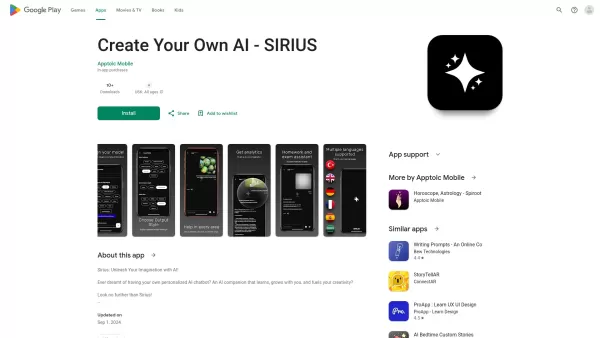
Ever wondered what it's like to have a creative buddy that's always ready to chat and inspire you? That's where Sirius AI comes into play. This isn't just any chatbot; it's your customizable companion designed to learn from you and spark your creativity.H
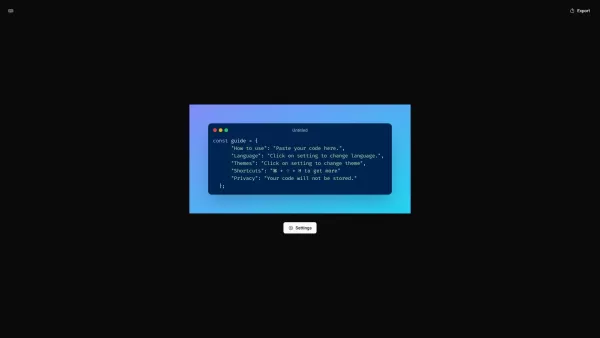
What is CodeScreenshot?Transform your code snippets into visually stunning shareable imagesHow to use CodeScreenshot?Effortlessly convert your code into professional-looking screenshots with our intuitive tool. Just paste your code, select your prefe
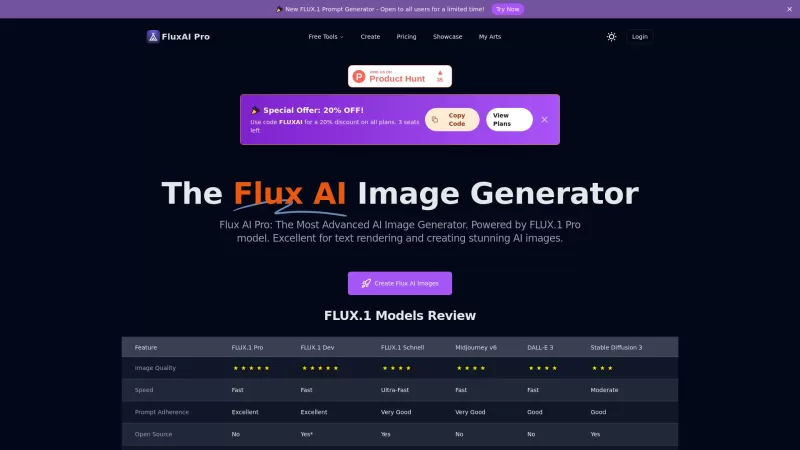
Flux AI Pro is an exciting platform that brings the magic of AI image generation right to your fingertips. It's powered by the innovative Flux.1 series of models, which are specifically crafted to transform your text prompts into stunning, high-quality im
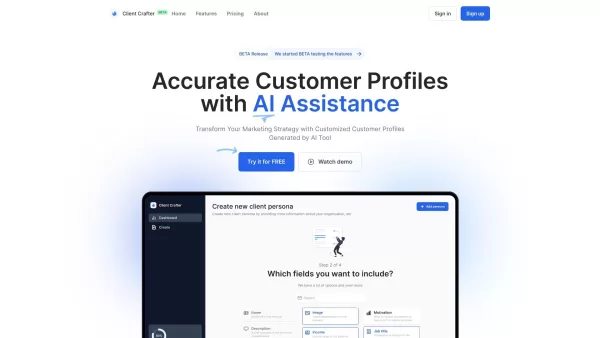
Ever wondered how to pinpoint your ideal customer without the guesswork? Enter Client Crafter, a game-changer for businesses looking to nail their target audience. This nifty service leverages AI to craft detailed, personalized customer profiles that feel
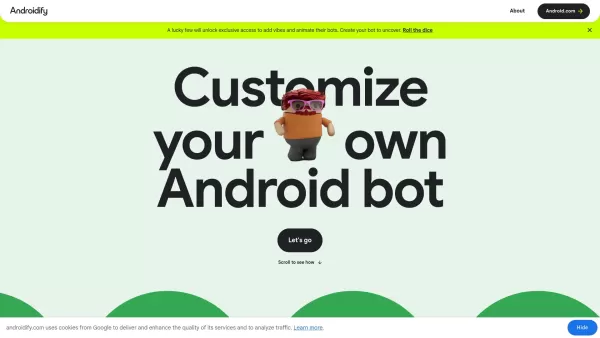
What is Androidify? Androidify is an online, AI-powered platform that lets you design your own unique Android character. You can create a bot from a selfie or a text description, using Google AI models like Gemini Flash, Gemma, and Imagen. A limited
EasyNote - Chrome Extension Product Information
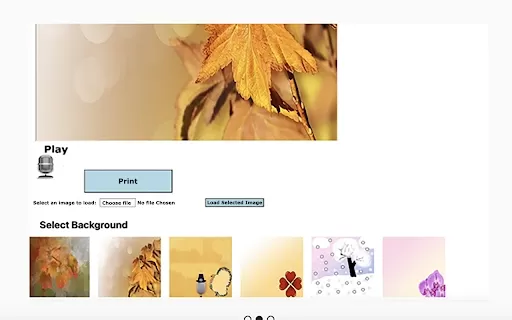
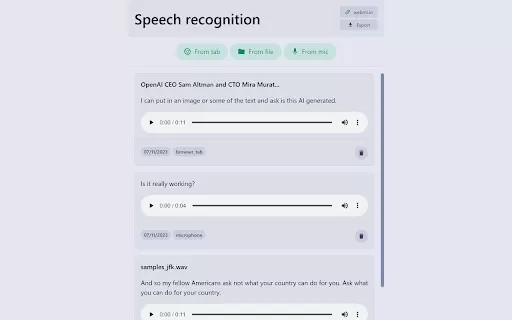
Ever found yourself in a rush, needing to jot down a quick note but your hands are full? That's where the EasyNote AI Chrome extension swoops in to save the day! Imagine being able to speak your thoughts and have them instantly transformed into beautifully crafted notes. That's right—EasyNote turns your voice into text, making note creation as easy as pie. But wait, there's more! You're not just stuck with plain text; you can jazz up your notes with a variety of background images or even upload your own. Feeling fancy? Choose from a range of font styles to give your note that personal touch. And when you're all set, just hit print and voila, your note is ready to go!
Using EasyNote is a breeze. Just open the extension, and you can either speak your message or copy-paste some text. Once you've got your message down, dive into the customization options. Pick a background image that vibes with your mood, or upload your own to make it extra special. Then, select a font that speaks to you—pun intended! After you've tailored your note to perfection, you can print it out and share it with the world.
Core Features of EasyNote AI Chrome Extension
Voice-to-Text Magic: Say goodbye to typing and hello to speaking your notes into existence. It's like having a personal assistant at your fingertips.
Background Bonanza: Choose from a variety of images to set the scene for your note, or go wild and upload your own to make it truly yours.
Personal Image Upload: Got a special photo you want to feature? EasyNote lets you add it as the backdrop for your note, making it even more personal.
Font Fiesta: From classic to quirky, select the perfect font to match your message's vibe.
Print and Share: Once you've crafted your masterpiece, print it out and share it with friends, family, or anyone who needs a little note in their life.
Use Cases for EasyNote AI Chrome Extension
Thanksgiving Thanks: Whip up a heartfelt thank-you note for your Thanksgiving host without breaking a sweat.
Festive Fun: Create festive notes for any special occasion, whether it's a birthday, anniversary, or just because.
Eventful Expressions: Need to send a quick message for any event? EasyNote has you covered, making it a snap to express your thoughts.
Playful Puns: Have a bit of fun speaking or writing notes with playful messages or puns to brighten someone's day.
FAQ from EasyNote
- How accurate is the voice-to-text feature?
- The voice-to-text feature in EasyNote is designed to be highly accurate, but results can vary based on background noise and clarity of speech.
- Can I use my own images as background for the notes?
- Absolutely! EasyNote allows you to upload your own images to use as backgrounds for your notes, adding a personal touch.
- Can I edit the text after it has been converted from speech?
- Yes, you can easily edit the text after it's been converted from speech to ensure it's exactly how you want it.
- Is EasyNote free to use?
- EasyNote offers a free version with basic features, but there may be premium options available for additional customization and features.
- Can I save my notes for future reference?
- Yes, you can save your notes within the EasyNote platform for future reference or to print later.
EasyNote - Chrome Extension Screenshot


2026 Latest Best AI Pull Request Review Tools for GitHub Teams are here on XIX.AI! This top-rated curated list showcases powerful game-changing solutions that streamline refactoring, bug fixing, and security gap detection across all team workflows. Enjoy a free vs paid comparison along with real-world tests and detailed rankings to help you find the perfect tool that boosts productivity significantly. Explore now to unlock your AI edge!
 12 tools
 xix.ai

2026 Latest Best Top-rated AI Text to Speech Tools for Natural Voiceovers are here on XIX.AI! This curated list features powerful, game-changing options that deliver crystal-clear voices for every use case, backed by real-world tests and weekly updated rankings. Get a free vs paid comparison to find the must-try solution that boosts your productivity instantly. Explore now to Unlock your AI edge!
11 tools
xix.ai

2026 Latest Best Manga AI Background Generators Ranked Top-Rated! This curated collection showcases powerful game-changing tools perfect for creating high-quality chapter backgrounds, book covers, and promotional art. Every option has undergone rigorous real-world tests to ensure reliability. Get a free vs paid comparison along with detailed insights. Explore now to discover your perfect tool and unlock your AI edge in manga creation.
6 tools
xix.ai

2026 Latest Best Top-rated AI Object Removal Editors for portraits travel product shots! XIX.AI curates a powerful game-changing collection regularly updated with weekly rankings. These tools offer real-world tests to help you quickly remove unwanted elements, boost content quality, and save tons of time without compromising results. Must-try for anyone aiming to unlock their AI creation edge. Explore now!
10 tools
xix.ai

2026 Latest Best Top-rated AI Text to Speech Tools for Online Courses are curated by XIX.AI based on rigorous real-world tests and weekly updated rankings. These powerful tools help creators deliver crystal-clear audio content effortlessly, boosting writing efficiency and streamlining course production. Check out the free vs paid comparison to find your perfect fit. Explore now to unlock your AI edge in online education.
10 tools
xix.ai

2026 Latest Best Top-Rated AI Blog Title Tools for Higher Click Through Rates! XIX.AI has carefully curated a powerful, game-changing collection of top tools that go through rigorous real-world tests. You’ll find a free vs paid comparison, weekly updated rankings, and detailed insights to help you boost your blog’s traffic efficiently. Must-try options are highlighted to help you unlock your AI edge. Explore now!
10 tools
xix.ai


Just tried EasyNote and it's a game-changer for my chaotic workflow! No more fumbling with sticky notes while on calls. The voice-to-text is surprisingly accurate, even with my coffee-fueled rambling 😅. Only wish it had a quick export feature to Google Docs. Still, 10/10 for saving my scattered thoughts!
Just tried EasyNote and it's a game-changer for my chaotic workflow! The voice-to-text is surprisingly accurate, even with my morning coffee mumble. Though I wonder about privacy - hope they're not storing my random brainstorming sessions about lunch 😅. Still, beats fumbling with sticky notes!
この拡張機能、確かに便利だけど、音声認識の精度があんまり高くないな...特に早口で話すと誤変換が多い😅 でもアイデアを急いでメモするには十分かも。UIもシンプルで使いやすいのは良いね。


