


 Home
HomeDouble Check - Chrome Extension
AI Homework Solver for accurate answers



Helps TikTok sellers, brands, MCNs, and TAPs discover winning products and find creators.

HelpLook is an AI-powered all-in-one knowledge base tool that helps businesses quickly build knowledge bases, help centers, and...

Your AI Workspace

302.AI is an enterprise-grade AI resource platform with pay-as-you-go pricing, API access to a full range of AI models, and ready-to-use online applications.

剧火AI — AI Screenwriter + Director, a One-Person Short Drama Studio In one sentence, what is it?
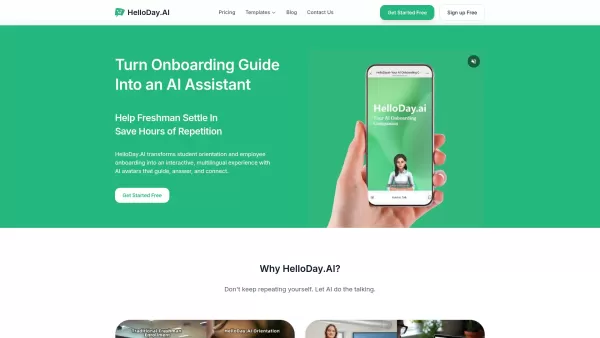
What is HelloDay.ai? HelloDay.ai is an AI-powered platform that transforms onboarding and orientation. It delivers significant cost savings—reducing training expenses by up to 99%—while boosting engagement through smart Q&A and live interactions. The
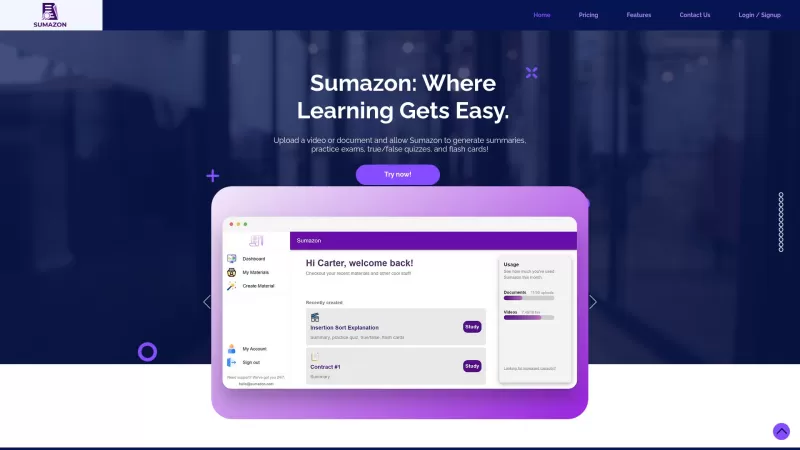
Ever heard of Sumazon? It's this cool AI-powered platform that's all about making your study life easier. Imagine being able to upload your lecture notes or those long, boring videos and getting back a neat summary, complete with practice exams, flash car
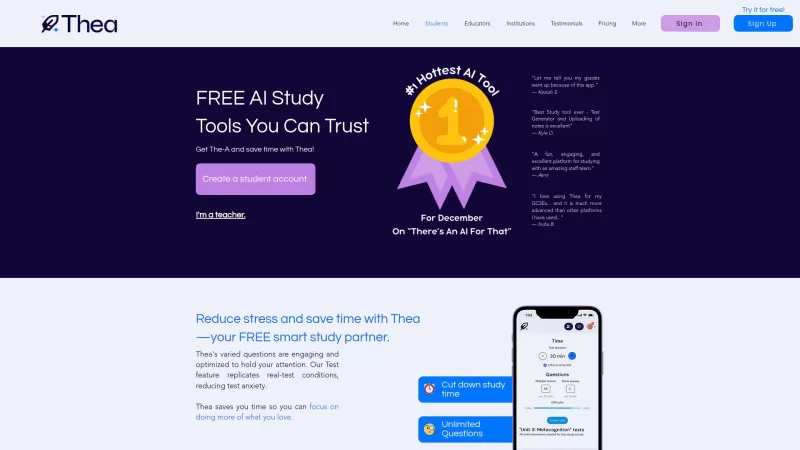
Ever wondered what Thea is all about? Well, let me tell you, Thea is not just another study app—it's your personal AI-powered study buddy designed to help you conquer your subjects with ease. It's like having a smart friend who's always ready to help you learn, but without the distractions. With The
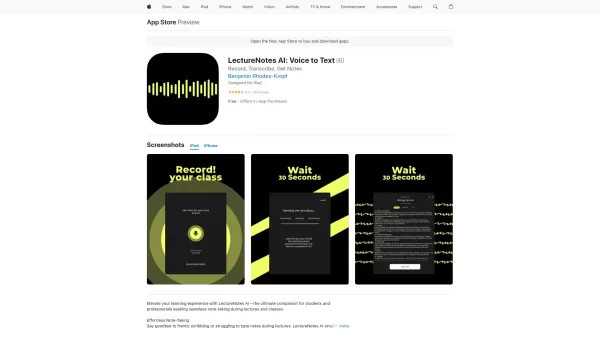
Ever found yourself scribbling furiously during a lecture, only to end up with a mess of notes that barely make sense later? Enter LectureNotes AI, the app that's here to revolutionize your note-taking game. This isn't just any app; it's a game-changer fo
What is Queso?Queso is a cutting-edge, AI-powered platform built to elevate your digital learning journey. It converts passive content into interactive and captivating formats that boost knowledge retention and comprehension. With a single click, use
Double Check - Chrome Extension Product Information
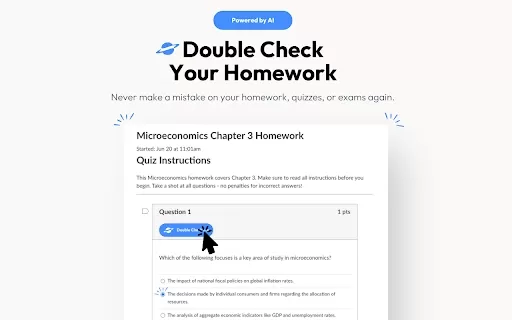
Ever found yourself staring at a homework question, wondering if your answer's on the right track? That's where the Double Check AI Chrome extension comes in handy. It's like having a smart friend who's always ready to help you verify your answers, whether it's for homework, quizzes, or those nerve-wracking tests. Not only does it check your work, but it also gives you detailed explanations and instant feedback to boost your confidence and enhance your learning experience.
How to Use Double Check AI Chrome Extension?
Getting started with Double Check is a breeze. First, you'll want to install the extension from the Chrome Web Store. Once it's up and running, all you need to do is drag over the question you're unsure about. In a flash, Double Check will provide you with instant feedback. But it doesn't stop there—it also offers detailed explanations to help you understand the material better. It's like having a personal tutor right in your browser!
Double Check AI Chrome Extension's Core Features
What makes Double Check stand out? Let's dive into its core features:
- Answer Verification: Double Check ensures your answers are spot on, giving you that extra layer of confidence.
- Multiple Platform Support: Whether you're using a popular Learning Management System (LMS) or another educational platform, Double Check has got you covered.
- Screenshot Mode: Snap a picture of your question, and Double Check will work its magic, even if it's not in a digital format.
- Explanations: It's not just about the right answer; Double Check provides detailed explanations to help you grasp the concept.
- Instant Feedback: Get immediate feedback on your work, so you know where you stand right away.
- Enhanced Learning: With all these tools at your fingertips, your learning experience is bound to improve.
- User-Friendly Interface: The extension is designed to be easy to use, so you can focus on learning, not navigating.
Double Check AI Chrome Extension's Use Cases
So, when should you use Double Check? Here are some scenarios where it shines:
- Double-Check Homework, Quizzes, and Test Answers: Before you submit, make sure you're on the right track.
- Verify Accuracy on Popular LMS Platforms: Whether you're using Canvas, Blackboard, or another LMS, Double Check can help.
- Learn from Detailed Explanations: Use the explanations to deepen your understanding of the material.
FAQ from Double Check
- How does Double Check verify answers?
- Double Check uses advanced AI algorithms to cross-reference your answers with a vast database of educational content, ensuring accuracy and providing detailed feedback.
- Can Double Check be used on any educational platform?
- Yes, Double Check supports multiple platforms, including popular LMS systems, making it versatile for various educational environments.
For any questions or support, you can reach out to Double Check via their support email. If you need to get in touch for customer service or refunds, visit their contact us page. Curious about the company behind Double Check? Check out their about us page for more details. And if you're ready to dive in, you can log in or sign up directly through their respective links.
Double Check - Chrome Extension Screenshot

2026 Latest Best AI Pull Request Review Tools for GitHub Teams are here on XIX.AI! This top-rated curated list showcases powerful game-changing solutions that streamline refactoring, bug fixing, and security gap detection across all team workflows. Enjoy a free vs paid comparison along with real-world tests and detailed rankings to help you find the perfect tool that boosts productivity significantly. Explore now to unlock your AI edge!
 12 tools
 xix.ai

2026 Latest Best Top-rated AI Text to Speech Tools for Natural Voiceovers are here on XIX.AI! This curated list features powerful, game-changing options that deliver crystal-clear voices for every use case, backed by real-world tests and weekly updated rankings. Get a free vs paid comparison to find the must-try solution that boosts your productivity instantly. Explore now to Unlock your AI edge!
11 tools
xix.ai

2026 Latest Best Manga AI Background Generators Ranked Top-Rated! This curated collection showcases powerful game-changing tools perfect for creating high-quality chapter backgrounds, book covers, and promotional art. Every option has undergone rigorous real-world tests to ensure reliability. Get a free vs paid comparison along with detailed insights. Explore now to discover your perfect tool and unlock your AI edge in manga creation.
6 tools
xix.ai

2026 Latest Best Top-rated AI Object Removal Editors for portraits travel product shots! XIX.AI curates a powerful game-changing collection regularly updated with weekly rankings. These tools offer real-world tests to help you quickly remove unwanted elements, boost content quality, and save tons of time without compromising results. Must-try for anyone aiming to unlock their AI creation edge. Explore now!
10 tools
xix.ai

2026 Latest Best Top-rated AI Text to Speech Tools for Online Courses are curated by XIX.AI based on rigorous real-world tests and weekly updated rankings. These powerful tools help creators deliver crystal-clear audio content effortlessly, boosting writing efficiency and streamlining course production. Check out the free vs paid comparison to find your perfect fit. Explore now to unlock your AI edge in online education.
10 tools
xix.ai

2026 Latest Best Top-Rated AI Blog Title Tools for Higher Click Through Rates! XIX.AI has carefully curated a powerful, game-changing collection of top tools that go through rigorous real-world tests. You’ll find a free vs paid comparison, weekly updated rankings, and detailed insights to help you boost your blog’s traffic efficiently. Must-try options are highlighted to help you unlock your AI edge. Explore now!
10 tools
xix.ai


Just installed this extension and it's already a game-changer for my late-night study sessions! The AI suggestions feel surprisingly intuitive, though I wonder how it handles more subjective subjects like literature analysis. Still, having a 'smart friend' in my browser tab is pretty cool 😄
Double Check 덕분에 숙제가 한결 수월해졌어요! 항상 곁에 있는 친구 같은 느낌이에요. 가끔 틀리긴 하지만 대부분 도움이 많이 돼요. 정확도가 조금만 더 높아지면 좋겠어요! 😄
Double Check es un salvavidas para mis tareas! Es como tener un amigo que siempre está ahí para asegurarse de que no estoy completamente fuera de curso. A veces se equivoca, pero la mayoría de las veces es súper útil. ¡Podría ser un poco más preciso, sin embargo! 🤓
Double Checkは宿題に大活躍!まるでいつもそばにいてくれる友達みたい。時々外れるけど、ほとんどの場合とても助かる。もう少し精度が上がると最高なのにね!😊
Double Check é um salva-vidas para meus deveres! É como ter um amigo ao lado para garantir que não estou totalmente fora de rumo. Às vezes erra, mas na maioria das vezes é super útil. Poderia ser um pouco mais preciso, no entanto! 🤓


