


 Home
HomeDiffeo for Browsers
Diffeo Chrome Extension: AI-Powered Browser Enhancement



Helps TikTok sellers, brands, MCNs, and TAPs discover winning products and find creators.

HelpLook is an AI-powered all-in-one knowledge base tool that helps businesses quickly build knowledge bases, help centers, and...

Your AI Workspace

302.AI is an enterprise-grade AI resource platform with pay-as-you-go pricing, API access to a full range of AI models, and ready-to-use online applications.

剧火AI — AI Screenwriter + Director, a One-Person Short Drama Studio In one sentence, what is it?
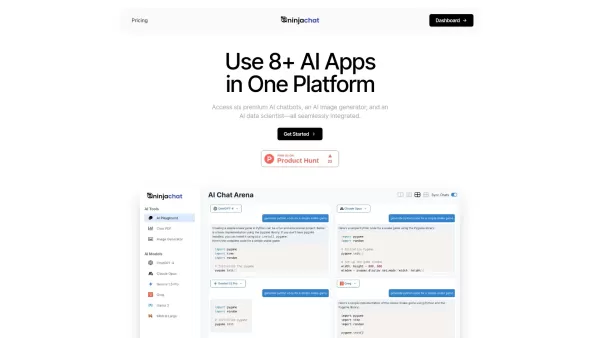
What is NinjaChat AI?NinjaChat is a comprehensive AI assistant that combines multiple AI capabilities into one unified platform. Users can interact with advanced models such as GPT-4 and Claude 3, analyze PDF documents, create images, and communicate

What is SigmaNote? SigmaNote is more than just another productivity tool—it’s your personal "second brain." Powered by AI, SigmaNote takes anything from PDFs to URLs, even videos, and turns it into smart, editable notes. Think of it as your ultimate knowl
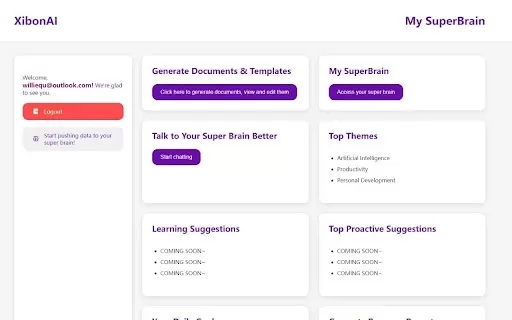
What is Xibon AI? Xibon AI's SuperBrain is an AI-powered tool that boosts productivity and learning by serving as your personal 'SecondBrain/SuperBrain.' It automatically captures, organizes, and summarizes important information as you browse the web

What is Onyxium AI?Onyxium AI is a comprehensive all-in-one platform providing a wide array of AI tools designed for diverse applications. Its capabilities include text generation, image recognition, and speech analysis. Users can navigate a straight

Ever wondered how students with ADHD can level up their study game? Enter Kumo Study, a revolutionary tool designed specifically to help these students thrive in their academic journey. It's not just another study app; it's a tailored experience that blen
Diffeo for Browsers Product Information
What is Diffeo for Browsers?
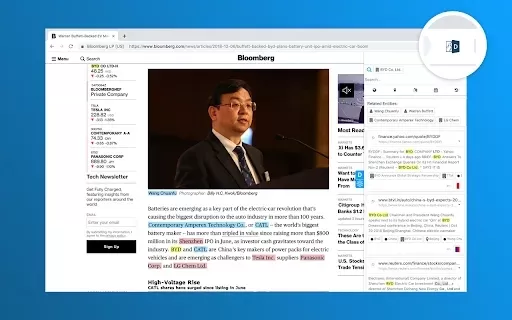
Diffeo for Browsers integrates directly into your browser to deliver augmented intelligence. By examining the content you read or create, it surfaces relevant information, automates routine tasks, and boosts productivity. The extension pulls insights from emails, web pages, and documents—putting key data at your fingertips to save time and sharpen the impact of your online work.
Who uses Diffeo for Browsers?
- Researchers
- Students
- Professionals
- Writers
- Content creators
How do I use Diffeo for Browsers?
- Step 1: Download and install Diffeo for Browsers from the Chrome Web Store.
- Step 2: Grant the extension permission to analyze your browsing activity.
- Step 3: Open any document, email, or web page you want to work with.
- Step 4: Follow Diffeo’s insights and recommendations as you type or browse.
Platform
- Chrome
Diffeo for Browsers’s Core Features & Benefits
The Core Features
- Real-time content analysis
- Automated insights
- Cross-document recommendations
The Benefits
- Boosted productivity
- Accelerated learning
- Simplified workflows
Diffeo for Browsers’s Main Use Cases & Applications
- Research enhancement
- Email drafting
- Content creation
- Knowledge management
FAQs about Diffeo for Browsers
What is Diffeo for Browsers?
Diffeo for Browsers is a Chrome extension that offers real-time insights to improve your browsing and writing tasks.
How does Diffeo analyze content?
It applies machine intelligence to monitor and interpret what you're reading and writing.
Is Diffeo free to use?
Yes, Diffeo for Browsers is completely free.
Can I use Diffeo on other browsers?
Currently, Diffeo is built exclusively for Google Chrome.
Which users benefit most from Diffeo?
Researchers, students, professionals, and content creators can all work more efficiently with Diffeo.
Does Diffeo store my data?
Diffeo values your privacy and does not retain personal information without permission.
How do I uninstall Diffeo?
Uninstall it anytime through your Chrome browser’s extension settings.
Can Diffeo work offline?
Diffeo needs an active internet connection to deliver its full capabilities.
Does Diffeo integrate with other apps?
Yes, it connects with multiple platforms to extend your browsing and productivity tools.
How do I get support for Diffeo?
Contact the support team using the email address on the extension’s download page.
Diffeo for Browsers Company Information
- Diffeo, Inc.
- https://diffeo.com
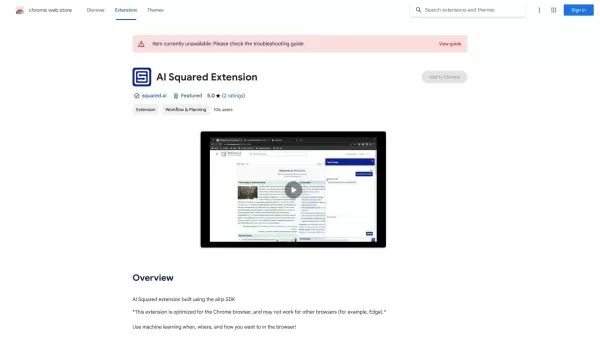
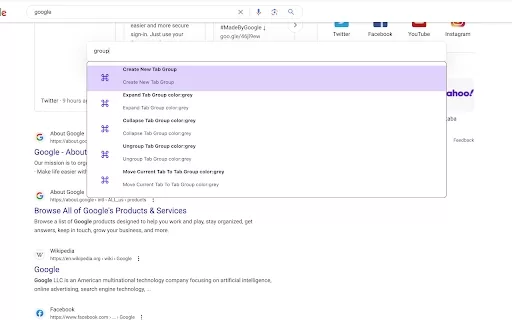
Diffeo for Browsers Screenshot


Discover the 2026 best AI Chrome extension generators on XIX.AI. Our curated list features top-rated, must-try tools that let you create custom browser add-ons with zero coding. Compare free vs paid options, see real-world tests, and unlock your productivity. Explore the latest rankings and find your perfect tool today!
 10 tools
 xix.ai


