


 Home
HomeDeep Photo



Helps TikTok sellers, brands, MCNs, and TAPs discover winning products and find creators.

HelpLook is an AI-powered all-in-one knowledge base tool that helps businesses quickly build knowledge bases, help centers, and...

Your AI Workspace

302.AI is an enterprise-grade AI resource platform with pay-as-you-go pricing, API access to a full range of AI models, and ready-to-use online applications.

剧火AI — AI Screenwriter + Director, a One-Person Short Drama Studio In one sentence, what is it?
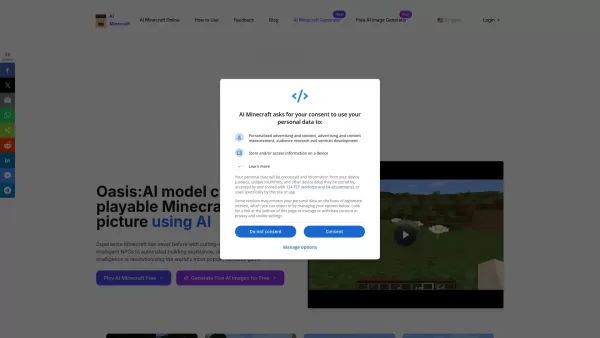
What is AI Minecraft?AI Minecraft brings sophisticated artificial intelligence into the Minecraft experience, introducing smart NPCs, automated building support, and instant world generation. These elements deepen immersion and help players realize t

What is UGCraft?UGCraft is a dedicated AI platform that empowers Roblox UGC creators to design and publish unique accessories and apparel. Simply describe your concept in text or upload an image; the AI will then produce a high-quality, marketplace-r

What is Ollama?Ollama is an innovative platform that makes AI models easier to use by offering a streamlined command-line interface. It lets users effortlessly access, run, and manage a variety of AI models, eliminating complicated installation or co
What is G3DAI {Jedi}?G3D.AI offers a generative AI platform that simplifies game development. Using text prompts, you can create detailed 3D models, design game levels, and define mechanics, enabling rapid prototyping and creative exploration. The pl
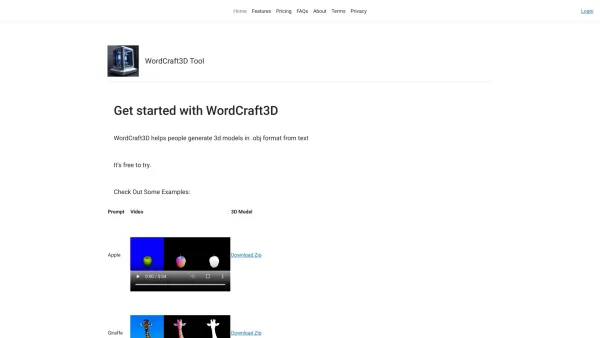
What is WordCraft3D?WordCraft3D is a powerful tool that transforms text descriptions into detailed 3D models. Users can download their creations in the .obj format, complete with materials (.mtl) and texture (.png) files. This platform is perfect for
Deep Photo Product Information
What is Deep Photo?
Deep Photo uses advanced AI to turn your standard photos into captivating 3D visuals. This easy-to-use extension requires almost no setup, making it perfect for anyone, from hobbyists to experts. Just upload your picture, and the AI works its magic, creating an interactive 3D scene from an ordinary image. This technology provides a fresh way to present your photos or artwork, adding immersive depth that flat pictures simply can't match. It's the ideal tool for anyone wanting to make their images stand out.
Who will use Deep Photo?
- Photographers
- Digital Artists
- Social Media Managers
- Content Creators
- E-commerce Store Owners
How to use the Deep Photo?
- Step 1: Install the Deep Photo extension from the Chrome Web Store.
- Step 2: Launch the extension and upload the image you want to transform.
- Step 3: Fine-tune the settings to match your vision.
- Step 4: Click the 'Convert' button to create your 3D image.
- Step 5: Download or share your newly created 3D photo.
Platform
- Google Chrome
Deep Photo's Core Features & Benefits
The Core Features
- AI-Driven 2D to 3D Image Conversion
- Intuitive, User-Friendly Interface
- Fast Processing Speeds
- Direct Download and Sharing Capabilities
The Benefits
- Dramatically Enhance Visual Appeal
- Boost Social Media Engagement
- Showcase Your Creative Work
- Simple Enough for All Skill Levels
Deep Photo's Main Use Cases & Applications
- Social Media Content & Promotion
- Enhancing Personal Creative Projects
- Creating Dynamic E-commerce Product Displays
- Building an Impressive Portfolio
FAQs of Deep Photo
What images can I convert with Deep Photo?
You can convert common image formats like JPEG and PNG.
Is there a limit to the file size?
Yes, please refer to the extension's documentation for current file size limits.
Can I edit the 3D photo after conversion?
Yes, you can use other editing tools to refine your 3D photo further.
Is Deep Photo free to use?
Deep Photo has a free version with core features; additional premium features may be offered.
Does it work on other browsers?
Currently, Deep Photo is built exclusively for the Google Chrome browser.
How long does the conversion process take?
Conversion usually takes just a few seconds, though this depends on the image's size and complexity.
Can I share the 3D photo directly to social media?
Yes, the extension includes options to share your results directly to social platforms.
Is an internet connection required to use Deep Photo?
Yes, an active internet connection is required for the AI to process your images.
What if I encounter issues while using the extension?
For help, please contact customer support through the official website.
Are there any tutorials available for beginners?
Yes, helpful tutorials are available on the extension's page to guide new users.
Deep Photo Company Information
Website:
https://5-letter-words.comCompany Name:
NASupport Email:
NAFacebook:
NAX(Twitter):
NAYouTube:
NAInstagram:
NATiktok:
NALinkedIn:
NA
Deep Photo Screenshot

2026 Latest Best Manga AI Background Generators Ranked Top-Rated! This curated collection showcases powerful game-changing tools perfect for creating high-quality chapter backgrounds, book covers, and promotional art. Every option has undergone rigorous real-world tests to ensure reliability. Get a free vs paid comparison along with detailed insights. Explore now to discover your perfect tool and unlock your AI edge in manga creation.
 6 tools
 xix.ai

2026 Latest Best Top-rated AI Object Removal Editors for portraits travel product shots! XIX.AI curates a powerful game-changing collection regularly updated with weekly rankings. These tools offer real-world tests to help you quickly remove unwanted elements, boost content quality, and save tons of time without compromising results. Must-try for anyone aiming to unlock their AI creation edge. Explore now!
10 tools
xix.ai

2026 Latest Best Top-rated AI Text to Speech Tools for Online Courses are curated by XIX.AI based on rigorous real-world tests and weekly updated rankings. These powerful tools help creators deliver crystal-clear audio content effortlessly, boosting writing efficiency and streamlining course production. Check out the free vs paid comparison to find your perfect fit. Explore now to unlock your AI edge in online education.
10 tools
xix.ai

2026 Latest Best Top-Rated AI Blog Title Tools for Higher Click Through Rates! XIX.AI has carefully curated a powerful, game-changing collection of top tools that go through rigorous real-world tests. You’ll find a free vs paid comparison, weekly updated rankings, and detailed insights to help you boost your blog’s traffic efficiently. Must-try options are highlighted to help you unlock your AI edge. Explore now!
10 tools
xix.ai

2026 Latest Best Top-rated AI Task Routing Tools for Support Workflows! XIX.AI has curated a highly powerful game-changing collection of must-try solutions, all undergoing rigorous real-world tests and updated weekly. These tools streamline workflows, boost productivity, and help teams deliver faster, more efficient support. Explore now to discover your perfect tool and unlock your AI edge!
17 tools
xix.ai

2026 Latest Best Top-Rated AI Citation and Paper Summary Tools Curated by XIX.AI. Get powerful game-changing solutions for quick content creation, improved writing efficiency, and boosting productivity. We offer a free vs paid comparison along with real-world tests and weekly updated rankings to help you find the must-try tool that fits your needs perfectly. Explore now to Unlock your AI edge.
10 tools
xix.ai


