


 Home
HomeCTRL Sheet
AI Spreadsheet Management Analysis Tool



Helps TikTok sellers, brands, MCNs, and TAPs discover winning products and find creators.

HelpLook is an AI-powered all-in-one knowledge base tool that helps businesses quickly build knowledge bases, help centers, and...

Your AI Workspace

302.AI is an enterprise-grade AI resource platform with pay-as-you-go pricing, API access to a full range of AI models, and ready-to-use online applications.

剧火AI — AI Screenwriter + Director, a One-Person Short Drama Studio In one sentence, what is it?

What is AI Excel Bot?AI Excel Bot uses advanced AI algorithms to help you build complex Excel and Google Sheets formulas in seconds. By leveraging natural language processing, it makes writing, editing, and understanding formulas much easier. Whether

What is Bubbly?BubblyAI is a comprehensive platform that transforms data analysis for businesses. By leveraging advanced AI algorithms, it automates extracting actionable insights from complex datasets, empowering users to make confident, data-driven

Ever felt like you're stuck trying to solve complex business issues, but your tech skills just aren't up to snuff? Enter Wand, your new best friend in the world of AI. This tool is designed to be a game-changer, allowing anyone, regardless of their techni
Ever wondered how to keep elections transparent and fair? Meet REVISOR - Your Unblinking Poll Watcher, a cutting-edge software package that leverages the power of neural networks to ensure the integrity of electoral processes. This tool is like having an

Ever wondered what Diya is all about? Well, let me introduce you to this fantastic AI-powered multilingual virtual assistant that's revolutionizing the way websites interact with their visitors. Diya isn't just any virtual assistant; it comes with a human
CTRL Sheet Product Information
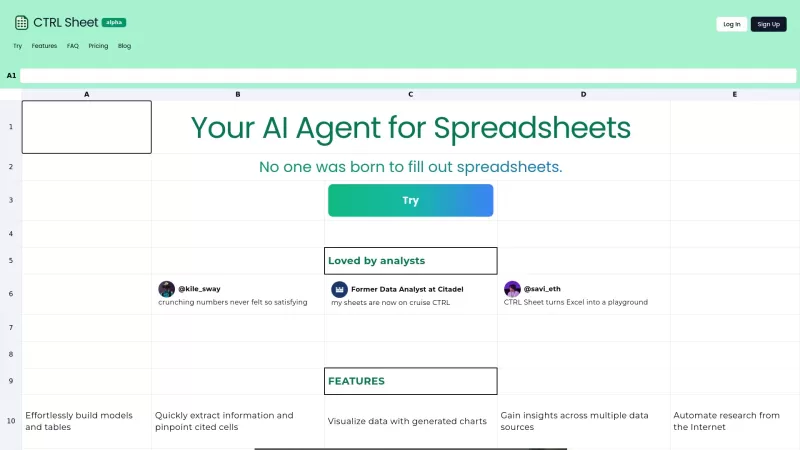
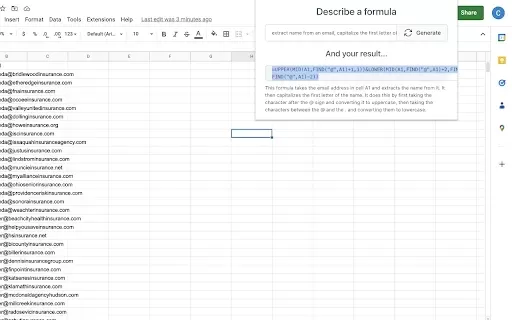
Ever found yourself drowning in a sea of spreadsheets, wishing there was a way to make the process less of a chore? Enter CTRL Sheet, your new best friend in the world of data management. This AI-powered tool is like having a personal assistant for your spreadsheets, making tasks like building models, editing cells, creating charts, and extracting information a breeze. No more tedious manual input—just let CTRL Sheet do the heavy lifting for you.
How to Use CTRL Sheet?
Getting started with CTRL Sheet is as easy as pie. Just log in, tell it what you need done, and watch the magic happen. You can upload your files and interact with your data seamlessly. It's like having a conversation with your spreadsheet, but without the frustration of trying to make sense of endless rows and columns.
CTRL Sheet's Core Features
Edit Cell Values
Need to tweak some numbers? CTRL Sheet makes editing cell values a snap. No more clicking through endless menus—just tell it what you want changed, and it's done.
Extract Information
Ever needed to pull specific data from a massive spreadsheet? CTRL Sheet can extract the information you need in a flash, saving you hours of manual searching.
Create Charts
Visualizing data can be a pain, but not with CTRL Sheet. With a few simple commands, you can create stunning charts that make your data pop.
Summarize Sheets
Got a huge spreadsheet that you need to summarize? CTRL Sheet can boil it down to the essentials, giving you a clear overview without the clutter.
Create Templates
If you find yourself using the same spreadsheet layout over and over, CTRL Sheet can help you create templates to streamline your workflow.
CTRL Sheet's Use Cases
Streamlining Financial Modeling in Excel
Financial modeling can be a daunting task, but CTRL Sheet makes it a whole lot easier. Whether you're forecasting budgets or analyzing investments, this tool can help you build complex models with ease.
Creating Data Visualizations Effortlessly
Data visualizations can transform raw numbers into compelling stories. With CTRL Sheet, you can create beautiful charts and graphs without breaking a sweat.
Automating Report Generation from Spreadsheets
Generating reports from spreadsheets can be a time-consuming process, but CTRL Sheet can automate it for you. Just set up your parameters, and let the tool do the rest.
FAQ from CTRL Sheet
- Can I connect outside data?
- Yes, CTRL Sheet can connect to external data sources, making it even more versatile.
- How does CTRL Sheet work?
- CTRL Sheet uses AI to interpret your commands and perform tasks on your spreadsheets, making data management more efficient.
- Can I use Google Sheets or Microsoft Excel?
- Absolutely, CTRL Sheet is compatible with both Google Sheets and Microsoft Excel, so you can use it with your preferred platform.
- How much does it cost?
- For detailed pricing information, check out the CTRL Sheet Pricing page.
- Can you work with multiple sheets in a spreadsheet?
- Yes, CTRL Sheet can handle multiple sheets within a single spreadsheet, making it perfect for complex projects.
Need help or have questions? Reach out to the CTRL Sheet support team at [email protected]. For more contact options, visit the contact us page.
CTRL Sheet is brought to you by CTRL SHEET INC., a company dedicated to making your data management tasks easier. To get started, log in at CTRL Sheet Login or sign up at CTRL Sheet Sign up. For more information on pricing, visit the CTRL Sheet Pricing page.
Stay connected with CTRL Sheet on social media. Follow them on LinkedIn and Twitter to stay updated on the latest features and news.
CTRL Sheet Screenshot
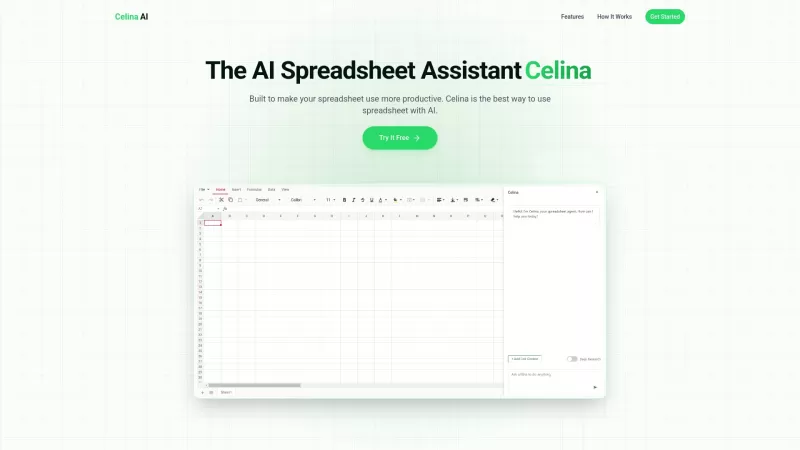
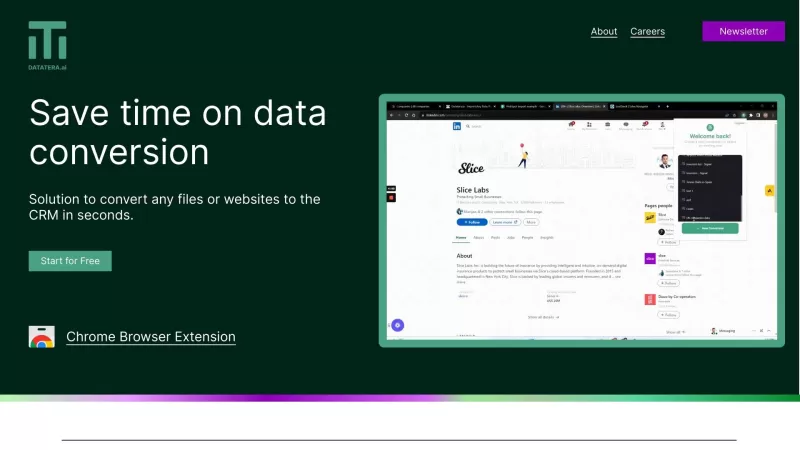
2026 Latest: Discover top-rated AI spreadsheet tools for automated data cleaning, intelligent analysis, and smart formula writing. XIX.AI's curated list compares powerful free vs paid options with real-world tests. Simplify complex datasets and boost your productivity instantly. Explore the best picks now!
 10 tools
 xix.ai


CTRL Sheetすごく便利!表計算の面倒な作業が楽になった。AIがデータ整理を手伝ってくれる感じで、時間の節約に大助かり😊 もっと早く知りたかったな〜
CTRL Sheet is an absolute lifesaver for spreadsheet chaos! ✨ Finally an AI that understands my frustration with nested formulas. Though sometimes it over-simplifies complex data relationships - wish it had a 'verbose mode' for power users. Still, cut my weekly reporting time in half! #GameChanger
CTRL Sheet ने स्प्रेडशीट के साथ काम करना बहुत आसान कर दिया है। मुझे पहले एक्सेल खोलना पसंद नहीं था, लेकिन अब यह एक स्मार्ट सहायक की तरह मदद करता है। बस कभी-कभी जटिल सूत्रों से उलझ जाता है। फिर भी, बहुत अच्छा है! 😊
CTRL Sheetを使ってから、表計算が本当に楽になりました。複雑な計算式が苦手な時もあるけど、ほとんどの場合助けになってくれます。もうエクセルを開くのが嫌じゃないですね。おすすめですよ!😄
CTRL Sheet 덕분에 스프레드시트 작업이 훨씬 쉬워졌어요. 복잡한 수식은 아직 좀 헷갈리지만, 대체로 큰 도움이 돼요. 이제 엑셀 열기가 싫지 않아요. 강력 추천합니다! 😊


