


 Home
HomeCrewAI GUI Qt



Helps TikTok sellers, brands, MCNs, and TAPs discover winning products and find creators.

HelpLook is an AI-powered all-in-one knowledge base tool that helps businesses quickly build knowledge bases, help centers, and...

Your AI Workspace

302.AI is an enterprise-grade AI resource platform with pay-as-you-go pricing, API access to a full range of AI models, and ready-to-use online applications.

剧火AI — AI Screenwriter + Director, a One-Person Short Drama Studio In one sentence, what is it?
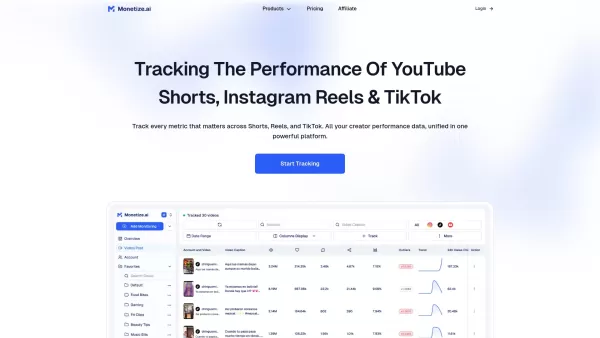
What is Monetize.ai? Monetize.ai is an AI-driven social media intelligence platform designed to seamlessly track and analyze the performance of short and long-form videos on TikTok, Instagram Reels, and YouTube Shorts. It delivers comprehensive, AI-p
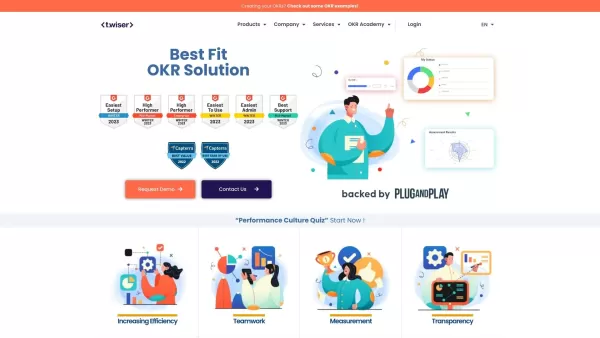
What is Twiser?Twiser is an all-in-one Talent Management Platform. It helps organizations by combining essential tools like OKRs, a robust Learning Management System (LMS), and Succession Planning into a single, unified system. Designed to align and
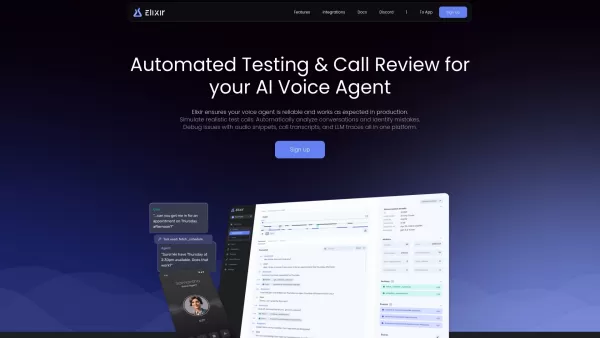
Elixir is more than just a tool; it's a game-changer for anyone working with AI voice agents. Imagine having a platform that not only automates testing but also dives deep into call reviews to ensure your voice agents are top-notch. Elixir does just that,

What is iSWIM?iSWIM is a cutting-edge, AI-driven platform that uses video analysis to monitor and enhance swimming performance. Swimmers and coaches can easily record races—including breaststroke, butterfly, backstroke, and freestyle—using their smar

Ever felt overwhelmed by the sheer volume of planning that goes into running a business or managing your personal projects? Enter Plansom, the SaaS platform that's like having a super-smart assistant at your fingertips. Imagine generating fully optimized,
CrewAI GUI Qt Product Information
What is CrewAI GUI Qt?
CrewAI GUI Qt offers a complete visual workspace for building and executing AI agent pipelines using the CrewAI framework. It features a drag-and-drop canvas where you can place configurable nodes for data sources, LLM models, processing steps, and output handlers, then connect them to create sequential or parallel workflows. Each node allows you to adjust parameters like temperature, token limits, and API endpoints for precise model control. The real-time engine runs the workflow, shows intermediate results in console panels, and flags errors for easy debugging. Projects can be saved as JSON or XML for sharing or collaboration and exported as standalone scripts. With support for plugins, logging, and performance tracking, it's a powerful tool for prototyping, research, and production-level agent development.
Who will use CrewAI GUI Qt?
- AI Developers
- Data Scientists
- Researchers
- Software Engineers
- Educators and Instructors
How to use the CrewAI GUI Qt?
- Step 1: Download and install the correct CrewAI GUI Qt package for your operating system from the GitHub releases page.
- Step 2: Launch the application and start a new project from the File menu.
- Step 3: Drag nodes from the library onto the canvas to represent data inputs, LLM models, processing units, and outputs.
- Step 4: Configure each node's settings, such as API keys, model parameters, and execution options.
- Step 5: Connect the nodes by drawing links between them to define the data flow and execution order.
- Step 6: Click the Run button to execute the workflow and monitor the outputs in the console panel.
- Step 7: Debug any issues using the real-time logs and fine-tune node configurations as necessary.
- Step 8: Save or export your project in JSON or XML format for sharing or automated deployment.
Platform
- macOS
- Windows
- Linux
CrewAI GUI Qt's Core Features & Benefits
The Core Features
- Visual, node-based workflow editor
- Drag-and-drop configurable nodes
- Real-time execution and monitoring
- Import and export workflows as JSON or XML
- Plugin extension support
The Benefits
- Accelerates AI agent prototyping
- User-friendly visual interface
- Cross-platform compatibility
- Interactive debugging tools
- Simplifies collaboration and project sharing
CrewAI GUI Qt's Main Use Cases & Applications
- Prototyping custom AI chatbots with multi-turn conversations
- Designing and managing LLM-based data processing workflows visually
- Collaborative research on AI agent architectures
- Educational demonstrations of agent system design
- Automating document summarization and analysis pipelines
CrewAI GUI Qt's Pros & Cons
The Pros
Offers a structured graphical interface for managing AI workflows
Modular project design with diverse components for granular control
Helps visualize and execute AI-related tasks efficiently
The Cons
Does not clearly state its open-source status
Lacks transparent pricing or licensing details
No direct links to official app stores or dedicated community support channels
FAQs of CrewAI GUI Qt
How do I install CrewAI GUI Qt on my operating system?
Download the installer or binary from the GitHub releases page, then follow the platform-specific setup instructions for Windows, macOS, or Linux.
Which AI models are compatible with CrewAI GUI Qt?
It works with any AI model accessible via HTTP or gRPC APIs, including OpenAI models, local LLMs, and custom endpoints.
Can I add custom nodes or plugins?
Yes, the application supports plugin extensions. You can create custom nodes by following the plugin API documentation and load them during runtime.
How do I save and share my projects?
Use the File > Save menu to store projects as JSON or XML files. You can then share these files directly with collaborators.
Is there a limit to the workflow size or number of nodes?
There is no strict built-in limit, but performance depends on your system resources. Very large graphs with thousands of nodes may affect responsiveness.
How can I debug errors during execution?
The real-time console panel logs each execution step and error message. Review these logs to pinpoint issues and modify node settings accordingly.
Does CrewAI GUI Qt require an internet connection?
An internet connection is only needed if you're using remote AI models or data APIs. Local models and offline data can run without connectivity.
Can I export workflows as standalone scripts?
Yes. Use the Export > Script function to generate Python or shell scripts that replicate your workflow outside the graphical interface.
What operating systems are supported?
CrewAI GUI Qt is compatible with Windows 10+, macOS 10.14+, and most modern Linux distributions running Qt 5 or Qt 6.
Where can I report bugs or request features?
Submit an issue on the project's GitHub repository Issues page. Pull requests and contributions are also encouraged.
CrewAI GUI Qt Company Information
- LangGraph GUI
- LangGraph-GUI
- README.md
CrewAI GUI Qt Screenshot




2026 Latest Best AI Pull Request Review Tools for GitHub Teams are here on XIX.AI! This top-rated curated list showcases powerful game-changing solutions that streamline refactoring, bug fixing, and security gap detection across all team workflows. Enjoy a free vs paid comparison along with real-world tests and detailed rankings to help you find the perfect tool that boosts productivity significantly. Explore now to unlock your AI edge!
 12 tools
 xix.ai

2026 Latest Best Top-rated AI Text to Speech Tools for Natural Voiceovers are here on XIX.AI! This curated list features powerful, game-changing options that deliver crystal-clear voices for every use case, backed by real-world tests and weekly updated rankings. Get a free vs paid comparison to find the must-try solution that boosts your productivity instantly. Explore now to Unlock your AI edge!
11 tools
xix.ai

2026 Latest Best Manga AI Background Generators Ranked Top-Rated! This curated collection showcases powerful game-changing tools perfect for creating high-quality chapter backgrounds, book covers, and promotional art. Every option has undergone rigorous real-world tests to ensure reliability. Get a free vs paid comparison along with detailed insights. Explore now to discover your perfect tool and unlock your AI edge in manga creation.
6 tools
xix.ai

2026 Latest Best Top-rated AI Object Removal Editors for portraits travel product shots! XIX.AI curates a powerful game-changing collection regularly updated with weekly rankings. These tools offer real-world tests to help you quickly remove unwanted elements, boost content quality, and save tons of time without compromising results. Must-try for anyone aiming to unlock their AI creation edge. Explore now!
10 tools
xix.ai

2026 Latest Best Top-rated AI Text to Speech Tools for Online Courses are curated by XIX.AI based on rigorous real-world tests and weekly updated rankings. These powerful tools help creators deliver crystal-clear audio content effortlessly, boosting writing efficiency and streamlining course production. Check out the free vs paid comparison to find your perfect fit. Explore now to unlock your AI edge in online education.
10 tools
xix.ai

2026 Latest Best Top-Rated AI Blog Title Tools for Higher Click Through Rates! XIX.AI has carefully curated a powerful, game-changing collection of top tools that go through rigorous real-world tests. You’ll find a free vs paid comparison, weekly updated rankings, and detailed insights to help you boost your blog’s traffic efficiently. Must-try options are highlighted to help you unlock your AI edge. Explore now!
10 tools
xix.ai


