


 Home
HomeCreator tools



Helps TikTok sellers, brands, MCNs, and TAPs discover winning products and find creators.

HelpLook is an AI-powered all-in-one knowledge base tool that helps businesses quickly build knowledge bases, help centers, and...

Your AI Workspace

302.AI is an enterprise-grade AI resource platform with pay-as-you-go pricing, API access to a full range of AI models, and ready-to-use online applications.

剧火AI — AI Screenwriter + Director, a One-Person Short Drama Studio In one sentence, what is it?

Ever wondered what lies beneath the fabric? Well, Undress AI promises to give you a peek with its deepnude technology. It's like having a digital artist at your fingertips, ready to create those "what if" scenarios without any of the hassle. This tool isn

What is Celebrity AI?CelebrityAI revolutionizes digital content creation with its cutting-edge artificial intelligence platform that generates lifelike celebrity videos and voice messages. Using sophisticated technologies including deep neural networ

If you're diving into the world of AI and need a tool to streamline your interactions with models like ChatGPT, Claude, and Gemini, let me introduce you to TaoPrompt. This isn't just another AI tool; it's a professional prompt generator that's designed to

Ever wondered what EwolveAI is all about? Well, let me break it down for you. EwolveAI isn't just another AI tool; it's your all-in-one AI solution that's here to revolutionize the way you handle content. Whether you're a writer, a marketer, or just someo
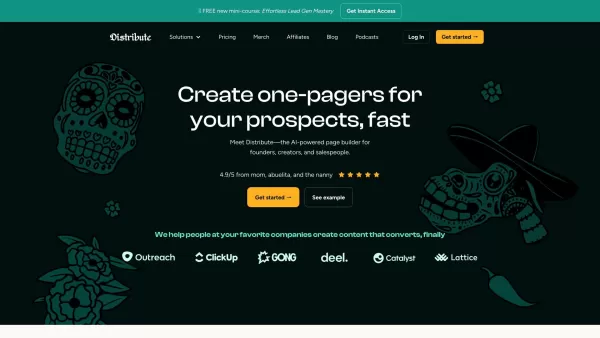
So, what’s this whole Distribute | Death To Whitepapers thing about? Think of it as your secret weapon for creating killer content—fast. In under 10 minutes, you can whip up something truly valuable, whether it’s a sleek one-pager, a micro-website, or eve
Creator tools Product Information
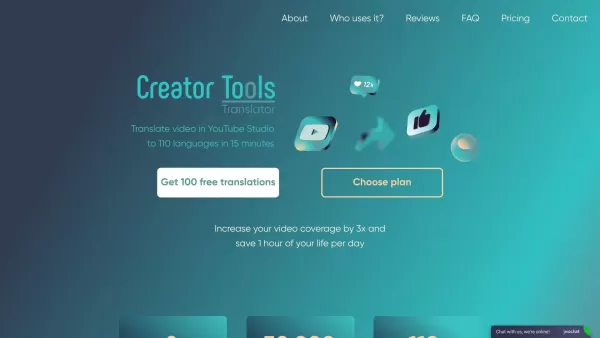
What is Creator Tools?
Creator Tools is a platform that helps content creators manage and promote their videos. It features automated translation capabilities, enabling users to translate video content into 140 languages with ease. The platform also provides legitimate methods for promoting YouTube channels and videos, supporting creators in growing their audience and expanding their reach. Designed to save time and increase efficiency, Creator Tools simplifies both content creation and promotional tasks.
Who uses Creator Tools?
- YouTube content creators
- Video marketers
- Social media influencers
- Digital marketing agencies
- Multilingual video producers
How to use Creator Tools
- Step 1: Register on the Creator Tools website.
- Step 2: Upload your video content.
- Step 3: Use the automated translation tool to translate videos into your preferred languages.
- Step 4: Apply the promotion tools to legally boost your video's visibility on YouTube.
- Step 5: Track and manage your video's performance with the platform's analytics.
Platform
- Web
Creator Tools Core Features & Benefits
Core Features
- Automated video translation into 140 languages
- Legal YouTube promotion tools
- Efficient video upload and management
- Performance analytics
Benefits
- Saves time and effort on video translation
- Expands global reach and accessibility
- Streamlines video promotion
- Delivers actionable insights on video performance
Main Use Cases & Applications
- Reaching global audiences with videos
- Simplifying video translation for multilingual content
- Legally promoting YouTube videos
- Monitoring and managing video performance
Creator Tools Pros & Cons
Pros
Automatically translates video titles, descriptions, and subtitles into 140 languages in just two clicks.
Uses AI-driven comment management to enhance global user engagement.
Includes tools to schedule video streaming, improving creator workflow.
Maintains a strict and stable pricing policy for over two years.
Helps creators increase views and revenue from worldwide audiences.
Features easy usage, fast processing, and positive user feedback.
Cons
No details on open-source availability or a GitHub repository.
No mention of mobile apps or browser extensions.
Potential language accuracy issues, though support reportedly resolves them quickly.
Limited information on advanced AI features or integration options.
Creator Tools Pricing
Has free plan | YES |
|---|---|
Free trial details | Free version for 3 days with no format restrictions |
Pricing model | Paid |
Is credit card required | No |
Paid from | 2.69 USD |
Has lifetime plan | No |
Billing frequency | Monthly |
Details of Pricing Plan
Beginner
4.99 USD
- Up to 5 videos per month
- 200 translations per month
- 2 AI recommendations
Rising Star Advanced
15.6 USD
- 5-10 videos per month
- 800 translations per month
- 8 AI recommendations
Influencer
24.99 USD
- 10-20 videos per month
- 1500 translations per month
- 15 AI recommendations
Daily
44.99 USD
- Up to 40 videos per month
- 3100 translations per month
- 31 AI recommendations
Business
69.99 USD
- Up to 60 videos per month
- 5000 translations per month
- 51 AI recommendations
Business Pro
99.99 USD
- Up to 80 videos per month
- 7500 translations per month
- 75 AI recommendations
Enterprise 1
119.99 USD
- Up to 120 videos per month
- 10,000 translations per month
- 99 AI recommendations
Enterprise 2
229.99 USD
- Up to 240 videos per month
- 20,000 translations per month
- 199 AI recommendations
Voiceover 25000
2.69 USD
- 25,000 symbols
Voiceover 120000
8.99 USD
- 120,000 symbols
Voiceover 205000
14.99 USD
- 205,000 symbols
Voiceover 350000
24.99 USD
- 350,000 symbols
55 AI tips
8.99 USD
- 3 title options
- 1 description
- Up to 20 tags
95 AI tips
13.99 USD
- 3 title options
- 1 description
- Up to 20 tags
150 AI tips
19.99 USD
- 3 title options
- 1 description
- Up to 20 tags
350 AI tips
39.99 USD
- 3 title options
- 1 description
- Up to 20 tags
3,100 AI Replies on comments
9.99 USD
- Comment Generation
- Translation of comment
- Publishing on YouTube
9,300 AI Replies on comments
24.99 USD
- Comment Generation
- Translation of comment
- Publishing on YouTube
31,000 AI Replies on comments
64.99 USD
- Comment Generation
- Translation of comment
- Publishing on YouTube
Basic 1 Streaming
35 USD
- One simultaneous stream
- 40 GB storage
- 200 min video optimization
- Scheduler
- Watermark
- Multiple platforms
Basic 2 Streaming
59.99 USD
- Two simultaneous streams
- 70 GB storage
- 300 min video optimization
- Scheduler
- Multiple platforms
Basic 4 Streaming
75 USD
- Four simultaneous streams
- 120 GB storage
- 400 min video optimization
- Scheduler
- 4K and Full HD support
- Multiple platforms
4K 1 Streaming
49.99 USD
- One simultaneous stream
- 120 GB storage
- 200 min video optimization
- Scheduler
- Multiple platforms
4K 2 Streaming
89.99 USD
- Two simultaneous streams
- 200 GB storage
- 300 min video optimization
- Scheduler
- Multiple platforms
4K 4 Streaming
149.99 USD
- Four simultaneous streams
- 300 GB storage
- 400 min video optimization
- Scheduler
- 4K support
- Multiple platforms
For the latest prices, please visit: https://creator-tools.com/en/prices
FAQs of Creator Tools
What is Creator Tools?
Creator Tools is a platform offering automated tools for video translation and YouTube promotion.
How many languages can Creator Tools translate videos into?
Creator Tools supports video translation into 140 languages.
Are the promotion methods used by Creator Tools legal?
Yes, all promotion methods provided by Creator Tools are fully legal.
Who can benefit from using Creator Tools?
YouTube content creators, video marketers, social media influencers, digital marketing agencies, and multilingual video producers can all benefit from Creator Tools.
Is there a way to track video performance?
Yes, Creator Tools includes performance analytics for tracking and managing video performance.
How do I start using Creator Tools?
Sign up on the Creator Tools website, upload your video content, and begin using the translation and promotion features.
Is Creator Tools suitable for small content creators?
Yes, Creator Tools is built to assist creators of all sizes with video translation and promotion.
Can I use Creator Tools to translate non-YouTube videos?
While primarily designed for YouTube, Creator Tools also supports video content from other sources.
Does Creator Tools offer any support?
Yes, Creator Tools provides customer support to help users with their requirements.
Are there any analytics tools available on Creator Tools?
Yes, Creator Tools offers analytics tools to monitor and manage video performance.
Creator Tools Company Information
Website:
https://creator-tools.com/enCompany Name:
Creator ToolsSupport Email:
NAFacebook:
NAX(Twitter):
NAYouTube:
NAInstagram:
NATiktok:
NALinkedIn:
NA
Creator tools Screenshot

2026 Latest Best Manga AI Background Generators Ranked Top-Rated! This curated collection showcases powerful game-changing tools perfect for creating high-quality chapter backgrounds, book covers, and promotional art. Every option has undergone rigorous real-world tests to ensure reliability. Get a free vs paid comparison along with detailed insights. Explore now to discover your perfect tool and unlock your AI edge in manga creation.
 6 tools
 xix.ai

2026 Latest Best Top-rated AI Object Removal Editors for portraits travel product shots! XIX.AI curates a powerful game-changing collection regularly updated with weekly rankings. These tools offer real-world tests to help you quickly remove unwanted elements, boost content quality, and save tons of time without compromising results. Must-try for anyone aiming to unlock their AI creation edge. Explore now!
10 tools
xix.ai

2026 Latest Best Top-rated AI Text to Speech Tools for Online Courses are curated by XIX.AI based on rigorous real-world tests and weekly updated rankings. These powerful tools help creators deliver crystal-clear audio content effortlessly, boosting writing efficiency and streamlining course production. Check out the free vs paid comparison to find your perfect fit. Explore now to unlock your AI edge in online education.
10 tools
xix.ai

2026 Latest Best Top-Rated AI Blog Title Tools for Higher Click Through Rates! XIX.AI has carefully curated a powerful, game-changing collection of top tools that go through rigorous real-world tests. You’ll find a free vs paid comparison, weekly updated rankings, and detailed insights to help you boost your blog’s traffic efficiently. Must-try options are highlighted to help you unlock your AI edge. Explore now!
10 tools
xix.ai

2026 Latest Best Top-rated AI Task Routing Tools for Support Workflows! XIX.AI has curated a highly powerful game-changing collection of must-try solutions, all undergoing rigorous real-world tests and updated weekly. These tools streamline workflows, boost productivity, and help teams deliver faster, more efficient support. Explore now to discover your perfect tool and unlock your AI edge!
17 tools
xix.ai

2026 Latest Best Top-Rated AI Citation and Paper Summary Tools Curated by XIX.AI. Get powerful game-changing solutions for quick content creation, improved writing efficiency, and boosting productivity. We offer a free vs paid comparison along with real-world tests and weekly updated rankings to help you find the must-try tool that fits your needs perfectly. Explore now to Unlock your AI edge.
10 tools
xix.ai


