


 Home
HomeCoolScholar - Chrome Extension
Smart tool for academic research and self-learning



Helps TikTok sellers, brands, MCNs, and TAPs discover winning products and find creators.

HelpLook is an AI-powered all-in-one knowledge base tool that helps businesses quickly build knowledge bases, help centers, and...

Your AI Workspace

302.AI is an enterprise-grade AI resource platform with pay-as-you-go pricing, API access to a full range of AI models, and ready-to-use online applications.

剧火AI — AI Screenwriter + Director, a One-Person Short Drama Studio In one sentence, what is it?

Ever wished for a trusty sidekick to boost your productivity while you surf the web? Well, say hello to the MaxAI AI Chrome extension! This little gem is your go-to for real-time suggestions and a whole suite of AI tools that can transform your online exp
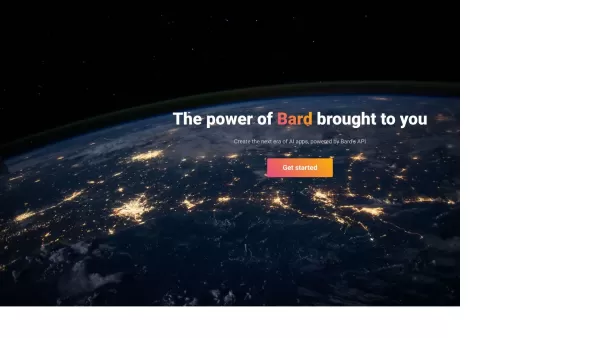
Bard's AI API: Unleashing the Power of Google’s Latest Technology Bard's AI API has been making waves in the tech world since its release. Essentially, it’s a reverse-engineered tool that taps into Google’s groundbreaking language model, PaLM-2, giving de
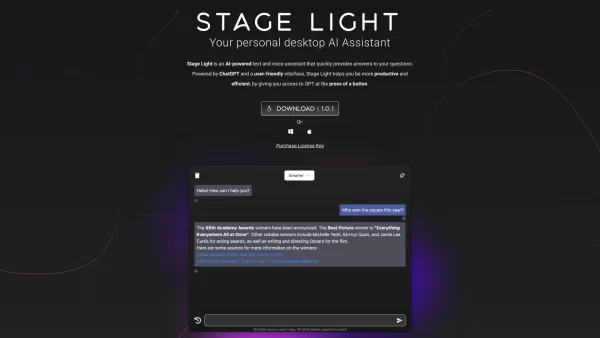
The OpenAI Desktop App is a dynamic tool designed for both Windows and macOS users, offering direct access to OpenAI's powerful models with just a keystroke. This app features a sleek popup window that enhances your interaction experience, and it also com
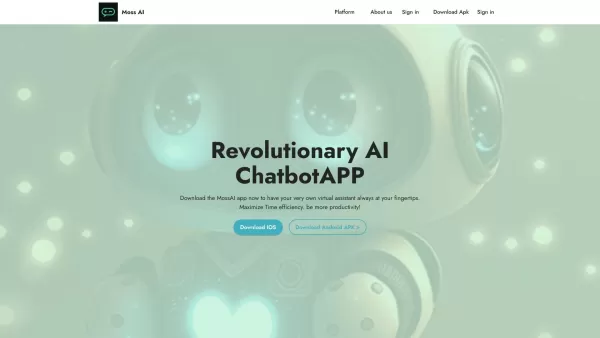
Ever wondered what it's like to have a super-smart friend in your pocket? Meet MossAI, the cutting-edge AI chatbot that's changing the game with its advanced chat technology. It's not just another app; it's like having a personal assistant that's always r

What is the Dubabase AI Chrome Extension? Dubabase is a Chrome extension that instantly dubs videos across the web, removing language barriers so you can enjoy any content in your preferred language, no matter its original language.How to Use the Dub
CoolScholar - Chrome Extension Product Information
Ever stumbled upon a tool that feels like it was designed just for you? That's what the CoolScholar AI Chrome extension is like for anyone knee-deep in the world of self-learning and academic research. It's not just another extension; it's your personal assistant, making those long hours of research a bit more manageable and a lot more efficient.
How to Use CoolScholar AI Chrome Extension?
Getting started with CoolScholar is a breeze. First off, you'll want to sign up for an account. Once you're in, take a moment to explore all the cool features at your fingertips. Whether you're hunting down that elusive piece of literature or need to translate some complex academic jargon, CoolScholar has got you covered. And don't forget about managing your citations—it's like having a personal librarian who never sleeps!
CoolScholar AI Chrome Extension's Core Features
Smart Literature Retrieval
Imagine searching for literature and hitting the jackpot every time. That's what CoolScholar's smart literature retrieval does. It's like having a super-smart friend who knows exactly where to find the best resources for your research.
Instant Translation Service
Ever come across a paper in a language you don't speak? No worries. CoolScholar's instant translation service turns those foreign words into something you can actually understand. It's like having a universal translator right in your browser.
Efficient Citation Management
Citations can be a nightmare, but not with CoolScholar. It manages your citations so efficiently, you'll wonder how you ever did without it. Say goodbye to those late-night citation formatting sessions.
CoolScholar AI Chrome Extension's Use Cases
Academic Paper Research
If you're churning out academic papers, CoolScholar is your new best friend. It streamlines your research process, making it easier to find, translate, and cite sources. You'll be writing papers faster and with more confidence.
Language Learning Support
Learning a new language? CoolScholar's translation feature is like having a tutor by your side. It helps you understand foreign texts, making your language learning journey smoother and more enjoyable.
FAQ from CoolScholar
- How to Search for Literature Using CoolScholar?
- Searching for literature with CoolScholar is as easy as pie. Just type in your keywords, and let the extension do its magic. It'll pull up the most relevant sources, saving you hours of sifting through search results. Give it a try and see how much time you can save!
CoolScholar - Chrome Extension Screenshot

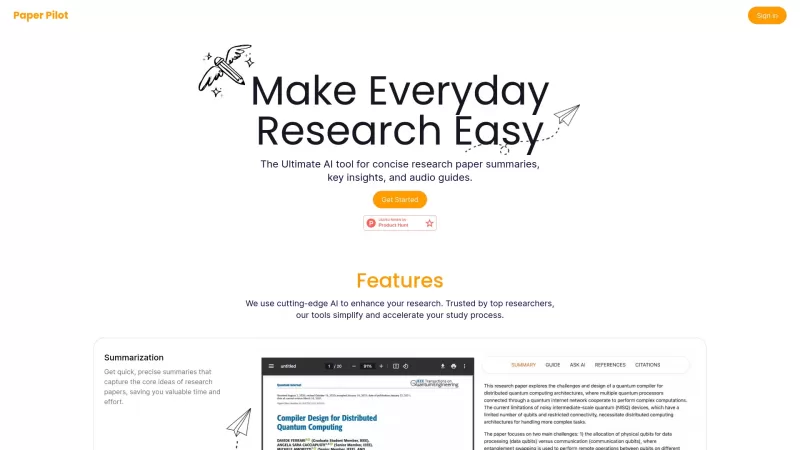


2026 Latest Best Top-rated AI Literature Review Tools for Graduate Research are curated by XIX.AI after rigorous weekly updated real-world tests. These powerful tools help researchers quickly process massive datasets, spot relevant sources, and save hours of tedious work. Get a free vs paid comparison to find the perfect option that boosts your productivity and research efficiency. Explore now to unlock your AI edge in academic studies.
 15 tools
 xix.ai

2026 Latest Best Top-rated AI Research Note Tools for Study Management! XIX.AI has curated a powerful, game-changing collection of must-try tools designed to boost productivity and streamline your academic workflow. These top-rated options feature weekly updated rankings, real-world tests, and a detailed free vs paid comparison to help you find the perfect fit. Explore now to Unlock your AI edge!
13 tools
xix.ai

Discover the 2026 best AI paraphrasing tools for academic integrity at XIX.AI. Our curated, top-rated selection helps you rewrite complex concepts into clear, simple terms. Compare free vs paid options with real-world tests. Unlock better understanding and elevate your academic writing today.
10 tools
xix.ai


Just tried CoolScholar and wow, it's like having a research assistant in my browser! 🚀 Saves me so much time finding reliable sources. The UI could be a bit smoother tho. Definitely keeping this installed for my next paper.
CoolScholarはブラウザの中に研究の友達がいるみたい!リソースを見つけるのにとても役立ちますが、時々遅いです。でも、真剣に学ぶ人には必須です 📚
CoolScholar is like having a research buddy right in my browser! It's super helpful for finding resources, but sometimes it's a bit slow. Still, a must-have for any serious learner 📚
CoolScholar es como tener un compañero de investigación justo en mi navegador! Es súper útil para encontrar recursos, pero a veces es un poco lento. Aún así, es imprescindible para cualquier aprendiz serio 📚
CoolScholar은 브라우저 안에 연구 친구가 있는 것 같아요! 자료를 찾는 데 정말 도움이 되지만, 가끔 느려요. 그래도 진지하게 공부하는 사람에게는 필수예요 📚


