


 Home
HomeConvert Text to Emoji with AI



Helps TikTok sellers, brands, MCNs, and TAPs discover winning products and find creators.

HelpLook is an AI-powered all-in-one knowledge base tool that helps businesses quickly build knowledge bases, help centers, and...

Your AI Workspace

302.AI is an enterprise-grade AI resource platform with pay-as-you-go pricing, API access to a full range of AI models, and ready-to-use online applications.

剧火AI — AI Screenwriter + Director, a One-Person Short Drama Studio In one sentence, what is it?
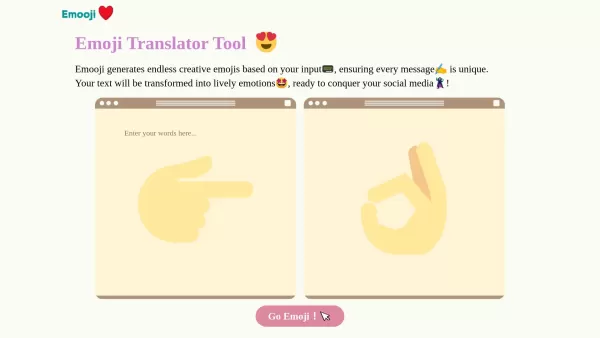
What is Emooji?Emooji lets you type in text and instantly receive a diverse collection of vibrant emojis suited to your message. It’s perfect for anyone wanting to give their words a visual flair—bringing feelings to life in a fun, engaging way. The

What is Dippy Widget - AI Character Chat?Dippy AI offers unique interactive personas that act as personal companions. Users can select AI characters tailored for diverse needs, including everyday chatting, deeper emotional guidance, and motivational
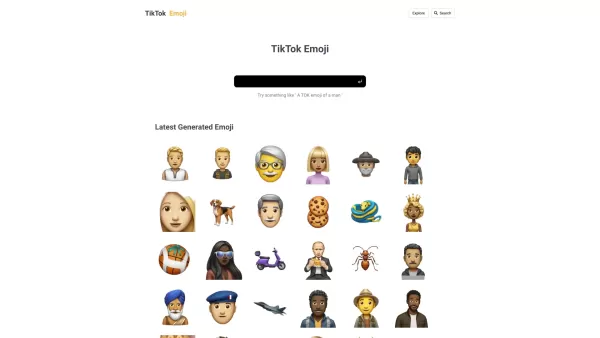
What is the TikTok Emoji Generator?TIKTOKEMOJI.COM is a tool that lets you create custom emojis for TikTok with AI. It makes designing unique, expressive emojis simple, so you can match your TikTok communication style. Whether you want your messages
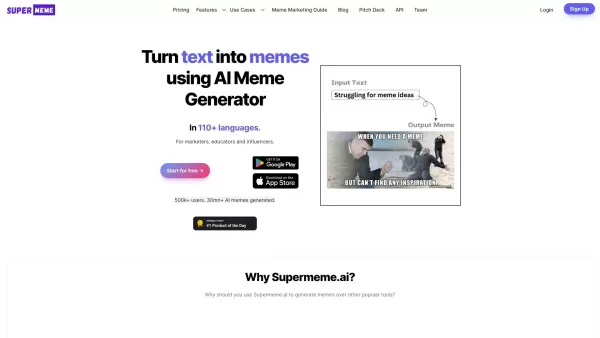
What is Super Meme?SuperMeme.ai is an AI-driven platform that instantly transforms any text into compelling, shareable memes. Ideal for personal entertainment, marketing initiatives, or social media engagement, it taps into an extensive collection of
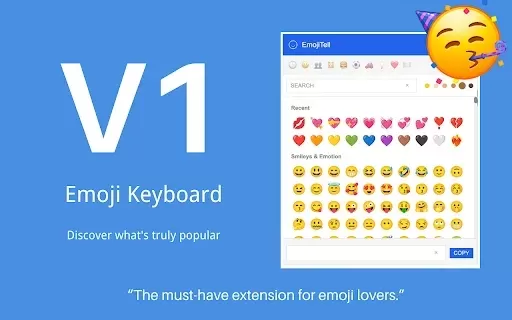
What is the EmojiTell Emoji Keyboard?EmojiTell's Emoji Keyboard is a modern browser extension that elevates how you use emojis. Powered by advanced AI, it delivers real-time, context-sensitive emoji suggestions tailored to you. The tool boasts a cons
Convert Text to Emoji with AI Product Information
What Is Convert Text to Emoji with AI?
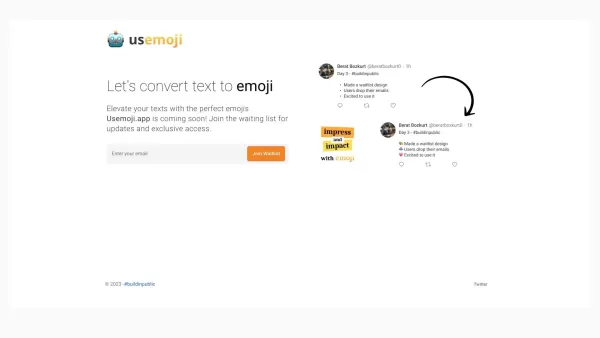
Usemoji.app is an upcoming platform designed to enhance text-based communication by converting your text into relevant emojis. Its user-friendly interface lets you quickly find and insert the most suitable emojis into your messages, making conversations more enjoyable and engaging. This tool is perfect for anyone seeking to add a creative and expressive flair to their digital communication.
Who Uses Convert Text to Emoji with AI?
- Social Media Enthusiasts
- Digital Marketers
- Content Creators
- Frequent Text Messengers
- Teenagers and Millennials
How to Use Convert Text to Emoji with AI?
- Step 1: Visit the Usemoji.app website.
- Step 2: Enter your text into the input box.
- Step 3: Let the AI suggest the most fitting emojis.
- Step 4: Select and copy the emoji(s) you like.
- Step 5: Paste the emoji(s) into your message or post.
Platform
- Web
Convert Text to Emoji with AI: Core Features & Benefits
Core Features
- Text to Emoji Conversion
- AI-Driven Emoji Suggestions
- User-Friendly Interface
- Quick Copy and Paste Functionality
Benefits
- Enhances Digital Communication
- Makes Conversations More Fun
- Saves Time Finding Emojis
- Adds Creativity to Texts
Convert Text to Emoji with AI: Main Use Cases & Applications
- Enhancing Social Media Posts
- Adding Creativity to Messaging
- Making Conversations More Engaging
Convert Text to Emoji with AI: Pros & Cons
Pros
AI-powered, context-aware emoji suggestions enhance text expressiveness.
Seamless browser extension integration facilitates easy use.
Personalized emoji recommendations based on emotional context.
A diverse emoji library with unlimited access through a subscription.
Helps make messaging more engaging and expressive.
Cons
Daily suggestions are limited to 10 per day in the free version.
A subscription is required for unlimited emoji access.
No open-source code is available.
No mobile app presence indicated for iOS or Android.
Convert Text to Emoji with AI: Pricing
Free Plan | No |
|---|---|
Free Trial Details | |
Pricing Model | Paid |
Credit Card Required? | No |
Starting Price | $4 USD |
Lifetime Plan | No |
Billing Frequency | Monthly |
Pricing Plan Details
Beta Subscription
$4 USD
- Unlimited Emoji Access
- 10 Daily Suggestions Limit
- Cancel Anytime
For the latest pricing, please visit: https://usemoji.app
Convert Text to Emoji with AI: FAQs
What Is Usemoji.app?
Usemoji.app is a tool that converts text into emojis to enhance digital communication.
Is Usemoji.app Free?
Yes, Usemoji.app is free to use.
How Do I Use Usemoji.app?
Simply enter your text on the website, let the AI suggest emojis, and copy-paste the ones you like.
What Platforms Does Usemoji.app Support?
Currently, Usemoji.app is available on web browsers.
Who Can Benefit from Usemoji.app?
Social media enthusiasts, digital marketers, content creators, frequent texters, and young users.
Do I Need to Create an Account to Use Usemoji.app?
No, you can use Usemoji.app without creating an account.
Can I Use Usemoji.app on My Mobile Device?
Yes, as long as your mobile device has a web browser.
Does Usemoji.app Store My Data?
There is no indication of data storage; please refer to the privacy policy on the website for more details.
Can I Suggest New Features for Usemoji.app?
Yes, you can contact support to suggest new features.
Is There a Limit to the Text I Can Convert?
There is no specified limit, but very long texts may have limitations.
Convert Text to Emoji with AI: Company Information
Website:
https://usemoji.appCompany Name:
UsemojiSupport Email:
NAFacebook:
NAX (Twitter):
NAYouTube:
NAInstagram:
NATikTok:
NALinkedIn:
NA
Convert Text to Emoji with AI Screenshot



2026 Latest Best Top-rated AI SERP Analysis Tools for Search Strategy are curated by XIX.AI through rigorous real-world tests and weekly updated rankings. These powerful tools help you unlock hidden optimization opportunities, boost content performance, and gain a competitive edge in search. Discover your perfect tool to elevate your search strategy today. Explore now!
 13 tools
 xix.ai

2026 Latest Best Top-rated AI Anomaly Detection Tools for KPI Monitoring in SaaS and Ecommerce teams! XIX.AI has curated a powerful, game-changing collection based on rigorous real-world tests and weekly updated rankings. You’ll find detailed free vs paid comparison insights to help you identify the must-try solution that boosts productivity and unlocks your AI edge. Explore now!
10 tools
xix.ai

2026 Latest Best Top-Rated AI Outline Generators for Long-Form SEO Articles, meticulously curated by XIX.AI. These powerful tools offer game-changing assistance in creating high-quality content quickly, boosting writing efficiency significantly. Get a free vs paid comparison along with real-world tests and detailed rankings to help you find the must-try option that suits your needs. Explore now to unlock your AI edge.
8 tools
xix.ai

2026 Latest Best AI Study Tools for Homework and Exam Prep! XIX.AI curates a top-rated list of powerful, game-changing tools that help students boost productivity, streamline homework completion, and ace exams through real-world tests. Get a free vs paid comparison, detailed rankings, and must-try options to unlock your AI edge. Explore now!
10 tools
xix.ai

2026 Latest Best AI Vocal Demo Tools for Songwriters, Hook Creators, and Multi-Language Content Teams! XIX.AI has curated a top-rated list of powerful game-changing tools that go through rigorous real-world tests. You’ll find detailed free vs paid comparison data, comprehensive rankings, and must-try options to help you boost writing efficiency and unlock your creative potential. Explore now to discover your perfect tool for all your content needs!
9 tools
xix.ai

2026 Latest Best Top-rated AI Competitive Research Tools for Small Businesses! XIX.AI has curated a highly powerful game-changing collection, updated weekly with rigorous real-world tests and detailed rankings. You can find a comprehensive free vs paid comparison to help you identify the must-try tools that boost your productivity and give you a competitive edge. Explore now to discover your perfect tool!
9 tools
xix.ai


