


 Home
HomeColibri – AI Note Taking & Transcription App
Colibri AI: Meeting Notes Transcription Tool



Helps TikTok sellers, brands, MCNs, and TAPs discover winning products and find creators.

HelpLook is an AI-powered all-in-one knowledge base tool that helps businesses quickly build knowledge bases, help centers, and...

Your AI Workspace

302.AI is an enterprise-grade AI resource platform with pay-as-you-go pricing, API access to a full range of AI models, and ready-to-use online applications.

剧火AI — AI Screenwriter + Director, a One-Person Short Drama Studio In one sentence, what is it?

Discover Plume AI: Your Ultimate Academic Writing AssistantAre you tired of struggling with your academic writing? Well, say hello to Plume AI, the innovative AI assistant that's here to revolutionize the way you write! Designed with students in mind, Plume AI harnesses the power of cutting-edge art
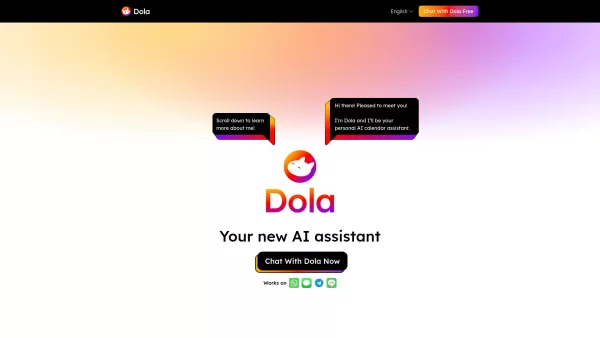
What is Toki? Toki is an AI-powered calendar assistant and time management tool that simplifies scheduling for both individuals and groups. It utilizes advanced AI to understand inputs from voice, text, images, and complex contexts, then organizes th
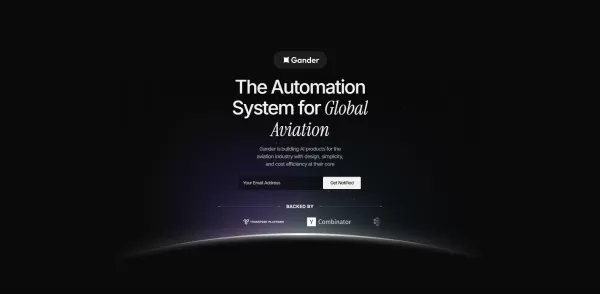
What is Gander AI?Gander AI utilizes advanced artificial intelligence to automate common tasks, boost efficiency, and deliver productivity-enhancing insights. It integrates into your workflow to handle scheduling, data entry, email communications, an
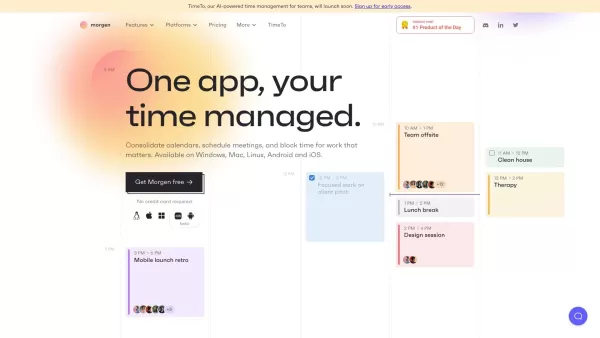
Ever feel like you're juggling a dozen calendars and to-do lists, trying to keep your life in order? Enter Morgen, your all-in-one solution for managing calendars, scheduling, and tasks. It's like having a personal assistant who's always on top of yo
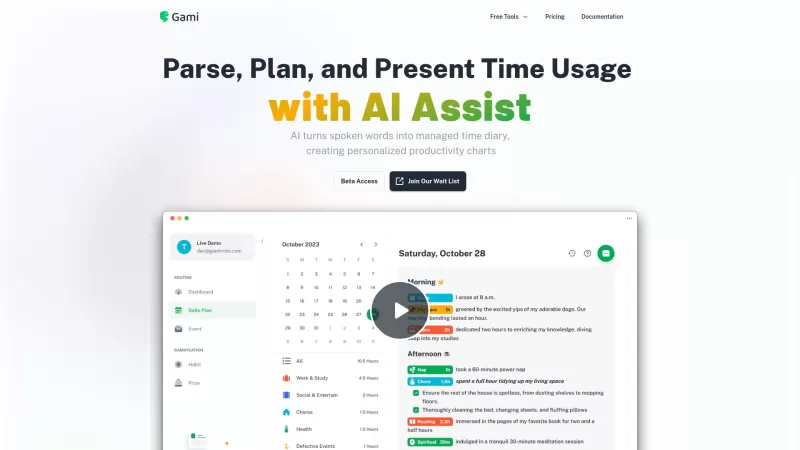
Ever felt like you're juggling too many tasks and losing track of time? Enter Gami—a nifty AI tool that's like a personal diary for your time management. It's not just about clocking hours; it's about understanding your day in a more natural, conversation
Colibri – AI Note Taking & Transcription App Product Information
What is Colibri – AI Note Taking & Transcription App?
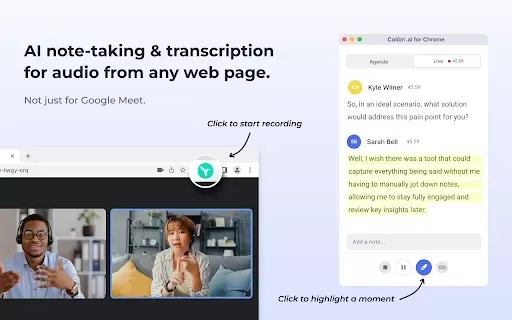
Colibri is an advanced AI-driven application designed for note-taking and real-time transcription of meetings and conversations. It captures audio seamlessly, transforming spoken words into organized text and providing clear, concise summaries. The app improves teamwork by enabling easy sharing of meeting notes and summaries, keeping all participants aligned. This smart solution is ideal for professionals, students, and teams aiming to boost productivity, manage time efficiently, and concentrate on key conversations without the hassle of manual note-taking.
Who can benefit from Colibri – AI Note Taking & Transcription App?
- Professionals
- Students
- Educators
- Business Teams
- Remote Workers
How to use Colibri – AI Note Taking & Transcription App
- Step 1: Install the Colibri extension from the Chrome Web Store.
- Step 2: Create an account or sign in.
- Step 3: Initiate the meeting or conversation you want to record.
- Step 4: Click the Colibri icon to start the recording.
- Step 5: When the meeting ends, review your transcriptions and summaries.
Platform
- Chrome
Core Features & Benefits of Colibri – AI Note Taking & Transcription App
Core Features
- Real-time transcription
- Audio recording
- Concise summary generation
- Effortless sharing
- Searchable meeting notes
Benefits
- Boosts productivity
- Saves time
- Enhances team collaboration
- Minimizes manual note-taking
- Improves meeting organization
Main Use Cases & Applications
- Business meetings
- Educational lectures
- Online classes
- Interviews
- Team collaborations
Frequently Asked Questions
How does Colibri AI work?
Colibri captures conversations and transcribes them instantly.
Is there an AI that can take notes?
Yes, Colibri is an AI-powered tool that efficiently records and summarizes meetings.
How do I use AI to take meeting notes?
Simply record your sessions with Colibri to get automatic transcriptions and share them.
What platforms does Colibri support?
Colibri is currently available as a Chrome extension.
Can I share the meeting summaries?
Yes, you can quickly share the generated summaries with colleagues.
Does it work for online classes?
Yes, Colibri is excellent for online lectures and educational sessions.
Is there a mobile version of Colibri?
Currently, Colibri operates as a Chrome extension and is not available on mobile.
Can I access my notes after the meeting?
Yes, your notes are securely stored and accessible at any time.
Does it support multiple languages?
Colibri mainly supports English, with ongoing development to include more languages.
Is there a free version of Colibri?
Colibri provides a free plan with basic features and a premium plan for full functionality.
About Colibri – AI Note Taking & Transcription App
Website:
https://colibri.ai/Company Name:
ColibriSupport Email:
Facebook:
NAX (Twitter):
NAYouTube:
NAInstagram:
NATikTok:
NALinkedIn:
NA
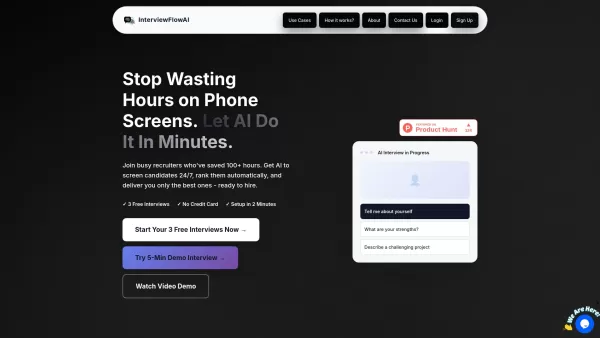
Colibri – AI Note Taking & Transcription App Screenshot

Discover the 2026 best AI meeting assistants for Google Meet. Our top-rated, curated list features powerful tools that automatically generate action items and mind maps, saving you hours. Compare free vs paid options with real-world tests and weekly updated rankings. Find your perfect productivity boost at XIX.AI. Explore now!
 10 tools
 xix.ai

2026 Latest Best Mobile AI Meeting Co-pilots: Top-rated tools to dictate & summarize client visit notes on the go. Discover powerful, game-changing assistants for professionals. Compare free vs paid options with our weekly updated rankings and real-world tests. Unlock productivity and perfect your follow-ups. Explore the curated selection at XIX.AI.
10 tools
xix.ai

Discover the 2026 best AI multilingual meeting notetakers at XIX.AI. Our curated, top-rated selection breaks language barriers in international B2B calls. Get accurate, real-time transcripts and summaries to boost productivity. Compare free vs paid tools with our weekly updated rankings. Unlock seamless global collaboration now.
10 tools
xix.ai

Discover the 2026 best AI meeting assistants for Zoom & Teams. Our top-rated, curated list features powerful tools that automate transcripts and action items. Compare free vs paid options with real-world tests. Unlock productivity and never miss a detail. Explore the rankings on XIX.AI now.
10 tools
xix.ai
Discover the 2026 best AI voice recorder apps for offline meetings. Our top-rated, curated list features powerful tools for transcribing in-person brainstorms to text. Compare free vs paid options with real-world tests. Unlock seamless note-taking and productivity. Explore the rankings on XIX.AI.
10 tools
xix.ai

Discover the 2026 best cross-platform AI notetakers for seamless sync across Webex, Slack, and more. Explore XIX.AI's curated, top-rated picks with free vs. paid comparisons, real-world tests, and weekly updated rankings. Unlock game-changing productivity and perfect meeting capture. Find your ultimate sync solution now!
10 tools
xix.ai


I've been using Colibri for my weekly team meetings and it's honestly a game-changer. The real-time transcription is surprisingly accurate even with multiple speakers! Only downside is it sometimes struggles with heavy accents, but still saves me hours of manual notes. Highly recommend for anyone drowning in meeting notes 😅


