


 Home
HomeCognify Insights
Browser extension for in-depth research analysis



Helps TikTok sellers, brands, MCNs, and TAPs discover winning products and find creators.

HelpLook is an AI-powered all-in-one knowledge base tool that helps businesses quickly build knowledge bases, help centers, and...

Your AI Workspace

302.AI is an enterprise-grade AI resource platform with pay-as-you-go pricing, API access to a full range of AI models, and ready-to-use online applications.

剧火AI — AI Screenwriter + Director, a One-Person Short Drama Studio In one sentence, what is it?
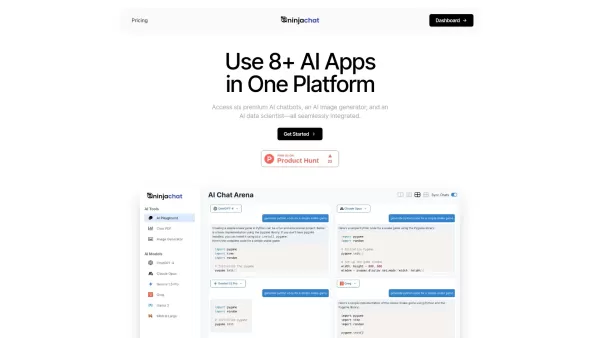
What is NinjaChat AI?NinjaChat is a comprehensive AI assistant that combines multiple AI capabilities into one unified platform. Users can interact with advanced models such as GPT-4 and Claude 3, analyze PDF documents, create images, and communicate

What is SigmaNote? SigmaNote is more than just another productivity tool—it’s your personal "second brain." Powered by AI, SigmaNote takes anything from PDFs to URLs, even videos, and turns it into smart, editable notes. Think of it as your ultimate knowl
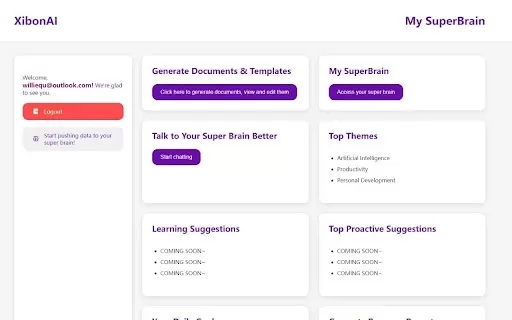
What is Xibon AI? Xibon AI's SuperBrain is an AI-powered tool that boosts productivity and learning by serving as your personal 'SecondBrain/SuperBrain.' It automatically captures, organizes, and summarizes important information as you browse the web
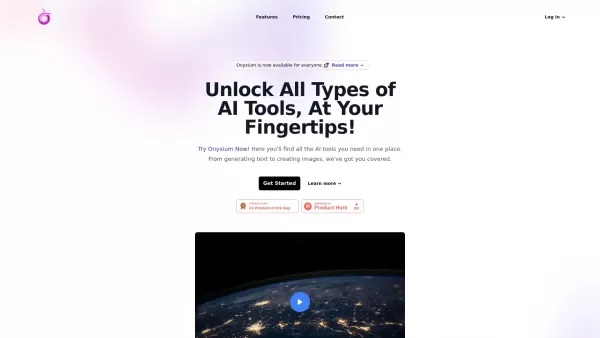
What is Onyxium AI?Onyxium AI is a comprehensive all-in-one platform providing a wide array of AI tools designed for diverse applications. Its capabilities include text generation, image recognition, and speech analysis. Users can navigate a straight

Ever wondered how students with ADHD can level up their study game? Enter Kumo Study, a revolutionary tool designed specifically to help these students thrive in their academic journey. It's not just another study app; it's a tailored experience that blen
Cognify Insights Product Information
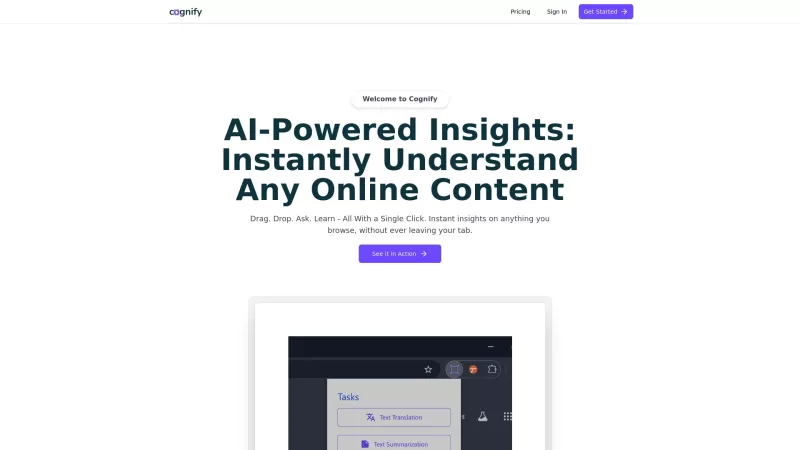
Cognify Insights isn't just another tool; it's your ultimate research buddy packed into a browser extension. Imagine having a research assistant at your fingertips, ready to dive deep into texts, diagrams, tables, and graphs. This extension doesn't just skim the surface; it offers detailed analysis, translates text, answers your burning questions, and even summarizes content to streamline your research process.
How to Harness the Power of Cognify Insights?
Getting started with Cognify Insights is a breeze. First, you'll want to install the Chrome Headless Extension. Once that's set up, log in and you're ready to roll. The real magic happens when you drag and drop your text, diagrams, tables, or charts onto the extension. In an instant, Cognify Insights kicks into gear, providing you with the insights you need. It's like having a research wizard at your command!
Unveiling the Core Features of Cognify Insights
Advanced Content Processing Tools
Cognify Insights comes equipped with state-of-the-art tools designed to process and analyze various content types. Whether it's a dense academic paper or a complex chart, this extension has the firepower to break it down.
Text Translation
Ever stumbled upon a research paper in a language you don't speak? Cognify Insights swoops in to translate text, making language barriers a thing of the past.
Question Answering
Have a specific question about your research material? Just ask Cognify Insights, and it'll provide you with precise answers, saving you hours of sifting through documents.
Text Summarization
Time is of the essence, and Cognify Insights understands that. It quickly summarizes long texts, giving you the key points without the fluff.
Real-World Applications of Cognify Insights
Analyze Text, Diagrams, Tables, and Graphs for Research Purposes
Whether you're a student, a researcher, or just someone who loves diving deep into topics, Cognify Insights is perfect for analyzing all sorts of content. It's like having a magnifying glass for your research materials.
Enhance Research with In-Depth Insights and Content Processing
By using Cognify Insights, you're not just researching; you're supercharging your research. The extension's ability to process and provide insights into complex content can truly transform your workflow.
FAQ from Cognify Insights
- What types of content can Cognify Insights analyze?
- Cognify Insights can analyze texts, diagrams, tables, and graphs, making it a versatile tool for any researcher.
- Is there a limit to the size of content Cognify Insights can analyze?
- While Cognify Insights is designed to handle a wide range of content, extremely large files might pose a challenge. It's best to check the specific limits on their website.
- Cognify Insights Company
Cognify Insights Company name: Cognify Insights.
- Cognify Insights Login
Cognify Insights Login Link: https://auth.cognify.so/login
- Cognify Insights Pricing
Cognify Insights Pricing Link: https://cognify.so/pricing
Cognify Insights Screenshot


Discover the 2026 best AI prompts for qualitative research. Our top-rated, curated selection helps automate thematic coding and interview transcription analysis, boosting your research efficiency. Explore powerful, game-changing prompts with free vs paid comparisons and weekly updated rankings on XIX.AI. Unlock your AI research edge now.
 10 tools
 xix.ai

Discover the 2026 best AI competitor analyzers to reverse-engineer rival strategies. Our top-rated, curated list features powerful tools for uncovering content tactics and traffic sources. Get weekly updated rankings with real-world tests and free vs. paid insights. Unlock your competitive edge with XIX.AI.
10 tools
xix.ai

Discover the 2026 best AI tools for qualitative research on XIX.AI. Our curated list features top-rated, game-changing solutions to transcribe interviews and perform thematic analysis fast. Compare free vs paid options with real-world tests. Unlock your research edge today.
10 tools
xix.ai

Discover the 2026 best AI depth map extractors at XIX.AI. Our curated, top-rated selection helps you convert 2D photos into stunning 3D parallax motion effortlessly. Explore free vs paid tools, real-world tests, and weekly updated rankings to unlock your creative edge. Start creating today!
10 tools
xix.ai

2026 Latest rankings of top-rated AI tools for data analysis and research support. Compare our curated best picks: discover powerful, game-changing solutions to clean, visualize, and interpret data effortlessly. Unlock your research edge with XIX.AI's expert-selected, weekly updated must-try tools.
10 tools
xix.ai


This browser extension is a game-changer for research! I love how it can analyze diagrams and tables on the fly. Makes digging into complex papers feel like a breeze. 🧠✨


