


 Home
HomeCodeGenie for Github



Helps TikTok sellers, brands, MCNs, and TAPs discover winning products and find creators.

HelpLook is an AI-powered all-in-one knowledge base tool that helps businesses quickly build knowledge bases, help centers, and...

Your AI Workspace

302.AI is an enterprise-grade AI resource platform with pay-as-you-go pricing, API access to a full range of AI models, and ready-to-use online applications.

剧火AI — AI Screenwriter + Director, a One-Person Short Drama Studio In one sentence, what is it?

Ever found yourself staring at a piece of code, scratching your head and wondering, "What on earth does this do?" Well, that's where Code Explain comes in—your trusty AI-powered sidekick that's here to make sense of any code that's got you puzzled. It's l
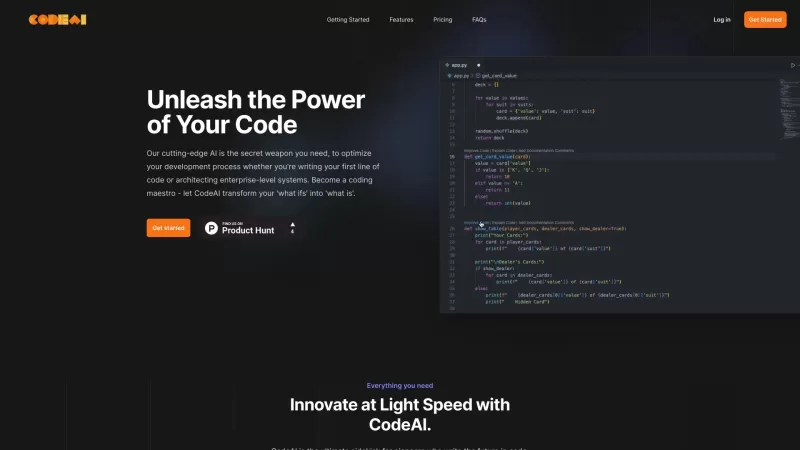
Ever wished you had a trusty sidekick to help you navigate the often complex world of coding? Meet CodeAI, the revolutionary VS Code extension that's like having a super-smart AI buddy by your side. Designed to streamline your development process, CodeAI

What is the Kimi Assistant AI Chrome Extension? The Kimi Assistant is an AI-powered plugin developed by UnionAi, building upon the core capabilities of Kimi. It facilitates seamless communication in both Chinese and English, delivering reliable and a
Ever found yourself wishing you could harness the power of AI while surfing the web? Enter xActions.co, your new best friend for browser-based AI assistance. This nifty site offers a browser extension named xActions, which lets you tap into the capab
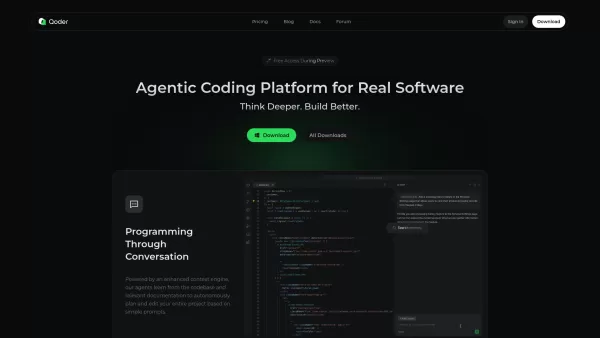
What is Qoder?Qoder represents a revolutionary leap in AI-assisted development - think of it as having an expert programming partner that truly understands your entire code ecosystem. Unlike traditional coding assistants that work with isolated snipp
CodeGenie for Github Product Information
What is CodeGenie for Github?
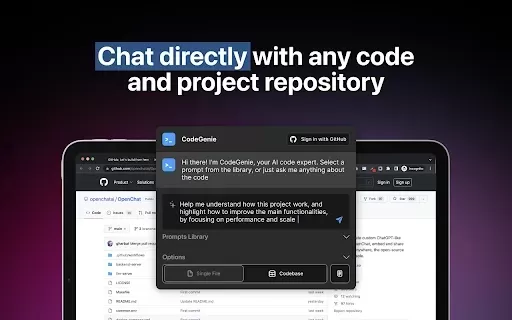
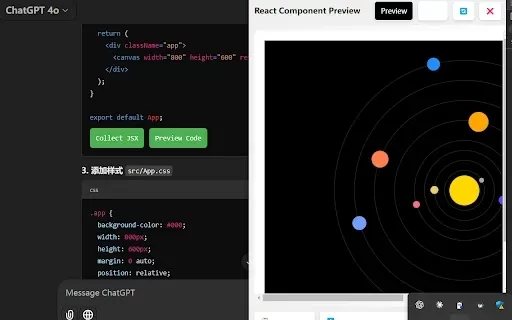
CodeGenie for GitHub is an intelligent assistant that uses ChatGPT to analyze and demystify code repositories on GitHub. It helps developers by interpreting code segments, offering clear explanations, and suggesting improvements for optimization. This tool is ideal for beginners aiming to learn programming and seasoned developers who need quick insights into complex codebases. By making code more approachable, CodeGenie enhances productivity and elevates the quality of software projects.
Who will use CodeGenie for Github?
- Developers
- Coding Students
- Project Managers
- Software Engineers
- Technical Writers
How to use the CodeGenie for Github?
- Step 1: Install the CodeGenie for GitHub extension from the Chrome Web Store.
- Step 2: Navigate to the GitHub repository you wish to examine.
- Step 3: Click the CodeGenie icon in your browser toolbar.
- Step 4: Highlight the code snippet or file you want to understand.
- Step 5: Examine the insights and detailed explanations generated by CodeGenie.
Platform
- Google Chrome
CodeGenie for Github's Core Features & Benefits
The Core Features
- AI-Powered Code Analysis
- Detailed Code Explanations
- Code Improvement Suggestions
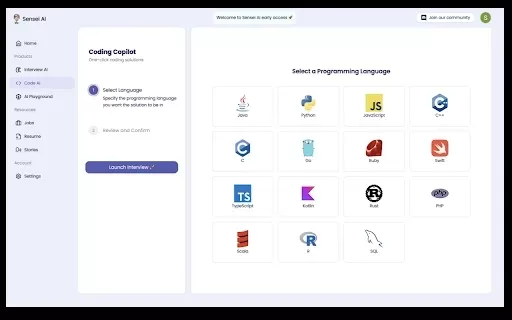
- Multi-Language Support
- User-Friendly Interface
The Benefits
- Simplifies understanding of intricate code
- Reduces time spent on code reviews
- Increases developer productivity
- Aids in learning new programming languages
- Enhances code quality and readability
CodeGenie for Github's Main Use Cases & Applications
- Learning programming
- Reviewing open-source codebases
- Improving team collaboration
- Debugging and fixing code problems
- Speeding up project development
FAQs of CodeGenie for Github
What programming languages does CodeGenie support?
CodeGenie supports numerous programming languages, such as Python, JavaScript, Java, and many others.
How does CodeGenie analyze code?
CodeGenie employs machine learning algorithms to interpret and analyze code structure and meaning.
Is CodeGenie free to use?
Yes, CodeGenie provides a free tier with essential features.
How do I provide feedback on the suggestions?
You can submit feedback directly within the extension's interface.
What browsers support CodeGenie?
CodeGenie is currently supported exclusively on Google Chrome.
Is my code safe with CodeGenie?
Absolutely. Your code is processed securely, and CodeGenie does not retain any of your data.
Can CodeGenie help with debugging?
Yes, CodeGenie can offer suggestions and insights to assist in debugging your code.
How often is CodeGenie updated?
CodeGenie receives regular updates with new features and enhancements.
Where can I report issues with the extension?
You can report any issues using the support link on the Chrome Web Store listing.
Can I use CodeGenie offline?
No, CodeGenie requires an active internet connection to deliver its AI-powered functionality.
CodeGenie for Github Company Information
CodeGenie for Github Screenshot



2026 Latest Best Top-rated AI Text to Speech Tools for Online Courses are curated by XIX.AI based on rigorous real-world tests and weekly updated rankings. These powerful tools help creators deliver crystal-clear audio content effortlessly, boosting writing efficiency and streamlining course production. Check out the free vs paid comparison to find your perfect fit. Explore now to unlock your AI edge in online education.
 10 tools
 xix.ai

2026 Latest Best Top-Rated AI Blog Title Tools for Higher Click Through Rates! XIX.AI has carefully curated a powerful, game-changing collection of top tools that go through rigorous real-world tests. You’ll find a free vs paid comparison, weekly updated rankings, and detailed insights to help you boost your blog’s traffic efficiently. Must-try options are highlighted to help you unlock your AI edge. Explore now!
10 tools
xix.ai

2026 Latest Best Top-rated AI Task Routing Tools for Support Workflows! XIX.AI has curated a highly powerful game-changing collection of must-try solutions, all undergoing rigorous real-world tests and updated weekly. These tools streamline workflows, boost productivity, and help teams deliver faster, more efficient support. Explore now to discover your perfect tool and unlock your AI edge!
17 tools
xix.ai

2026 Latest Best Top-Rated AI Citation and Paper Summary Tools Curated by XIX.AI. Get powerful game-changing solutions for quick content creation, improved writing efficiency, and boosting productivity. We offer a free vs paid comparison along with real-world tests and weekly updated rankings to help you find the must-try tool that fits your needs perfectly. Explore now to Unlock your AI edge.
10 tools
xix.ai

2026 Latest Best Top-Rated AI Productivity Tools for Daily Work! XIX.AI has curated a powerful, game-changing selection based on rigorous weekly updated rankings and real-world tests. You’ll find must-try options that boost writing efficiency, streamline content creation, and help you overcome daily work challenges. Get a free vs paid comparison to find the perfect fit for your needs. Explore now to unlock your AI edge!
9 tools
xix.ai

2026 Latest Best Top-Rated AI Systematic Review Tools for Research Screening are here on XIX.AI! This curated collection includes powerful, game-changing solutions that go through rigorous real-world tests to deliver accurate results. We also offer a free vs paid comparison along with weekly updated rankings to help you find the must-try option that boosts your research efficiency significantly. Explore now to unlock your AI edge in academic work!
11 tools
xix.ai


Just tried CodeGenie for GitHub and it's pretty neat! It actually explained a legacy codebase I inherited in plain English, saving me hours of head-scratching. The suggestions were basic but a good starting point. Hope it keeps improving! 🤖👍


