


 Home
HomeClippit.ai - Chrome Extension
AI-powered email & message writing assistant



Helps TikTok sellers, brands, MCNs, and TAPs discover winning products and find creators.

HelpLook is an AI-powered all-in-one knowledge base tool that helps businesses quickly build knowledge bases, help centers, and...

Your AI Workspace

302.AI is an enterprise-grade AI resource platform with pay-as-you-go pricing, API access to a full range of AI models, and ready-to-use online applications.

剧火AI — AI Screenwriter + Director, a One-Person Short Drama Studio In one sentence, what is it?

Ever wondered how to jazz up your online content with a touch of AI magic? Enter CopyPilot, the go-to AI copywriting platform that's all about crafting content that not only reads well but also converts like a charm. Whether you're looking to whip up
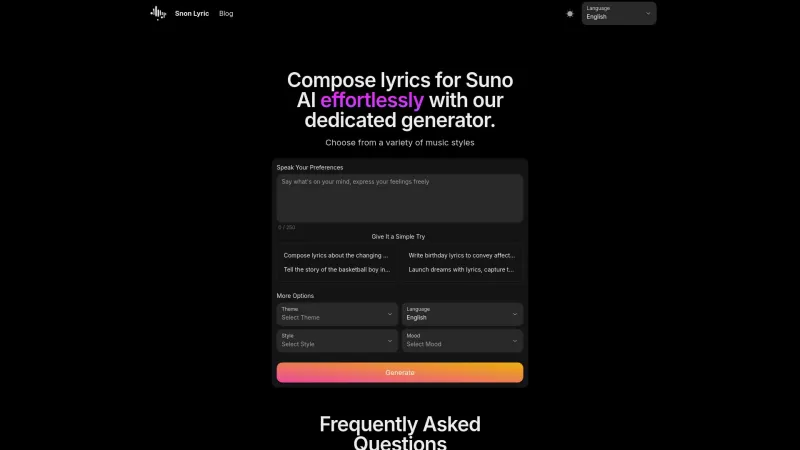
Ever found yourself staring at a blank page, trying to come up with the perfect lyrics for your next big hit? Well, Suno AI might just be the creative spark you need! This AI-powered lyrics generator is like having a personal songwriter in your pocket, ready to craft custom song lyrics in a variety

Voicefy isn't just another tool; it's a game-changer for anyone looking to bring their text to life. Imagine having the power to turn your written words into a symphony of realistic speech, with options in multiple languages and voices that sound so natur

Ever found yourself in need of a quick and accurate transcription of a video or audio file? That's where Video To Text AI comes into play. It's a slick AI-powered tool designed to effortlessly convert your media into text. Whether you're juggling YouTube
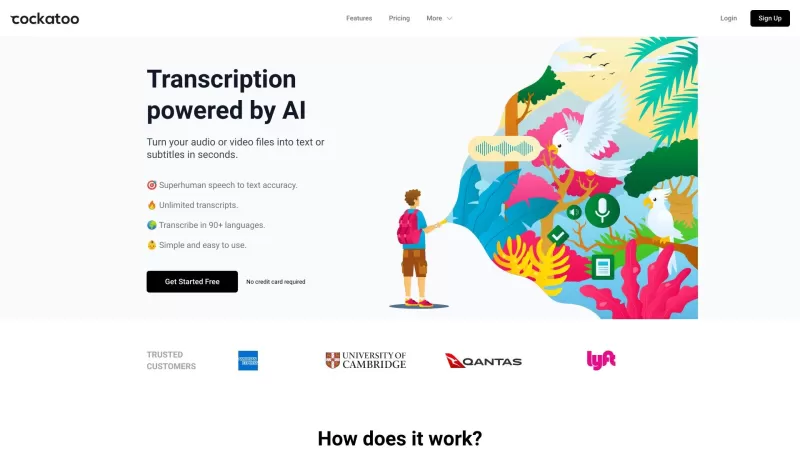
Ever wondered what Cockatoo is all about? Well, let me tell you, it's not just another bird in the tech jungle. Cockatoo is a cutting-edge AI-powered transcription service that turns your audio or video files into text or subtitles in the blink of an eye.
Clippit.ai - Chrome Extension Product Information
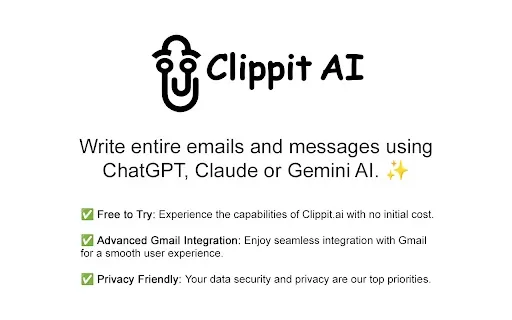
Ever find yourself staring at a blank email, wondering how to kick things off? Or maybe you're juggling tones, trying to strike the right note between professional and friendly? Enter Clippit AI, your new best friend for crafting emails and messages with ease. This AI-powered Chrome extension taps into the smarts of heavy hitters like ChatGPT, Claude Sonnet 3.5, and Gemini 1.5 Flash to whip up responses that are not just good, but great. And the best part? It integrates seamlessly with Gmail, letting you customize everything from the tone to the length of your messages, and it supports every language under the sun.
How to Get Started with Clippit AI
Getting started with Clippit AI is a breeze. Just install the extension, hop into Gmail, highlight the text you want to work with, give it a right-click, and let Clippit AI do its magic. You can pick your preferred AI model, set the tone you're aiming for, decide on the length, and even choose the language. It's like having a personal writing coach at your fingertips, ready to help you craft the perfect message.
What Makes Clippit AI Stand Out?
Your AI Writing Sidekick
Clippit AI isn't just another tool; it's your AI-powered assistant, ready to help you write emails and messages that hit the mark. Whether you're drafting a quick note or a detailed report, Clippit AI has your back.
Smooth Sailing with Gmail
If Gmail is your go-to, you're in luck. Clippit AI plays nice with Gmail, making it a seamless part of your email routine. No more switching tabs or apps—just smooth, efficient communication.
Privacy? Check.
Worried about privacy? Don't be. Clippit AI is designed with privacy in mind, ensuring your data stays yours. You can write with confidence, knowing your information is safe.
Tailor Your Tone and Length
Whether you need a formal email for work or a casual message to a friend, Clippit AI lets you customize the tone and length. It's like having a wardrobe of writing styles at your disposal, ready to match any occasion.
When to Use Clippit AI?
Crafting Emails That Impress
Whether you're aiming for a professional or casual vibe, Clippit AI helps you compose emails that hit the right note every time. Say goodbye to writer's block and hello to emails that get the job done.
Polishing Your Prose
Got a draft that's almost there but not quite? Let Clippit AI fix those pesky grammar errors and typos. It's like having a proofreader on speed dial.
Clarity is Key
Need to make your message clearer? Clippit AI can revise your text to ensure your point comes across loud and clear. No more misunderstandings—just crystal-clear communication.
Tone It Up or Down
Adjusting the tone of your communication can be tricky, but with Clippit AI, it's a snap. Whether you need to soften a message or add a bit of humor, Clippit AI helps you find the perfect tone.
Summarize in a Snap
In a hurry? Let Clippit AI quickly summarize content for you. It's perfect for those times when you need the gist without wading through pages of text.
Frequently Asked Questions
- What languages can be used with Clippit AI?
- Clippit AI supports all languages, making it a versatile tool for global communication.
- Is my data shared with the AI models in Clippit AI?
- Your data is not shared with the AI models. Clippit AI prioritizes your privacy and keeps your information secure.
- What is the privacy policy of Clippit AI?
- Clippit AI's privacy policy ensures that your data is handled with the utmost care, focusing on protecting your privacy and data security.
Clippit.ai - Chrome Extension Screenshot


2026 Latest Best Photoshop AI retouch tools for ecommerce apparel, skin cleanup, and color consistency! This top-rated curated list features powerful game-changing solutions that help you boost writing efficiency, streamline content creation, and achieve perfect visual results effortlessly. Each tool has undergone real-world tests through weekly updated rankings, complete with free vs paid comparison details. Backed by XIX.AI, it’s the must-try guide for anyone aiming to unlock your AI edge. Explore now!
 10 tools
 xix.ai

2026 Latest Best Top-Rated AI Prompt Libraries for optimizing all types of ChatGPT workflows. XIX.AI has curated a powerful, game-changing collection that goes through rigorous real-world tests to ensure top performance. You can find detailed free vs paid comparisons and expert rankings to help you choose the must-try tools that boost your productivity and unlock your AI edge. Explore now!
11 tools
xix.ai

2026 Latest Best AI Quiz Builder Platforms for Teachers, Tutors, and Cohort-Based Learning Programs! XIX.AI has curated a top-rated list of powerful game-changing tools that go through real-world tests to deliver accurate rankings. These must-try platforms help boost writing efficiency, streamline content creation, and simplify quiz design across all learning scenarios. Explore now to discover your perfect tool for unlocking your AI edge in teaching!
13 tools
xix.ai

2026 Latest Best AI Pull Request Review Tools for GitHub Teams are here on XIX.AI! This top-rated curated list showcases powerful game-changing solutions that streamline refactoring, bug fixing, and security gap detection across all team workflows. Enjoy a free vs paid comparison along with real-world tests and detailed rankings to help you find the perfect tool that boosts productivity significantly. Explore now to unlock your AI edge!
12 tools
xix.ai

2026 Latest Best Top-rated AI Text to Speech Tools for Natural Voiceovers are here on XIX.AI! This curated list features powerful, game-changing options that deliver crystal-clear voices for every use case, backed by real-world tests and weekly updated rankings. Get a free vs paid comparison to find the must-try solution that boosts your productivity instantly. Explore now to Unlock your AI edge!
11 tools
xix.ai

2026 Latest Best Manga AI Background Generators Ranked Top-Rated! This curated collection showcases powerful game-changing tools perfect for creating high-quality chapter backgrounds, book covers, and promotional art. Every option has undergone rigorous real-world tests to ensure reliability. Get a free vs paid comparison along with detailed insights. Explore now to discover your perfect tool and unlock your AI edge in manga creation.
6 tools
xix.ai


