


 Home
HomeClaap - Meeting & Screen Recording



Helps TikTok sellers, brands, MCNs, and TAPs discover winning products and find creators.

HelpLook is an AI-powered all-in-one knowledge base tool that helps businesses quickly build knowledge bases, help centers, and...

Your AI Workspace

302.AI is an enterprise-grade AI resource platform with pay-as-you-go pricing, API access to a full range of AI models, and ready-to-use online applications.

剧火AI — AI Screenwriter + Director, a One-Person Short Drama Studio In one sentence, what is it?

What is GPT2Markdown?GPT2Markdown is a Chrome extension that streamlines the process of exporting your ChatGPT conversations into Markdown format. With a single click, it allows you to download your chat history as a Markdown (.md) file directly to y

What is ConceptMap AI? ConceptMap AI is a free tool for creating concept maps, built for knowledge professionals. It enables users to generate concept maps in seconds using artificial intelligence. By having a conversation with the AI, you can shape
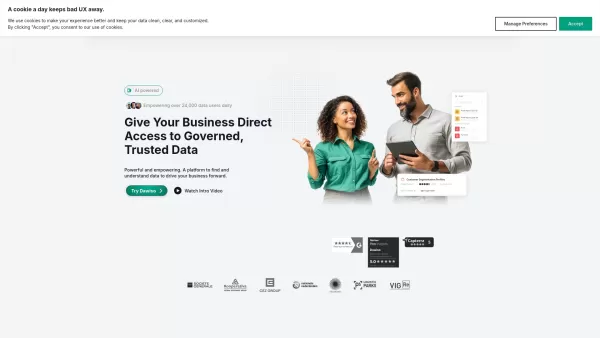
What is Dawiso? Dawiso is a user-friendly data governance platform that brings order, clarity, and collaboration to organizational data. It consolidates metadata via an intelligent data catalog, busin
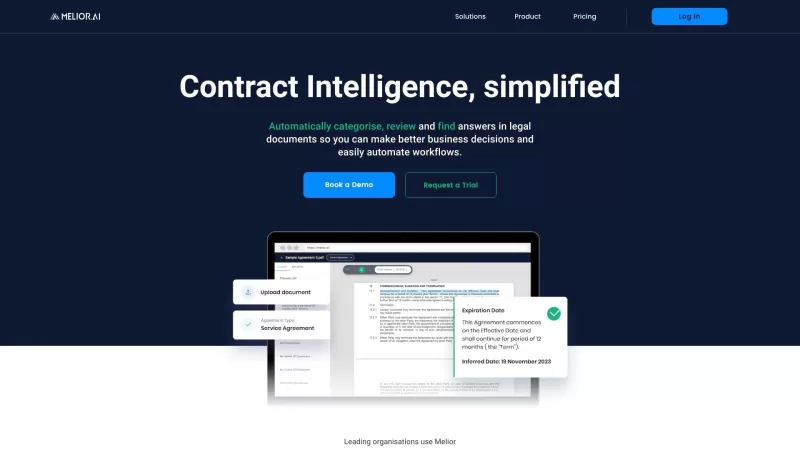
Melior AI isn't just another tool; it's a game-changer in the world of contract management. Think of it as your smart assistant that dives deep into legal documents, no matter the language, and pulls out exactly what you need. Whether you're categorizing
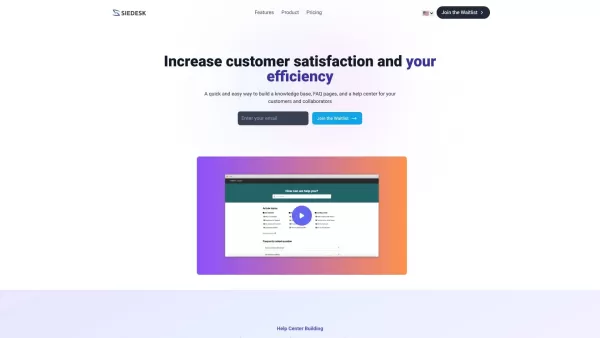
What is Siedesk - Help Center & Knowledge Base?Siedesk is a complete solution that simplifies your knowledge management workflow. It allows you to build both internal and external knowledge bases and FAQ pages, all enhanced by artificial intelligence
Claap - Meeting & Screen Recording Product Information
What is Claap - Meeting & Screen Recording?
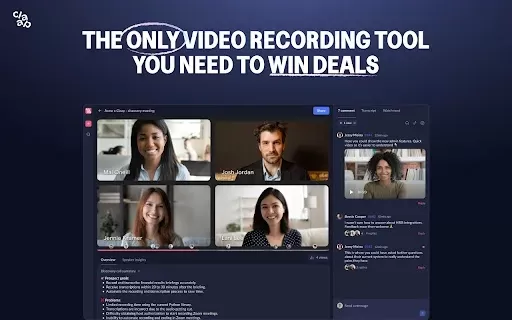
Claap is a tool that lets you seamlessly capture live meetings and record concise videos. It features AI-powered transcripts and annotation tools, making it simple to review and synthesize key points from any session. By centralizing your video knowledge, Claap ensures important conversations are always easy to find and manage. It's a perfect solution for teams aiming to enhance collaboration, cut down on redundant meetings, and save valuable time.
Who uses Claap - Meeting & Screen Recording?
- Business professionals
- Remote and distributed teams
- Educators and trainers
- Content creators
- Sales and marketing teams
How to use Claap - Meeting & Screen Recording
- Step 1: Install the Claap extension from the Chrome Web Store.
- Step 2: Launch Google Meet and begin your meeting.
- Step 3: Click the Claap icon to start recording your session.
- Step 4: Add annotations and comments during the recording for additional context.
- Step 5: After the meeting ends, access your video to review, summarize, or edit it as required.
Platform
- Web
- Chrome
Claap - Meeting & Screen Recording Core Features & Benefits
Core Features
- Real-time screen and meeting recording
- AI-generated meeting transcripts
- Video annotation tools
- Automated meeting summaries
Key Benefits
- Saves time with fast meeting summaries
- Boosts knowledge retention
- Strengthens team collaboration
- Provides easy access to all recorded content
Claap - Meeting & Screen Recording Main Use Cases & Applications
- Synchronous team meetings
- Webinars and online events
- Employee training sessions
- Client sales presentations
Claap - Meeting & Screen Recording FAQs
Is there a free trial available?
Yes, Claap provides a free trial for new users.
Can multiple users record at the same time?
No, only one participant can initiate a recording at a time.
Does Claap work on all browsers?
Claap is designed specifically for the Google Chrome browser.
Is the video recording quality high?
Yes, Claap delivers high-definition video recordings.
Can you edit the recordings after they are made?
Yes, you can edit your recordings after the meeting is over.
Are AI-generated transcripts accurate?
Yes, transcripts are created using advanced AI algorithms to ensure high accuracy.
Is Claap suitable for large teams?
Yes, Claap is built to support collaboration for teams of all sizes.
How can I access my recordings?
All your recordings are securely stored and available in your Claap dashboard.
What kind of support does Claap offer?
Claap offers email support and comprehensive online documentation.
What formats can recordings be saved in?
Recordings can be exported and saved in MP4 format.
Claap - Meeting & Screen Recording Company Information
Claap - Meeting & Screen Recording Screenshot


2026 Latest Best AI Study Tools for Homework and Exam Prep! XIX.AI curates a top-rated list of powerful, game-changing tools that help students boost productivity, streamline homework completion, and ace exams through real-world tests. Get a free vs paid comparison, detailed rankings, and must-try options to unlock your AI edge. Explore now!
 10 tools
 xix.ai

2026 Latest Best AI Vocal Demo Tools for Songwriters, Hook Creators, and Multi-Language Content Teams! XIX.AI has curated a top-rated list of powerful game-changing tools that go through rigorous real-world tests. You’ll find detailed free vs paid comparison data, comprehensive rankings, and must-try options to help you boost writing efficiency and unlock your creative potential. Explore now to discover your perfect tool for all your content needs!
9 tools
xix.ai

2026 Latest Best Top-rated AI Competitive Research Tools for Small Businesses! XIX.AI has curated a highly powerful game-changing collection, updated weekly with rigorous real-world tests and detailed rankings. You can find a comprehensive free vs paid comparison to help you identify the must-try tools that boost your productivity and give you a competitive edge. Explore now to discover your perfect tool!
9 tools
xix.ai

2026 Latest Best Photoshop AI retouch tools for ecommerce apparel, skin cleanup, and color consistency! This top-rated curated list features powerful game-changing solutions that help you boost writing efficiency, streamline content creation, and achieve perfect visual results effortlessly. Each tool has undergone real-world tests through weekly updated rankings, complete with free vs paid comparison details. Backed by XIX.AI, it’s the must-try guide for anyone aiming to unlock your AI edge. Explore now!
10 tools
xix.ai

2026 Latest Best Top-Rated AI Prompt Libraries for optimizing all types of ChatGPT workflows. XIX.AI has curated a powerful, game-changing collection that goes through rigorous real-world tests to ensure top performance. You can find detailed free vs paid comparisons and expert rankings to help you choose the must-try tools that boost your productivity and unlock your AI edge. Explore now!
11 tools
xix.ai

2026 Latest Best AI Quiz Builder Platforms for Teachers, Tutors, and Cohort-Based Learning Programs! XIX.AI has curated a top-rated list of powerful game-changing tools that go through real-world tests to deliver accurate rankings. These must-try platforms help boost writing efficiency, streamline content creation, and simplify quiz design across all learning scenarios. Explore now to discover your perfect tool for unlocking your AI edge in teaching!
13 tools
xix.ai


Love how Claap handles meeting recordings! The AI transcript is super accurate and the annotation tools are a lifesaver for catching up on missed meetings. 🎥💡


