


 Home
HomeChronify
AI Assistant for Task Management and Scheduling



Helps TikTok sellers, brands, MCNs, and TAPs discover winning products and find creators.

HelpLook is an AI-powered all-in-one knowledge base tool that helps businesses quickly build knowledge bases, help centers, and...

Your AI Workspace

302.AI is an enterprise-grade AI resource platform with pay-as-you-go pricing, API access to a full range of AI models, and ready-to-use online applications.

剧火AI — AI Screenwriter + Director, a One-Person Short Drama Studio In one sentence, what is it?

Ever heard of Grok? It's this nifty AI assistant from xAI that's all about giving you the straight scoop. And the best part? It's totally free! Grok isn't just your average AI; it's packed with cool features like real-time search, image generation, and tr

Ever wondered what Qwen AI is all about? Well, let me introduce you to this gem from Alibaba Cloud. Qwen AI is not your average language model; it's a powerhouse designed to be your go-to buddy for everything from whipping up text to coding, and even reco

Discover Plume AI: Your Ultimate Academic Writing AssistantAre you tired of struggling with your academic writing? Well, say hello to Plume AI, the innovative AI assistant that's here to revolutionize the way you write! Designed with students in mind, Plume AI harnesses the power of cutting-edge art

Ever wished for a trusty sidekick to help you navigate the digital world with ease? Enter Sider, your personal AI companion designed to seamlessly blend into your daily routine. Starting off as a handy Chrome/Edge extension, Sider transforms your browsing

Ever wondered what Ninja AI is all about? Well, let me tell you, it's like having a Swiss Army knife for your digital needs! Ninja AI isn't just another AI tool; it's a powerhouse that brings together over 24 top-notch Large Language Models (LLMs) to help
Chronify Product Information
Chronify isn't just another app; it's your new AI-powered sidekick that's all about making your life smoother. It dives into the nitty-gritty of your daily grind—managing schedules, handling communications, and sorting out your arrangements so you can focus on what really matters. Think of it as your personal productivity booster, always working behind the scenes to keep your world in order.
How to Use Chronify?
Getting started with Chronify is a breeze. First, you'll need to sign up—yep, just the usual drill. Once you're in, it's time to let Chronify get to know you. Import all your calendars; don't be shy about it. This AI buddy loves data. Next, start adding your tasks. Whether it's a meeting, a reminder to call your mom, or that dentist appointment you keep forgetting, throw it all in there. And just sit back and watch as Chronify starts weaving its magic, adjusting your schedule to fit everything in like a pro.
Chronify's Core Features
AI-driven scheduling
Chronify uses AI to look at your habits, your preferences, and even your procrastination patterns. It then crafts a schedule that's not just efficient but also tailored to how you work best. It's like having a personal scheduler who knows you better than you know yourself.
Proactive schedule management
Ever had a day where everything just falls apart? Chronify's got your back. It doesn't just react; it anticipates. It'll nudge you when it's time to leave for that meeting, remind you to prep for your next big presentation, and even suggest when you should take a break. It's like having a proactive assistant who's always one step ahead.
One-place task management
Forget juggling multiple apps. With Chronify, everything's in one spot. Your tasks, your schedule, your reminders—all neatly organized and easily accessible. It's like having a command center for your life, right at your fingertips.
Chronify's Use Cases
Imagine this: You're swamped with work, but you've got a family dinner you can't miss. Chronify steps in, automates your scheduling, and prioritizes your tasks so you can focus on what's truly important. Whether it's managing your work-life balance, keeping up with your fitness goals, or just making sure you don't forget your best friend's birthday, Chronify is there to help you stay on top of it all.
FAQ from Chronify
- How do I set up Chronify?
- Setting up Chronify is easy. Just sign up, import your calendars, and start adding tasks. The AI will take care of the rest, adjusting your schedule automatically.
- Is Chronify compatible with my web browser?
- Chronify is designed to work seamlessly with all major web browsers, so you should have no trouble using it on your preferred platform.
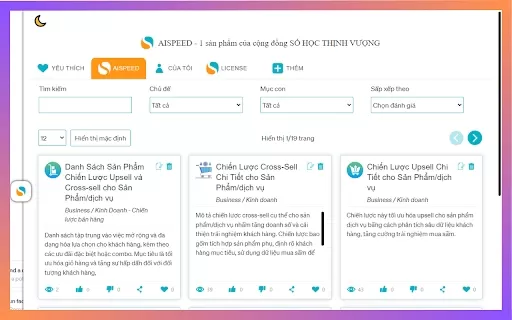
Chronify Screenshot



2026 Latest Best Top-Rated AI Workflow Automation Tools for Business Operations are here on XIX.AI! This curated collection features powerful, game-changing solutions that streamline tasks, boost productivity, and save time across teams. We conduct real-world tests to deliver accurate rankings and a free vs paid comparison so you can easily find the must-try tool that fits your needs. Explore now to unlock your AI edge!
 9 tools
 xix.ai

2026 Latest Best Top-Rated AI Scheduling Automations for Streamlined Meeting Coordination and Efficient Follow-Ups. XIX.AI curates a powerful, game-changing collection of must-try tools that undergo rigorous real-world tests to deliver outstanding results. Get a free vs paid comparison along with detailed rankings to help you find the perfect solution that boosts your productivity significantly. Explore now to unlock your AI edge!
10 tools
xix.ai
2026 Latest Best Notion AI Workspace Assistants ranking covers top-rated tools that offer powerful game-changing support for organizing notes, managing tasks, building wikis, and creating weekly planning systems. This curated list includes a free vs paid comparison along with real-world tests to help you find the must-try solution that boosts your productivity significantly. XIX.AI delivers expert insights to streamline your workflow. Explore now to discover your perfect tool!
12 tools
xix.ai

2026's top-rated AI personal assistant tools for superior scheduling, email, and daily task management. Discover powerful, curated picks on XIX.AI, with free vs paid comparisons and weekly updated rankings. Find your perfect productivity aide and unlock your AI edge today.
10 tools
xix.ai

2026 Latest curated list of the best AI-powered Python automation tools. Compare top-rated free and paid solutions for creating scripts, bots, and scheduling tasks to boost your development workflow. Real-world performance insights and weekly updated rankings. Discover your perfect tool on XIX.AI.
10 tools
xix.ai
Explore our 2026 latest curated list of top-rated AI assistant tools. Discover powerful, game-changing solutions for productivity, automation, and daily workflows. Compare free vs paid, view weekly updated rankings, and find your must-try match at XIX.AI. Unlock your AI edge today.
10 tools
xix.ai


Just tried Chronify for a week and it's honestly a game-changer! The way it handles my messy schedule and drafts emails feels like having a personal assistant. Still a bit worried about privacy though—hope they're transparent about data use. 😅


