


 Home
HomeChatGPT PDF Saver
ChatGPT to PDF Chrome Extension: Save & Export



Helps TikTok sellers, brands, MCNs, and TAPs discover winning products and find creators.

HelpLook is an AI-powered all-in-one knowledge base tool that helps businesses quickly build knowledge bases, help centers, and...

Your AI Workspace

302.AI is an enterprise-grade AI resource platform with pay-as-you-go pricing, API access to a full range of AI models, and ready-to-use online applications.

剧火AI — AI Screenwriter + Director, a One-Person Short Drama Studio In one sentence, what is it?

What is Optical Character Recognition (OCR)?Our OCR extension uses cutting-edge optical character recognition technology to convert images into editable text. Use screen selection or image uploads for immediate text conversion - ideal for students, p
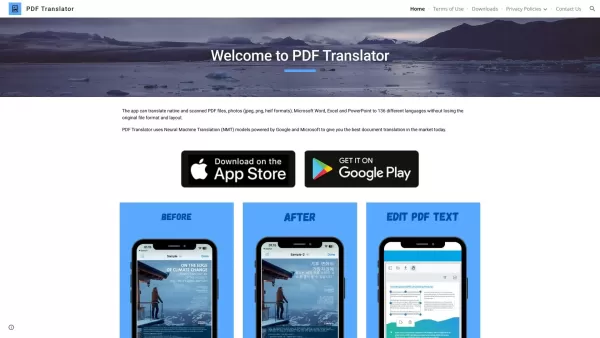
What is PDF Translator & Editor?PDF Translator & Editor is an all-in-one solution for translating and editing PDFs. It allows you to convert native PDFs, scanned files, and other formats like Word, Excel, PowerPoint, and images across 136 languages.
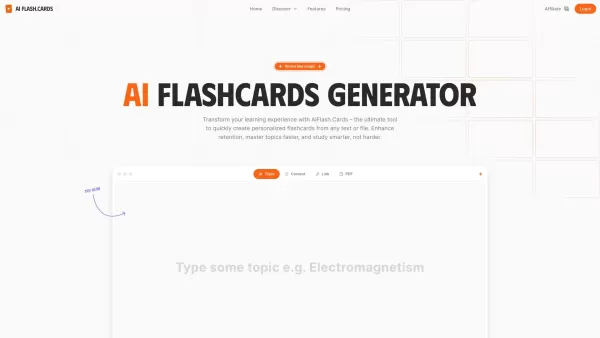
What is AI Flash.Cards?AI Flash.Cards is a smart tool that uses artificial intelligence to create custom flashcards from your text or PDF materials. Just upload your content, and it instantly generates easy-to-review flashcards, helping you remember
What is PDFY?PDFY.AI is an AI-powered application that allows users to interact with PDF files, websites, audio, and video content. It uses artificial intelligence to answer your questions, generate summaries, and pinpoint specific details within you
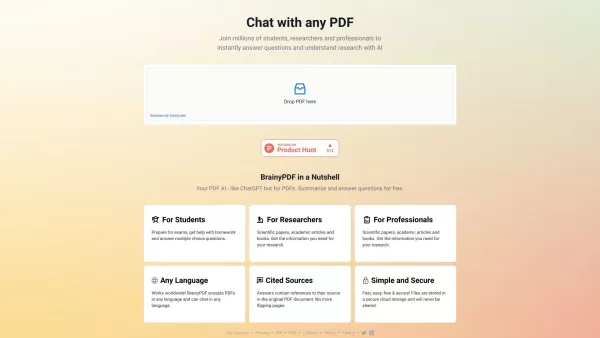
What is BrainyPDF?BrainyPDF is an AI-powered platform that enables users to ask questions and get detailed answers directly from any PDF. It includes intelligent features like context-aware text adjustments, AI-driven editing, and multi-language supp
ChatGPT PDF Saver Product Information
What is ChatGPT PDF Saver?
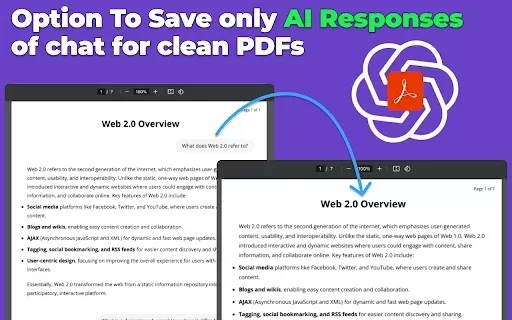
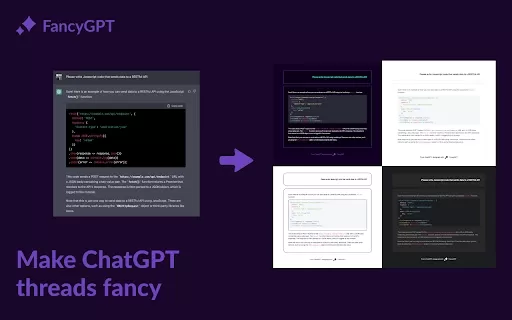
ChatGPT PDF Saver is a lightweight Chrome extension that enables users to download their ChatGPT conversations as PDF files. This tool allows you to efficiently manage and organize your AI-generated discussions, ensuring valuable dialogues are never lost. All data is processed locally on your device to ensure privacy, and the extension provides flexible export settings, including selective conversation saving and various page formats. Whether you're a professional, student, or researcher, it streamlines the process of documenting your AI interactions.
Who uses ChatGPT PDF Saver?
- Professionals and business users
- Students, educators, and academics
- Writers and content creators
- Customer support and service teams
- Researchers and analysts
How to use ChatGPT PDF Saver
- Step 1: Install the extension from the Chrome Web Store.
- Step 2: Visit ChatGPT and open any conversation.
- Step 3: Click the extension icon in your browser's toolbar.
- Step 4: Choose which conversation parts to include.
- Step 5: Adjust layout settings like paper size and format.
- Step 6: Click 'Save' to create the PDF.
- Step 7: Download and share your PDF file.
Platform
- Web
- macOS
- Windows
- Linux
- Chrome
ChatGPT PDF Saver's Core Features & Benefits
Core Features
- One-click save from ChatGPT to PDF
- Local processing for complete privacy
- Lightweight and fast performance
- Customizable export options
- Selective export of conversations
- Seamless Chrome browser integration
Benefits
- Preserve important conversations for future reference
- Share content in a universal, professional format
- Enhance productivity and personal organization
- Maintain privacy with local data processing
- Accessible and user-friendly interface
Primary Use Cases & Applications
- Archiving business meeting notes and summaries
- Saving study sessions and educational material
- Documenting creative brainstorming sessions
- Keeping records of customer service interactions
- Preserving detailed research and technical conversations
FAQs for ChatGPT PDF Saver
How do I save a ChatGPT conversation as a PDF?
Just install the extension, click its icon after your chat, choose the content to save, and generate your PDF effortlessly.
Can I print a ChatGPT conversation to PDF?
Yes, the extension includes a ChatGPT print to PDF function for simple conversion into printable documents.
Is the ChatGPT PDF Saver secure?
Yes, it is completely secure. All files are saved and processed locally, guaranteeing your privacy and data security.
What devices support generating a PDF from ChatGPT?
The extension works on desktops, laptops, and other compatible devices, offering broad accessibility.
Can I customize the PDF layout?
Yes, you can customize the layout by selecting different page sizes and formatting options to suit your requirements.
Is the extension free?
Yes, this AI PDF generator is free to use, with no cost or subscription required.
Do I need extra software to use it?
No additional software is needed. The extension works directly within your browser and with your OpenAI account.
Can I export only specific parts of a conversation?
Yes, you can select and export only the specific sections of your conversations that you need.
How large is the extension?
The extension is very lightweight, with a file size of only 360KB.
How does the extension protect my privacy?
All conversations are saved and processed locally on your device, so your data never leaves your computer, ensuring complete privacy.
Company Information for ChatGPT PDF Saver
- Utility Ninja
- https://chatgptpdf.tech
ChatGPT PDF Saver Screenshot


2026 Latest Best AI Pull Request Review Tools for GitHub Teams are here on XIX.AI! This top-rated curated list showcases powerful game-changing solutions that streamline refactoring, bug fixing, and security gap detection across all team workflows. Enjoy a free vs paid comparison along with real-world tests and detailed rankings to help you find the perfect tool that boosts productivity significantly. Explore now to unlock your AI edge!
 12 tools
 xix.ai

2026 Latest Best Top-rated AI Text to Speech Tools for Natural Voiceovers are here on XIX.AI! This curated list features powerful, game-changing options that deliver crystal-clear voices for every use case, backed by real-world tests and weekly updated rankings. Get a free vs paid comparison to find the must-try solution that boosts your productivity instantly. Explore now to Unlock your AI edge!
11 tools
xix.ai

2026 Latest Best Manga AI Background Generators Ranked Top-Rated! This curated collection showcases powerful game-changing tools perfect for creating high-quality chapter backgrounds, book covers, and promotional art. Every option has undergone rigorous real-world tests to ensure reliability. Get a free vs paid comparison along with detailed insights. Explore now to discover your perfect tool and unlock your AI edge in manga creation.
6 tools
xix.ai

2026 Latest Best Top-rated AI Object Removal Editors for portraits travel product shots! XIX.AI curates a powerful game-changing collection regularly updated with weekly rankings. These tools offer real-world tests to help you quickly remove unwanted elements, boost content quality, and save tons of time without compromising results. Must-try for anyone aiming to unlock their AI creation edge. Explore now!
10 tools
xix.ai

2026 Latest Best Top-rated AI Text to Speech Tools for Online Courses are curated by XIX.AI based on rigorous real-world tests and weekly updated rankings. These powerful tools help creators deliver crystal-clear audio content effortlessly, boosting writing efficiency and streamlining course production. Check out the free vs paid comparison to find your perfect fit. Explore now to unlock your AI edge in online education.
10 tools
xix.ai

2026 Latest Best Top-Rated AI Blog Title Tools for Higher Click Through Rates! XIX.AI has carefully curated a powerful, game-changing collection of top tools that go through rigorous real-world tests. You’ll find a free vs paid comparison, weekly updated rankings, and detailed insights to help you boost your blog’s traffic efficiently. Must-try options are highlighted to help you unlock your AI edge. Explore now!
10 tools
xix.ai


このChrome拡張機能、本当に便利ですね。会話をPDFで保存できるのは整理にとても役立ちます。特に情報量が多い議論をあとで参照したいとき、すぐに保存できるのが最高です✨ ただ、PDFのフォーマットが崩れることが時々ありますね。改善されるともっと完璧になると思います!


