


 Home
HomeChatBotKit
ChatBotKit: Build and Deploy User-Friendly Chatbots



Helps TikTok sellers, brands, MCNs, and TAPs discover winning products and find creators.

HelpLook is an AI-powered all-in-one knowledge base tool that helps businesses quickly build knowledge bases, help centers, and...

Your AI Workspace

302.AI is an enterprise-grade AI resource platform with pay-as-you-go pricing, API access to a full range of AI models, and ready-to-use online applications.

剧火AI — AI Screenwriter + Director, a One-Person Short Drama Studio In one sentence, what is it?
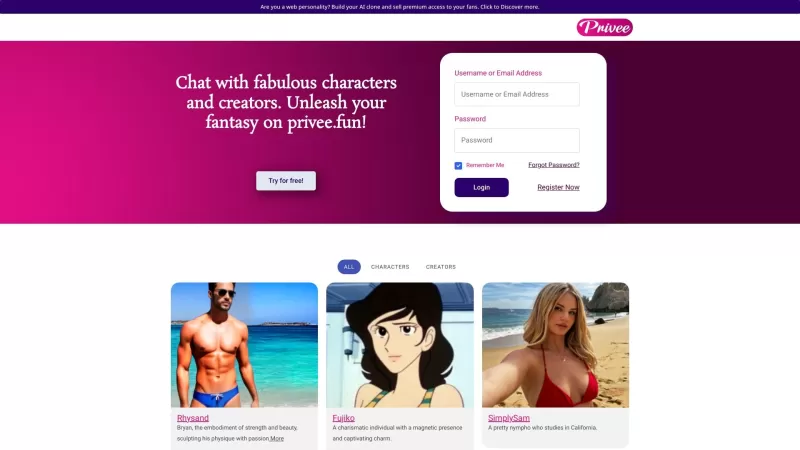
Ever felt like diving into a world of fantasy and fun, but with a twist that's not exactly office-friendly? Enter Privee, your go-to platform for AI-powered NSFW chats. If you've been on the hunt for something to spice up your chat experience, Privee stan
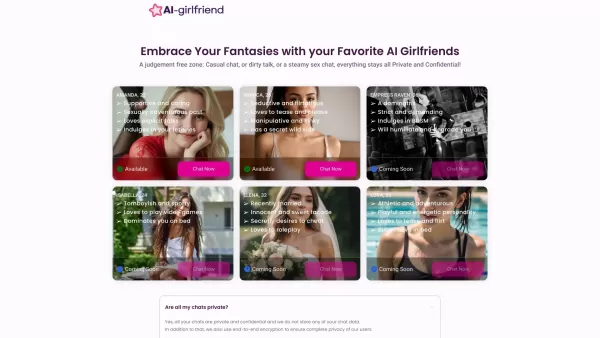
What Exactly is Fantasy Chat? Ever wished you could explore your wildest fantasies without judgment? Fantasy Chat is your private playground where you can chat, flirt, and dive into intimate conversations with AI companions. It's a safe space where your deepest desires meet cutting-edge AI technolo
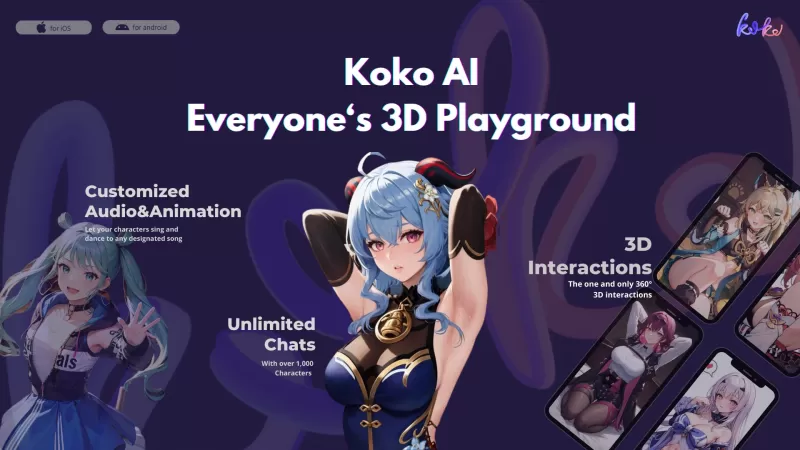
Ever wondered what Koko AI is all about? Picture this: a 3D social entertainment app that's completely driven by artificial intelligence-generated content (AIGC). We're talking about an immersive world where you can create your own unique AI friend and di

Ever wondered what it's like to step into a world where creativity flows as freely as the drinks? Welcome to Tipsy Chat, your very own AI Tavern with a twist of temperature. Here, every sip you take can lead you down a new path of imaginative exploration.
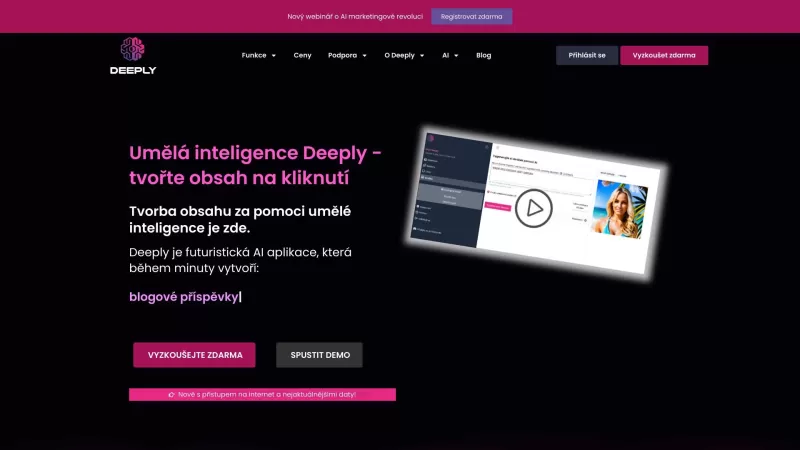
Ever wondered what Umělá inteligence Deeply is all about? Well, buckle up because this AI application is your one-stop shop for creating top-notch content and graphics with just a single click. It's like having a personal creative assistant at your finger
ChatBotKit Product Information
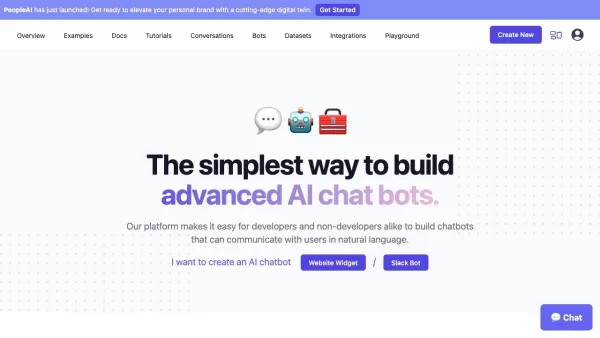
Ever wondered what ChatBotKit is all about? Let me break it down for you. It's this cool platform that lets both tech wizards and total newbies whip up chatbots that chat just like humans. With ChatBotKit, you can craft your own conversational AI, load it up with your data, and let it loose on your website, Slack, Discord—you name it. It's all about making customer interactions smoother and turning tedious tasks into a breeze.
How to Get Started with ChatBotKit
Ready to dive in? Here's how you can start using ChatBotKit:
- Head over to the front page and hit that enticing 'Get Access' button to sign up for a monthly membership.
- Create your account, log in, and you're in the driver's seat.
- Use the user-friendly template wizard to build your AI chatbot. Tweak its responses and supercharge its abilities to your heart's content.
- Hook your chatbot up with messaging platforms like Slack, Discord, and even WhatsApp.
- Want to add some AI charm to your website? Embed your chatbot using the widget integration.
- Keep an eye on the chat history to make sure your bot's got all the info it needs.
- Organize and manage your chatbot's data with custom datasets.
- Boost your bot's smarts by crafting custom skillsets.
- Explore the advanced features—think contact collection, GPT-4 support, sitemap integration, and the ability to import documents and media files.
- Rest easy knowing your data's secure thanks to ChatBotKit's robust privacy controls.
- Hit a snag? No worries, the customer support team's got your back.
What Makes ChatBotKit Stand Out?
Let's talk about what ChatBotKit brings to the table:
- Chat History: Keep tabs on all your bot's conversations.
- Custom Datasets: Tailor your chatbot with data that fits your needs.
- Custom Skillsets: Add specialized skills to make your bot even smarter.
- Contact Collection: Gather leads and contacts effortlessly.
- GPT-4 Support: Leverage the latest in AI tech for your bot.
- Sitemap Integration: Seamlessly integrate with your website's structure.
- Widget Integration: Drop your bot onto your site with ease.
- Document Importing: Load up your bot with useful documents.
- Media File Importing: Add media to make your bot's responses more engaging.
- Slack Bot Integration: Connect your bot to Slack for team communication.
- Discord Bot Integration: Engage your community on Discord.
- WhatsApp Bot Integration: Reach users where they are with WhatsApp.
- Twitter Integration: Interact with your audience on Twitter.
- GPT-3.5 Support: Another powerful AI model at your disposal.
- Streaming: Keep your bot's responses flowing smoothly.
- Widget Themes: Customize the look of your chatbot widget.
- Data Security: Strong measures to keep your data safe.
- Focus on Privacy: Your privacy is a top priority.
- Content Moderation: Keep things clean and on-topic.
- Semantic Search: Understand and respond to user queries better.
- AI Playgrounds: Experiment and play with AI features.
- No-Code Platform: Build chatbots without writing a single line of code.
- Simple Pricing: Transparent and straightforward pricing plans.
- App Platform: A solid foundation for your chatbot applications.
Where Can ChatBotKit Make a Difference?
So, how can ChatBotKit help you? Here are some ways:
- Boost Customer Engagement: Make every interaction count with personalized AI.
- Simplify Daily Tasks: Automate the mundane and focus on what matters.
- Enhance Website User Experience: Provide instant help and guidance to your visitors.
- Automate Customer Support: Handle customer queries around the clock.
- Streamline Lead Generation: Collect leads more efficiently and effectively.
- Offer Personalized Recommendations: Tailor suggestions to individual users.
- Create Virtual Assistants: Deploy AI helpers across various platforms.
Frequently Asked Questions
- What is ChatBotKit?
- ChatBotKit is a platform designed for creating conversational AI chatbots that can be integrated with multiple platforms to enhance user engagement and automate tasks.
- How do I use a chatbot?
- Using a chatbot is simple—interact with it through text or voice on the platform where it's integrated, like your website, Slack, or Discord.
- Is there a cost to use the chatbot?
- Yes, ChatBotKit offers monthly memberships. Check out the pricing page for details.
- How do I sign up for a monthly membership?
- Click the 'Get Access' button on the front page, create an account, and you're signed up!
- Do you offer custom pricing plans?
- Yes, custom plans are available depending on your needs. Contact customer support for more info.
- Do you offer free trials?
- Unfortunately, no free trials are currently offered, but you can explore the platform with a monthly membership.
- How do I cancel my monthly membership?
- You can cancel your membership at any time through your account settings or by contacting customer support.
- Can I get a refund if I am not satisfied?
- Refund policies are outlined in the terms of service. Contact customer support for specific cases.
- How do I contact customer support?
- You can reach out via email at [email protected] or join our community on Discord or Reddit.
For more details on pricing, check out ChatBotKit Pricing. Connect with us on LinkedIn, Twitter, and explore our community on Reddit. Developers, don't miss out on our GitHub resources.
ChatBotKit Screenshot


2026 Latest Best AI Pull Request Review Tools for GitHub Teams are here on XIX.AI! This top-rated curated list showcases powerful game-changing solutions that streamline refactoring, bug fixing, and security gap detection across all team workflows. Enjoy a free vs paid comparison along with real-world tests and detailed rankings to help you find the perfect tool that boosts productivity significantly. Explore now to unlock your AI edge!
 12 tools
 xix.ai

2026 Latest Best Top-rated AI Text to Speech Tools for Natural Voiceovers are here on XIX.AI! This curated list features powerful, game-changing options that deliver crystal-clear voices for every use case, backed by real-world tests and weekly updated rankings. Get a free vs paid comparison to find the must-try solution that boosts your productivity instantly. Explore now to Unlock your AI edge!
11 tools
xix.ai

2026 Latest Best Manga AI Background Generators Ranked Top-Rated! This curated collection showcases powerful game-changing tools perfect for creating high-quality chapter backgrounds, book covers, and promotional art. Every option has undergone rigorous real-world tests to ensure reliability. Get a free vs paid comparison along with detailed insights. Explore now to discover your perfect tool and unlock your AI edge in manga creation.
6 tools
xix.ai

2026 Latest Best Top-rated AI Object Removal Editors for portraits travel product shots! XIX.AI curates a powerful game-changing collection regularly updated with weekly rankings. These tools offer real-world tests to help you quickly remove unwanted elements, boost content quality, and save tons of time without compromising results. Must-try for anyone aiming to unlock their AI creation edge. Explore now!
10 tools
xix.ai

2026 Latest Best Top-rated AI Text to Speech Tools for Online Courses are curated by XIX.AI based on rigorous real-world tests and weekly updated rankings. These powerful tools help creators deliver crystal-clear audio content effortlessly, boosting writing efficiency and streamlining course production. Check out the free vs paid comparison to find your perfect fit. Explore now to unlock your AI edge in online education.
10 tools
xix.ai

2026 Latest Best Top-Rated AI Blog Title Tools for Higher Click Through Rates! XIX.AI has carefully curated a powerful, game-changing collection of top tools that go through rigorous real-world tests. You’ll find a free vs paid comparison, weekly updated rankings, and detailed insights to help you boost your blog’s traffic efficiently. Must-try options are highlighted to help you unlock your AI edge. Explore now!
10 tools
xix.ai


