


 Home
HomeChatBoost
Enhance ChatGPT on Android with ChatBoost



Helps TikTok sellers, brands, MCNs, and TAPs discover winning products and find creators.

HelpLook is an AI-powered all-in-one knowledge base tool that helps businesses quickly build knowledge bases, help centers, and...

Your AI Workspace

302.AI is an enterprise-grade AI resource platform with pay-as-you-go pricing, API access to a full range of AI models, and ready-to-use online applications.

剧火AI — AI Screenwriter + Director, a One-Person Short Drama Studio In one sentence, what is it?
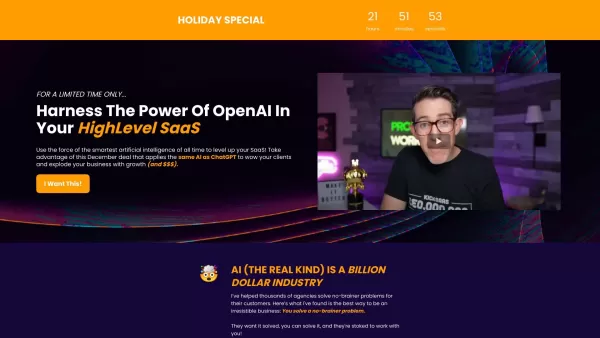
ZappyChat AI isn't just another chatbot; it's your secret weapon for boosting customer engagement and streamlining your business operations. This high-level AI chatbot is seamlessly integrated into the HighLevel SaaS platform, leveraging the might of Open
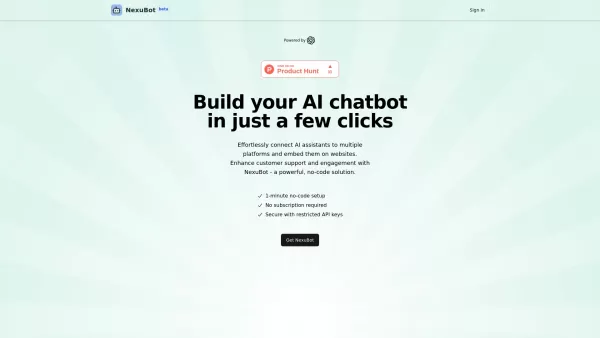
If you've been on the hunt for a seamless way to integrate AI chatbots into your digital channels, then let me introduce you to NexuBot. This isn't just another tool; it's a SaaS platform that cleverly hooks up OpenAI's AI assistants to a variety of digit
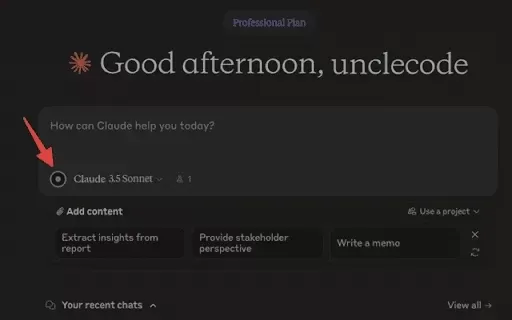
What is Claudet: Claude.ai Voice Input?Claudet: Claude.ai Voice Input elevates your Claude.ai experience by enabling direct voice command input. It utilizes advanced technologies like Groq API, OpenAI, and WebGPU to deliver a smooth voice input featu
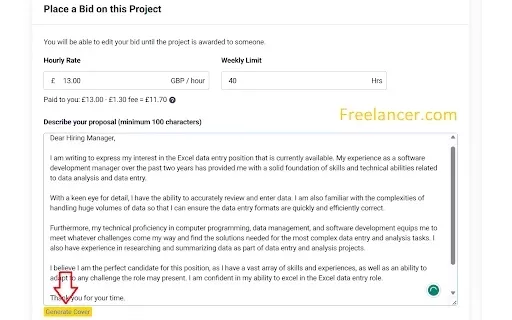
What is AI Cover Writer for Freelancers?AI Cover Writer for Freelancers is a powerful browser extension crafted for freelancers seeking to elevate their job applications. By harnessing OpenAI's API, it creates personalized cover letters that align wi
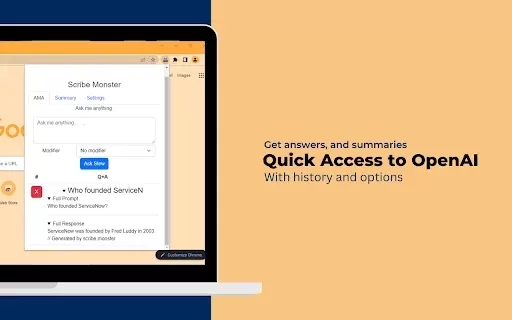
What is ScribeMonster?ScribeMonster is a Chrome extension built for developers seeking to streamline their workflow. By integrating directly into your coding environment, it allows you to generate scripts with OpenAI, edit code, and easily insert JSD
ChatBoost Product Information
What is ChatBoost?
ChatBoost is essentially a bridge between you and ChatGPT, tailored specifically for Android users. Unlike the official GPT interface, ChatBoost lets you connect directly to ChatGPT using your personal OpenAI API key. It’s like having a pocket-sized assistant that’s always ready to chat, no matter where you are.Getting Started with ChatBoost
Using ChatBoost is surprisingly straightforward. First, head over to the Google Play Store and grab the app. Once it’s installed, fire it up and input your OpenAI API key. That’s it—you’re good to go! From there, you can start firing off questions, brainstorming ideas, or just chatting casually with ChatGPT.Why ChatBoost Stands Out
Here’s what makes ChatBoost a standout tool:- Seamless Integration: No complicated setups or endless tutorials—just plug in your API key and you’re connected.
- Android-Friendly Design: Built specifically for mobile, so you can carry your virtual assistant in your pocket.
- Customizable UI: Tweak the interface however you like to suit your style or workflow.
- Real-Time Conversations: Get instant responses without waiting around—perfect for quick queries or brainstorming sessions.
Practical Applications of ChatBoost
ChatBoost isn’t just for fun—it has real-world applications too:- Enrich Conversations: Need inspiration for a conversation starter or a creative idea? ChatBoost has got you covered.
- Instant Answers: Got a question you need answered fast? Ask ChatBoost—it’s like having Google at your fingertips.
- Create Interactive Bots: Build your own chatbot for customer service, entertainment, or even personal projects.
Frequently Asked Questions About ChatBoost
- Q: What exactly is ChatBoost?
- A: Think of it as a lightweight, mobile-friendly client for accessing ChatGPT via your OpenAI API key.
- Q: How do I use ChatBoost?
- A: Download the app, enter your API key, and start chatting. It’s that simple!
- Q: What are its main features?
- A: Seamless integration with ChatGPT, a user-friendly Android interface, customizable design, and real-time interaction.
- Q: What can I use ChatBoost for?
- A: From brainstorming ideas to building interactive bots, ChatBoost offers plenty of possibilities.
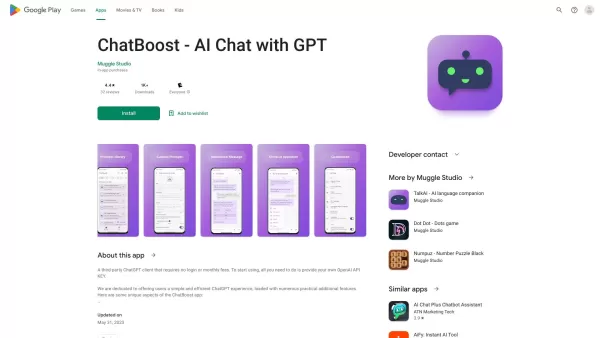
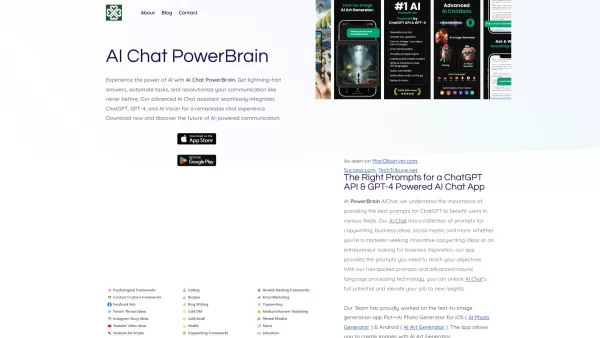
ChatBoost Screenshot

2026 Latest Best Top-rated AI Object Removal Editors for portraits travel product shots! XIX.AI curates a powerful game-changing collection regularly updated with weekly rankings. These tools offer real-world tests to help you quickly remove unwanted elements, boost content quality, and save tons of time without compromising results. Must-try for anyone aiming to unlock their AI creation edge. Explore now!
 10 tools
 xix.ai

2026 Latest Best Top-rated AI Text to Speech Tools for Online Courses are curated by XIX.AI based on rigorous real-world tests and weekly updated rankings. These powerful tools help creators deliver crystal-clear audio content effortlessly, boosting writing efficiency and streamlining course production. Check out the free vs paid comparison to find your perfect fit. Explore now to unlock your AI edge in online education.
10 tools
xix.ai

2026 Latest Best Top-Rated AI Blog Title Tools for Higher Click Through Rates! XIX.AI has carefully curated a powerful, game-changing collection of top tools that go through rigorous real-world tests. You’ll find a free vs paid comparison, weekly updated rankings, and detailed insights to help you boost your blog’s traffic efficiently. Must-try options are highlighted to help you unlock your AI edge. Explore now!
10 tools
xix.ai

2026 Latest Best Top-rated AI Task Routing Tools for Support Workflows! XIX.AI has curated a highly powerful game-changing collection of must-try solutions, all undergoing rigorous real-world tests and updated weekly. These tools streamline workflows, boost productivity, and help teams deliver faster, more efficient support. Explore now to discover your perfect tool and unlock your AI edge!
17 tools
xix.ai

2026 Latest Best Top-Rated AI Citation and Paper Summary Tools Curated by XIX.AI. Get powerful game-changing solutions for quick content creation, improved writing efficiency, and boosting productivity. We offer a free vs paid comparison along with real-world tests and weekly updated rankings to help you find the must-try tool that fits your needs perfectly. Explore now to Unlock your AI edge.
10 tools
xix.ai

2026 Latest Best Top-Rated AI Productivity Tools for Daily Work! XIX.AI has curated a powerful, game-changing selection based on rigorous weekly updated rankings and real-world tests. You’ll find must-try options that boost writing efficiency, streamline content creation, and help you overcome daily work challenges. Get a free vs paid comparison to find the perfect fit for your needs. Explore now to unlock your AI edge!
9 tools
xix.ai


