


 Home
HomeChat with MUI
AI chat for MUI docs within VS Code.



Helps TikTok sellers, brands, MCNs, and TAPs discover winning products and find creators.

HelpLook is an AI-powered all-in-one knowledge base tool that helps businesses quickly build knowledge bases, help centers, and...

Your AI Workspace

302.AI is an enterprise-grade AI resource platform with pay-as-you-go pricing, API access to a full range of AI models, and ready-to-use online applications.

剧火AI — AI Screenwriter + Director, a One-Person Short Drama Studio In one sentence, what is it?
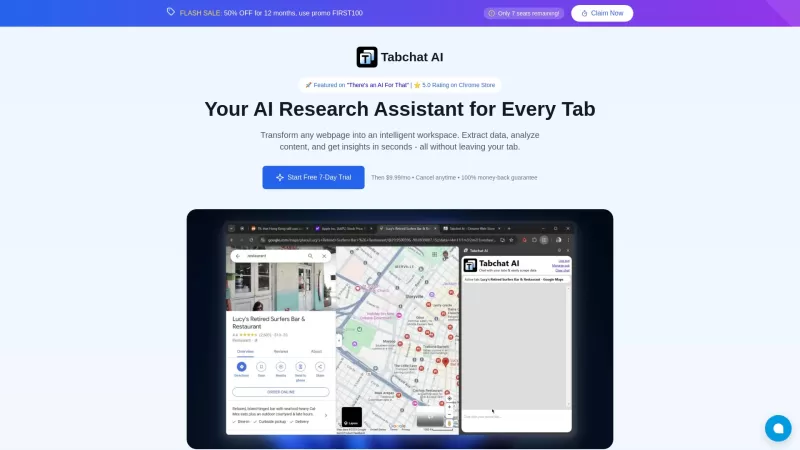
Ever found yourself juggling multiple tabs, wishing you could just talk to them to get the info you need? Well, Tabchat AI might just be your new best friend. It's a nifty Chrome extension that lets you chat with your active browsing tabs and even scrape

Faith Forward isn't just another app; it's a personal companion for anyone looking to deepen their Christian faith. It harnesses the power of AI to deliver a tailor-made spiritual experience. Whether you're craving custom devotionals, need a daily dose of
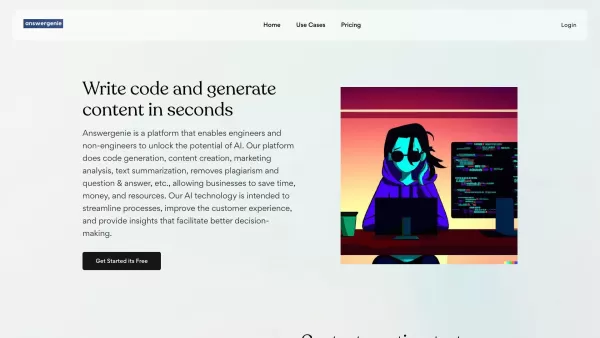
What is Answer Genie?AnswerGenie is an advanced AI-driven platform that delivers immediate, real-time answers to virtually any question you have. Available 24/7, it serves a diverse array of inquiries—from tech support and financial guidance to gener

Ever wondered how to make Computer Science education not just informative but truly engaging? Enter Profound Academy, a game-changer in the world of educational platforms. It's not just another tool; it's a revolution designed to transform how schools and
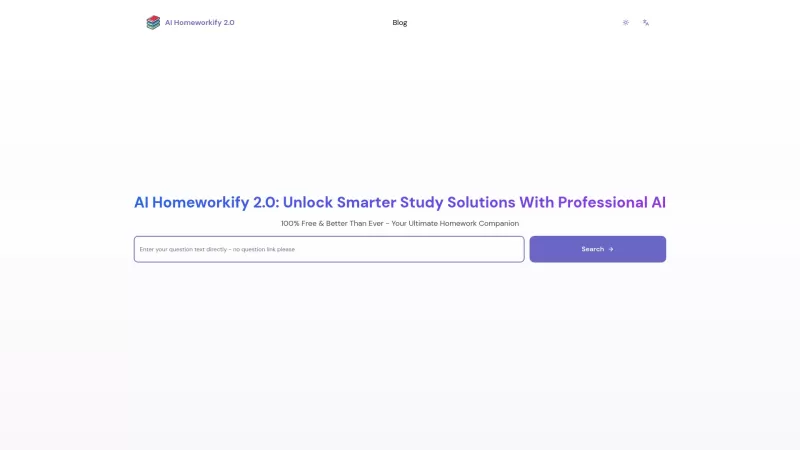
Ever stumbled upon a homework question that's got you scratching your head until the early hours? Well, let me introduce you to AI Homeworkify, your new late-night study buddy. This service is like a magic wand for students, offering instant, free homework help without even asking you to sign up. It
Chat with MUI Product Information
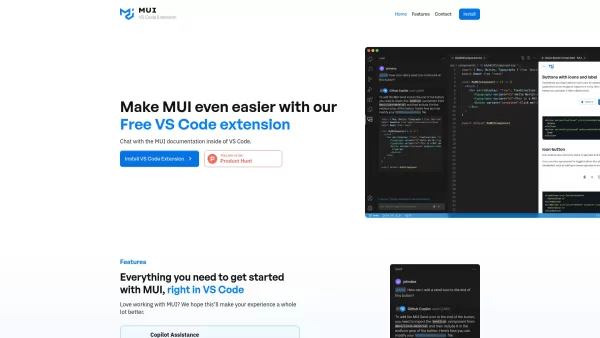
Chat with MUI isn't just another tool; it's like having a smart assistant right inside your VS Code, dedicated to making your life easier when working with Material-UI (MUI) components. Imagine being able to dive into the MUI documentation without ever leaving your coding environment. That's right, with Chat with MUI, you can ask questions, get answers, and even submit feedback on MUI directly within your VS Code. It's like having a direct line to the MUI experts, making your coding experience smoother and more efficient.
How to Make the Most Out of Chat with MUI
Getting started is a breeze. Just fire up your VS Code and when you're ready to tap into the MUI knowledge base, simply type '@mui' into GitHub Copilot. It's that simple! Whether you're stuck on a specific MUI component or just need some quick insights, this feature is your go-to.
Core Features That Make Chat with MUI Stand Out
Copilot Assistance for MUI Queries
Ever found yourself puzzled by an MUI component? With Chat with MUI, you can ask any question and get responses tailored from the official MUI documentation. It's like having a personal MUI coach right in your editor.
In-IDE Documentation Search
Why waste time jumping between tabs? Chat with MUI lets you search the MUI documentation without ever leaving VS Code. It's efficient, it's convenient, and it's a game-changer for anyone working with MUI.
Direct Feedback Submission for MUI
Got an idea to improve MUI? Or maybe you've found a little glitch? With Chat with MUI, you can send your feedback directly to the MUI team from within VS Code. It's an easy way to contribute to the MUI community.
Real-World Scenarios Where Chat with MUI Shines
Ever been in the middle of a coding sprint and hit a snag with MUI? With Chat with MUI, you don't have to break your flow to search for solutions. You can resolve MUI-related issues right from your code editor, keeping your productivity high and your frustration low.
Frequently Asked Questions About Chat with MUI
- How do I ask questions about MUI in VS Code?
- Just type '@mui' into GitHub Copilot within VS Code, and you're all set to ask your MUI questions.
- What features are coming soon for this extension?
- Stay tuned! We're always working on new ways to make your MUI experience even better. Check back often for updates.
For more information on how to get in touch, including support emails, customer service contacts, and refund inquiries, head over to our contact us page. Whether you need help or just want to share your thoughts, we're here for you!
Chat with MUI Screenshot

2026 Latest Best Top-rated AI Text to Speech Tools for Natural Voiceovers are here on XIX.AI! This curated list features powerful, game-changing options that deliver crystal-clear voices for every use case, backed by real-world tests and weekly updated rankings. Get a free vs paid comparison to find the must-try solution that boosts your productivity instantly. Explore now to Unlock your AI edge!
 11 tools
 xix.ai

2026 Latest Best Manga AI Background Generators Ranked Top-Rated! This curated collection showcases powerful game-changing tools perfect for creating high-quality chapter backgrounds, book covers, and promotional art. Every option has undergone rigorous real-world tests to ensure reliability. Get a free vs paid comparison along with detailed insights. Explore now to discover your perfect tool and unlock your AI edge in manga creation.
6 tools
xix.ai

2026 Latest Best Top-rated AI Object Removal Editors for portraits travel product shots! XIX.AI curates a powerful game-changing collection regularly updated with weekly rankings. These tools offer real-world tests to help you quickly remove unwanted elements, boost content quality, and save tons of time without compromising results. Must-try for anyone aiming to unlock their AI creation edge. Explore now!
10 tools
xix.ai

2026 Latest Best Top-rated AI Text to Speech Tools for Online Courses are curated by XIX.AI based on rigorous real-world tests and weekly updated rankings. These powerful tools help creators deliver crystal-clear audio content effortlessly, boosting writing efficiency and streamlining course production. Check out the free vs paid comparison to find your perfect fit. Explore now to unlock your AI edge in online education.
10 tools
xix.ai

2026 Latest Best Top-Rated AI Blog Title Tools for Higher Click Through Rates! XIX.AI has carefully curated a powerful, game-changing collection of top tools that go through rigorous real-world tests. You’ll find a free vs paid comparison, weekly updated rankings, and detailed insights to help you boost your blog’s traffic efficiently. Must-try options are highlighted to help you unlock your AI edge. Explore now!
10 tools
xix.ai

2026 Latest Best Top-rated AI Task Routing Tools for Support Workflows! XIX.AI has curated a highly powerful game-changing collection of must-try solutions, all undergoing rigorous real-world tests and updated weekly. These tools streamline workflows, boost productivity, and help teams deliver faster, more efficient support. Explore now to discover your perfect tool and unlock your AI edge!
17 tools
xix.ai


Just tried Chat with MUI in VS Code and it's a game-changer! No more tab-switching to docs. It understood my vague query about 'customizing a dark theme' and gave me the exact prop names. Saves so much time! 😎


