


 Home
HomeCannyArt
CannyArt: AI Image Generator for Otaku



Helps TikTok sellers, brands, MCNs, and TAPs discover winning products and find creators.

HelpLook is an AI-powered all-in-one knowledge base tool that helps businesses quickly build knowledge bases, help centers, and...

Your AI Workspace

302.AI is an enterprise-grade AI resource platform with pay-as-you-go pricing, API access to a full range of AI models, and ready-to-use online applications.

剧火AI — AI Screenwriter + Director, a One-Person Short Drama Studio In one sentence, what is it?

What is Banana AI - Free AI Photo Editor?Banana AI is a free, AI-driven photo editor that uses Google's Nano Banana technology (Gemini 2.5 Flash Image) to transform your pictures with simple text commands. Easily remove unwanted objects, swap backgro

What is Deepfake Maker Nano Banana AI? Nano Banana AI is an advanced artificial intelligence platform that generates stunning images from text descriptions and facilitates seamless image-to-image transformations. This cutting-edge AI model revolution

What is TranslateImages?AI Image Translator is an advanced tool that precisely translates text embedded in images, keeping the original layout and format intact. It supports over a dozen languages, such as English, Hindi, Arabic, Chinese, Japanese, K
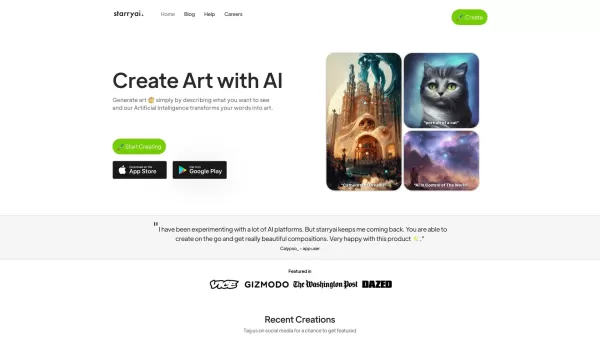
What is starryai 2.0?StarryAI 2.0 is an advanced AI tool that transforms your text descriptions into stunning, high-quality visuals. Choose from diverse AI modes like Art, Photos, and Illustrations, or explore custom styles. Simply select a style, ty
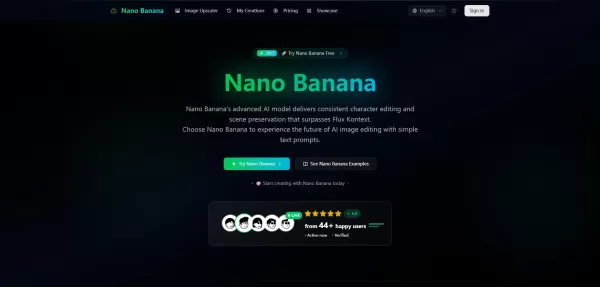
What is Google Nano Banana?Nano Banana is a cutting-edge AI platform for generating and editing images. By integrating text and image inputs, it enables consistent character editing and scene preservation. The platform offers ultra-fast generation, h
CannyArt Product Information
What is CannyArt?
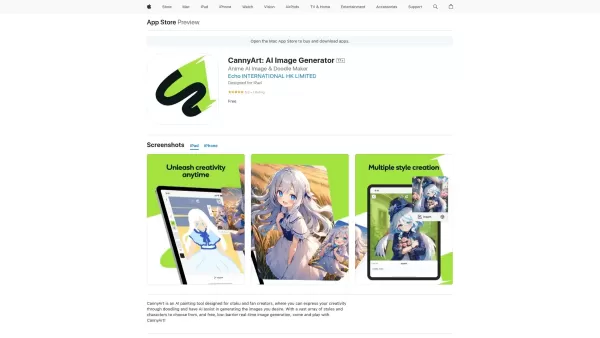
CannyArt is an AI painting tool created for otaku and fan creators. Whether you're sketching for fun or developing your creative ideas, CannyArt uses advanced AI to help you produce remarkable artwork with speed. The app lets you create illustrations by typing text prompts or uploading drawings, making artistic creation available to everyone, no matter their level of drawing ability. With support for multiple styles and themes, CannyArt meets the distinct preferences of users and empowers them to generate original and custom art.
Who uses CannyArt?
- Artists
- Graphic Designers
- Anime and Manga Fans
- Hobbyists
- Content Creators
How do you use CannyArt?
- Step 1: Download and install CannyArt from the App Store.
- Step 2: Open the app and sign up or log in to your account.
- Step 3: Pick a style or theme for your artwork.
- Step 4: Enter a text prompt or upload a sketch.
- Step 5: Let the AI create the image based on your input.
- Step 6: Review and download your completed artwork.
Platform
- iOS
CannyArt's Core Features & Benefits
Core Features
- Text-to-image generation
- Customizable art styles
- Easy-to-use interface
- High-quality artwork output
Benefits
- Boosts creativity and artistic ability
- Saves time creating art
- Suitable for users of all skill levels
- Perfect for producing fan art and illustrations
CannyArt's Main Use Cases & Applications
- Creating fan art of anime characters
- Illustrating web comics
- Developing graphic design concepts
- Quickly generating images for social media
Frequently Asked Questions
How can I download CannyArt?
You can download CannyArt from the App Store on iOS devices.
Is CannyArt free to use?
CannyArt offers free features but may include in-app purchases.
What art styles can I choose from?
A variety of styles are available, such as manga, anime, and more.
Can I save the artwork I create?
Yes, you can save your generated images directly to your device.
Do I need internet access to use CannyArt?
Yes, an internet connection is required for AI image generation.
Do I need to know how to draw to use CannyArt?
No prior drawing skills are necessary—you can create with text prompts.
What type of prompts deliver the best images?
Descriptive and detailed prompts tend to produce the best outcomes.
Is CannyArt available on Android?
CannyArt is currently only available for iOS.
Can I share my creations with others?
Yes, you can easily share your artwork on social media platforms.
Who is the developer of CannyArt?
CannyArt is developed by Echo International HK Limited.
About CannyArt
Website:
https://apps.apple.com/us/app/cannyart-ai-image-generator/id6478752043Company Name:
Echo International HK LimitedSupport Email:
Not AvailableFacebook:
Not AvailableX (Twitter):
Not AvailableYouTube:
Not AvailableInstagram:
Not AvailableTikTok:
Not AvailableLinkedIn:
Not Available
CannyArt Screenshot

2026 Latest Best Top-rated AI Text to Speech Tools for Natural Voiceovers are here on XIX.AI! This curated list features powerful, game-changing options that deliver crystal-clear voices for every use case, backed by real-world tests and weekly updated rankings. Get a free vs paid comparison to find the must-try solution that boosts your productivity instantly. Explore now to Unlock your AI edge!
 11 tools
 xix.ai

2026 Latest Best Manga AI Background Generators Ranked Top-Rated! This curated collection showcases powerful game-changing tools perfect for creating high-quality chapter backgrounds, book covers, and promotional art. Every option has undergone rigorous real-world tests to ensure reliability. Get a free vs paid comparison along with detailed insights. Explore now to discover your perfect tool and unlock your AI edge in manga creation.
6 tools
xix.ai

2026 Latest Best Top-rated AI Object Removal Editors for portraits travel product shots! XIX.AI curates a powerful game-changing collection regularly updated with weekly rankings. These tools offer real-world tests to help you quickly remove unwanted elements, boost content quality, and save tons of time without compromising results. Must-try for anyone aiming to unlock their AI creation edge. Explore now!
10 tools
xix.ai

2026 Latest Best Top-rated AI Text to Speech Tools for Online Courses are curated by XIX.AI based on rigorous real-world tests and weekly updated rankings. These powerful tools help creators deliver crystal-clear audio content effortlessly, boosting writing efficiency and streamlining course production. Check out the free vs paid comparison to find your perfect fit. Explore now to unlock your AI edge in online education.
10 tools
xix.ai

2026 Latest Best Top-Rated AI Blog Title Tools for Higher Click Through Rates! XIX.AI has carefully curated a powerful, game-changing collection of top tools that go through rigorous real-world tests. You’ll find a free vs paid comparison, weekly updated rankings, and detailed insights to help you boost your blog’s traffic efficiently. Must-try options are highlighted to help you unlock your AI edge. Explore now!
10 tools
xix.ai

2026 Latest Best Top-rated AI Task Routing Tools for Support Workflows! XIX.AI has curated a highly powerful game-changing collection of must-try solutions, all undergoing rigorous real-world tests and updated weekly. These tools streamline workflows, boost productivity, and help teams deliver faster, more efficient support. Explore now to discover your perfect tool and unlock your AI edge!
17 tools
xix.ai


