


 Home
HomeBugBot
AI Automation Testing: BugBot Revolutionizes Testing



Helps TikTok sellers, brands, MCNs, and TAPs discover winning products and find creators.

HelpLook is an AI-powered all-in-one knowledge base tool that helps businesses quickly build knowledge bases, help centers, and...

Your AI Workspace

302.AI is an enterprise-grade AI resource platform with pay-as-you-go pricing, API access to a full range of AI models, and ready-to-use online applications.

剧火AI — AI Screenwriter + Director, a One-Person Short Drama Studio In one sentence, what is it?

Ever wondered what the buzz about Gemini is all about? Let me break it down for you. Gemini is this cool generative AI chatbot, crafted by the brains at Google DeepMind. It's like having a super-smart friend who's been around the internet block, soaking u
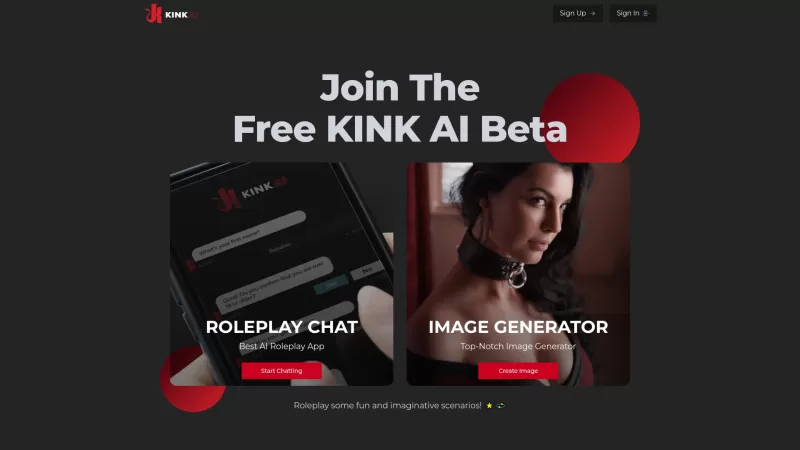
Ever wondered what it's like to dive into your wildest fantasies and roleplay scenarios without leaving your room? Well, Kink AI might just be the ticket you're looking for. This isn't your average chatbot; it's an early access platform designed to push t
What is Unshackled AI? Unshackled Chat is an AI-driven chatbot enabling free, uncensored conversations. It offers a platform for unrestricted AI interaction, prioritizing open expression. Available mo

Poly AI is a dynamic platform that's redefining how we interact with artificial intelligence. Imagine diving into a world where you can chat with over 10 million characters, roleplay without limits, and even create your own AI companions. It's like steppi

RushChat.AI is a unique platform that caters to those who seek deep, emotionally intense conversations with AI characters. It's all about letting go of any filters and diving into unrestricted dialogues that can take you on quite the emotional journey. Wh
BugBot Product Information
What is BugBot?
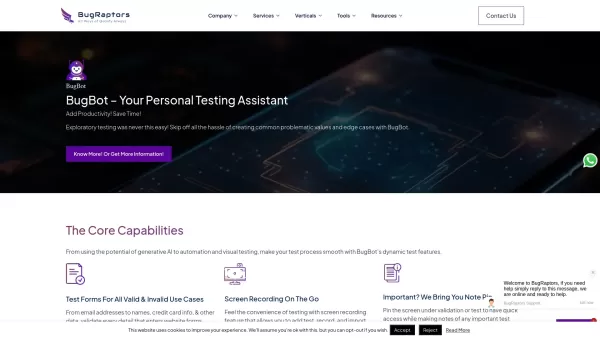
BugBot is an intelligent automation testing tool designed to enhance software testing with AI-powered capabilities. It generates test cases automatically, performs form validation, and conducts visual testing to boost accuracy and coverage. Users can leverage pre-built test scenarios and streamline exploratory testing for faster, more effective quality assurance. BugBot integrates smoothly into existing development workflows across various platforms.
Who uses BugBot?
- QA Engineers
- Software Developers
- Project Managers
- Test Automation Specialists
- IT Professionals
How to use BugBot
- Step 1: Install BugBot and integrate it into your development setup.
- Step 2: Select your test types, such as functional or regression testing.
- Step 3: Use AI to generate new test cases or apply pre-built scenarios.
- Step 4: Run the tests and review the outcomes.
- Step 5: Adjust and improve tests based on the results.
Platform
- Web
- Windows
- Linux
BugBot's Core Features & Benefits
The Core Features
- AI-powered test case generation
- Automated form validation
- Visual testing for UI consistency
- CI/CD tool integration
- Dynamic and real-time reporting
The Benefits
- Higher testing efficiency
- Less manual work required
- Greater test accuracy
- Accelerated product launch
- Better team collaboration
BugBot's Main Use Cases & Applications
- Exploratory testing
- Regression testing
- Web application form validation
- Visual user interface testing
- Integration testing
BugBot's Pros & Cons
The Pros
Generative AI creates dynamic test scenarios to boost productivity.
Visual AI testing detects UI inconsistencies automatically.
Minimizes manual effort for improved operational efficiency.
Supports multiple platforms, including Chrome extension integration.
24/7 access to professional QA advice and customer support.
Comprehensive toolset allowing customized testing strategies.
The Cons
Not open source and lacks a public GitHub repository.
Limited public information on pricing except for subscription references.
No dedicated mobile app or marketplace availability for streamlined access.
BugBot's Pricing
Has free plan | No |
|---|---|
Free trial details | |
Pricing model | |
Is credit card required | No |
Paid from | |
Has lifetime plan | No |
Billing frequency |
For the latest pricing, visit: https://www.bugraptors.com/bugbot
FAQs about BugBot
How do I start using BugBot?
Integrate BugBot into your development environment to start using its automated testing features.
What types of testing does BugBot support?
BugBot supports functional, exploratory, and regression testing.
Can BugBot be integrated with CI/CD tools?
Yes, BugBot integrates easily with commonly used CI/CD tools.
Is BugBot suitable for both web and mobile testing?
Yes, BugBot is built for testing both web and mobile applications.
What platforms does BugBot support?
BugBot is compatible with web, Windows, macOS, and Linux.
Can I customize test scenarios with BugBot?
Yes, you can create and tailor test scenarios to fit your specific needs.
Does BugBot provide reporting features?
Yes, BugBot offers dynamic reporting for test results and performance analysis.
Is training available for new users of BugBot?
Yes, comprehensive training is available to help new users learn the platform.
Can BugBot facilitate team collaboration?
Yes, BugBot improves teamwork by letting members share and discuss test results.
Is there a trial version of BugBot available?
Yes, a trial version is offered so you can evaluate the tool’s features.
BugBot Company Information
Website:
https://www.bugraptors.comCompany Name:
BugRaptorsSupport Email:
Facebook:
https://www.facebook.com/BugRaptors/X(Twitter):
NAYouTube:
NAInstagram:
NATiktok:
NALinkedIn:
https://www.linkedin.com/company/bug-raptors
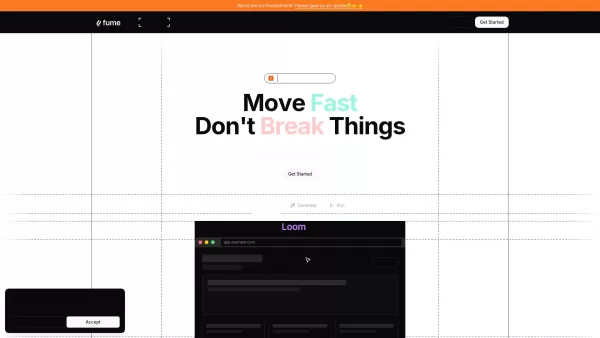
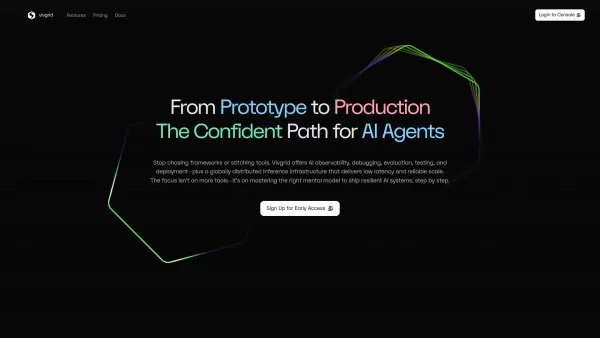
BugBot Screenshot
2026 Latest Top AI Statistical Analysis Tools: Discover the best AI-powered solutions to automate A/B testing, regression, and variance analysis. Our curated, weekly-updated rankings compare free vs paid options based on real-world tests. Find powerful, game-changing tools to unlock data-driven insights and optimize your decisions with confidence. Explore the top-rated picks at XIX.AI.
 10 tools
 xix.ai

Discover the 2026 latest best AI test case generation tools for superior unit and integration testing. XIX.AI's curated list features top-rated, game-changing AI solutions that automate scenarios, boost coverage, and accelerate QA. Compare free vs paid options with real-world test rankings. Find your perfect testing ally now.
10 tools
xix.ai
Discover the 2026 latest top-rated AI DevOps tools for CI/CD automation. Our XIX.AI curated list features powerful, game-changing solutions to streamline deployments, enhance testing, and boost engineering productivity. Get weekly updated rankings with free vs paid comparisons and expert insights. Unlock your automation edge now.
10 tools
xix.ai


Just tried BugBot and it's surprisingly good! The auto test case generation saved me hours of manual work, and the visual testing caught a layout bug I totally missed. 🤖 Still a bit worried about false positives for complex UI, but definitely a time-saver for regression testing.


