


 Home
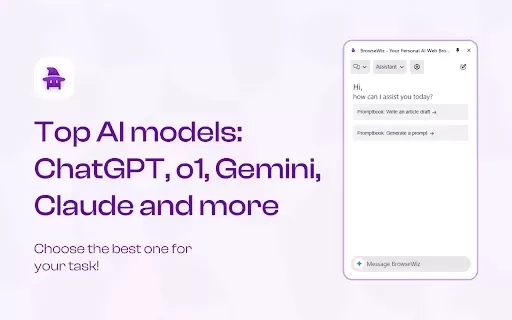
HomeBrowseWiz - Your Personal AI Assistant with ChatGPT, Gemini



Helps TikTok sellers, brands, MCNs, and TAPs discover winning products and find creators.

HelpLook is an AI-powered all-in-one knowledge base tool that helps businesses quickly build knowledge bases, help centers, and...

Your AI Workspace

302.AI is an enterprise-grade AI resource platform with pay-as-you-go pricing, API access to a full range of AI models, and ready-to-use online applications.

剧火AI — AI Screenwriter + Director, a One-Person Short Drama Studio In one sentence, what is it?

Ever wondered what lies beneath the fabric? Well, Undress AI promises to give you a peek with its deepnude technology. It's like having a digital artist at your fingertips, ready to create those "what if" scenarios without any of the hassle. This tool isn

What is Celebrity AI?CelebrityAI revolutionizes digital content creation with its cutting-edge artificial intelligence platform that generates lifelike celebrity videos and voice messages. Using sophisticated technologies including deep neural networ

If you're diving into the world of AI and need a tool to streamline your interactions with models like ChatGPT, Claude, and Gemini, let me introduce you to TaoPrompt. This isn't just another AI tool; it's a professional prompt generator that's designed to
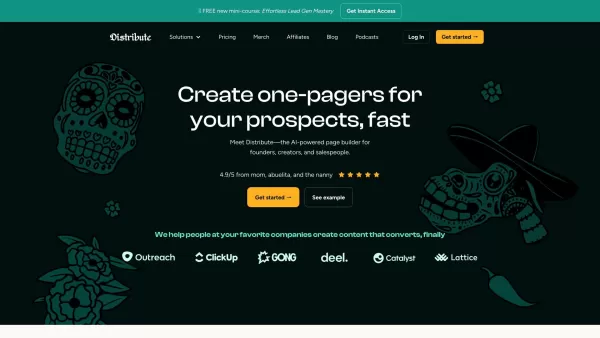
So, what’s this whole Distribute | Death To Whitepapers thing about? Think of it as your secret weapon for creating killer content—fast. In under 10 minutes, you can whip up something truly valuable, whether it’s a sleek one-pager, a micro-website, or eve

Ever wondered what EwolveAI is all about? Well, let me break it down for you. EwolveAI isn't just another AI tool; it's your all-in-one AI solution that's here to revolutionize the way you handle content. Whether you're a writer, a marketer, or just someo
BrowseWiz - Your Personal AI Assistant with ChatGPT, Gemini Product Information
What Is BrowseWiz? Your Personal AI Assistant Powered by ChatGPT and Gemini
BrowseWiz is an intelligent browser extension built to boost your productivity and simplify daily tasks. It brings together advanced large language model capabilities such as ChatGPT, Gemini, and DeepSeek directly into your browser’s sidebar, giving you instant access to AI tools without leaving the page you’re on. With this extension, you can automate repetitive tasks, create summaries of web pages, YouTube videos, and PDF files, organize your prompts in a customizable Promptbook, and even generate images using DALL-E. The option to use free and premium AI models daily, along with convenient one-click prompt buttons, makes BrowseWiz an ideal choice for students, content creators, researchers, and professionals alike.
Who Is BrowseWiz Designed For?
- Students
- Content creators
- Researchers
- Professionals
How to Get Started With BrowseWiz
- Step 1: Download and install BrowseWiz from the Chrome Web Store.
- Step 2: Pin the extension button to your toolbar and click it, or press Alt+B/Option+B to open the side panel.
- Step 3: Use the one-click prompt buttons to get immediate AI assistance based on what you’re currently viewing.
- Step 4: Customize and organize your prompts using the built-in Promptbook.
- Step 5: Enable cloud sync for your prompts and message history if you prefer.
- Step 6: Leverage various AI features such as page summarization and content generation.
Supported Platform
- chrome
Core Features and Benefits of BrowseWiz
The Core Features
- Integration of multiple AI models
- Customizable prompt library
- Real-time summaries of documents and videos
- Image generation via DALL-E
- AI chat history with cloud sync options
The Benefits
- Improved productivity
- Simplified workflow
- Easy access to powerful AI tools
- Personalized AI interactions
- Secure and encrypted data storage
Main Use Cases for BrowseWiz
- Summarizing documents
- Generating content
- Organizing prompts for AI tasks
- Aiding in research
- Creating images from text descriptions
FAQs About BrowseWiz
What Exactly Is BrowseWiz?
BrowseWiz is an AI-powered browser extension that delivers access to several advanced AI models right within your browsing experience through a dedicated sidebar.
How Do I Use BrowseWiz?
First, install it from the Chrome Web Store. After installation, pin the extension button and click it or use the shortcut Alt+B/Option+B to open the AI side panel.
Which AI Models Is It Compatible With?
BrowseWiz supports models including ChatGPT, Gemini, DeepSeek, Claude, and several others.
Can I Customize My Prompts?
Yes, you can customize and organize your prompts using the Promptbook feature.
Is My Data Stored Safely?
Yes, BrowseWiz stores your data in an encrypted format and offers cloud sync for your AI history if you enable that option.
Do I Need an Internet Connection?
Yes, an active internet connection is required to use the AI models and access cloud sync features.
Are There Any Free AI Models Available?
Yes, BrowseWiz provides free daily access to models such as ChatGPT 4o-mini and Gemini 2.0 Flash.
Which Browsers Does It Work With?
BrowseWiz is available for use in the Chrome browser.
How Can I Get Support?
You can contact support through the provided email address or join their Discord community for assistance.
Can BrowseWiz Generate Images?
Yes, it can generate images using DALL-E2 and DALL-E3 models.
Company Information for BrowseWiz
BrowseWiz - Your Personal AI Assistant with ChatGPT, Gemini Screenshot
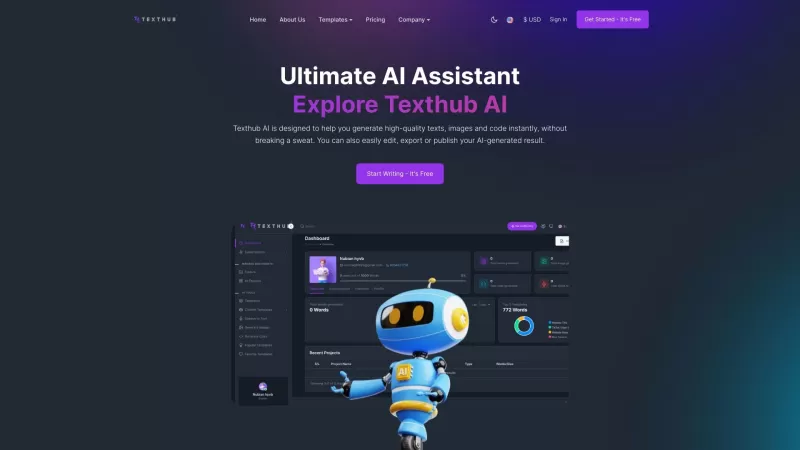
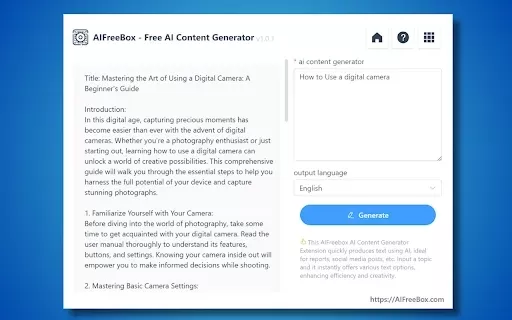

2026 Latest Best Top-Rated AI Outline Generators for Long-Form SEO Articles, meticulously curated by XIX.AI. These powerful tools offer game-changing assistance in creating high-quality content quickly, boosting writing efficiency significantly. Get a free vs paid comparison along with real-world tests and detailed rankings to help you find the must-try option that suits your needs. Explore now to unlock your AI edge.
 8 tools
 xix.ai

2026 Latest Best AI Study Tools for Homework and Exam Prep! XIX.AI curates a top-rated list of powerful, game-changing tools that help students boost productivity, streamline homework completion, and ace exams through real-world tests. Get a free vs paid comparison, detailed rankings, and must-try options to unlock your AI edge. Explore now!
10 tools
xix.ai

2026 Latest Best AI Vocal Demo Tools for Songwriters, Hook Creators, and Multi-Language Content Teams! XIX.AI has curated a top-rated list of powerful game-changing tools that go through rigorous real-world tests. You’ll find detailed free vs paid comparison data, comprehensive rankings, and must-try options to help you boost writing efficiency and unlock your creative potential. Explore now to discover your perfect tool for all your content needs!
9 tools
xix.ai

2026 Latest Best Top-rated AI Competitive Research Tools for Small Businesses! XIX.AI has curated a highly powerful game-changing collection, updated weekly with rigorous real-world tests and detailed rankings. You can find a comprehensive free vs paid comparison to help you identify the must-try tools that boost your productivity and give you a competitive edge. Explore now to discover your perfect tool!
9 tools
xix.ai

2026 Latest Best Photoshop AI retouch tools for ecommerce apparel, skin cleanup, and color consistency! This top-rated curated list features powerful game-changing solutions that help you boost writing efficiency, streamline content creation, and achieve perfect visual results effortlessly. Each tool has undergone real-world tests through weekly updated rankings, complete with free vs paid comparison details. Backed by XIX.AI, it’s the must-try guide for anyone aiming to unlock your AI edge. Explore now!
10 tools
xix.ai

2026 Latest Best Top-Rated AI Prompt Libraries for optimizing all types of ChatGPT workflows. XIX.AI has curated a powerful, game-changing collection that goes through rigorous real-world tests to ensure top performance. You can find detailed free vs paid comparisons and expert rankings to help you choose the must-try tools that boost your productivity and unlock your AI edge. Explore now!
11 tools
xix.ai


