


 Home
HomeBatchRemoveBackground.com
BatchRemoveBackground.com - Easy Bulk Background Removal Tool



Helps TikTok sellers, brands, MCNs, and TAPs discover winning products and find creators.

HelpLook is an AI-powered all-in-one knowledge base tool that helps businesses quickly build knowledge bases, help centers, and...

Your AI Workspace

302.AI is an enterprise-grade AI resource platform with pay-as-you-go pricing, API access to a full range of AI models, and ready-to-use online applications.

剧火AI — AI Screenwriter + Director, a One-Person Short Drama Studio In one sentence, what is it?

If you're looking for a way to boost your productivity without sacrificing your privacy, then let me introduce you to CamoCopy. This isn't just another AI assistant; it's a European-born powerhouse designed with your data protection in mind. Imagine havin
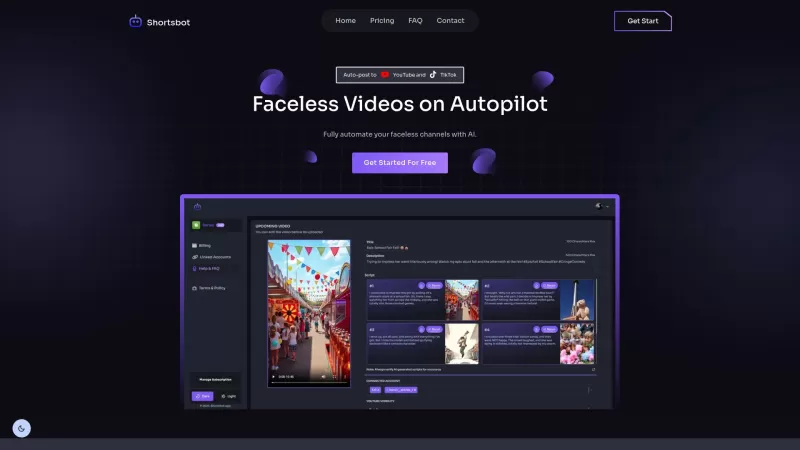
Ever wondered how to keep your TikTok and YouTube channels buzzing with content without lifting a finger? Enter Shortsbot, your new best friend in the world of faceless video creation. This nifty platform takes the hassle out of managing your channels by automating the entire process—from video crea
Ever felt like you're stuck trying to solve complex business issues, but your tech skills just aren't up to snuff? Enter Wand, your new best friend in the world of AI. This tool is designed to be a game-changer, allowing anyone, regardless of their techni
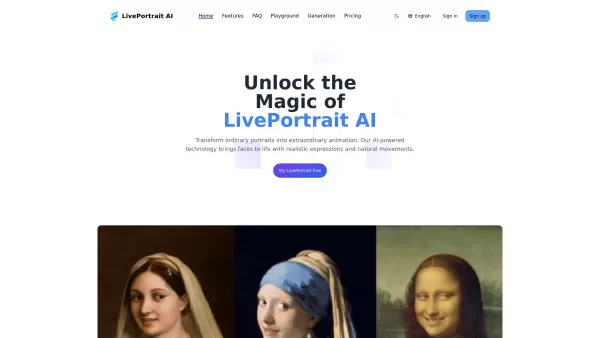
Ever wondered what it would be like to see your favorite still photos come alive with movement and emotion? Well, buckle up, because LivePortrait AI is here to make that happen! This innovative platform harnesses the power of advanced technology to animat

What is Giststack? Giststack is an AI-driven platform that assists users, especially solopreneurs and marketers, in tackling the hurdles of social media content creation. It gathers content from your preferred websites and newsletters, spots trending
BatchRemoveBackground.com Product Information
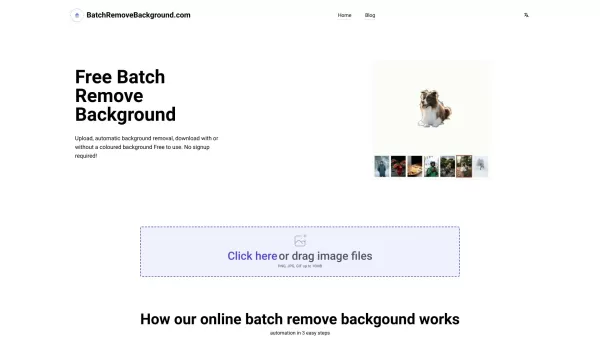
Ever found yourself stuck trying to manually remove backgrounds from dozens of images? Enter BatchRemoveBackground.com, a game-changer for anyone dealing with bulk image editing. This nifty tool lets you strip away backgrounds from multiple photos in one go—all without breaking a sweat or dipping into your wallet. Best part? No account creation needed, just upload and go.
Whether you're a designer juggling client projects, an e-commerce pro prepping product shots, or even a social media guru crafting viral content, this platform has got your back. Let me walk you through how it works—and why it might just become your new favorite tool.
What Exactly Is BatchRemoveBackground.com?
This free online service specializes in removing image backgrounds in bulk. That means you can upload up to 30 images at once, and the tool will automatically process them all, leaving you with crisp, clean silhouettes. You can choose to keep a solid-colored background or stick with transparent PNGs—it’s entirely up to you. And did I mention it’s 100% free? No hidden fees, no strings attached. Just drag-and-drop simplicity.
How Does It Work?
Using BatchRemoveBackground.com is as straightforward as it gets. Here’s the step-by-step:- Head over to the site and either click the “Upload” button or simply drag your image files (JPEG, PNG, or GIF formats under 10MB each) straight onto the page.
- Once your files are uploaded, hit the “Process” button, and let the magic happen. The AI-powered background removal kicks in, and before you know it, your images are transformed.
- Download your edited images as PNG files with transparent backgrounds—or opt for a colored backdrop if you prefer. Simple as that!
Key Features You’ll Love
- Batch Processing: Need to edit more than one image? No problem. This tool handles up to 30 files at a time, saving you hours of manual labor.
- AI-Powered Accuracy: Say goodbye to tedious pixel-picking. The advanced AI ensures smooth, accurate results every time.
- No Software Required: Everything happens online, so there’s no need to install anything on your computer. Just a stable internet connection and you’re good to go.
Who Can Benefit From This Tool?
This platform isn’t just for tech-savvy pros—it’s perfect for anyone who needs quick, reliable background removal. Here are some common scenarios where it shines:- Designers: Streamline your workflow by stripping away unnecessary clutter from stock photos or client assets.
- E-commerce Businesses: Create uniform, polished product images that stand out on platforms like Amazon or Etsy.
- Social Media Marketers: Craft eye-catching visuals for Instagram stories, Facebook ads, or Twitter banners without wasting hours on Photoshop.
Frequently Asked Questions
- Is BatchRemoveBackground.com really free to use?
- Absolutely! There are no subscription fees or sneaky charges lurking around. It’s designed to be accessible to everyone.
- What file formats are supported?
- You can upload JPEG, PNG, and GIF files up to 10MB each. Just ensure your images meet the size limit before uploading.
- Can I remove backgrounds from multiple images at once?
- Yes! The tool supports batch processing, allowing you to edit up to 30 images simultaneously.
- Can I download images with transparent backgrounds?
- Definitely! Your edited images will be available as PNG files with transparent backgrounds. Alternatively, you can select a solid color option if preferred.
- Do I need any special software or plugins to use BatchRemoveBackground.com?
- Nope! Since it’s entirely web-based, you don’t need to install anything. Just open your browser and start uploading.
Still curious? Give it a shot—you won’t regret the time saved. Happy editing!
BatchRemoveBackground.com Screenshot

Explore the 2026 latest best AI object removal tools at XIX.AI. Discover our top-rated, curated list featuring powerful, game-changing apps for clean photo editing and background cleanup. Compare free vs paid options using real-world tests. Find your perfect editing solution and unlock superior, stress-free results today.
 35 tools
 xix.ai

2026 Latest: Find the best and top-rated AI tools to instantly remove people and distractions from your photos. Our curated expert list compares free vs paid picks, with real-world tests. Discover powerful game-changing options to achieve perfect, clean shots. Explore now on XIX.AI and unlock your AI photo editing edge!
10 tools
xix.ai


Tried BatchRemoveBackground.com for a client project with 50 product images - literally saved me a whole weekend! The batch processing is solid but sometimes struggles with hair details. Overall a lifesaver for e-commerce folks 😅 Anyone else notice it works better on solid-color backgrounds?


