


 Home
HomeBard for google
Google Bard Extension: AI Responses in Browser



Helps TikTok sellers, brands, MCNs, and TAPs discover winning products and find creators.

HelpLook is an AI-powered all-in-one knowledge base tool that helps businesses quickly build knowledge bases, help centers, and...

Your AI Workspace

302.AI is an enterprise-grade AI resource platform with pay-as-you-go pricing, API access to a full range of AI models, and ready-to-use online applications.

剧火AI — AI Screenwriter + Director, a One-Person Short Drama Studio In one sentence, what is it?

Ever heard of Grok? It's this nifty AI assistant from xAI that's all about giving you the straight scoop. And the best part? It's totally free! Grok isn't just your average AI; it's packed with cool features like real-time search, image generation, and tr

Ever wondered what Qwen AI is all about? Well, let me introduce you to this gem from Alibaba Cloud. Qwen AI is not your average language model; it's a powerhouse designed to be your go-to buddy for everything from whipping up text to coding, and even reco

Discover Plume AI: Your Ultimate Academic Writing AssistantAre you tired of struggling with your academic writing? Well, say hello to Plume AI, the innovative AI assistant that's here to revolutionize the way you write! Designed with students in mind, Plume AI harnesses the power of cutting-edge art

Ever wished for a trusty sidekick to help you navigate the digital world with ease? Enter Sider, your personal AI companion designed to seamlessly blend into your daily routine. Starting off as a handy Chrome/Edge extension, Sider transforms your browsing

Ever wondered what Ninja AI is all about? Well, let me tell you, it's like having a Swiss Army knife for your digital needs! Ninja AI isn't just another AI tool; it's a powerhouse that brings together over 24 top-notch Large Language Models (LLMs) to help
Bard for google Product Information
What is Bard for google?
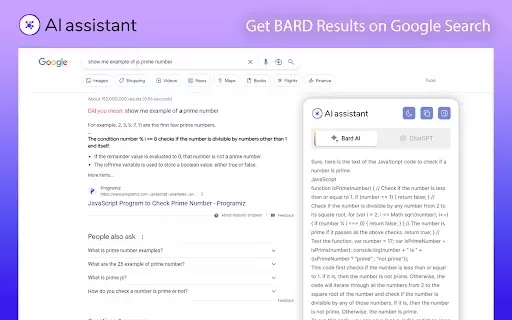
The Bard for Google Chrome extension integrates Bard AI directly into your browser. It elevates your online search experience by delivering conversational AI responses alongside standard Google results. Whether you need a fast fact check or want to explore a complex topic, Bard AI uses sophisticated language models to provide natural, human-like dialogue, making web searches more interactive and insightful. This seamless blend allows you to interact with AI within the familiar Google interface, boosting both efficiency and engagement.
Who will use Bard for google?
- Students
- Researchers
- Professionals
- Content creators
- Everyday Google users
- Technology enthusiasts
How to use the Bard for google?
- Step 1: Launch Chrome and go to the Chrome Web Store.
- Step 2: Search for 'Bard for Google'.
- Step 3: Click the 'Add to Chrome' button to install it.
- Step 4: Complete the setup by following the on-screen instructions.
- Step 5: After installation, open a new tab and run a Google search.
- Step 6: See AI-powered responses appear next to your search results.
Platform
- Web
- Chrome
Bard for google's Core Features & Benefits
The Core Features
- Direct integration with Google Search
- Natural language, conversational replies
- Real-time AI interaction
- Straightforward installation
The Benefits
- Elevates the search experience
- Delivers fast, precise answers
- Simplifies complex discussions
- Boosts productivity
Bard for google's Main Use Cases & Applications
- Finding information rapidly
- Academic and market research
- Brainstorming content ideas
- Language translation
- Homework and learning support
FAQs of Bard for google
What is Bard for Google?
Bard for Google is a Chrome extension that combines Bard AI with Google Search to show conversational responses next to your results.
How do I install Bard for Google?
Find 'Bard for Google' in the Chrome Web Store, select 'Add to Chrome', and follow the setup steps.
What platforms does Bard for Google support?
It's a web-based tool designed specifically for the Google Chrome browser.
Can I use Bard for Google for research?
Absolutely. It's excellent for research, offering AI-generated insights to help you gather information quickly.
Is Bard for Google free?
Yes, the Bard for Google extension is free to download and use.
How does Bard for Google enhance my search experience?
It enriches your searches with conversational AI responses, making it easier to get quick answers and dive deeper into topics.
Can Bard for Google help with content creation?
Yes, it can assist by generating ideas and providing creative input for various content projects.
What are the benefits of using Bard for Google?
Key benefits include an enhanced search experience, quick answers, simplified complex conversations, and increased productivity.
How often is Bard for Google updated?
The extension receives regular updates to maintain optimal performance and add new capabilities.
Can I provide feedback about Bard for Google?
Yes, user feedback is welcome and can be submitted via the Chrome Web Store or by contacting the support team directly.
Bard for google Company Information
Website:
https://chrome.google.comCompany Name:
GoogleSupport Email:
NAFacebook:
NAX(Twitter):
NAYouTube:
NAInstagram:
NATiktok:
NALinkedIn:
NA
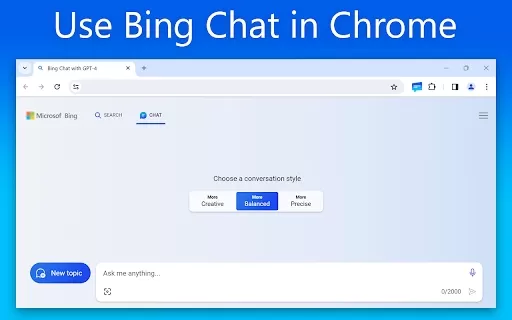
Bard for google Screenshot
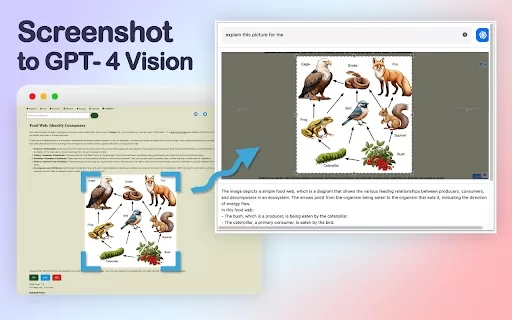
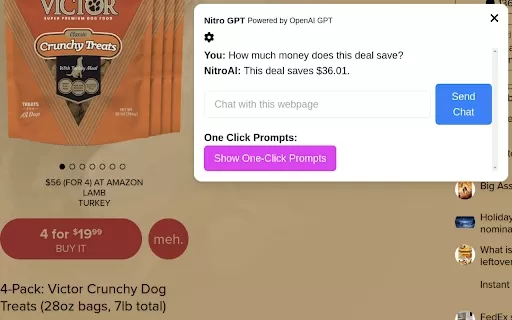
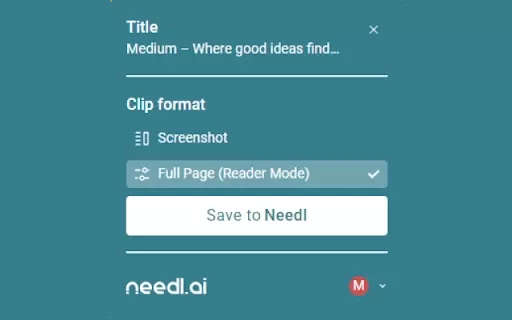

2026 Latest Best Top-rated AI Object Removal Editors for portraits travel product shots! XIX.AI curates a powerful game-changing collection regularly updated with weekly rankings. These tools offer real-world tests to help you quickly remove unwanted elements, boost content quality, and save tons of time without compromising results. Must-try for anyone aiming to unlock their AI creation edge. Explore now!
 10 tools
 xix.ai

2026 Latest Best Top-rated AI Text to Speech Tools for Online Courses are curated by XIX.AI based on rigorous real-world tests and weekly updated rankings. These powerful tools help creators deliver crystal-clear audio content effortlessly, boosting writing efficiency and streamlining course production. Check out the free vs paid comparison to find your perfect fit. Explore now to unlock your AI edge in online education.
10 tools
xix.ai

2026 Latest Best Top-Rated AI Blog Title Tools for Higher Click Through Rates! XIX.AI has carefully curated a powerful, game-changing collection of top tools that go through rigorous real-world tests. You’ll find a free vs paid comparison, weekly updated rankings, and detailed insights to help you boost your blog’s traffic efficiently. Must-try options are highlighted to help you unlock your AI edge. Explore now!
10 tools
xix.ai

2026 Latest Best Top-rated AI Task Routing Tools for Support Workflows! XIX.AI has curated a highly powerful game-changing collection of must-try solutions, all undergoing rigorous real-world tests and updated weekly. These tools streamline workflows, boost productivity, and help teams deliver faster, more efficient support. Explore now to discover your perfect tool and unlock your AI edge!
17 tools
xix.ai

2026 Latest Best Top-Rated AI Citation and Paper Summary Tools Curated by XIX.AI. Get powerful game-changing solutions for quick content creation, improved writing efficiency, and boosting productivity. We offer a free vs paid comparison along with real-world tests and weekly updated rankings to help you find the must-try tool that fits your needs perfectly. Explore now to Unlock your AI edge.
10 tools
xix.ai

2026 Latest Best Top-Rated AI Productivity Tools for Daily Work! XIX.AI has curated a powerful, game-changing selection based on rigorous weekly updated rankings and real-world tests. You’ll find must-try options that boost writing efficiency, streamline content creation, and help you overcome daily work challenges. Get a free vs paid comparison to find the perfect fit for your needs. Explore now to unlock your AI edge!
9 tools
xix.ai


