


 Home
HomeAutoPod
AutoPod: Adobe Premiere Pro Podcast Editing



Helps TikTok sellers, brands, MCNs, and TAPs discover winning products and find creators.

HelpLook is an AI-powered all-in-one knowledge base tool that helps businesses quickly build knowledge bases, help centers, and...

Your AI Workspace

302.AI is an enterprise-grade AI resource platform with pay-as-you-go pricing, API access to a full range of AI models, and ready-to-use online applications.

剧火AI — AI Screenwriter + Director, a One-Person Short Drama Studio In one sentence, what is it?
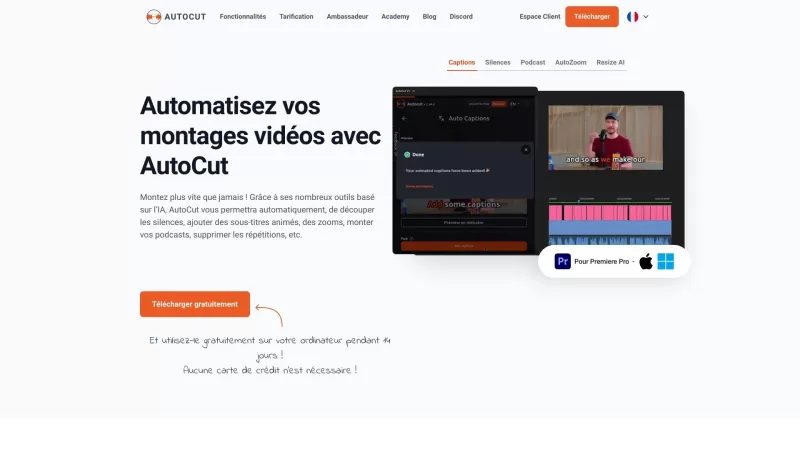
Ever wished you had a magic wand for video editing? Meet AutoCut, the Premiere Pro plugin that's like your very own AI editing assistant. It does everything from adding those snazzy animated subtitles to cutting out those awkward silences. Whether you're
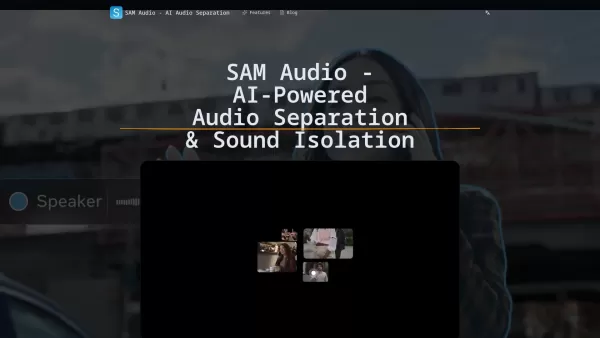
What is SAM Audio? SAM Audio is an AI-driven service for audio separation and sound isolation, bringing Meta's Segment Anything Audio Model directly to your projects. It allows users to extract vocals, instruments, speech, and sound effects from comp
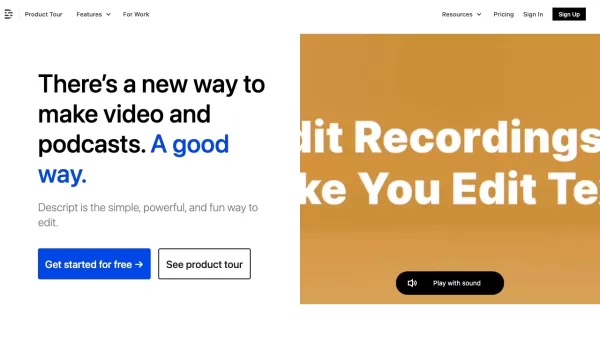
Descript is more than just another tool—it’s your one-stop shop for video and podcast creation and editing. Think of it as a supercharged word processor, but for audio and visuals. Need to craft a professional video or podcast? Descript lets you writ
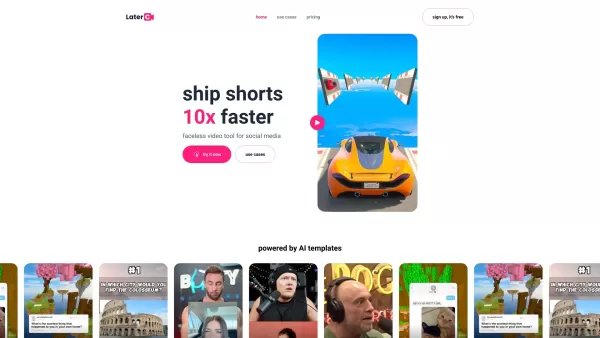
Imagine you're juggling the fast-paced world of social media, trying to keep up with the latest trends and algorithms. That's where Latercut steps in as your ultimate sidekick for crafting those snappy, engaging short-form videos. With Latercut, you're no
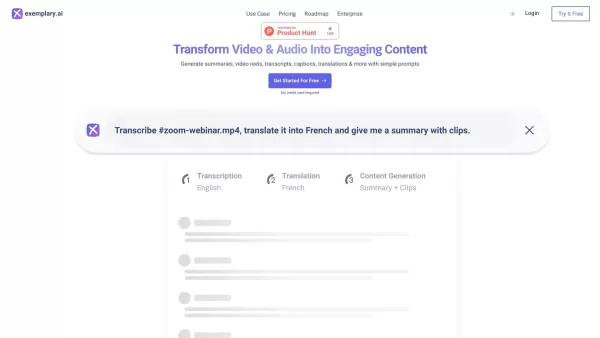
What is Exemplary AI?Exemplary AI provides a complete toolkit for content creation and repurposing. Powered by advanced AI, it quickly converts long videos into captivating short clips, precise summaries, and detailed show notes. It also offers AI-dr
AutoPod Product Information
Ever wondered how to streamline your video editing process for podcasts and shows? Enter AutoPod, a game-changer for Adobe Premiere Pro users. This nifty set of plug-ins is specifically designed to take the hassle out of post-production, letting you focus on creating content that captivates your audience. With AutoPod, you're not just editing; you're revolutionizing your workflow.
Getting Started with AutoPod
Getting started with AutoPod is as easy as pie. First, you'll need to install these plug-ins into Adobe Premiere Pro. Once you've got them set up, the real magic begins, especially if you're dealing with multi-camera setups. AutoPod can juggle up to 10 cameras and 10 microphones, effortlessly weaving together your footage into a seamless narrative. Whether you're working with solo shots or expansive wide angles, AutoPod adapts to your needs. And the best part? You can tweak the settings to match your unique editing style. The social clip creator is another gem, resizing your content for various aspect ratios while adding features like auto-reframe, watermarks, and endpages to make your clips pop on social media. And if you want to keep your audience engaged, the jump cut editor analyzes silence in your footage to create dynamic jump cuts, allowing you to set a decibel cutoff tailored to your microphones.
AutoPod's Standout Features
Multi-Camera Mastery
AutoPod isn't just good; it's great at handling up to 10 cameras and microphones, making multi-camera editing a breeze.
Tailor-Made Editing
Customization is key with AutoPod. You can fine-tune how often wide shots appear and choose your preferred editing methods to craft the perfect video.
Social Media Savvy
With the automatic creation of social clips, AutoPod ensures your content fits perfectly on any platform, with different aspect ratios taken care of.
Jump Cut Genius
The jump cut editor is like having an extra set of eyes, automatically creating engaging jump cuts based on silence in your footage.
Where AutoPod Shines
- Video Podcast Editing: AutoPod makes podcast editing a smoother, quicker process.
- Video Show Editing: Whether it's a talk show or a series, AutoPod helps you create professional-quality content.
- Social Media Clips: Create clips optimized for different social media platforms effortlessly.
- Engaging Jump Cuts: Keep your audience hooked with dynamic jump cuts that enhance the viewing experience.
Frequently Asked Questions
- Can AutoPod handle different camera configurations?
- Absolutely! From solo shots to wide angles, AutoPod manages them all with ease.
- Is AutoPod customizable for different editing methods?
- Yes, you can tailor AutoPod to fit your editing style perfectly.
- Can AutoPod create social clips for different aspect ratios?
- Definitely! AutoPod ensures your clips look great no matter where they're shared.
- How does the jump cut editor work?
- It analyzes silence in your footage to create jump cuts, with customizable settings for your microphones.
- Is there a batch export feature for social clips?
- AutoPod streamlines the process, allowing for efficient batch exports of your social clips.
For any support queries, you can reach out to AutoPod's customer service at [email protected]. AutoPod, a company dedicated to revolutionizing video editing, offers detailed pricing information at their pricing page. Stay updated with AutoPod on social media; follow them on TikTok, Twitter, and Instagram.
AutoPod Screenshot




2026 Latest Best Top-rated AI Text to Speech Tools for Natural Voiceovers are here on XIX.AI! This curated list features powerful, game-changing options that deliver crystal-clear voices for every use case, backed by real-world tests and weekly updated rankings. Get a free vs paid comparison to find the must-try solution that boosts your productivity instantly. Explore now to Unlock your AI edge!
 11 tools
 xix.ai

2026 Latest Best Manga AI Background Generators Ranked Top-Rated! This curated collection showcases powerful game-changing tools perfect for creating high-quality chapter backgrounds, book covers, and promotional art. Every option has undergone rigorous real-world tests to ensure reliability. Get a free vs paid comparison along with detailed insights. Explore now to discover your perfect tool and unlock your AI edge in manga creation.
6 tools
xix.ai

2026 Latest Best Top-rated AI Object Removal Editors for portraits travel product shots! XIX.AI curates a powerful game-changing collection regularly updated with weekly rankings. These tools offer real-world tests to help you quickly remove unwanted elements, boost content quality, and save tons of time without compromising results. Must-try for anyone aiming to unlock their AI creation edge. Explore now!
10 tools
xix.ai

2026 Latest Best Top-rated AI Text to Speech Tools for Online Courses are curated by XIX.AI based on rigorous real-world tests and weekly updated rankings. These powerful tools help creators deliver crystal-clear audio content effortlessly, boosting writing efficiency and streamlining course production. Check out the free vs paid comparison to find your perfect fit. Explore now to unlock your AI edge in online education.
10 tools
xix.ai

2026 Latest Best Top-Rated AI Blog Title Tools for Higher Click Through Rates! XIX.AI has carefully curated a powerful, game-changing collection of top tools that go through rigorous real-world tests. You’ll find a free vs paid comparison, weekly updated rankings, and detailed insights to help you boost your blog’s traffic efficiently. Must-try options are highlighted to help you unlock your AI edge. Explore now!
10 tools
xix.ai

2026 Latest Best Top-rated AI Task Routing Tools for Support Workflows! XIX.AI has curated a highly powerful game-changing collection of must-try solutions, all undergoing rigorous real-world tests and updated weekly. These tools streamline workflows, boost productivity, and help teams deliver faster, more efficient support. Explore now to discover your perfect tool and unlock your AI edge!
17 tools
xix.ai


Just tried AutoPod for my weekly podcast and WOW! 😲 Cut my editing time in half with those smart jump cut presets. The multi-camera sync is like magic - though I wish it handled shaky footage better. 9/10 would recommend to any solo creator!


