


 Home
HomeAlibaba Smart VSCode Extension



Helps TikTok sellers, brands, MCNs, and TAPs discover winning products and find creators.

HelpLook is an AI-powered all-in-one knowledge base tool that helps businesses quickly build knowledge bases, help centers, and...

Your AI Workspace

302.AI is an enterprise-grade AI resource platform with pay-as-you-go pricing, API access to a full range of AI models, and ready-to-use online applications.

剧火AI — AI Screenwriter + Director, a One-Person Short Drama Studio In one sentence, what is it?
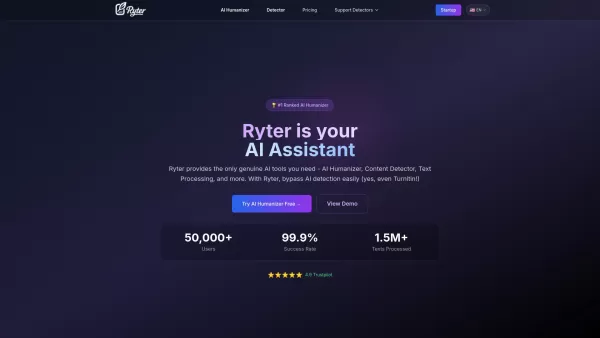
What is Ryter Pro? Ryter Pro is an AI Humanizer tool that transforms AI-generated text from platforms like ChatGPT and GPT-4 into natural, human-like content. This makes it undetectable by major AI detectors including Turnitin, GPTZero, Originality.a
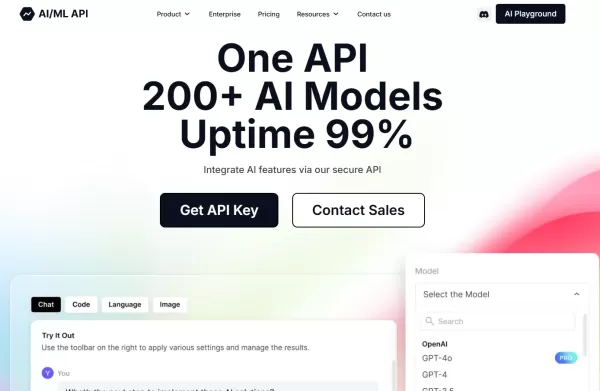
What is the AIML API?AIMLAPI delivers access to more than 200 AI models through a single, unified API, designed for low latency and effortless scaling. It's an ideal tool for developers and businesses aiming to add sophisticated AI features to their

Ever wondered how to streamline your work as a prompt engineer or digital worker? Enter GeneratedBy, a game-changing platform designed to revolutionize how you create, test, and share AI-generated prompts. It's like having a personal assistant for your AI needs, making the whole process not just eas

ENIX isn't just another AI assistant; it's a game-changer for businesses looking to boost their marketing, analytics, and creative output. Think of it as your personal toolkit, where you can craft and tailor AI agents to meet your specific needs. It's all

What is Components AI?Components AI is a suite of generative and parametric design tools that help you customize, organize, and publish designs. It enables the creation of responsive components, pages, and websites with no coding required. The platfo
Alibaba Smart VSCode Extension Product Information
What is Alibaba Smart VSCode Extension?
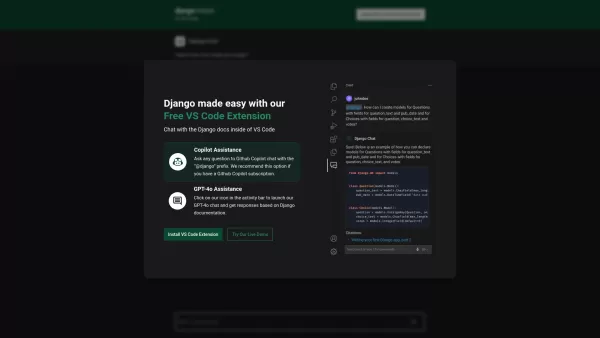
The Alibaba Smart VSCode Extension is an open-source plugin for Visual Studio Code that transforms your IDE into a dynamic AI agent workspace. It simplifies interaction with AI frameworks like ChatGPT by providing a built-in chat widget, customizable triggers, and direct code action integration. Developers can define agent roles, workflow steps, and plugins through a straightforward configuration file, while the extension manages sessions, API calls, and the user interface. This setup allows for quick prototyping of chat-based tools, instant code generation, and context-aware searches through internal documentation—all without leaving VSCode. Teams can further tailor it with custom connectors, event hooks, and middleware, making it a flexible foundation for building specialized AI assistants right inside the code editor.
Who will use Alibaba Smart VSCode Extension?
- Software Developers
- DevOps Engineers
- Data Scientists
- Technical Teams
- Research & Development Engineers
How to use the Alibaba Smart VSCode Extension?
- Step 1: Install the extension from the VSCode Marketplace or using a VSIX file.
- Step 2: Add your AI service API key (e.g., from OpenAI) to the VSCode settings.
- Step 3: Create a smart-vscode.config.json file in your project workspace to set up your agents.
- Step 4: Specify agent roles, prompts, and plugins within the configuration file.
- Step 5: Open the chatbot panel or use the command palette to begin your session.
- Step 6: Use chat commands or code actions to get code suggestions or retrieve information.
Platform
- macOS
- Windows
- Linux
Alibaba Smart VSCode Extension's Core Features & Benefits
The Core Features
- Plugin-based AI agent integration
- Interactive chat widget with conversation history
- Support for multiple AI models and backends
- Configurable agent roles and prompt templates
- Integration with code actions and completions
- Built-in session and state management
The Benefits
- Accelerates AI agent prototyping
- Enables a seamless workflow within the editor
- Offers flexible customization for enterprise use cases
- Boosts developer productivity
- Provides centralized management for chatbot interactions
Alibaba Smart VSCode Extension's Main Use Cases & Applications
- Interactive code generation and refactoring
- AI-powered Q&A using project documentation
- Prototyping domain-specific chatbots
- Embedding internal knowledge base assistants in VSCode
Alibaba Smart VSCode Extension's Pros & Cons
The Pros
Brings AI-powered capabilities directly into Visual Studio Code to streamline the development process.
Assists with a wide range of coding tasks and is backed by comprehensive documentation and guides.
Developed by Alibaba Tongyi Lab, offering robust technical support and regular updates.
Open-source, encouraging community contributions and enhancements.
The Cons
No clear pricing details are provided.
Lacks direct links to mobile or messaging platform integrations.
Users may need prior experience with AI development tools to maximize its potential.
FAQs of Alibaba Smart VSCode Extension
What is Smart VSCode Extension?
It is an open-source VSCode plugin designed to integrate AI chatbots and coding assistants directly into the IDE.
How do I install the extension?
Search for 'Smart VSCode Extension' in the VSCode Marketplace or install it manually via the VSIX package.
Which AI models are supported?
It supports various backends, including OpenAI GPT models, Azure OpenAI Service, and custom RESTful APIs.
How to configure my own chatbot?
Set up your chatbot by creating a smart-vscode.config.json file in your workspace and defining agent roles, prompts, and plugins.
Can I integrate with private APIs?
Yes, you can connect to private RESTful or WebSocket-based AI endpoints by configuring the API URL in the settings.
Is the extension open-source?
Yes, it is open-source, available on GitHub, and welcomes community involvement.
How to contribute to the project?
Fork the project on GitHub, submit pull requests, or open issues to share feedback and suggest new features.
Where to report issues?
Submit bug reports and feature requests on the GitHub Issues page for the Smart VSCode Extension repository.
Does it support multiple agents?
Yes, you can configure and run several agents at the same time across different workspaces or editor tabs.
What VSCode versions are required?
The extension requires Visual Studio Code version 1.60 or higher.
Alibaba Smart VSCode Extension Company Information
- Alibaba Group
- https://www.aliexpress.com
Alibaba Smart VSCode Extension Screenshot


2026 Latest Best Top-rated AI Object Removal Editors for portraits travel product shots! XIX.AI curates a powerful game-changing collection regularly updated with weekly rankings. These tools offer real-world tests to help you quickly remove unwanted elements, boost content quality, and save tons of time without compromising results. Must-try for anyone aiming to unlock their AI creation edge. Explore now!
 10 tools
 xix.ai

2026 Latest Best Top-rated AI Text to Speech Tools for Online Courses are curated by XIX.AI based on rigorous real-world tests and weekly updated rankings. These powerful tools help creators deliver crystal-clear audio content effortlessly, boosting writing efficiency and streamlining course production. Check out the free vs paid comparison to find your perfect fit. Explore now to unlock your AI edge in online education.
10 tools
xix.ai

2026 Latest Best Top-Rated AI Blog Title Tools for Higher Click Through Rates! XIX.AI has carefully curated a powerful, game-changing collection of top tools that go through rigorous real-world tests. You’ll find a free vs paid comparison, weekly updated rankings, and detailed insights to help you boost your blog’s traffic efficiently. Must-try options are highlighted to help you unlock your AI edge. Explore now!
10 tools
xix.ai

2026 Latest Best Top-rated AI Task Routing Tools for Support Workflows! XIX.AI has curated a highly powerful game-changing collection of must-try solutions, all undergoing rigorous real-world tests and updated weekly. These tools streamline workflows, boost productivity, and help teams deliver faster, more efficient support. Explore now to discover your perfect tool and unlock your AI edge!
17 tools
xix.ai

2026 Latest Best Top-Rated AI Citation and Paper Summary Tools Curated by XIX.AI. Get powerful game-changing solutions for quick content creation, improved writing efficiency, and boosting productivity. We offer a free vs paid comparison along with real-world tests and weekly updated rankings to help you find the must-try tool that fits your needs perfectly. Explore now to Unlock your AI edge.
10 tools
xix.ai

2026 Latest Best Top-Rated AI Productivity Tools for Daily Work! XIX.AI has curated a powerful, game-changing selection based on rigorous weekly updated rankings and real-world tests. You’ll find must-try options that boost writing efficiency, streamline content creation, and help you overcome daily work challenges. Get a free vs paid comparison to find the perfect fit for your needs. Explore now to unlock your AI edge!
9 tools
xix.ai


