


 Home
HomeAkeru: Your AI LinkedIn Assistant
Akeru AI: Better LinkedIn Messaging with Smart Replies



Helps TikTok sellers, brands, MCNs, and TAPs discover winning products and find creators.

HelpLook is an AI-powered all-in-one knowledge base tool that helps businesses quickly build knowledge bases, help centers, and...

Your AI Workspace

302.AI is an enterprise-grade AI resource platform with pay-as-you-go pricing, API access to a full range of AI models, and ready-to-use online applications.

剧火AI — AI Screenwriter + Director, a One-Person Short Drama Studio In one sentence, what is it?

What is AI Dream Factory (Unlimited AI Girlfriend Chinese Version)?Botur Game Factory presents an AI-powered virtual girlfriend, crafted to deliver an immersive and interactive conversational experience. Powered by advanced AI algorithms, this virtua
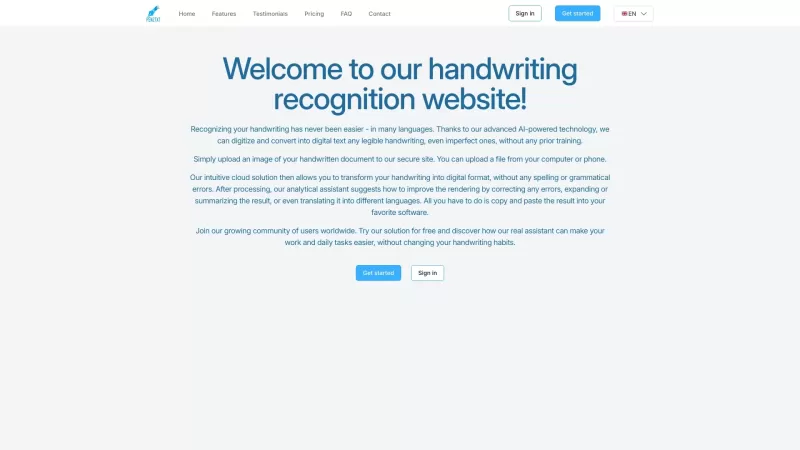
Ever wished you could magically turn your scribbled notes into neat, digital text? That's where Pen2txt comes in—a handy tool that transforms your handwritten notes into editable digital format using cutting-edge Handwritten Text Recognition (HTR) technology. How to Use Pen2txt? Getting started wit

What is AI Girlfriend Alice?AI Girlfriend Alice bridges technology and human connection by offering a customizable virtual partner. Powered by advanced AI, this platform provides a secure and private space for companionship. Users can personalize the
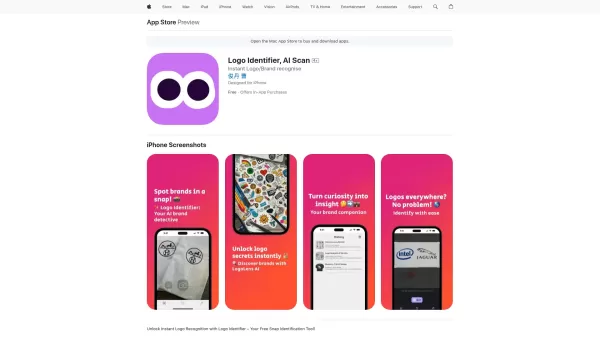
Ever wondered what that cool logo you spotted on your shopping spree or while flipping through a magazine actually represents? Enter Logo Identifier, the nifty AI-powered app that's like having a brand-savvy friend in your pocket. With just a snap of your
Are you gearing up for your DSE oral exams and feeling a bit nervous about your English speaking skills? Fear not! The DSE Speaking Assistant is here to help you ace those exams with confidence. This AI-powered tool is like having a personal tutor at your
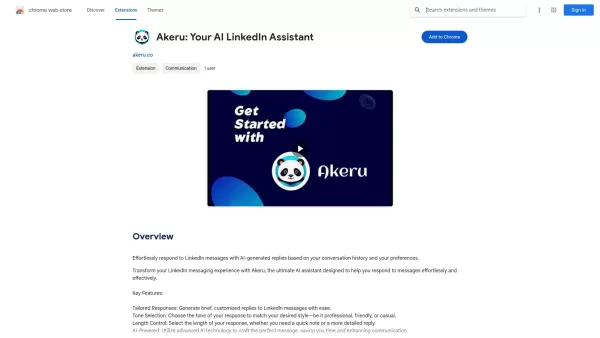
Akeru: Your AI LinkedIn Assistant Product Information
What is Akeru: Your AI LinkedIn Assistant?
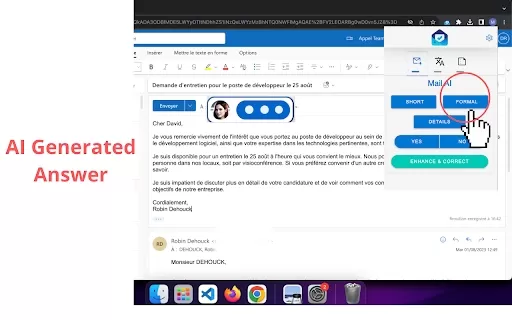
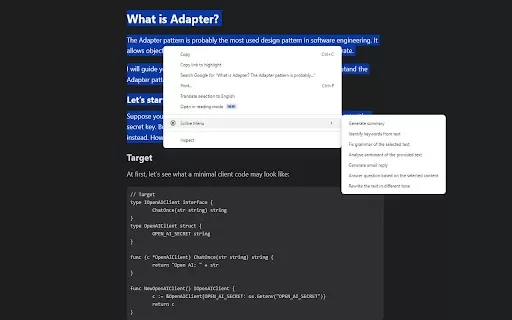
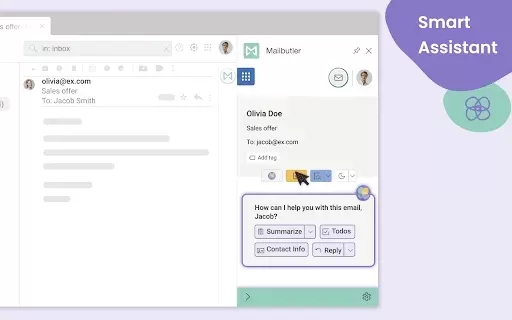
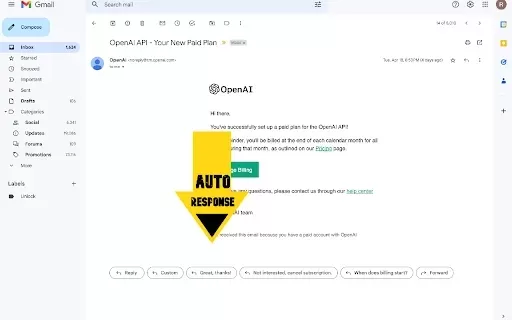
Akeru leverages sophisticated AI to analyze your LinkedIn conversation history, empowering you to craft personalized replies that match your unique communication style. Select your preferred tone, adapt messages, and respond quickly to connections without sacrificing a genuine personal touch. This tool streamlines networking by making interactions smoother and more engaging—ideal for busy professionals aiming to maximize their online networking impact.
Who is Akeru: Your AI LinkedIn Assistant for?
- Recruiters
- Job Seekers
- Sales Professionals
- Business Owners
- LinkedIn Users
How to Use Akeru: Your AI LinkedIn Assistant
- Step 1: Install the Akeru extension from the Chrome Web Store.
- Step 2: Log into your LinkedIn account.
- Step 3: Open a conversation in LinkedIn Messages.
- Step 4: Click the Akeru icon to generate a response.
- Step 5: Choose your desired tone and customize the reply.
- Step 6: Send the AI-crafted message instantly.
Platform
- Chrome
Akeru: Your AI LinkedIn Assistant's Core Features & Benefits
Core Features
- AI-Generated Message Replies
- Tone Selection for Customization
- Conversation History Analysis
- Customizable Message Templates
- User-Friendly Interface
Key Benefits
- Saves time when replying to messages
- Boosts networking efficiency
- Preserves a personal touch in conversations
- Enhances overall communication quality
- Delivers tailored professional engagement
Akeru: Your AI LinkedIn Assistant's Main Use Cases & Applications
- Networking with potential employers
- Following up with clients
- Maintaining professional relationships
- Responding to job inquiries
- Engaging with industry contacts
FAQs for Akeru: Your AI LinkedIn Assistant
Can I customize replies?
Yes, Akeru lets you choose from various tones and customize messages to fit the context.
Is Akeru secure?
Yes, the tool prioritizes user privacy and ensures robust data security.
Which platforms support Akeru?
Akeru is currently available as an extension for the Chrome browser.
What is Akeru?
Akeru is an AI-powered assistant designed to help users generate smart, context-aware replies within LinkedIn messages.
How does Akeru work?
It analyzes your past conversations and creates tailored responses based on your selected style and preferences.
Is Akeru free to use?
Akeru offers free features, with certain advanced options potentially available through paid plans.
Who can benefit from Akeru?
A wide range of professionals—including recruiters, job seekers, salespeople, and business owners—can find it highly beneficial.
Can Akeru help with job inquiries?
Absolutely. It is especially effective for crafting professional responses to job-related messages and inquiries.
How do I install Akeru?
Simply visit the Chrome Web Store and add the Akeru extension to your browser.
What are the core features of Akeru?
Key features include AI-generated replies, customizable tone options, and in-depth conversation analysis.
Akeru: Your AI LinkedIn Assistant Company Information
Website:
https://akeru.co/Company Name:
AkeruSupport Email:
Facebook:
NAX (Twitter):
NAYouTube:
NAInstagram:
NATikTok:
NALinkedIn:
NA
Akeru: Your AI LinkedIn Assistant Screenshot

2026 Latest Best Top-rated AI SERP Analysis Tools for Search Strategy are curated by XIX.AI through rigorous real-world tests and weekly updated rankings. These powerful tools help you unlock hidden optimization opportunities, boost content performance, and gain a competitive edge in search. Discover your perfect tool to elevate your search strategy today. Explore now!
 13 tools
 xix.ai

2026 Latest Best Top-rated AI Anomaly Detection Tools for KPI Monitoring in SaaS and Ecommerce teams! XIX.AI has curated a powerful, game-changing collection based on rigorous real-world tests and weekly updated rankings. You’ll find detailed free vs paid comparison insights to help you identify the must-try solution that boosts productivity and unlocks your AI edge. Explore now!
10 tools
xix.ai

2026 Latest Best Top-Rated AI Outline Generators for Long-Form SEO Articles, meticulously curated by XIX.AI. These powerful tools offer game-changing assistance in creating high-quality content quickly, boosting writing efficiency significantly. Get a free vs paid comparison along with real-world tests and detailed rankings to help you find the must-try option that suits your needs. Explore now to unlock your AI edge.
8 tools
xix.ai

2026 Latest Best AI Study Tools for Homework and Exam Prep! XIX.AI curates a top-rated list of powerful, game-changing tools that help students boost productivity, streamline homework completion, and ace exams through real-world tests. Get a free vs paid comparison, detailed rankings, and must-try options to unlock your AI edge. Explore now!
10 tools
xix.ai

2026 Latest Best AI Vocal Demo Tools for Songwriters, Hook Creators, and Multi-Language Content Teams! XIX.AI has curated a top-rated list of powerful game-changing tools that go through rigorous real-world tests. You’ll find detailed free vs paid comparison data, comprehensive rankings, and must-try options to help you boost writing efficiency and unlock your creative potential. Explore now to discover your perfect tool for all your content needs!
9 tools
xix.ai

2026 Latest Best Top-rated AI Competitive Research Tools for Small Businesses! XIX.AI has curated a highly powerful game-changing collection, updated weekly with rigorous real-world tests and detailed rankings. You can find a comprehensive free vs paid comparison to help you identify the must-try tools that boost your productivity and give you a competitive edge. Explore now to discover your perfect tool!
9 tools
xix.ai


