


 Home
HomeAI On It
"AI Email Assistant: Track Events & Deadlines Easily"



Helps TikTok sellers, brands, MCNs, and TAPs discover winning products and find creators.

HelpLook is an AI-powered all-in-one knowledge base tool that helps businesses quickly build knowledge bases, help centers, and...

Your AI Workspace

302.AI is an enterprise-grade AI resource platform with pay-as-you-go pricing, API access to a full range of AI models, and ready-to-use online applications.

剧火AI — AI Screenwriter + Director, a One-Person Short Drama Studio In one sentence, what is it?

Discover Plume AI: Your Ultimate Academic Writing AssistantAre you tired of struggling with your academic writing? Well, say hello to Plume AI, the innovative AI assistant that's here to revolutionize the way you write! Designed with students in mind, Plume AI harnesses the power of cutting-edge art
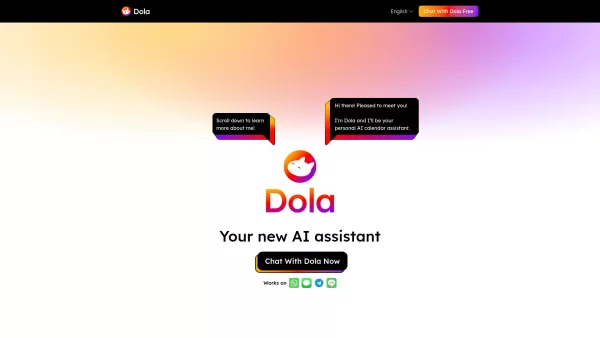
What is Toki? Toki is an AI-powered calendar assistant and time management tool that simplifies scheduling for both individuals and groups. It utilizes advanced AI to understand inputs from voice, text, images, and complex contexts, then organizes th
What is Gander AI?Gander AI utilizes advanced artificial intelligence to automate common tasks, boost efficiency, and deliver productivity-enhancing insights. It integrates into your workflow to handle scheduling, data entry, email communications, an
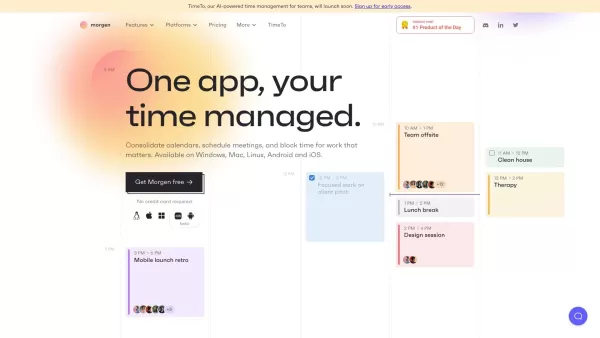
Ever feel like you're juggling a dozen calendars and to-do lists, trying to keep your life in order? Enter Morgen, your all-in-one solution for managing calendars, scheduling, and tasks. It's like having a personal assistant who's always on top of yo
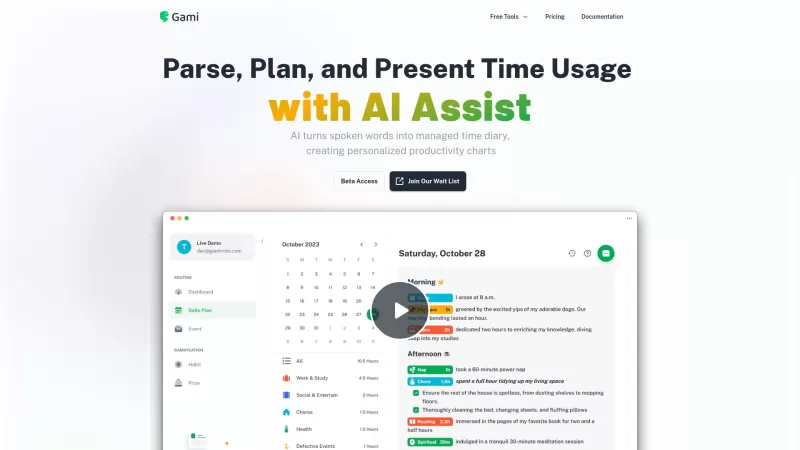
Ever felt like you're juggling too many tasks and losing track of time? Enter Gami—a nifty AI tool that's like a personal diary for your time management. It's not just about clocking hours; it's about understanding your day in a more natural, conversation
AI On It Product Information
What is AI On It?
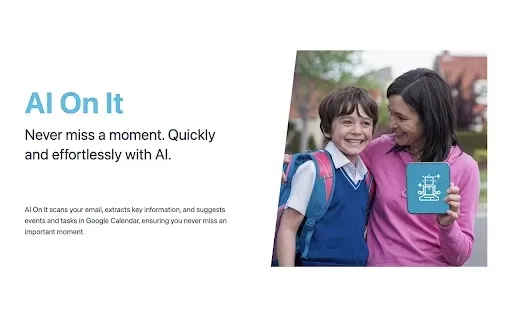
AI On It is your personal productivity assistant, streamlining time management by scanning your Gmail for key details like dates, locations, and action items. With a single click, it transforms email content into calendar entries, structured tasks, and clear summaries—freeing you from manual organization while keeping your data secure.
Who uses AI On It?
- Parents juggling family schedules
- Corporate professionals
- Productivity-focused users
Getting started with AI On It
- Step 1: Install from Chrome Web Store
- Step 2: Authorize Gmail access
- Step 3: Click to scan emails
- Step 4: Verify detected items
- Step 5: One-click import to calendar
Platform
- Google Chrome
AI On It's Core Features & Benefits
Key Features
- Intelligent email processing
- Seamless calendar syncing
- Automated task generation
- Enterprise-grade security
Key Advantages
- Recovers hours through automation
- Provides military-grade schedule control
- Eliminates missed appointment anxiety
- Guarantees data confidentiality
Practical Applications
- Managing children's school activities
- Coordinating business meetings
- Converting email threads into actionable to-do lists
AI On It FAQs
How does AI On It identify important information?
The system scans email content for temporal data, addresses, and task markers upon user activation.
Is my data secure with AI On It?
Absolutely. The extension operates with limited access and processes all data locally within your Google ecosystem.
Can I add events to my Google Calendar?
Yes, the system auto-populates calendar events with extracted details for instantaneous scheduling.
What type of tasks can AI On It manage?
It creates deadline-based tasks from identified action items in your messages.
Is AI On It free to use?
The core functionality remains free, with premium upgrades available.
Does AI On It support other email services besides Gmail?
Currently optimized exclusively for Gmail integration.
How do I install AI On It?
Available via direct installation from Chrome's extension marketplace.
Can I use AI On It on mobile devices?
Desktop Chrome browsers remain the supported platform.
How often is AI On It updated?
Regular feature enhancements and optimizations are released—check the Web Store for version history.
Who can benefit from using AI On It?
Essential for time-constrained individuals seeking automated organization solutions.
AI On It Company Information
AI On It Screenshot


2026 Latest Best Top-rated AI Text to Speech Tools for Natural Voiceovers are here on XIX.AI! This curated list features powerful, game-changing options that deliver crystal-clear voices for every use case, backed by real-world tests and weekly updated rankings. Get a free vs paid comparison to find the must-try solution that boosts your productivity instantly. Explore now to Unlock your AI edge!
 11 tools
 xix.ai

2026 Latest Best Manga AI Background Generators Ranked Top-Rated! This curated collection showcases powerful game-changing tools perfect for creating high-quality chapter backgrounds, book covers, and promotional art. Every option has undergone rigorous real-world tests to ensure reliability. Get a free vs paid comparison along with detailed insights. Explore now to discover your perfect tool and unlock your AI edge in manga creation.
6 tools
xix.ai

2026 Latest Best Top-rated AI Object Removal Editors for portraits travel product shots! XIX.AI curates a powerful game-changing collection regularly updated with weekly rankings. These tools offer real-world tests to help you quickly remove unwanted elements, boost content quality, and save tons of time without compromising results. Must-try for anyone aiming to unlock their AI creation edge. Explore now!
10 tools
xix.ai

2026 Latest Best Top-rated AI Text to Speech Tools for Online Courses are curated by XIX.AI based on rigorous real-world tests and weekly updated rankings. These powerful tools help creators deliver crystal-clear audio content effortlessly, boosting writing efficiency and streamlining course production. Check out the free vs paid comparison to find your perfect fit. Explore now to unlock your AI edge in online education.
10 tools
xix.ai

2026 Latest Best Top-Rated AI Blog Title Tools for Higher Click Through Rates! XIX.AI has carefully curated a powerful, game-changing collection of top tools that go through rigorous real-world tests. You’ll find a free vs paid comparison, weekly updated rankings, and detailed insights to help you boost your blog’s traffic efficiently. Must-try options are highlighted to help you unlock your AI edge. Explore now!
10 tools
xix.ai

2026 Latest Best Top-rated AI Task Routing Tools for Support Workflows! XIX.AI has curated a highly powerful game-changing collection of must-try solutions, all undergoing rigorous real-world tests and updated weekly. These tools streamline workflows, boost productivity, and help teams deliver faster, more efficient support. Explore now to discover your perfect tool and unlock your AI edge!
17 tools
xix.ai


